Search models, users, collections, and posts

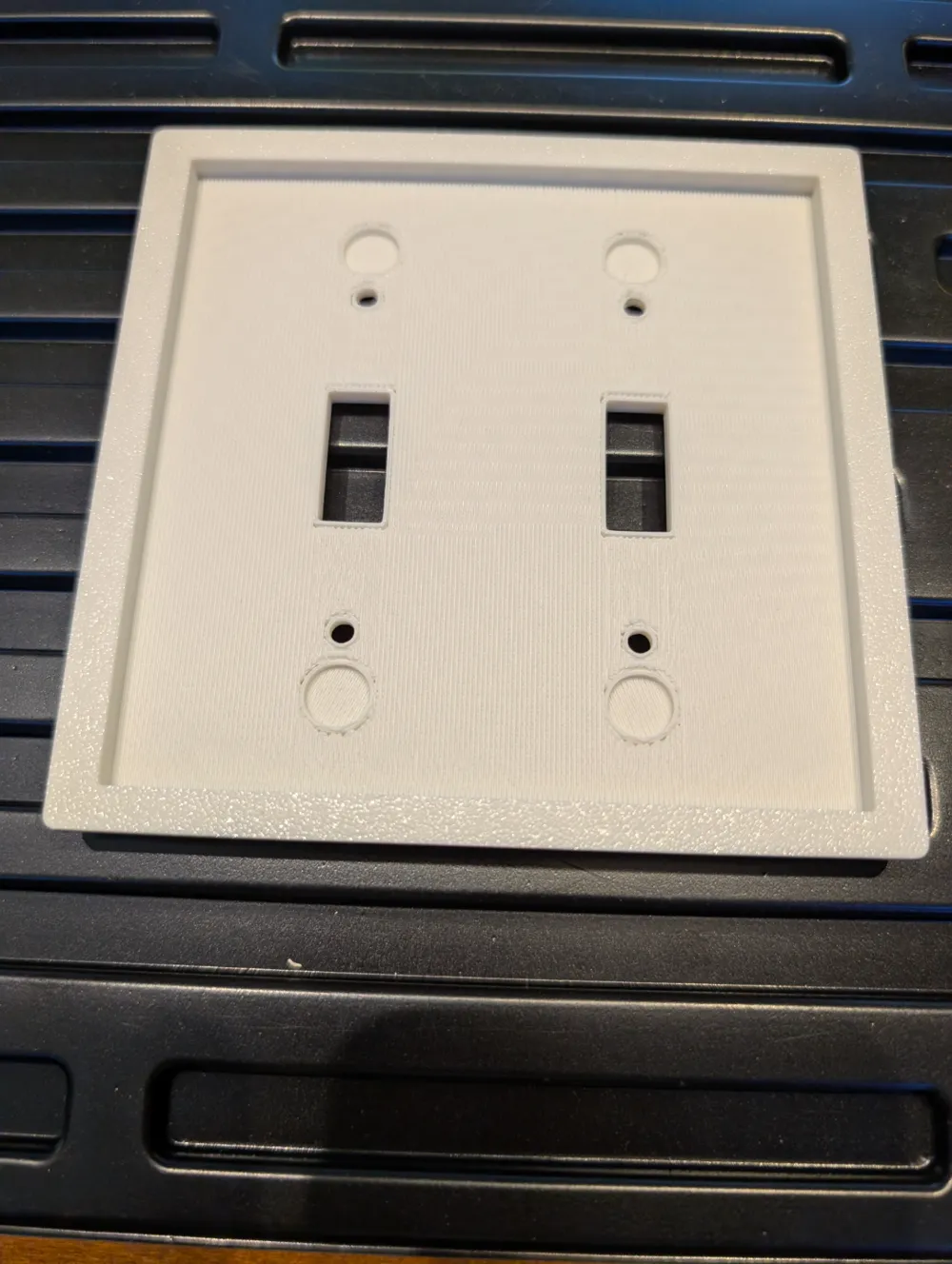
Decorative Double Light Switch Cover Plate

IP Report

Print Profile(1)

All
X1 Carbon
P1S
P1P
X1
X1E
A1
A1 mini
H2D
H2D Pro
H2S
P2S
H2C
X2D
A2L

0.2mm layer, 2 walls, 15% infill, with supports
Designer
1.9 h
1 plate
4.7(52)

Open in Bambu Studio
Boost
413
1122
102
38
897
614
Released 

Description

Decorative double standard light switch cover plate. Check out my other models for light switch, outlet and blank cover plates designed in this same style.

Comment & Rating (102)

(0/1000)

could you make one of these for a dual paddle switch? For a something like this?
The designer has replied
1
Reply
I will as soon as I can carve out the time! It may take a week to get it modeled and fine tuned enough to get a clean print.
3
Reply
I just finished the double and single decor style(paddle type switch) modeling tonight and test print came out very well. I will upload these and a single gang blank cover tomorrow, thanks for your patience.
1
Reply
Replying to @user_1405085920 :
Awesome 👍 Thank You!
0
Reply
these are great they look good. My only problem is I have to clean out the inserts. Not sure if that’s a problem or a design problem. Otherwise it’s great.
The designer has replied
0
Reply
That is the support material, these plates are designed to have supports because of the cavity on the back, they come off fairly easy.
0
Reply
Replying to @user_1405085920 :
oooh! maybe I’m not cleaning out all that support material…I’ll go back and figure it out.
0
Reply
Print Profile
0.2mm layer, 2 walls, 15% infill, with supports
printing a bunch of these! absolutely love them! print great on a1! thank you!!!!
1
Reply
Print Profile
0.2mm layer, 2 walls, 15% infill, with supports
one of the main reasons I absolutely love Bambu Handy, I'd because of prints just like this one. Sometimes, ya just got to have household things! And we just finished our MstBth remodel. This print was the perfect finishing touch to the newly added outlet. Next on the list is a dbl light switch and a single outlet! This was a fun print to watch and it came out just perfect. Printed on an A1 with a .4 nozzle and dark brown generic PLA along with a tan wood PLA. I didnt have to change any settings...just painted the tan wood. Finished with a very smooth finish as well. Thanks for sharing!!! Now the Mrs wants all the switch/light plates done!!!!
1
Reply
Switch plate came out great. I was confused at first when I looked at the back, then I realized that was all support material that had to be removed. Thanks for a great design.
0
Reply
Print Profile
0.2mm layer, 2 walls, 15% infill, with supports
The profile uploader has replied
0
Reply
Nice! Thank you!
0
Reply
Print Profile
0.2mm layer, 2 walls, 15% infill, with supports
0
Reply
Print Profile
0.2mm layer, 2 walls, 15% infill, with supports
the model printed very weird
The profile uploader has replied
0
Reply
Can you elaborate? Or show a pic?
0
Reply
Replying to @user_1405085920 :
I threw it away, I should’ve taken pictures but it wasn’t building the layer correctly or as I’ve usually seen it. It was doing circles to build the layers and it was flaking off as it printed. hopefully this helps.
0
Reply
Replying to @KnightM :
Sounds like the filament may have broken or clogged.
(Edited)
1
Reply
is this the same outside measurements as a standard plate? I need one that is slightly oversize to cover a flaw in the wall
The designer has replied
0
Reply
How far from the edge of the plate is your flaw on the wall?
0
Reply
Replying to @user_1405085920 :
It's at my son's house... so I'm not exactly sure. It's about maybe 1/8-3/16 above the current plate - I THINK. I have printed this one for them to try. I can always add a bit to the outer dimensions. Thank you for the reply!
0
Reply
Replying to @timsonefelt :
Let me know and I'll do what I can to help.
0
Reply
Print Profile
0.2mm layer, 2 walls, 15% infill, with supports
Strength Issue:The holes for the actual light switches did not print well at all, they left a lot of debris in the slots and when I removed some it ripped the back out.
The profile uploader has replied
0
Reply
That is the support material, it is required and is supposed to be removed after the print.
0
Reply
Replying to @user_1405085920 :
how is it removed without damaging the print? It ripped part of the back completely off
0
Reply
Replying to @SeriousSoundzDJ :
Push your finger through these slots to expose the edge of the support from the back cavity, use your other hand to grab the exposed support and pull it till it separates from the actual print. Reference this photo, you can see the support material inside the toggle slots and it almost completely covers the back, it is all waste but is needed because printers can't print in the air, they need a layer of something to print on.
0
Reply

License

This user content is licensed under a Standard Digital File License.

You shall not share, sub-license, sell, rent, host, transfer, or distribute in any way the digital or 3D printed versions of this object, nor any other derivative work of this object in its digital or physical format (including - but not limited to - remixes of this object, and hosting on other digital platforms). The objects may not be used without permission in any way whatsoever in which you charge money, or collect fees.
