Search models, users, collections, and posts

P1 Filament Holder Top - Manual AMS
Print Profile(1)

All
P1P
P1S
X1
X1 Carbon
X1E
A1
H2D
H2D Pro
H2S
P2S
H2C
X2D
A2L

All parts on 1 bed. Print twice.
Designer
9.2 h
1 plate
4.5(6)

Open in Bambu Studio
Boost
109
196
14
8
110
31
Released 

Bill of Materials

Maker's Supply Kits and Parts
Select all
BT3x6 SHCS Self Tapping Screw (20PCS) - AA107
BT3x8 SHCS Self Tapping Screw (20PCS) - AA108
List other parts
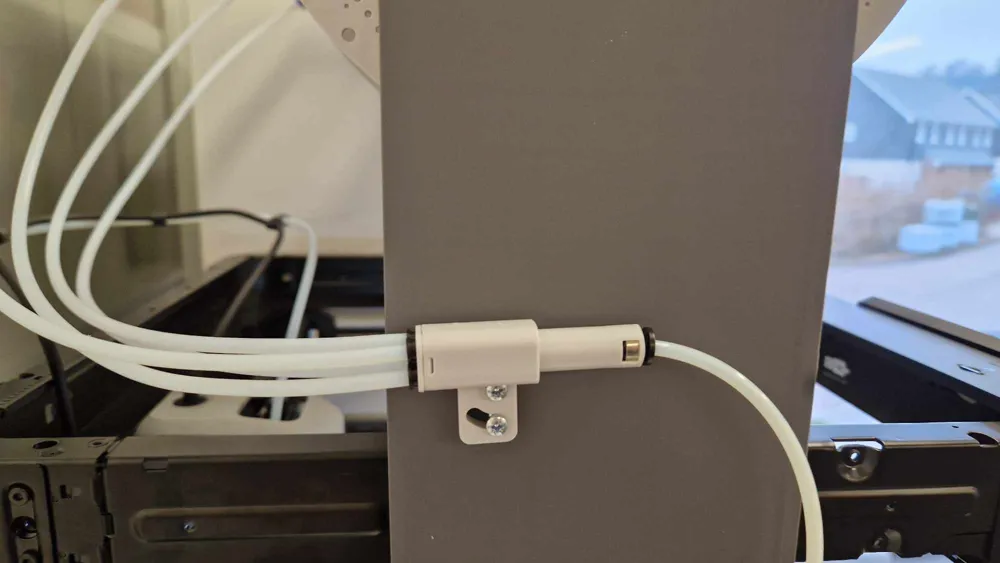
  • Bambu 4-in-1 PTFE Adapter x 1: P1S_Compatable
  • PTFE Tube Coupler x 4: W/O_Connector

Description

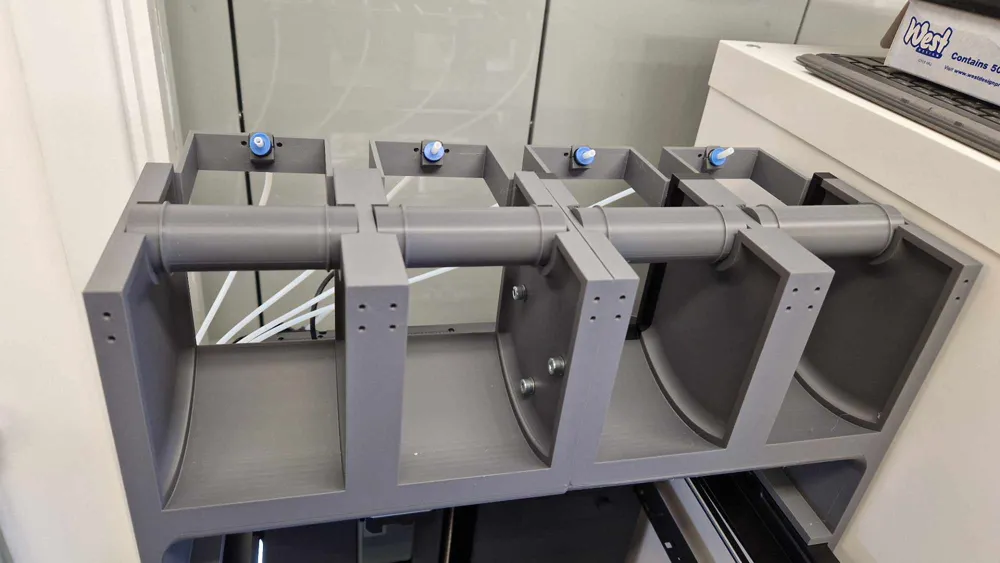
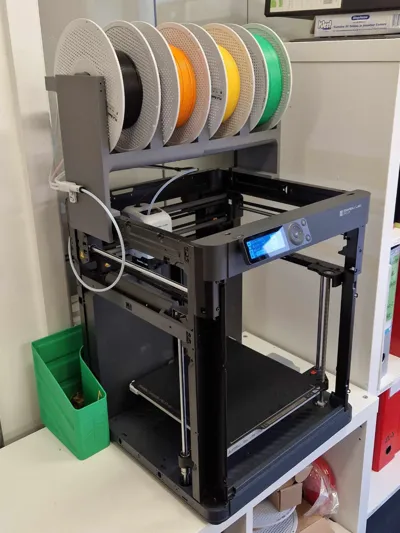
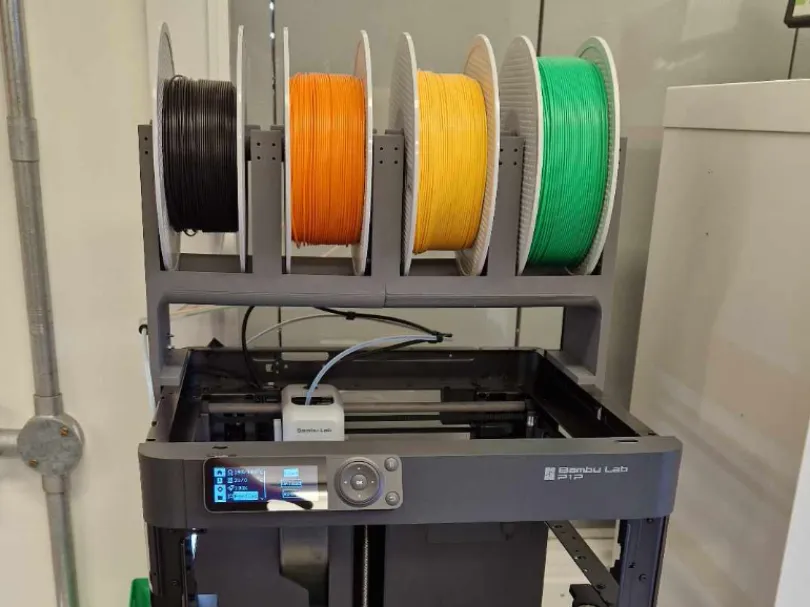
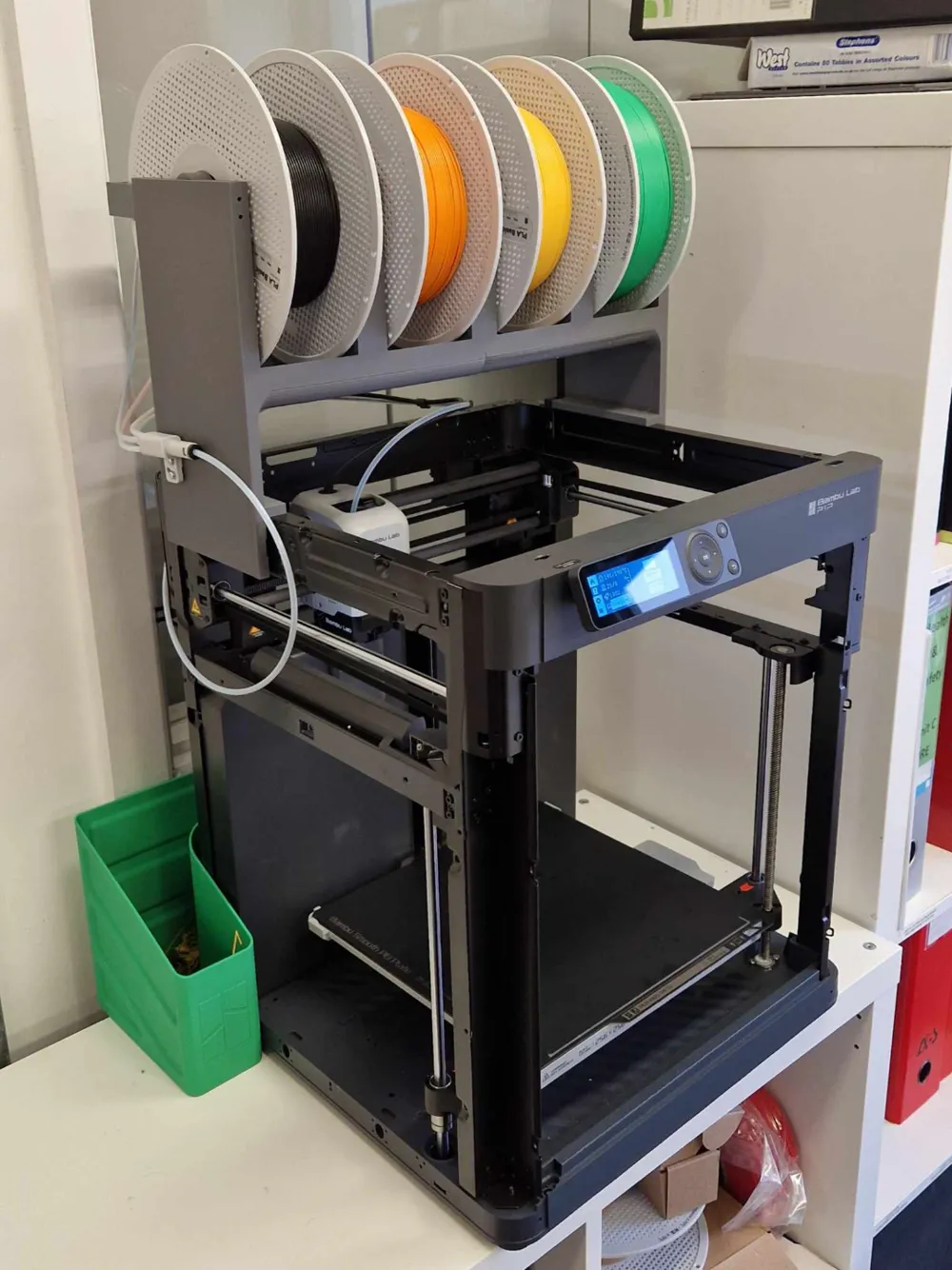
A fully 3D printed Manual AMS for your P1 3D Printer!


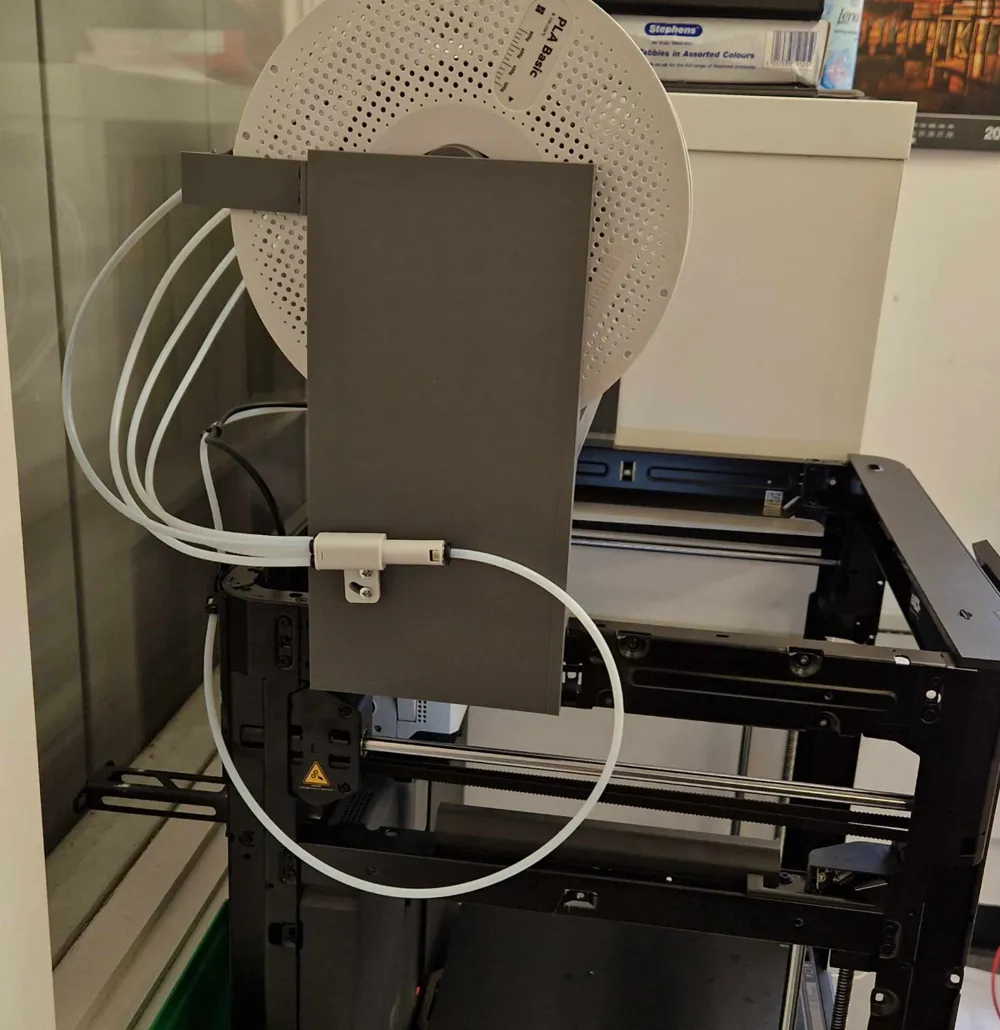
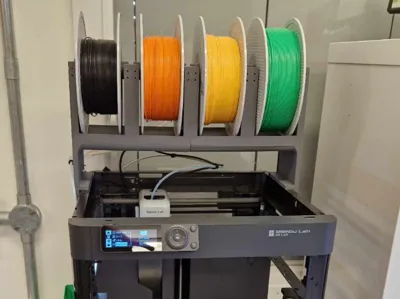
This print lets you upgrade your P1P or P1S to have a manual AMS on top. It holds 4 reels of filament for fast changing and storage sat on top of the unit. 


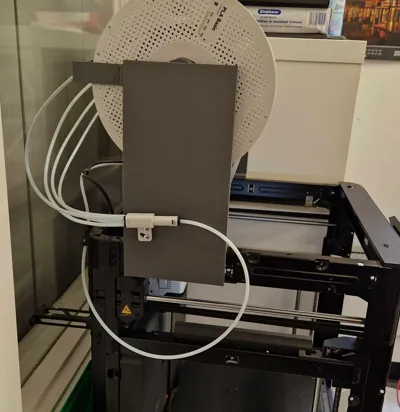
This lets you quickly change filament by manually pulling back the filament past the 4-1 adaptor. Much easier than taking the spool off and preventing tangling. 


Prints required:

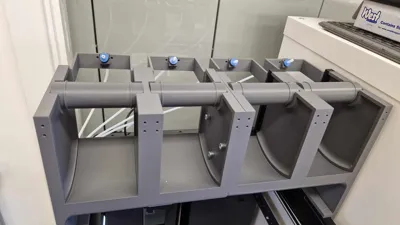
2x Main Filament Holder

4x Feed Brackets

4x Feed Camps

4x Tubes.

(print 2 of the print profile)


Parts required:

8x M3 x 6mm self taping screws - available from Bambu (AA107).

16x M3 x 8mm self taping screws - available from Bambu (AA108).

3x M5 x 16mm bolts

3x M5 Nuts

2x M3 x 18 bolts

2x m3 Nuts

1x Bambu 4-in-1 PTFE Adapter - available from Bambu

4x PTFE Tube Coupler - available from Bambu

4ish Meters of 4mm PTFE tube - available from Bambu


Instructions

  • Bolt two of the main filament holders together with 3x M5 bolts. 
  • Attach 4 of the feed brackets to the back with M3x8mm self taping screws
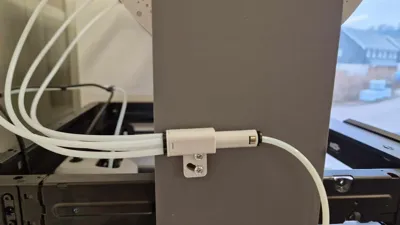
  • Add the PTFE tube couplers and clamp with M3x6mm self taping screws
  • Secure the 4-in-1 PTFE adaptor to the left side with m3x16 bolts.
  • Cut and add all of the PTFE tubing, leaving wide radii to avoid friction on the filament. 
  • Add the completed unit on top and push to the back. 
  • You can secure with sticky pads to keep it in place if required.

Boost Me (for free)

Please boost if you find this useful! 

Comment & Rating (14)

(0/1000)

Print Profile
All parts on 1 bed. Print twice.
The p1s version seems to be about 5mm too narrow. I'm. just going to add a spacer and longer bolts for now.
1
Reply
I boosted the idea I haven't printed it and won't because I own an AMS but the concept is fantastic
Show original
3
Reply
You should make an enclosed one so the filament doesn't absorb moisture
0
Reply
Great shit. I‘ve printed it and use 2 of them for my P1 and 2 for the P2. the only thing … some holes from the filament rolls are too big so the spool can‘t roll properly. I‘ve needed to print a spooladapter for the big holes (in my case jayo rolls). Now it‘s perfect. before I always got a warning, that the extrusion resistance is too high.
0
Reply
Good afternoon, could someone help me with the Bambu Studio configuration to change filament manually in multicolor prints
Show original
0
Reply
Print Profile
All parts on 1 bed. Print twice.
nice model good print. did just one because I will do the amored turtle now. nice design
0
Reply
Boosted
Not printing this because I have AMS but it looks CRAZY good. Good job.
0
Reply
wait how it works?
0
Reply
Print Profile
All parts on 1 bed. Print twice.
This is awesome, printed great, makes loading filament a lot easier. I did mount my PTFE splitter to the back of my machine (replacing the original coupler) instead which cut down on some on the length the filament had to travel.
0
Reply
Boosted
Really like the way the feed tubes are connected with the inbuilt couplers!
0
Reply

License

This user content is licensed under a Standard Digital File License.

You shall not share, sub-license, sell, rent, host, transfer, or distribute in any way the digital or 3D printed versions of this object, nor any other derivative work of this object in its digital or physical format (including - but not limited to - remixes of this object, and hosting on other digital platforms). The objects may not be used without permission in any way whatsoever in which you charge money, or collect fees.