Search models, users, collections, and posts


Print Profile(2)

0.2mm layer, 5 walls, 25% infill
Designer
21.7 h
1 plate

FUZZY, 0.2mm layer, 5 walls, 25% infill
Designer
32.3 h
1 plate
Open in Bambu Studio
Boost
55
156
4
3
210
35
Released
Description
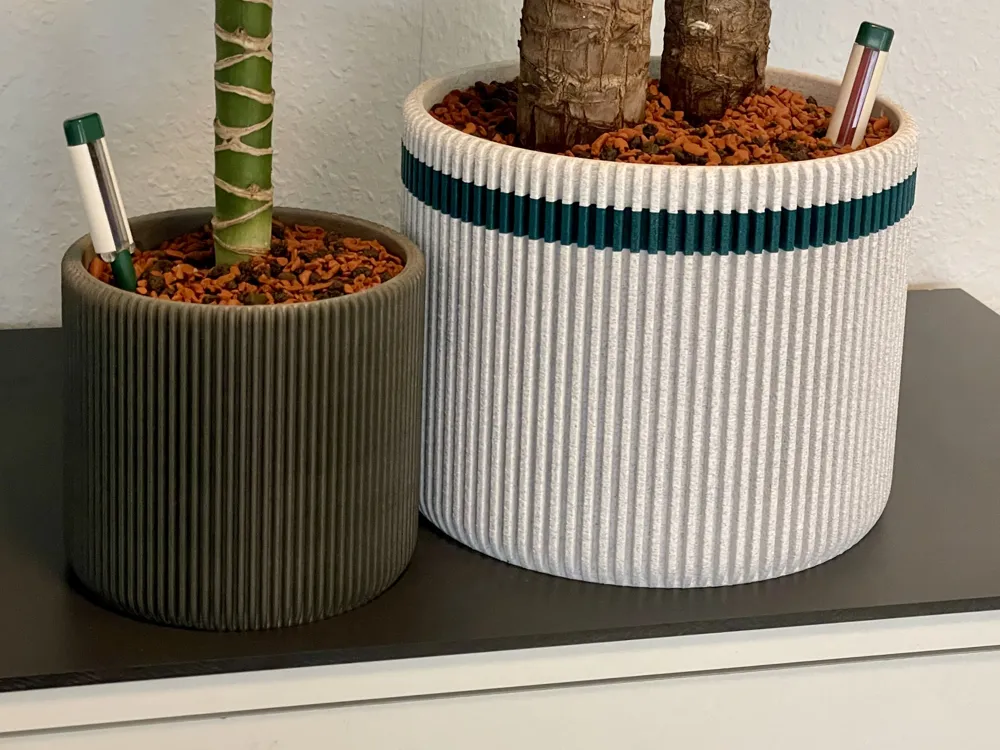
Completely customizable flower pot (Autodesk Fusion).
I uploaded only one size (192mm inner width, 165mm inner height), but you can also MAKE YOUR OWN SIZE using the uploaded "Flower Pot Parametric.f3d".
You need Autodesk Fusion 360 to set the parameters. It's free for private use.
Customization
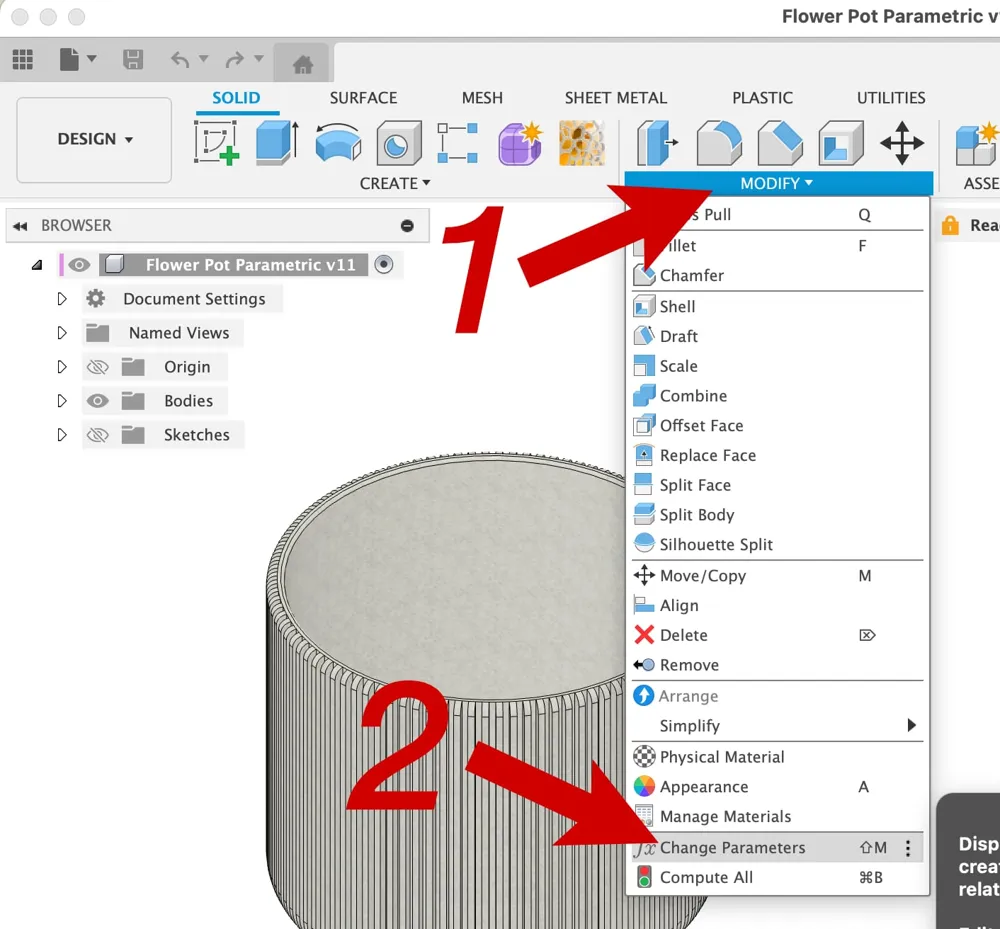
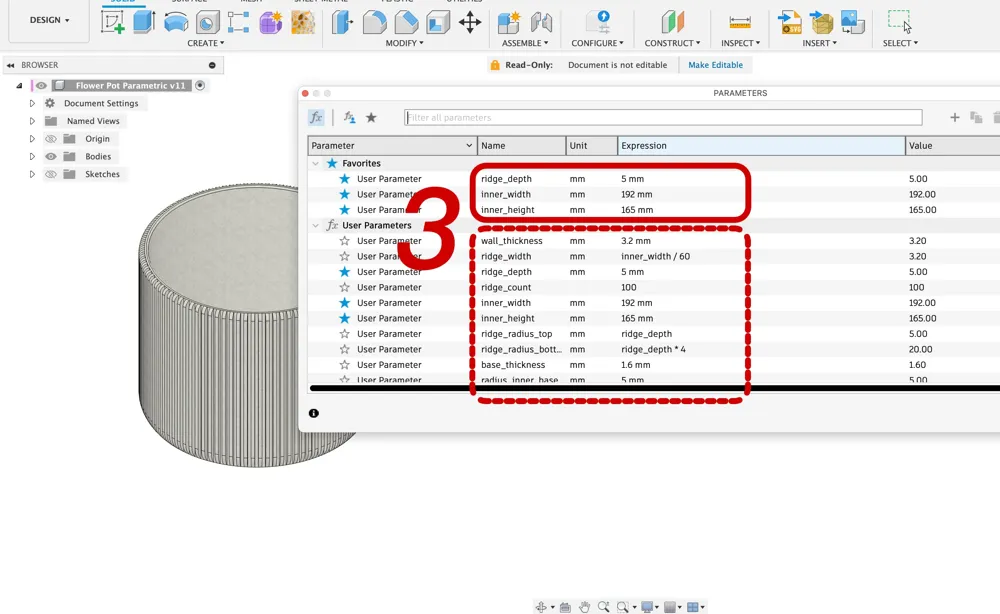
For those who are not familiar with Fusion here are very detailed instructions (see also the uploaded screenshots):
Open the file Flower Pot Parametric.f3d in Fusion 360.
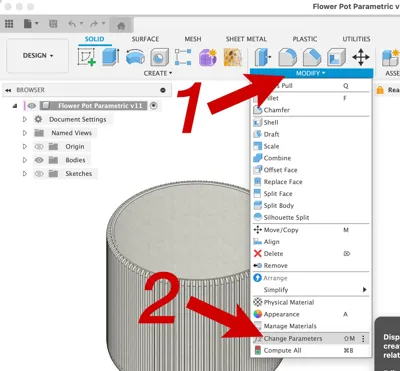
- Click Modify …
- … and Change Parameters
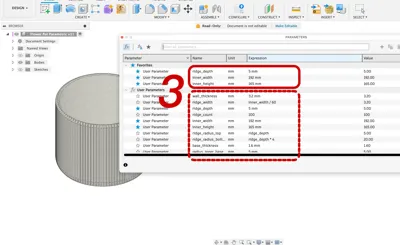
- In the following dialog you can edit the parameters. If the recalculation of the model fails just use the old value. Probably some other values need to be modified. Please use only reasonable values. The default values are for quite big flower pots.
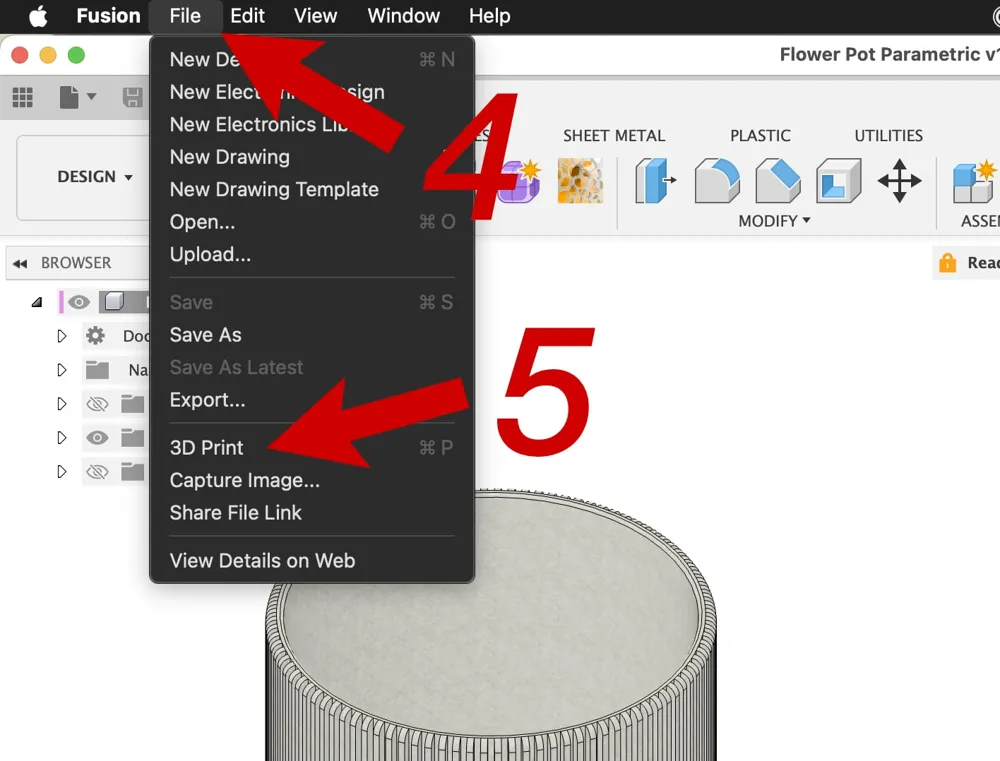
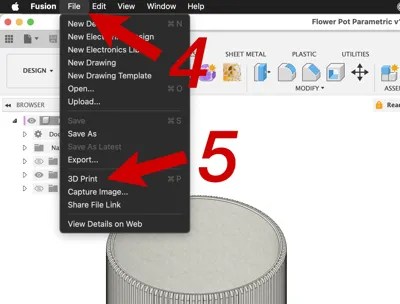
- Click File …
- … and 3D Print
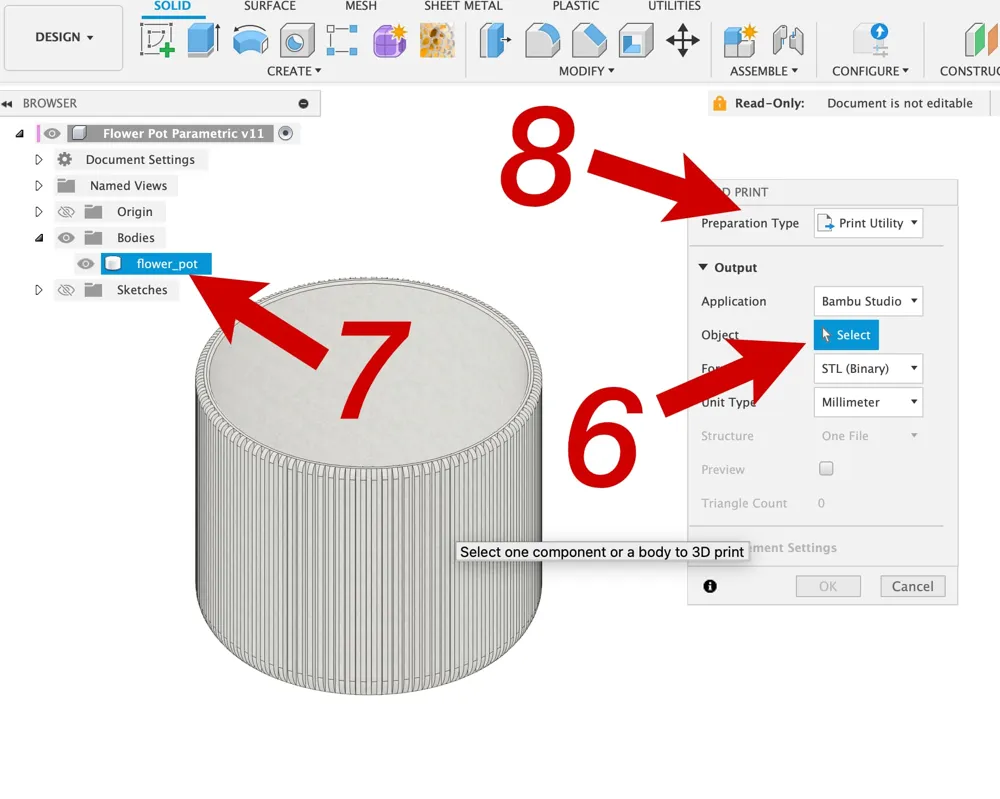
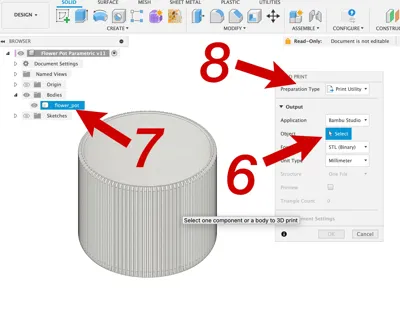
- In the following dialog click on Select …
- … and chose the body “flower_pot”
- Use Preparation Type “Export” to export an .stl file or send it directly to your sclicer with type “Print Utility” …
Print Instructions
- 4 walls
- no support
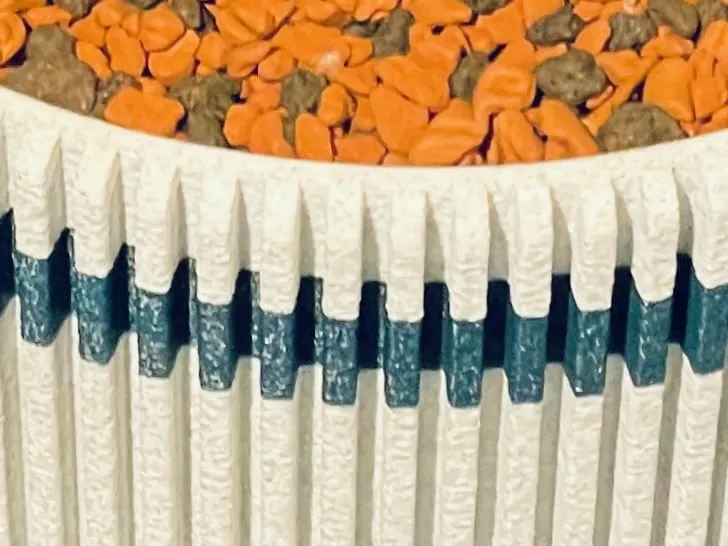
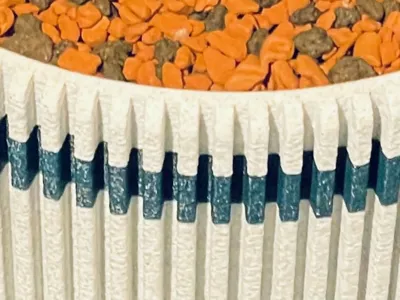
I used PLA with .2mm layer height. Looks great printed with fuzzy skin!
Use clear coat or resin and UV light to make it watertight!
If you have any hints or suggestions please let me know.
I would love to see photos of your plants …
License

This user content is licensed under a
Creative Commons Attribution-Share Alike


Comment & Rating (4)