Search models, users, collections, and posts

Lithophane 3-Size Frame V2

Print Profile(2)

All
P1S
X1
A1
P1P
H2D
X1E
X1 Carbon
H2D Pro
H2S
P2S
H2C
X2D
A2L
A1 mini

Lithophane 3-Size Frame V2
Designer
14.1 h
3 plates
4.8(123)

Lithophane Portable Frame
Designer
4 h
1 plate
5.0(6)

Open in Bambu Studio
Boost
404
1195
166
100
2.8 k
1 k
Released 

Bill of Materials

Maker's Supply Kits and Parts
Select all
96x144 mm (2PCS) - KC009
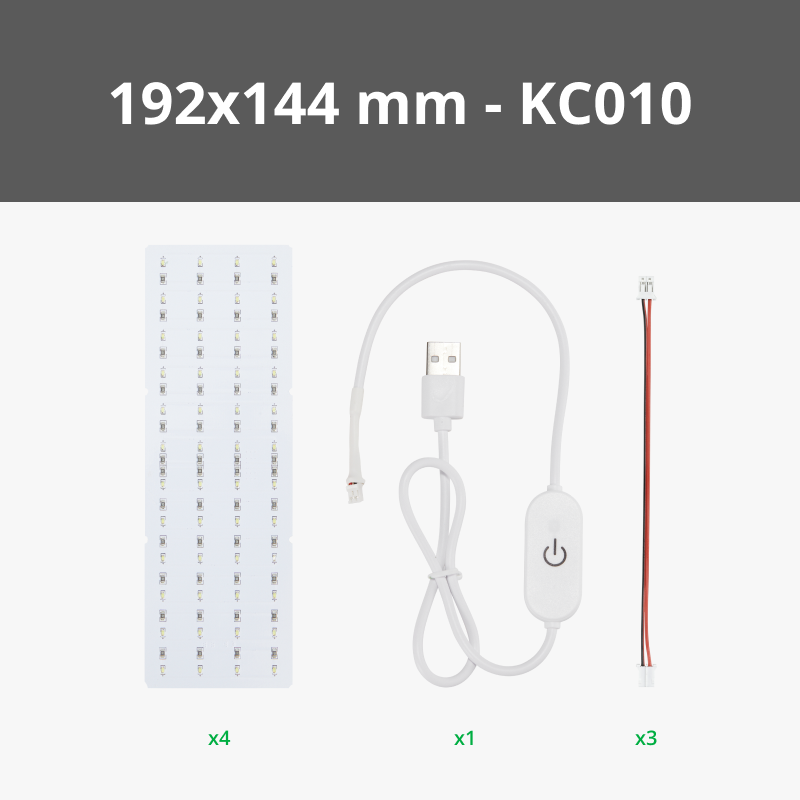
192x144 mm (4PCS) - KC010
SH1.0 to PH2.0 Power Adapter Board (2PCS) - XA014
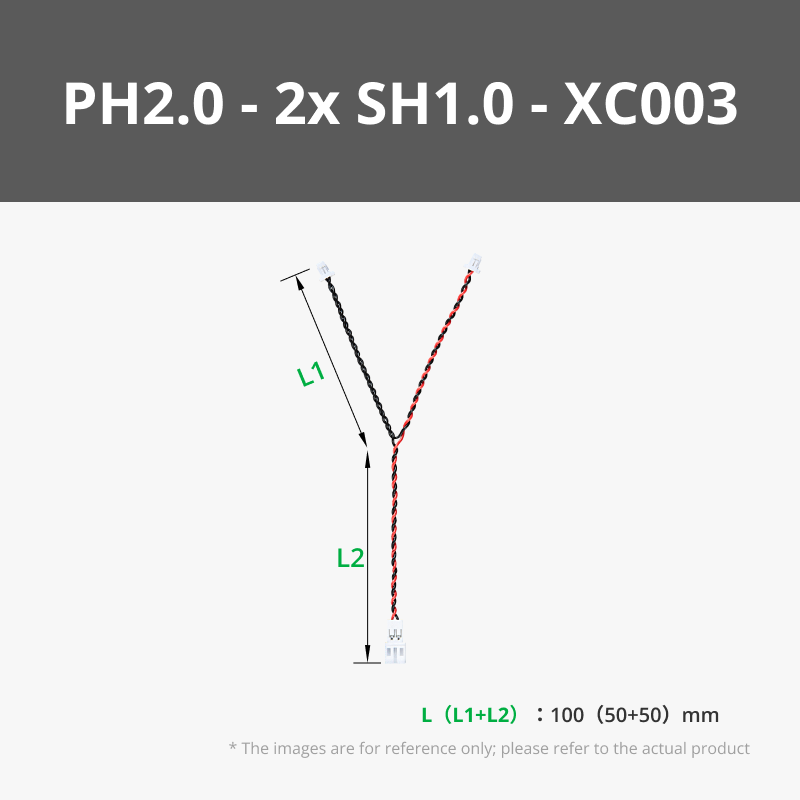
100mm Wire Pair with PH2.0(2PCS)  - IC008
Potentiometer Board with SH1.0 Connector (2PCS) - IA007
BT2x5 SHCS Self Tapping Screw (20PCS) - AA191
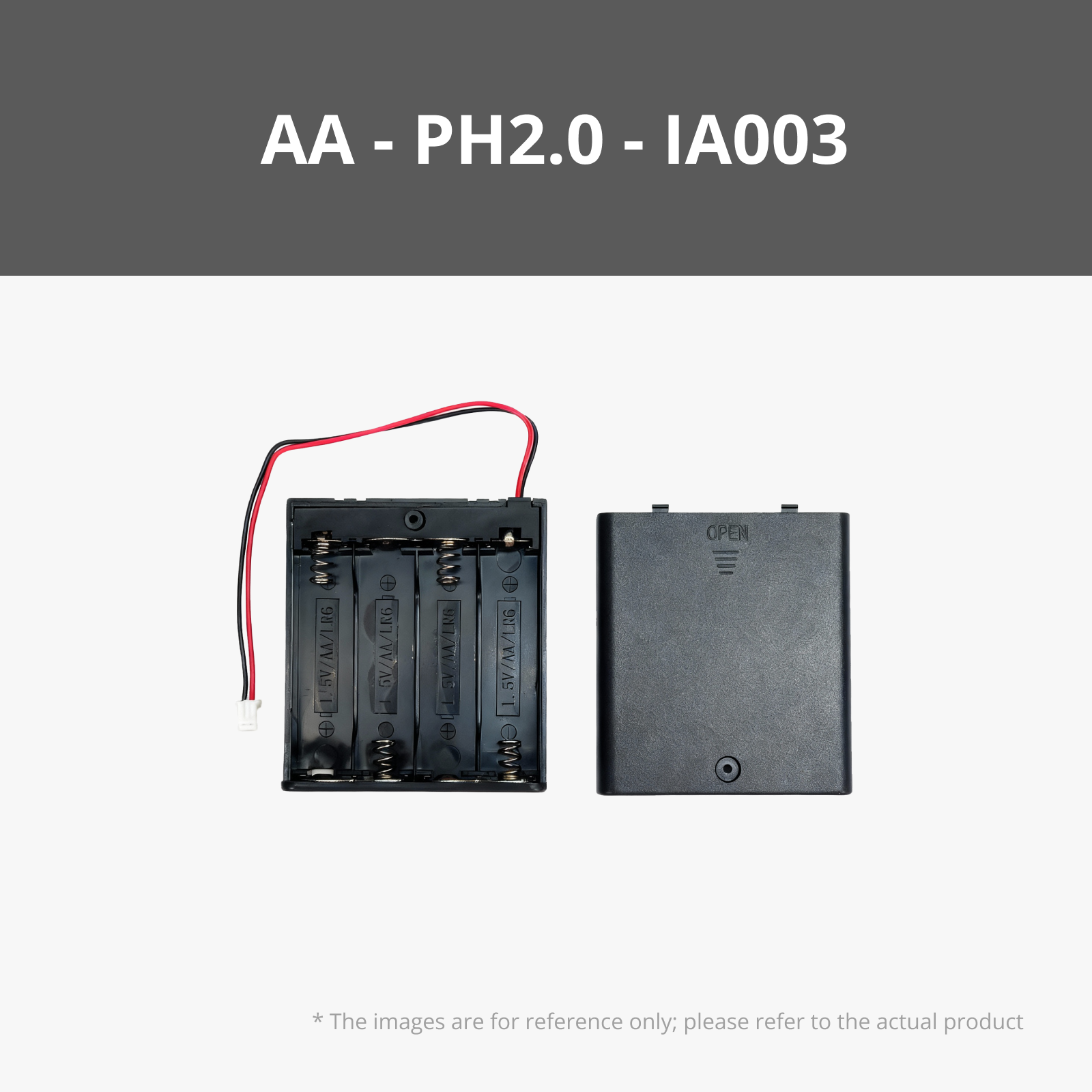
AA Battery Case with PH2.0 Connector (1PCS) - IA003
Bambu Filaments
Select all
Cocoa Brown (10802) / Refill / 1kg
Black (10101) / Refill / 1kg
Beige (10201) / Refill / 1kg

Description

This is an upgraded version of the 3-Size Frame in Make My Lithophane. Based on feedback, the new version of the frame has been modified as follows:

  • The pins that required significant force for installation have been removed and replaced with elastic bosses on the sides, making installation and printing easier.

  • A cable management slot has been added near the power cord port to reduce the risk of damage from pulling.

  • A one-piece printed stand has been integrated into the back, reducing installation steps. The wall-mounting slot is still retained, and users who need to hang it on the wall can remove the stand by using the cut function in Bambu Studio.

About the portable version:

In order to meet the needs of camping and dating, or as a decoration at the market stall, a new portable version powered by dry batteries has been added. The portable version adds a place to install the battery box and potentiometer, eliminating the need to carry an extra rechargeable battery, making the overall appearance more beautiful and easier to carry.The 3x2 size Lithophane can maintain 6h of brightness when using four AA alkaline dry batteries, and can be used as ambient lighting in scenarios such as candlelight dinners, camping, and market stalls.

Note:

If you wish to purchase the parts required for the portable version, please select the 2-piece light panel kit based on your needs and retain all other components. For the standard version, simply choose the 2-piece/4-piece light panel kit as required.


Documentation (6)

Assembly Guide (4)
Lithophane_Installation_Guide_V2.pdf
浮雕灯板相框V2安装说明.pdf
Lithophane Portable Frame Installation Guide.pdf
浮雕相框便携版安装说明.pdf
Other Files (2)
Lithophane Installation Guide.pdf.pdf
浮雕灯板安装教程.pdf

Comment & Rating (166)

(0/1000)

I think your BOM may be referencing the incorrect battery case for the portable frame. It references B-IA004, but i think it should be referencing B-IA003, the AA Battery Case.
3
Reply
I can confirm that if you print the portable frame, it's best to purchase the B-IA003 AA battery housing I wanted to ask, in the photos I saw that they printed a knob to print and attach to the back piece to adjust the light, but it's not in the file with the frame, did someone print it taking the file from somewhere else? Thank you very much
Show original
0
Reply
Replying to @A3Creation :
1
Reply
Replying to @wjchan :
thank you
0
Reply
Print Profile
Lithophane 3-Size Frame V2
Bed Adhesion Issue:add a brim in Bambu Studio if you're having the same problem. This fixed the issue. Also, I hope there's a diffuser included to reduce the visibility of the leds.
2
Reply
@elisworkshop thank you for suggesting "brims" - after multiple failed tries (including silent mode), it seems that brims solved the problem. Still some visible lines meaning there are some issues still, but this time the frame was "usable".
0
Reply
Replying to @Lucian_C :
my outer brim setting is set to 5. I hope it helped :) I tried this print multiple times and had to read a lot of reddit posts to get this to work. Imo, matte PLA works best with the frames
(Edited)
1
Reply
Could someone tell me what the problem is? I've had the same error three times now. Has the build plate been cleaned? Should I turn off the exhaust fan?
Show original
0
Reply
Hello, that happened to me twice as well, despite using adhesive on the PEI sheet Then it works
Show original
0
Reply
I had the exact same issue at the same height of the support in 4 different attempts. Not sure if it's a "fix" but what I'm doing now is to send to the printer (X1C) with all the predefined settings from the original file, and then change the speed to "Silent". When the print reaches a little bit above of the connection with the frame, I change the setting back to "Standard" speed. I also clean the plate as well before sending the print. Two successful prints in a row and currently printing a third one. Let's see.
0
Reply
I printed this model multiple times a couple weeks ago, and didn't have any problems. Now, for whatever reason, I am having the exact same problem, and can't figure out what is causing it. The above advice about using silent may work. Or, try using a a support enforcer on the stand portion. I did this for the bottom portion of the stand. It helped keep it in place, and printed successfully.
(Edited)
0
Reply
Perfect thanks. The maker lab frames i never had an issue with except the lights coming out occasionaly until an update. had 3 fails in a row before downloading this and each time regenerated in makerlab. This printed perfectly with no changes 1st time.
3
Reply
My print that I printed from make my lithophane did not fit in this v2 frame. It was a bit too wide and a bit too short. I tried measuring in Bambu Studio but could not get the right measurements for the slot. The 2 LED panels fit perfectly. Has anyone else ran into this issue? Should I just go with the original frame that comes with the picture file?
1
Reply
There are two types of lithophane backlights/frames. There's the original single panel version, and the 2/3/4 panel versions. When you create a lithophane in MakerWorld, it asks you to pick. You printed a lithophane for the single-panel backlight/frame, not the 3-size panel/frame, and they're not the same size.
2
Reply
Replying to @Guspaz :
Which makes me wonder, why are they still offering both choices? I see that for the single panel backlight they use a light diffuser plate, but for the 2/3/4 light panel they don't include such diffuser, which makes it all more confusing.
2
Reply
Replying to @simtom :
I'm not sure why they didn't replace the single-panel version. It's probably cheaper to make since it doesn't come with the USB cable or the interconnection cable. The light diffuser plate on the single-panel version seems optional to me, I can't see any hotspots when putting in a lithophane without it, though I didn't try very thin ones. It is handy to provide some control over brightness since it isn't dimmable. I printed one with a single gray layer to dim it even more.
0
Reply
Boosted
Print Profile
Lithophane Portable Frame
Printed pretty easy, all components fit perfectly and were easy to put together
1
Reply
Print Profile
Lithophane 3-Size Frame V2
turned out pretty cool.
1
Reply
Print Profile
Lithophane 3-Size Frame V2
printed very nice.
1
Reply
Print Profile
Lithophane 3-Size Frame V2
Very good print Thank you
Show original
0
Reply
Print Profile
Lithophane 3-Size Frame V2
The frame looks great. There were no problems printing. Great model
Show original
0
Reply

License

This user content is licensed under a Standard Digital File License.

You shall not share, sub-license, sell, rent, host, transfer, or distribute in any way the digital or 3D printed versions of this object, nor any other derivative work of this object in its digital or physical format (including - but not limited to - remixes of this object, and hosting on other digital platforms). The objects may not be used without permission in any way whatsoever in which you charge money, or collect fees.