
Mop bucket driven gear for o Cedar Mop Bucket

Print Profile(2)

Description
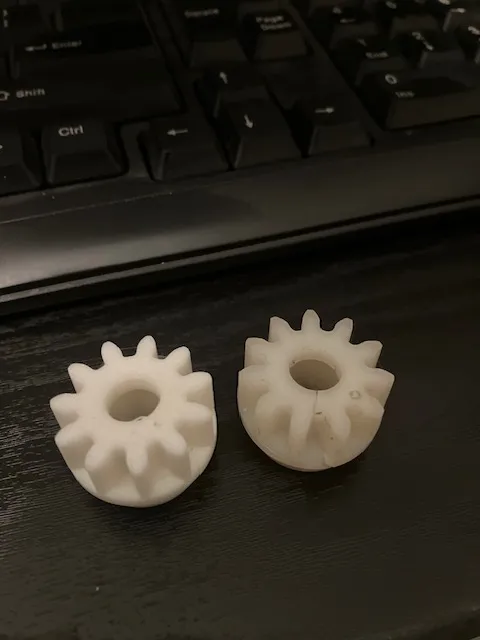
My mop bucket broke, would not spin. determined the gear cracked. Didn't want to pay $40 for a new mop bucket. Also didn't want to wait 3 weeks to get a new gear from China. So I decided to learn how to create gears on Fusion 360…and here we are, a fully functional replacement gear for the O'Cedar mop bucket. I printed this in PLA, might be better in PETG or even ASA or Nylon. PLA is just what I had on hand. It uses a one way sprag which is pressed into gear. when you remove the old gear, you will need to reuse the sprag inside it. I recommend marking the 1 way sprag before you remove it. If it is put in upside down, it wont work correctly. It was a tight fit pressing it in which is what you want.
I printed it using .016 layer height. I slowed outside wall down to 60 mms to give a nicer finish. I used 4 layer walls with a 50% infill, may want to increase infill as well. Mine is working great, time will tell.
If you try it, let me know how it works for you in the comments. Thanks!
License



Comment & Rating (9)