
Manual flow calibration - first/last layer
Print Profile(2)


Description
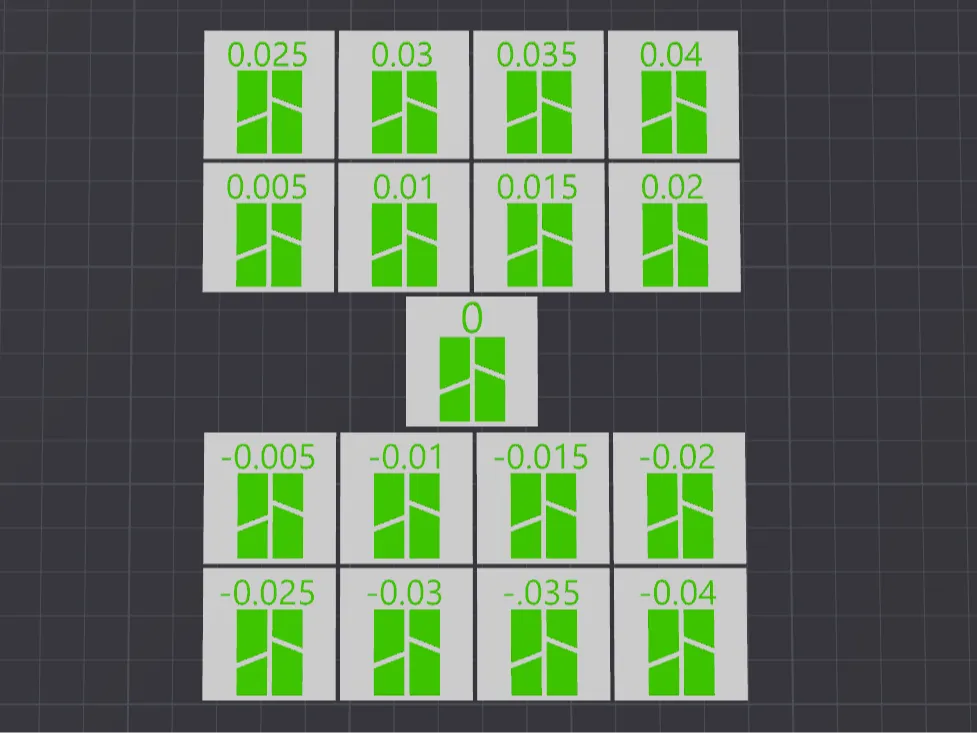
I find most of my filaments flow within 0.93 to 0.98 so I made quick flow test print to cover flow of 0.91 to 0.99
Starting point is 0.95 in the filament setting. IMPORTANT
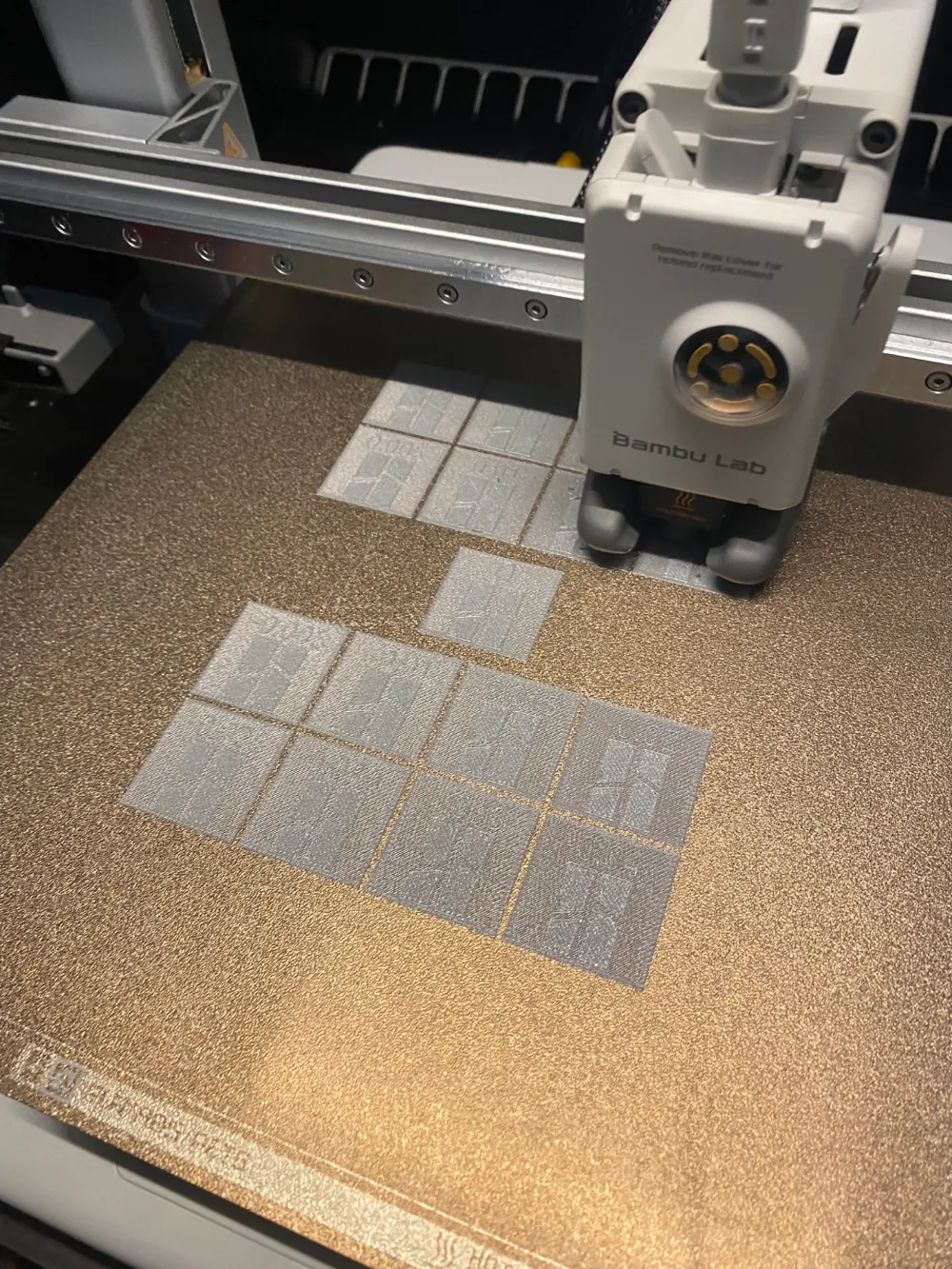
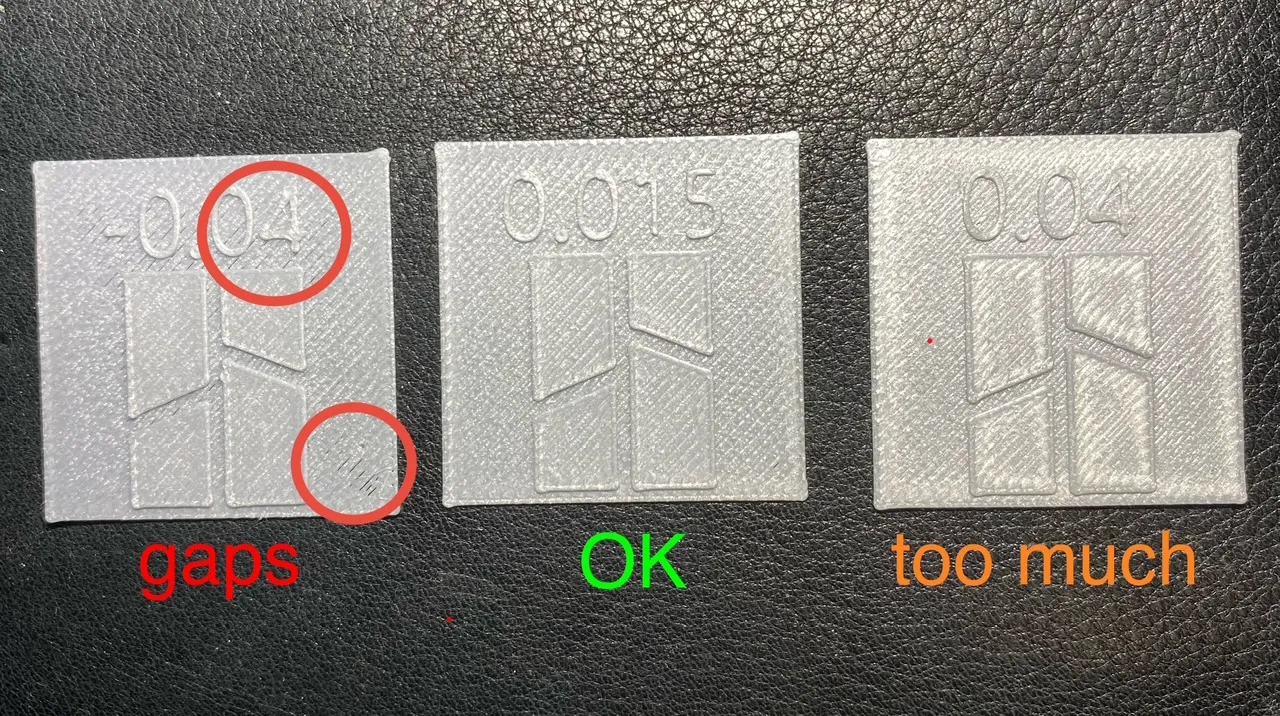
Print the model using 0.95 flow then find the best part ( first layer should not have gaps and top should be smooth without gaps.
Going from - to + it is clear where the gaps disappear and where starts to be just OK and where is it already too much of filament.
Here is the sample of my test using new PETG.
In my test I found the best to be part with extra flow of +0.015. That means I have to add 0.015 to my default flow 0.95
New result for my filament will be 0.965. Once the new value is saved this test cannot be printed again as the numbers (flow) would not match the new updated value. Anyway it is a short one time test of 5g of filament..
Do not change the flow of each part.
Enjoy.
License

You shall not share, sub-license, sell, rent, host, transfer, or distribute in any way the digital or 3D printed versions of this object, nor any other derivative work of this object in its digital or physical format (including - but not limited to - remixes of this object, and hosting on other digital platforms). The objects may not be used without permission in any way whatsoever in which you charge money, or collect fees.


Comment & Rating (31)