
Fidget spinner nunchuck - mutliple styles




Print Profile(3)


Description
Me: "What should we make now?"
My 8yo son: "Fidget spinner... nunchucks!"
My son then got sad and said it was a stupid idea and wouldn't work.
I told him it wasn't a bad idea, we were just brainstorming and we would try to figure it out. It took us while but we came up with a design. He loves this thing.
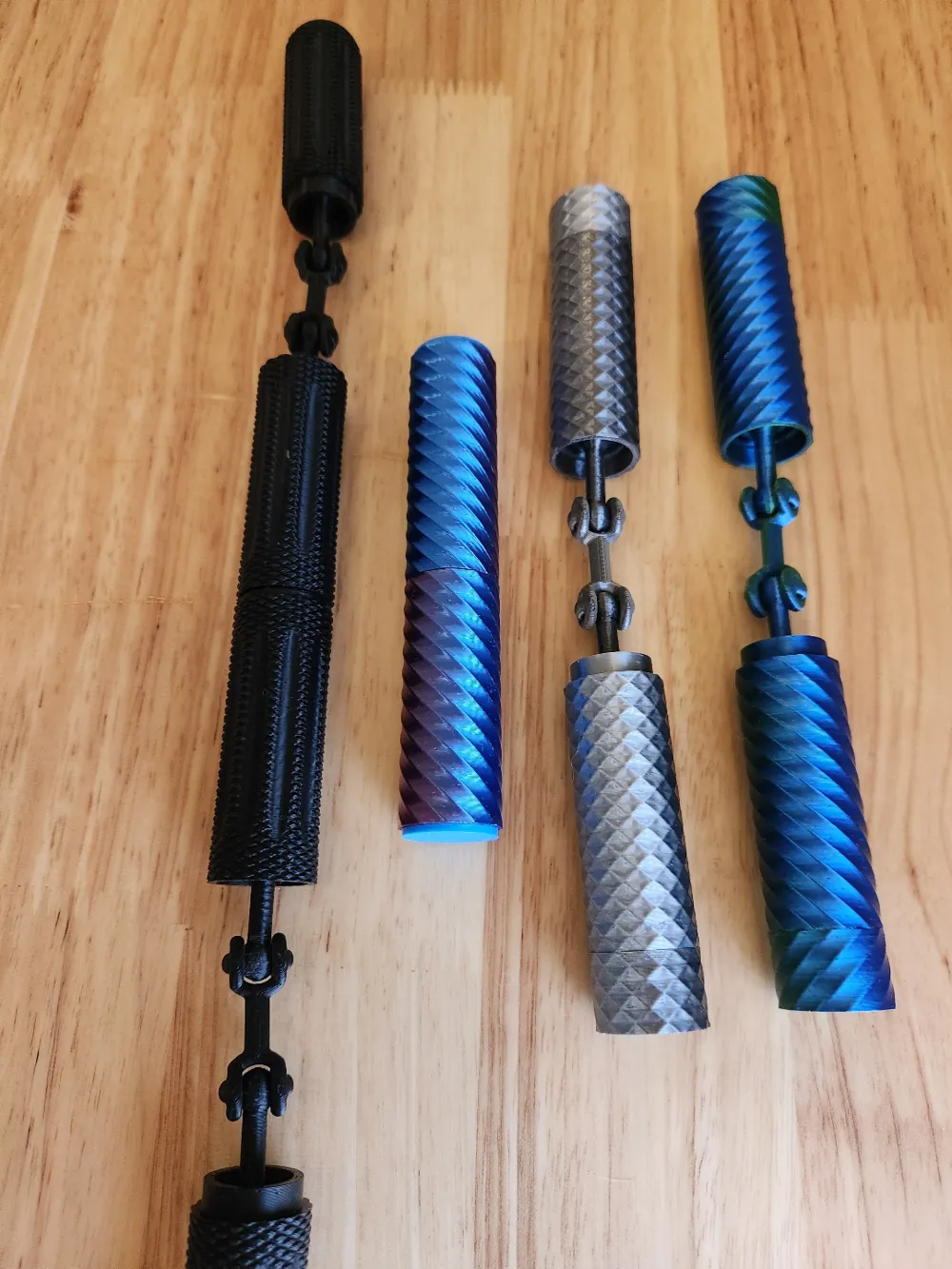
Basically every single piece spins/rotates. You can mix and match the pieces. I am including spiral, grid, and knurled.
Printing/Supports
-You can separate the objects and have less supports, you just have to put more pieces together (it is pretty easy). Inside the two bodies has a support, this must be removed before adding the end cap.
PLA Silk
-The end cap connector prongs cannot be PLA silk, silk is too rigid and they will snap (at least in all my tests). I made the end caps two objects (endA and endB), so you can make the visible part silk (endB), and make the delicate connectors non-silk (endA). The central ball joint connector can be silk. I would print the end caps separate from the body if you are doing silk (to reduce waste).
Multiple connector
-Be careful cleaning the supports, you will need fine needle-nose pliers most likely. You also need to make sure everything is cleaned of support pieces really well, otherwise it may not fully connect. It is a bit of a pain... but my son wanted to be able to have a "mega nunchuck" so I am including it.
Spiral/Zig-Zag
If you want to make a zig-zag (see the green/blue silk in my photo) open the Spiral version, select “Split to parts”, then right click on the object and select mirror and choose x axis (do that for one nunchuck body and one end cap).
License

You shall not share, sub-license, sell, rent, host, transfer, or distribute in any way the digital or 3D printed versions of this object, nor any other derivative work of this object in its digital or physical format (including - but not limited to - remixes of this object, and hosting on other digital platforms). The objects may not be used without permission in any way whatsoever in which you charge money, or collect fees.


Comment & Rating (172)