
Crypto Ticker with ePaper Display (ESP32-C3) HA


Print Profile(1)

Description
Overview
Boost Me (for free)
Like it? Click the boost to support me :)
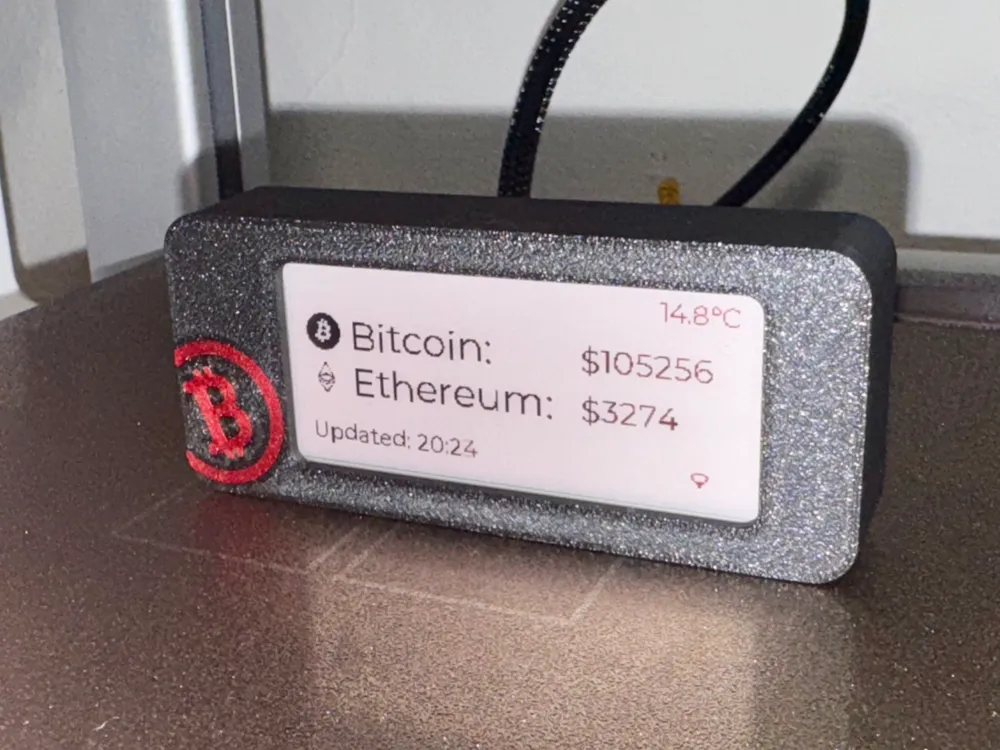
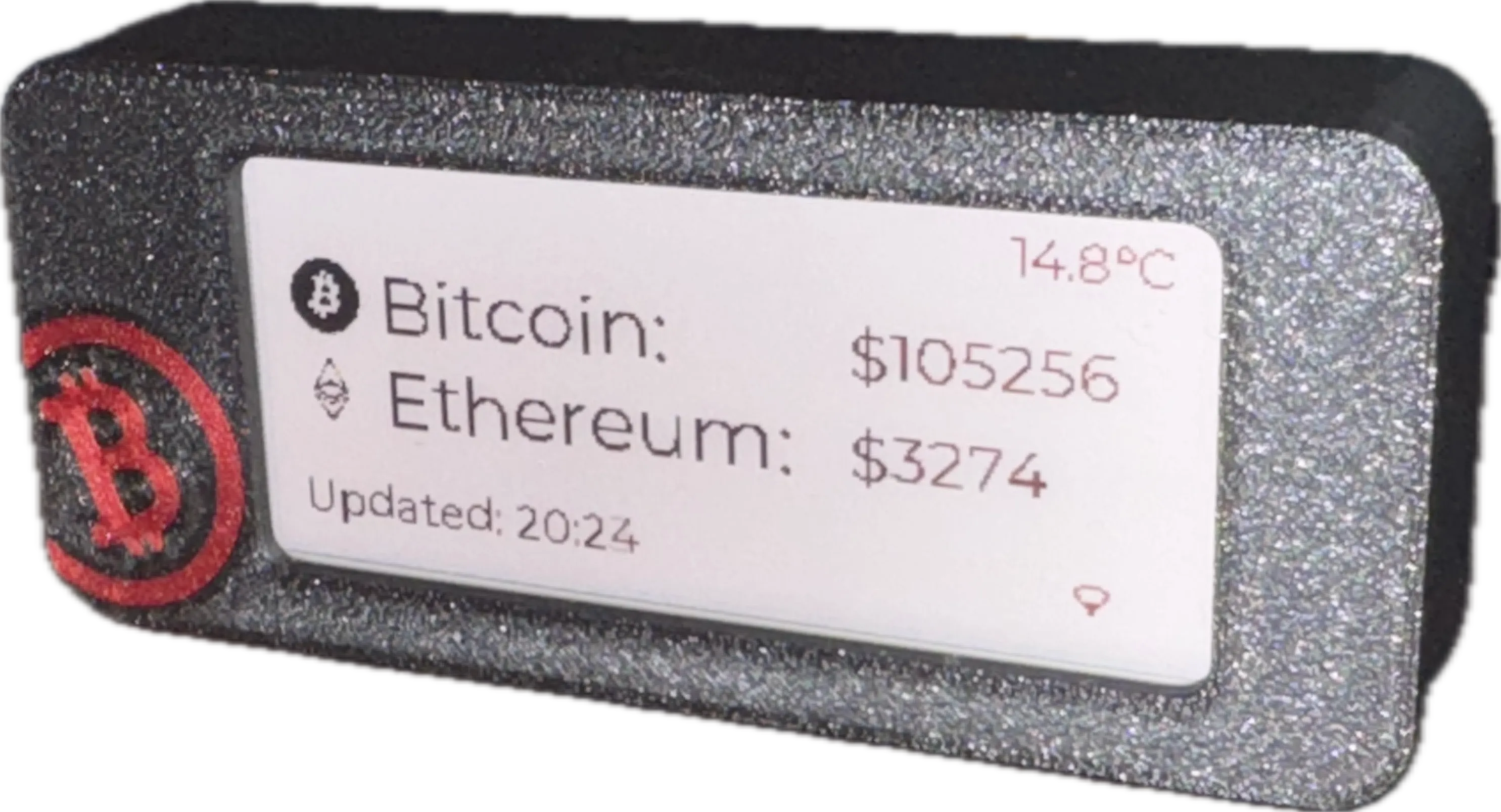
This is a compact and stylish Crypto Ticker designed to display real-time cryptocurrency prices on a 2.9-inch ePaper screen using an ESP32-C3 microcontroller. The device seamlessly integrates with Home Assistant via ESPHome and the CryptoInfo HACS integration to fetch live Bitcoin and Ethereum prices. This project is designed for low-power operation, making it ideal for continuous use with a rechargeable battery.
Features
✅ Live Crypto Prices – Displays real-time Bitcoin and Ethereum prices using Home Assistant.
✅ ESP32-C3 Powered – Low-power Wi-Fi-enabled ESP32-C3 board ensures stable operation.
✅ ePaper Display – Uses a 2.9-inch Waveshare ePaper module for crisp, low-power visuals.
✅ Battery Operated – Runs on a 3.7V LiPo battery with an onboard 3.7V to 5V BEC converter.
✅ Home Assistant Integration – Works with ESPHome and the CryptoInfo HACS plugin for easy data retrieval.
✅ Deep Sleep Mode – Conserves battery by entering sleep mode and waking up periodically for updates.
✅ Weather Display – Shows the current outside temperature retrieved from Home Assistant.
Hardware Components
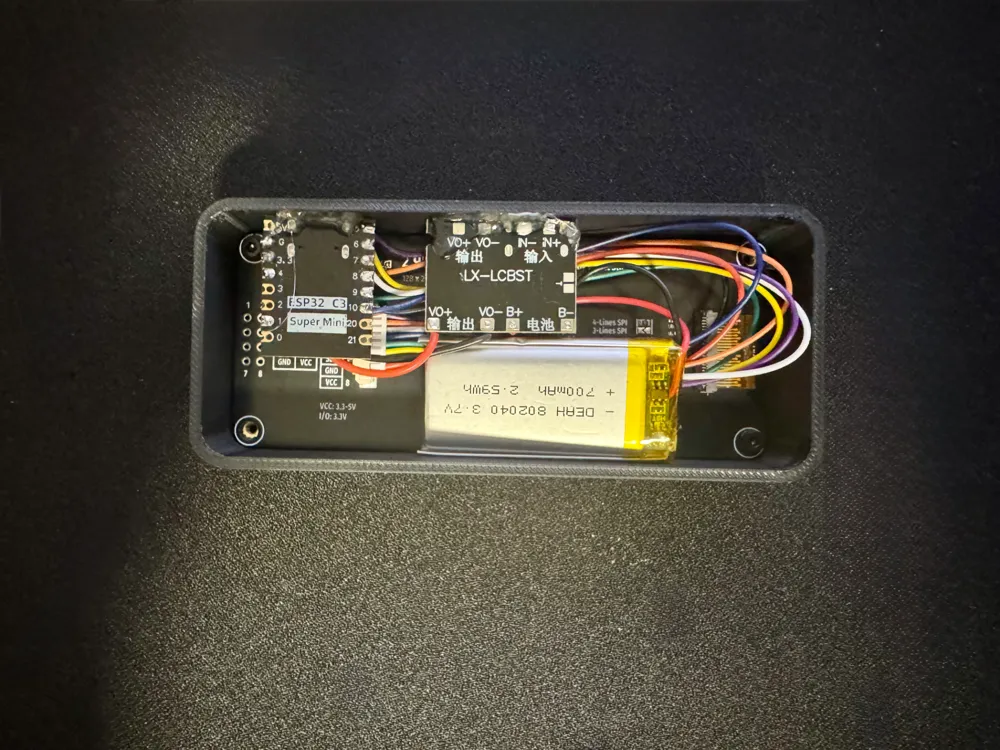
- ePaper Display: 2.9-inch Waveshare ePaper
- Microcontroller: ESP32-C3 DevKit
- Battery & Power: 3.7V LiPo Battery + 3.7V to 5V Boost Converter & Charger
- Mounting & Assembly: Double-sided tape to secure components within the case.
- Thread Inserts: Requires M2 thread inserts for securely fastening the enclosure.
ESPHome Configuration
esphome:
name: crypto-price-ticker
friendly_name: CryptoPriceTicker
min_version: 2024.11.0
name_add_mac_suffix: false
platformio_options:
board_build.flash_mode: dio
esp32:
board: esp32-c3-devkitm-1
framework:
type: esp-idf
logger:
api:
reboot_timeout: 0s
ota:
platform: esphome
wifi:
ssid: "YOUR-SSID"
password: "YOUR_PASS"
fast_connect: true
power_save_mode: none
reboot_timeout: 0s
spi:
clk_pin: 4
mosi_pin: 6
globals:
- id: recorded_display_refresh
type: int
restore_value: yes
initial_value: '0'
sensor:
- platform: homeassistant
entity_id: sensor.cryptoinfo_main_btc_stash_bitcoin_usd
id: bitcoin_usd
- platform: homeassistant
entity_id: sensor.cryptoinfo_main_btc_stash_ethereum_usd
id: ethereum_usd
- platform: wifi_signal
name: "WiFi Signal Strength"
id: wifisignal
unit_of_measurement: "dBm"
entity_category: "diagnostic"
update_interval: 60min
time:
- platform: homeassistant
id: homeassistant_time
display:
- platform: waveshare_epaper
id: my_display
cs_pin: 1
dc_pin: 7
busy_pin: 5
reset_pin: 10
model: 2.90inv2-r2
rotation: 270
full_update_every: 120
lambda: |-
char btc_price[20];
snprintf(btc_price, sizeof(btc_price), "$%d", static_cast<int>(id(bitcoin_usd).state));
it.printf(40, 30, id(font_title), "Bitcoin:");
it.printf(190, 35, id(font_price), btc_price);
char eth_price[20];
snprintf(eth_price, sizeof(eth_price), "$%d", static_cast<int>(id(ethereum_usd).state));
it.printf(40, 60, id(font_title), "Ethereum:");
it.printf(190, 65, id(font_price), eth_price);
script:
- id: update_display
mode: restart
then:
- lambda: |-
id(my_display).update();
id(recorded_display_refresh) += 1;
- delay: 15s
- deep_sleep.enter: deep_sleep_mode
deep_sleep:
id: deep_sleep_mode
run_duration: 30s
sleep_duration: 900s
How It Works
- Connect to Home Assistant via ESPHome
- Fetch live crypto prices from CryptoInfo HACS
- Display Bitcoin & Ethereum prices on the ePaper screen
- Periodically refresh display (every 15 minutes) while entering deep sleep in between updates to save power
- Monitor Wi-Fi strength & weather data from Home Assistant
Ideal For
✔️ Home automation enthusiasts using Home Assistant
✔️ Crypto traders & investors who want real-time price tracking
✔️ Anyone looking for a minimalist, power-efficient display
Assembly Instructions
- 3D Print the Enclosure: Mount the ePaper screen securely in place.
- Attach Components: Use double-sided tape to secure the ESP32-C3, battery, and charger inside the case.
- Install M2 Thread Inserts: Secure the enclosure parts with M2 thread inserts.
- Connect Wiring: Ensure the ePaper module is correctly wired to the ESP32-C3 (SPI communication).
- Flash ESPHome Firmware: Use the ESPHome configuration provided.
- Connect to Home Assistant and enjoy real-time crypto price tracking!
License

You shall not share, sub-license, sell, rent, host, transfer, or distribute in any way the digital or 3D printed versions of this object, nor any other derivative work of this object in its digital or physical format (including - but not limited to - remixes of this object, and hosting on other digital platforms). The objects may not be used without permission in any way whatsoever in which you charge money, or collect fees.


Comment & Rating (6)