
WingJet Display Stand

Print Profile(1)

Description
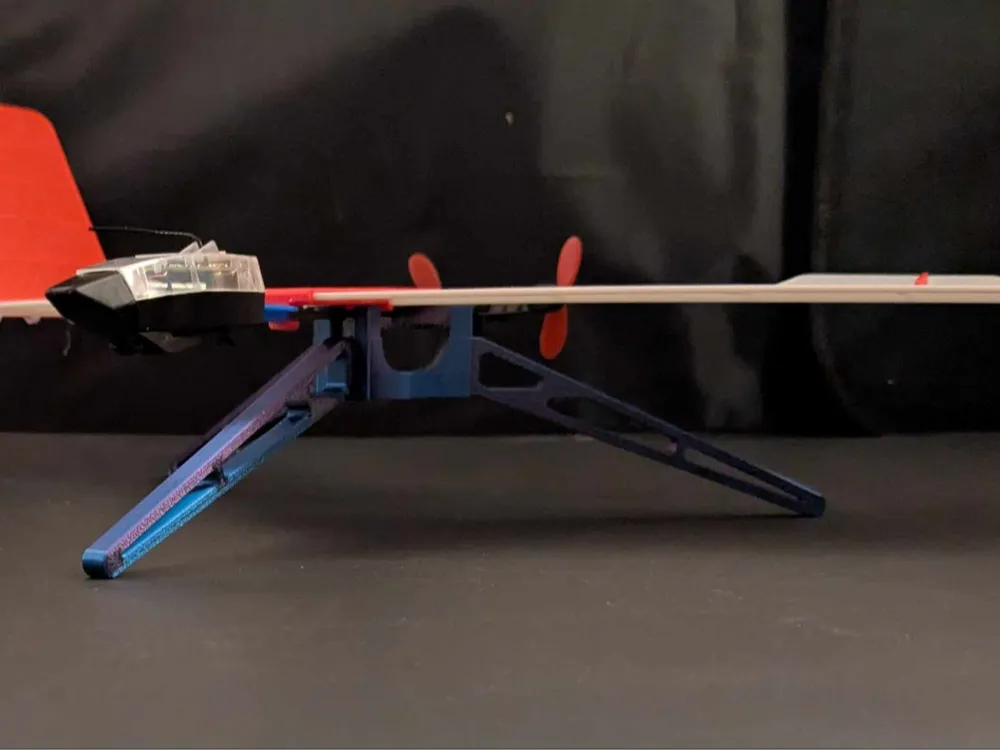
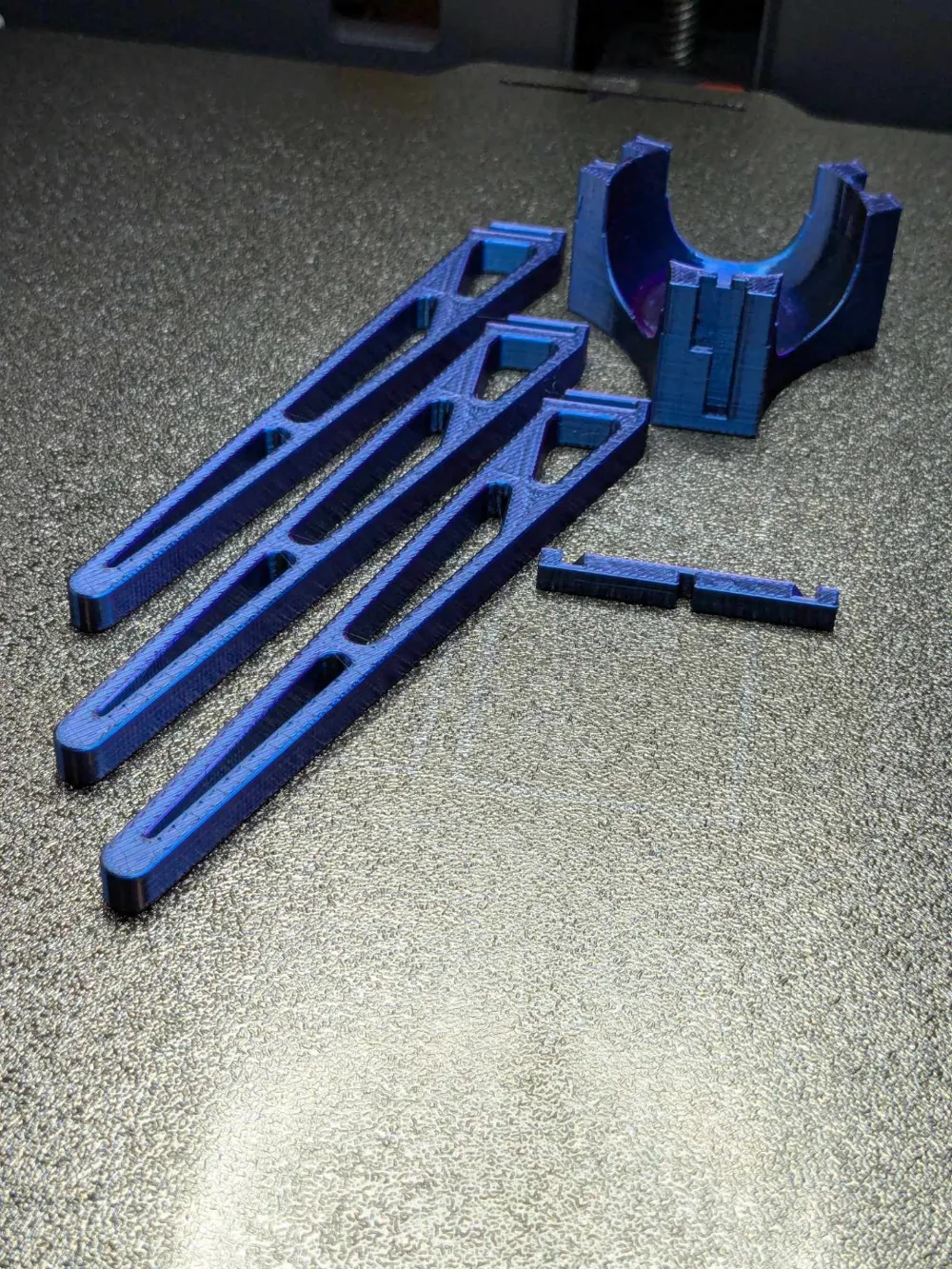
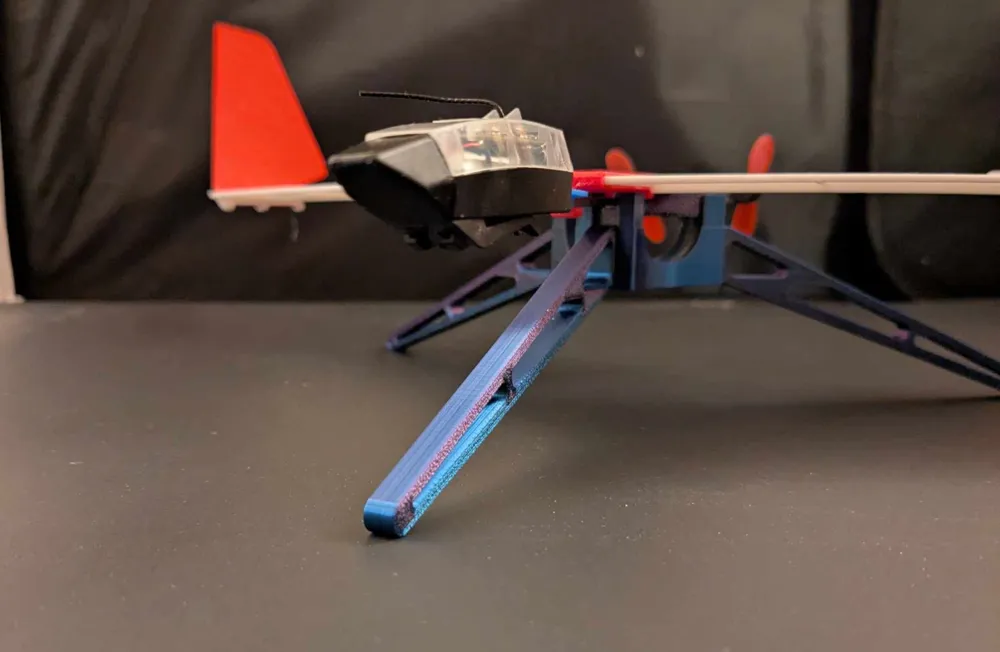
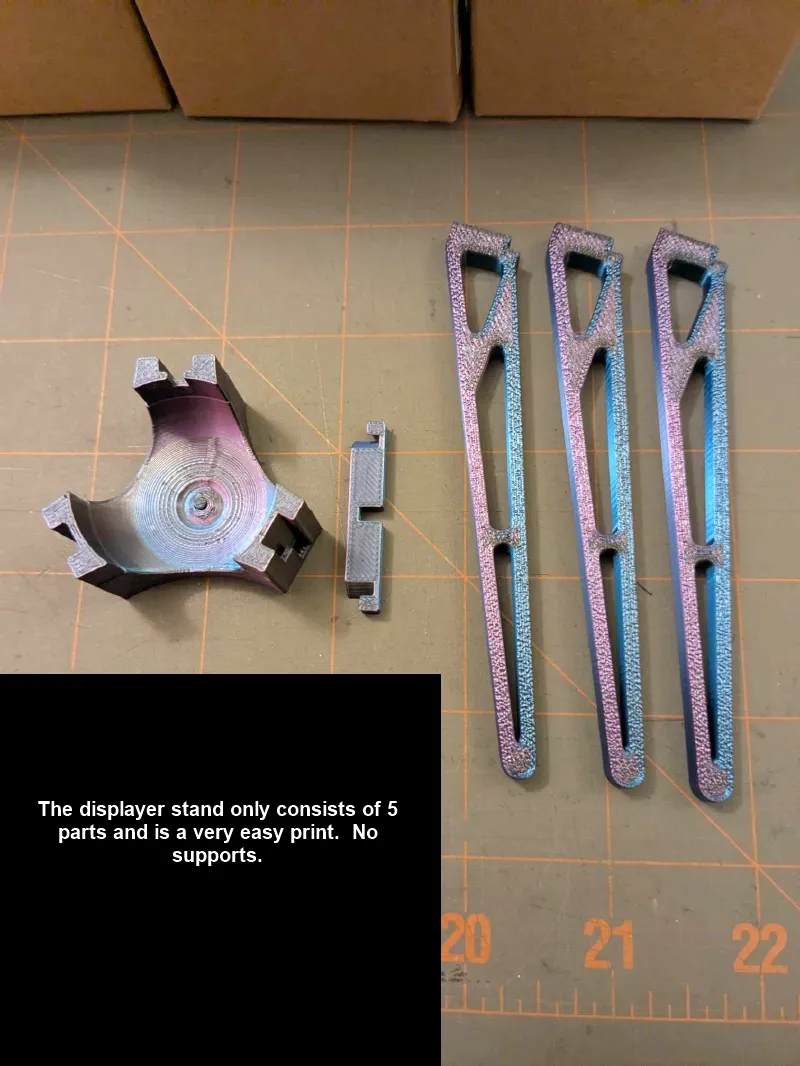
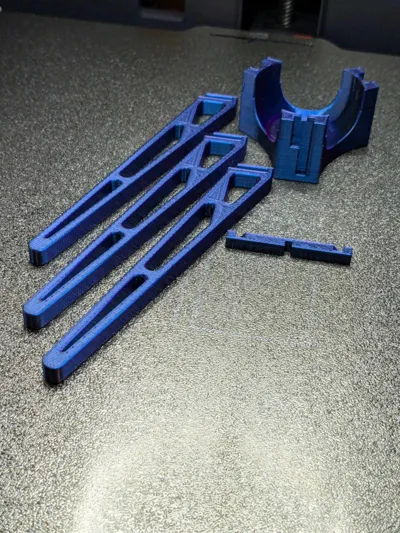
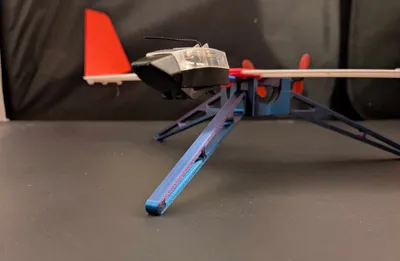
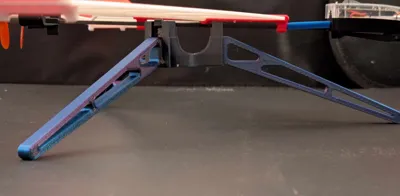
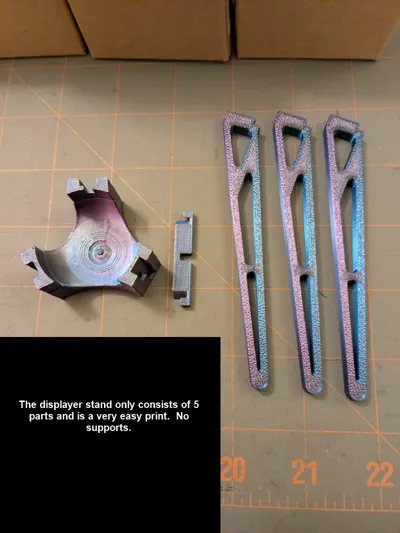
I created the Wingjet display stand because I wanted a way to display (and store) Arty_SC’s impressive Winglet Plane https://makerworld.com/en/models/1038079?from=search#profileId-1022376 . This stand is an easy print consisting of only 5 parts. No support is required only a small amount of glue for very quick assembly. The stand allows you to set the boom of the plane into it for display. If you have not yet already, check out Arty_SC’s design. You will not be disappointed.
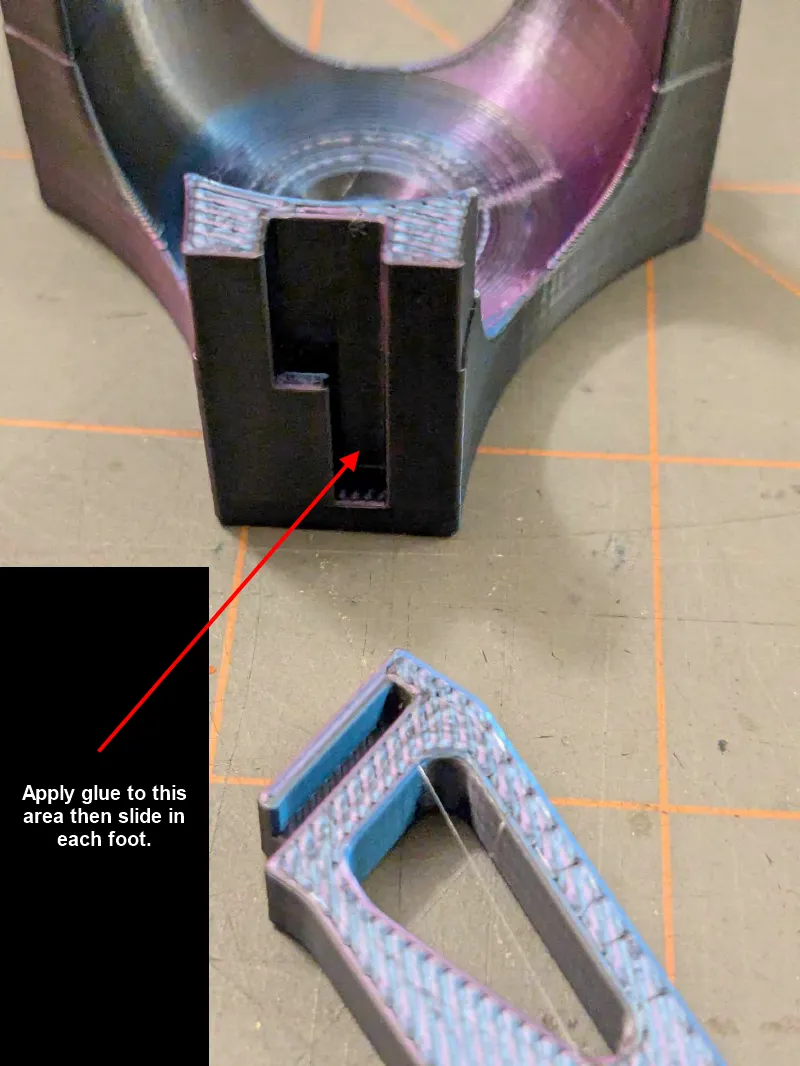
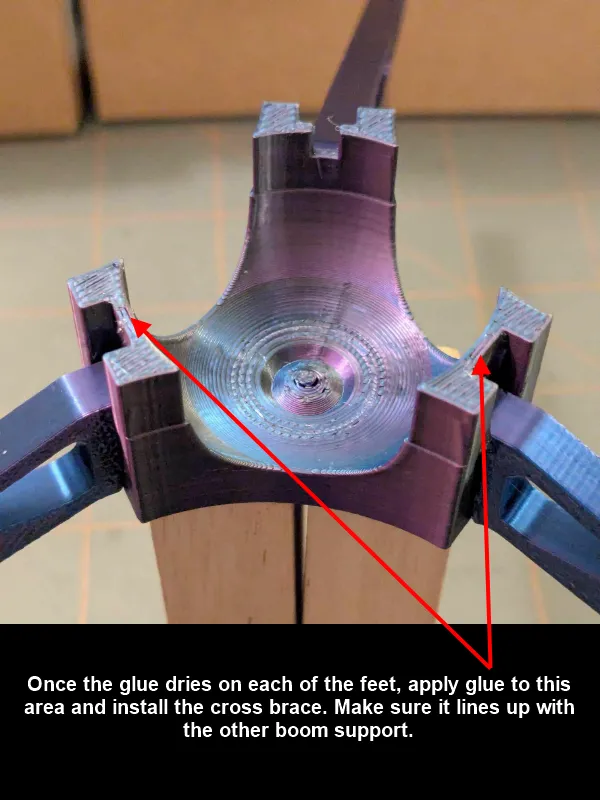
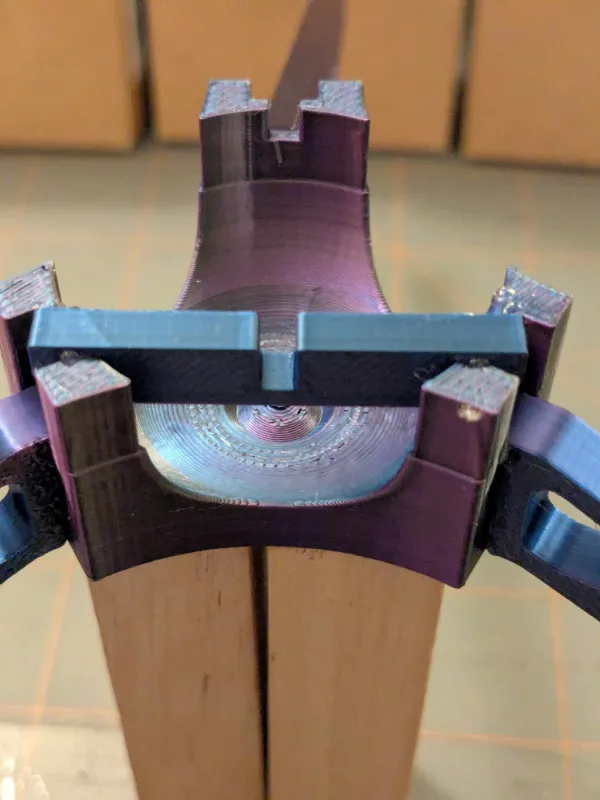
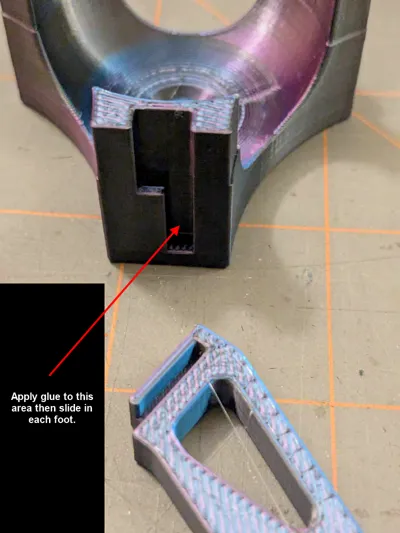
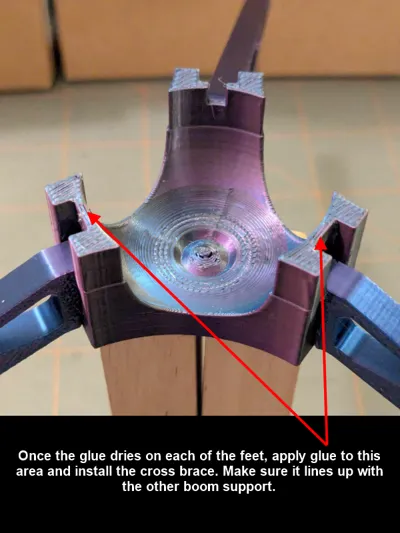
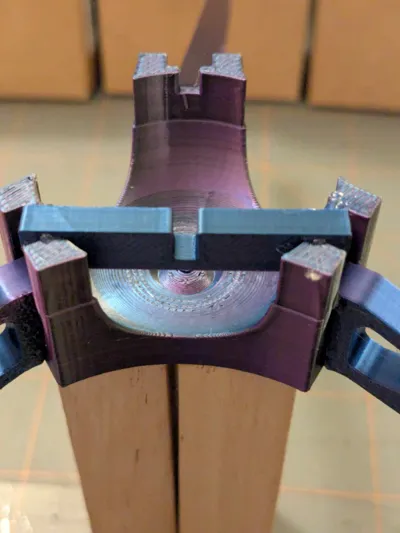
Assembly is quite simple. The included photos have notes. The steps for assembly after printing are:
- Apply glue to each foot slot of the stand base and insert a foot into each slot allowing the glue to dry.
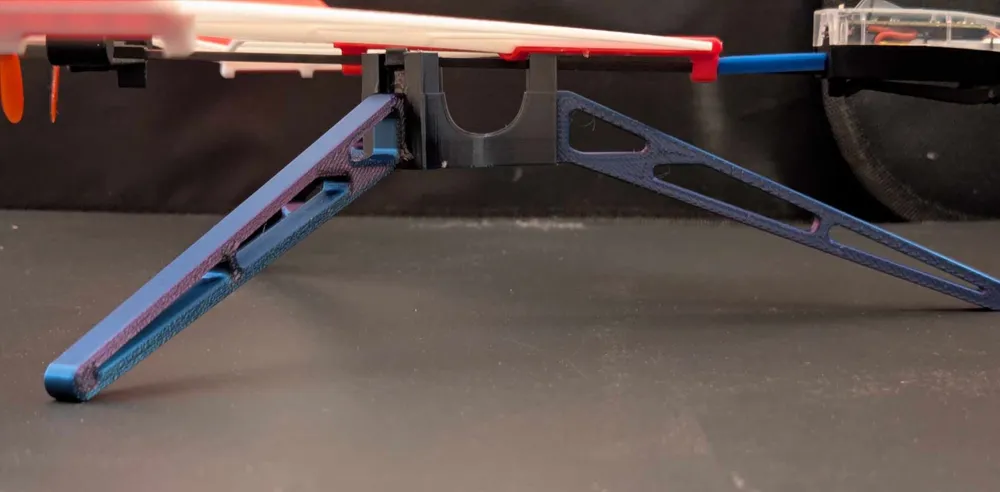
- Test fit the cross brace in the stand. The cross brace gets positioned directly across from the other boom slot (see photos). Only a small amount of glue is needed to hold to cross brace in place.
That is it! Once the glue is all dry, just set your creation on the stand. The boom fits in the slots and now you can display Arty_SC’s creation until you fly. Enjoy!
License



Comment & Rating (3)