Search models, users, collections, and posts

Gridfinity 2x3 SoDIMM RAM Tray

IP Report
Print Profile(1)

All
X1 Carbon
P1S
P1P
X1
X1E
A1
A1 mini
H2D
H2D Pro
H2S
P2S
H2C
X2D
A2L

0.2mm layer, 2 walls, 15% infill
Designer
2.4 h
1 plate
4.9(27)

Open in Bambu Studio
Boost
85
319
51
9
607
407
Released 

Description

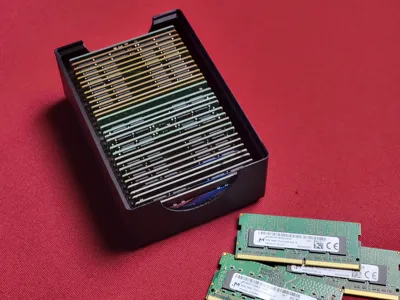
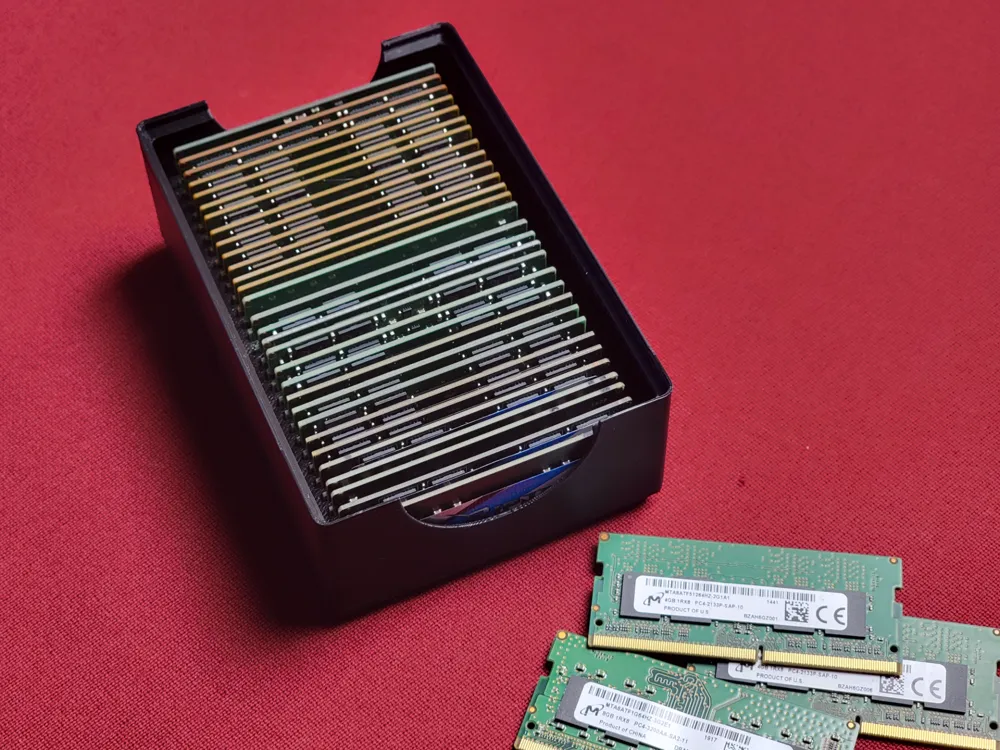
Simple 30 slots bin for gridfinity system to hold laptop ram (SO-DIMM), tested with DDR4, DDR5

Comment & Rating (51)

(0/1000)

Print Profile
0.2mm layer, 2 walls, 15% infill
great print!
The profile uploader has replied
0
Reply
thank you!
0
Reply
Print Profile
0.2mm layer, 2 walls, 15% infill
Nice modell and easy print. Fits for also for DDR3.
The profile uploader has replied
0
Reply
Thanks, I've found one dd3 stick last night and it's a bit loose but works
0
Reply
Print Profile
0.2mm layer, 2 walls, 15% infill
profile
1
Reply
Print Profile
0.2mm layer, 2 walls, 15% infill
Criticism aside, amazing work for those of us that are lazy! I'd love for a profile with no magnet/screw cutouts.
Other Issues:With the default settings from the main designer print profile, you will try to print overhangs in mid air on layer 16 causing stringing due to the shrinkage in the magnet/screw holes. Had to manually pause the print and clean up the debris from this. To fix this manually add supports, or go through manually and fill in the holes with parts (in the slicer)
The profile uploader has replied
1
Reply
I've based design on original gridfinity boxsed and their spec, I can imprive the magnet angles later. just courious, are you using bambulab fillament? is your fillament dry? if you using 3rd party fillament you might have to adjust your settings.
(Edited)
1
Reply
Replying to @DrChaos :
Hey thanks for the reply! I tested with several filaments both bambu and not as I needed more than one. All filaments were dry As mentioned in my other issues section. On layer 16 you attempt to print the infill of the top part of the magnet/screw cutout; it starts from the inner circle printing an overhang wall in mid air and goes over each cutout in a square before attempting to bridge to the overhang wall which in this print would not exist (see photo). This causing it to not be filled filled in. Its more of a slicer issue than a model issue in reality. But considering the settings were the ones from your project (3mf) hence the review. I ended up using modifiers to fill in the holes and it printed flawlessly for the record
(Edited)
1
Reply
Replying to @Daddie0 :
that's odd lol, ill re-run slicer and re-upload without that. sorry I've must miss understood you.
(Edited)
1
Reply
Print Profile
0.2mm layer, 2 walls, 15% infill
0
Reply
Print Profile
0.2mm layer, 2 walls, 15% infill
Everything is perfect Recommended profile
The profile uploader has replied
Show original
0
Reply
thank you
0
Reply
don't have a use and haven't printed it (RAM prices) but you have realy put dedication into saying thanks
The designer has replied
0
Reply
thanks :D
0
Reply
Looks great
The designer has replied
0
Reply
Glad you like it, thanks for the boost!
0
Reply
Print Profile
0.2mm layer, 2 walls, 15% infill
The profile uploader has replied
0
Reply
Thanks
0
Reply
Print Profile
0.2mm layer, 2 walls, 15% infill
The profile uploader has replied
0
Reply
Thanks
0
Reply