Search models, users, collections, and posts


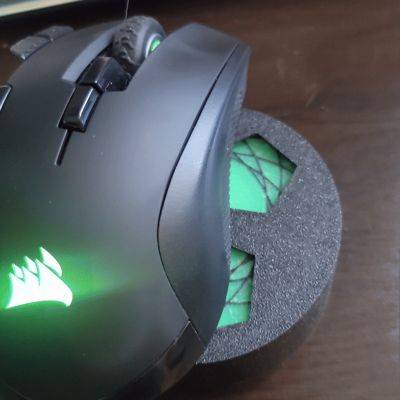
MouseMover - Bambu Lab Clock Kit - Kit-011 - MH011

IP Report
GIF
GIF

Print Profile(1)

All
P1S
P1P
X1
X1 Carbon
X1E
A1
H2D
H2D Pro
H2S
P2S
H2C
X2D
A2L

0.2mm layer, 2 walls, 15% infill
Designer
3 h
1 plate
5.0(12)

Open in Bambu Studio
Boost
41
108
19
8
142
86
Released 

Bill of Materials

Maker's Supply Kits and Parts
Select all
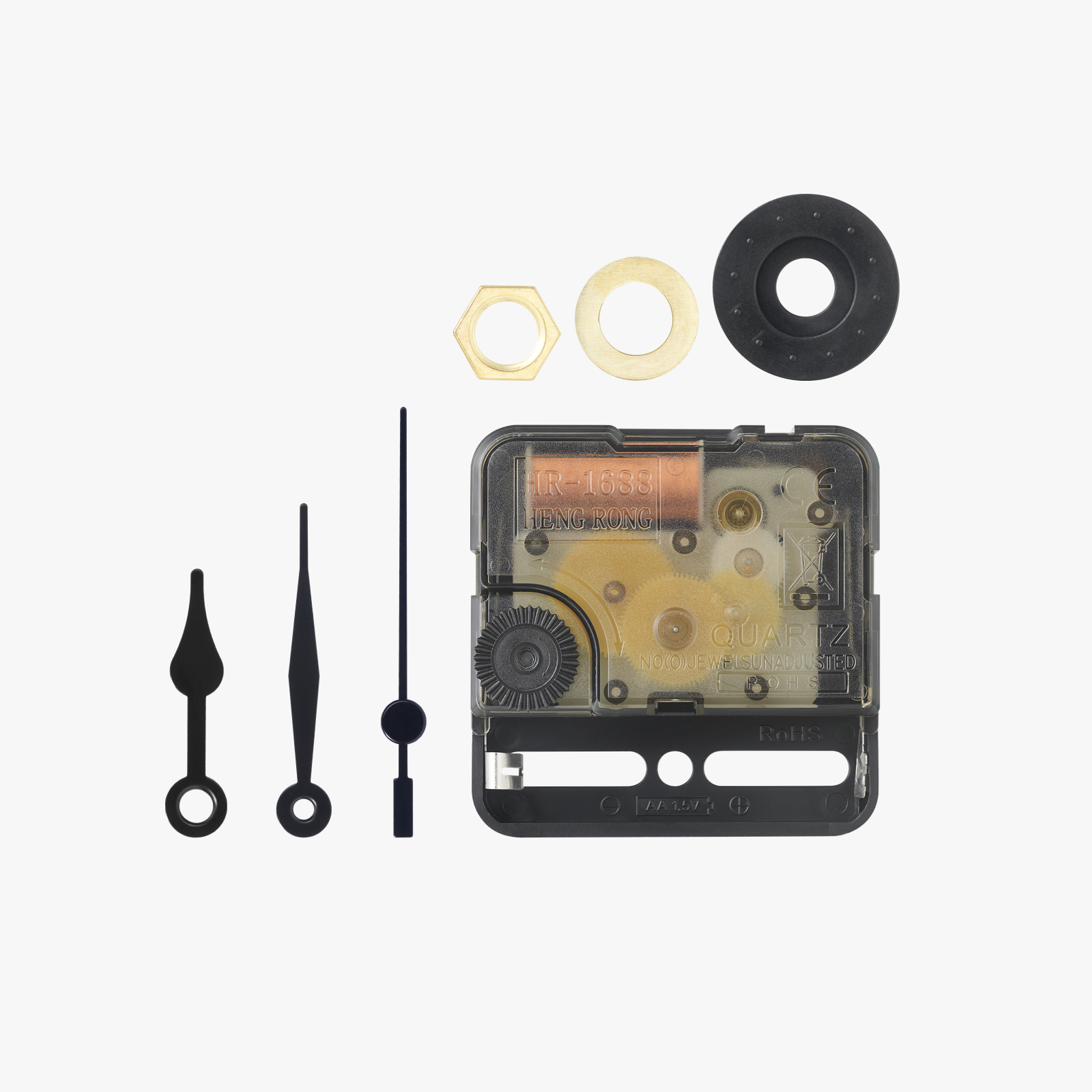
Clock Components Kit (1pcs) - MH011

Description

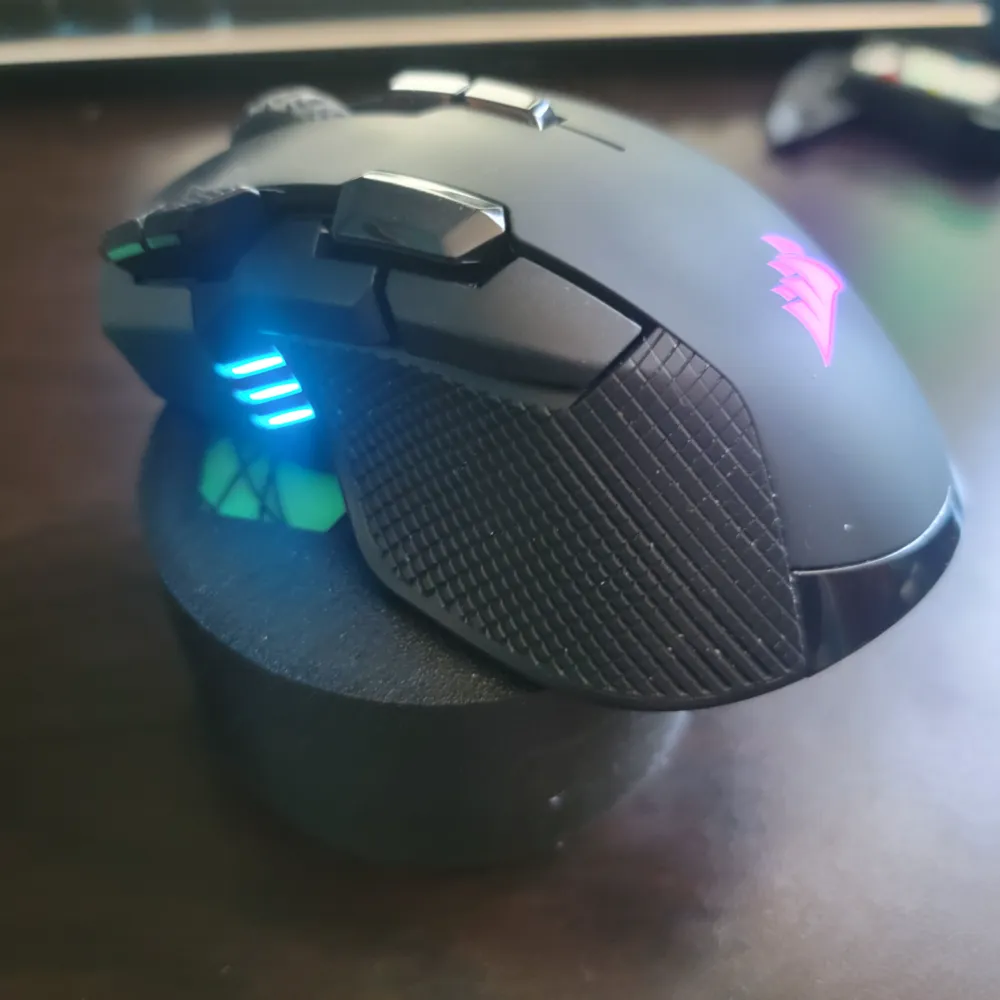
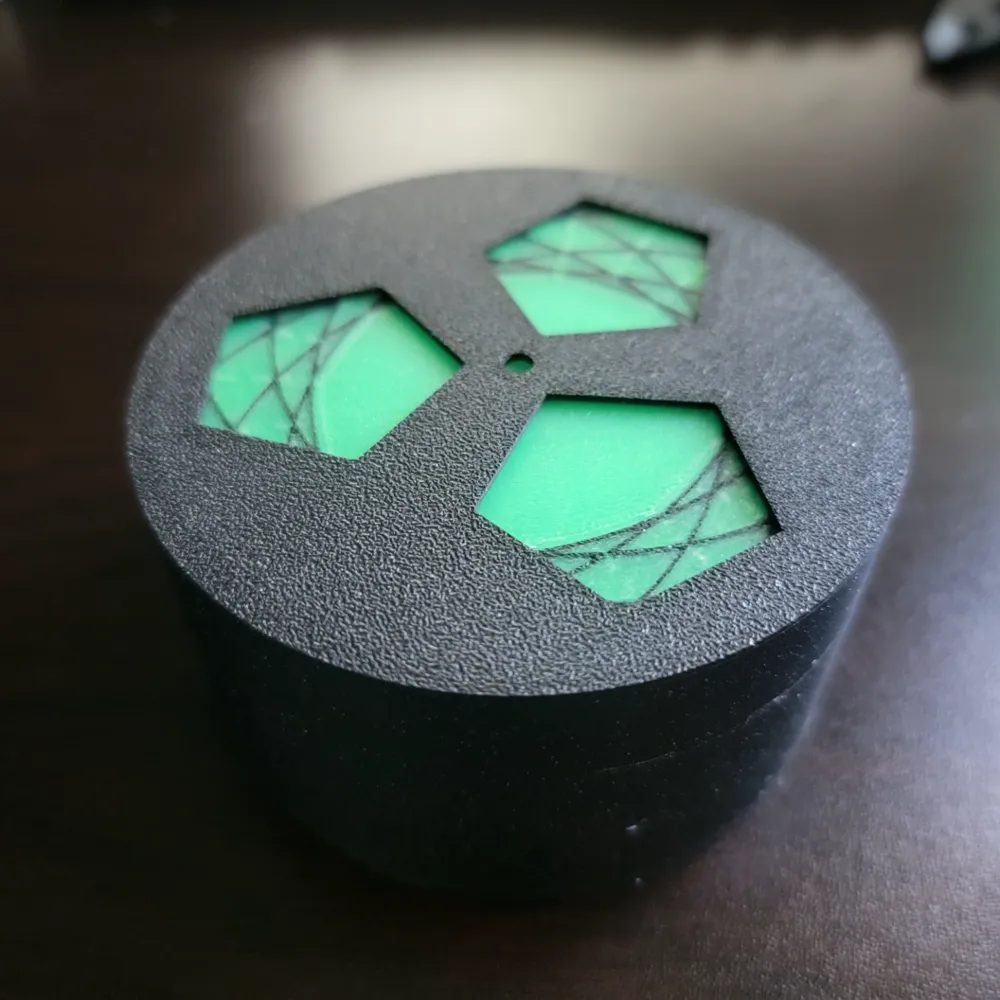
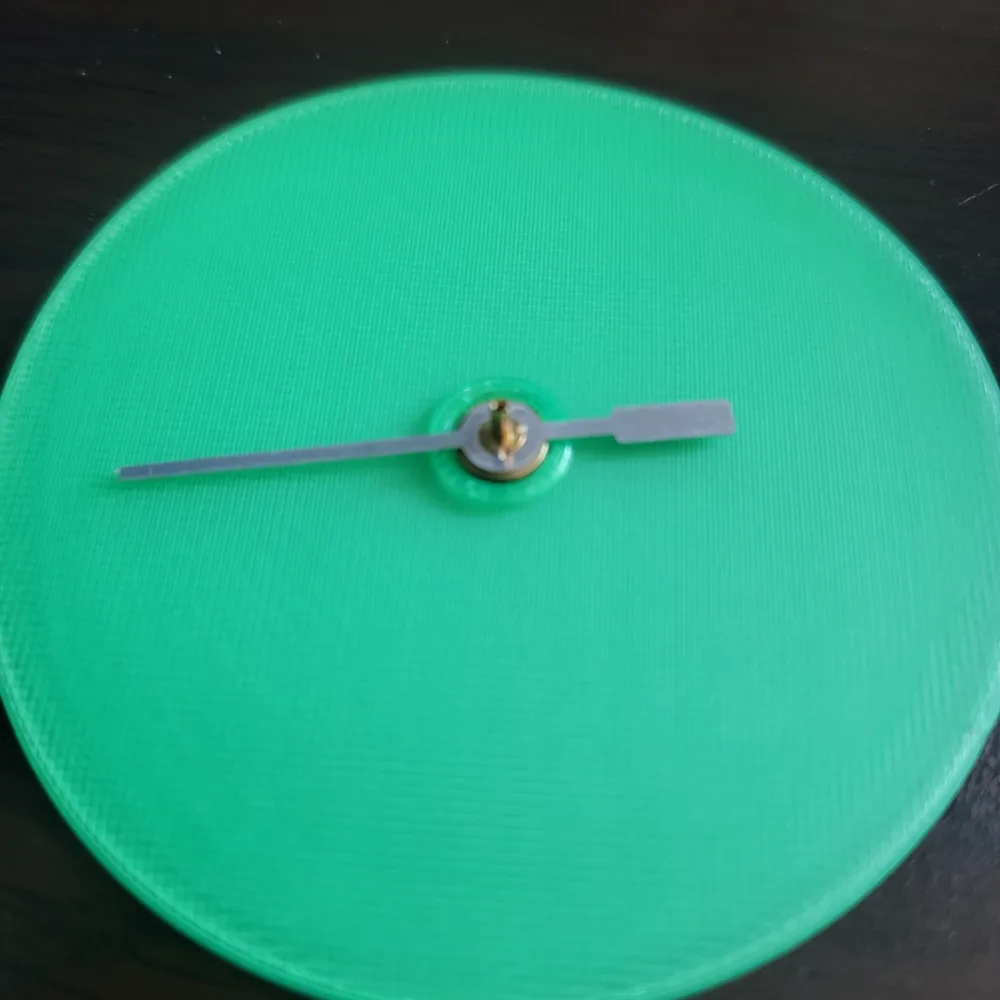

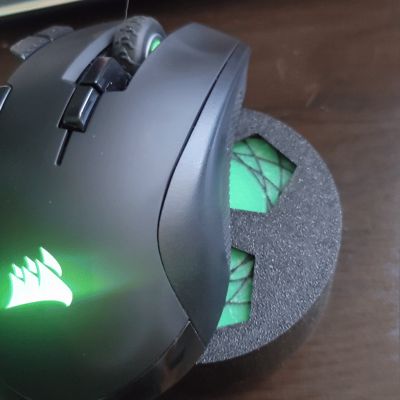
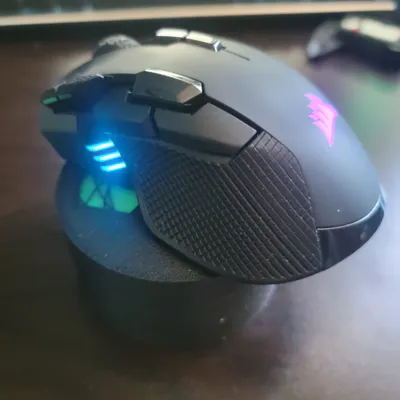
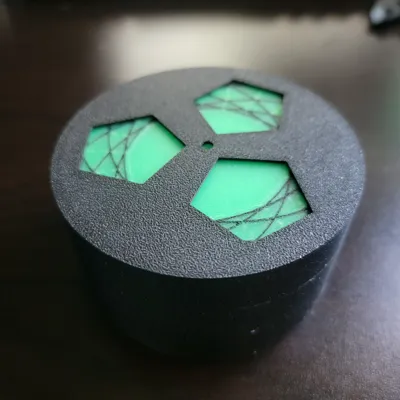
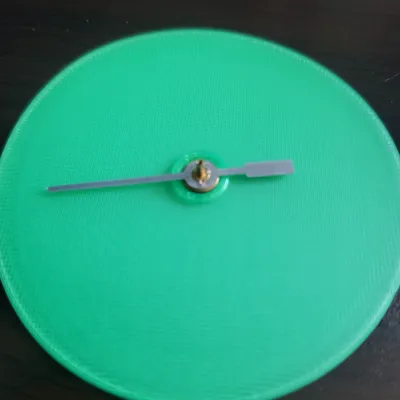
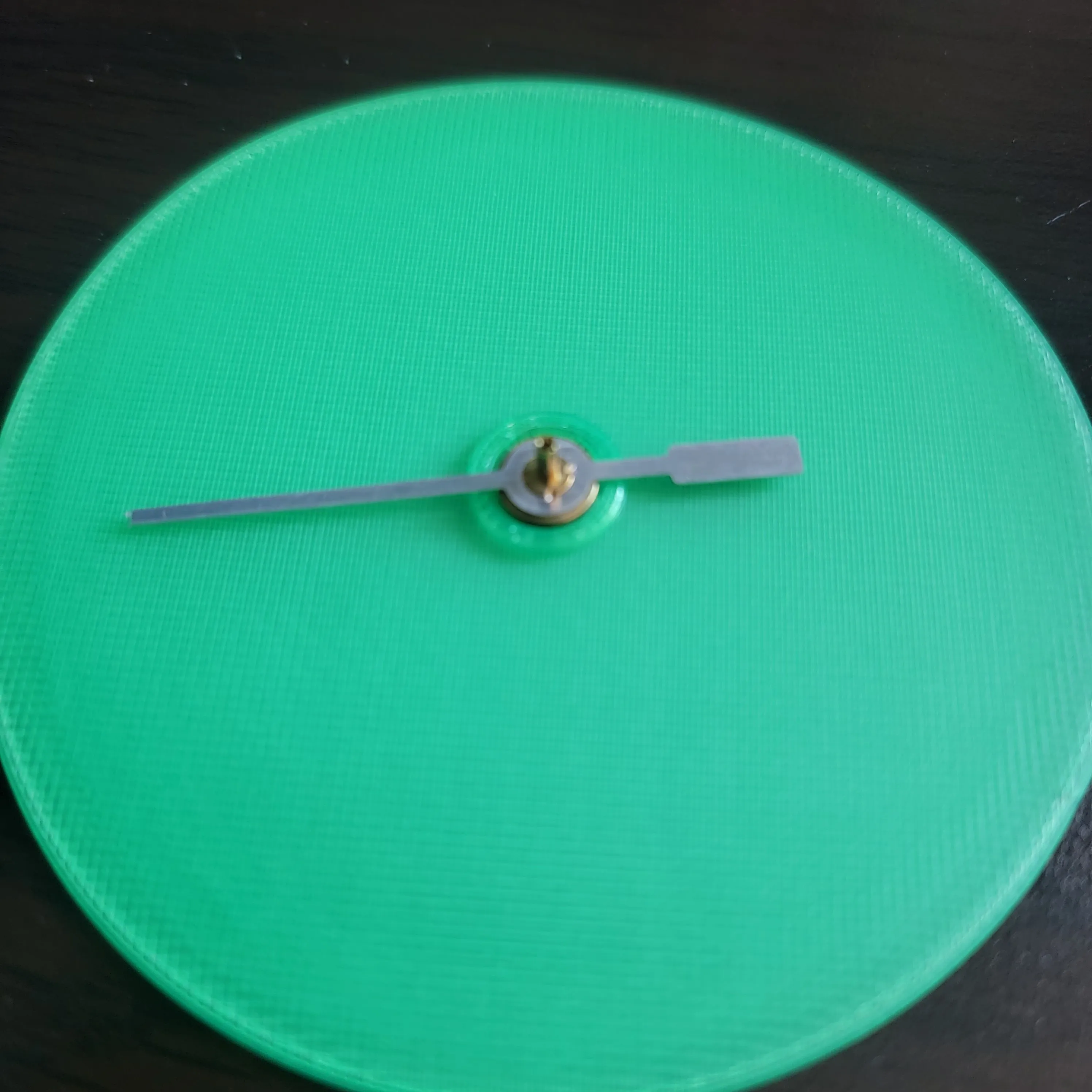
MouseMover built on the Bambu Lab Clock Kit (Kit-011(MH011)). Clip the ends off the second hand and glue it to the thin disc piece like in the picture below. Position your mouse over the holes to keep your computer active when you walk away:
 

Comment & Rating (19)

(0/1000)

Didn't know that you need to cut the hand of the clock mechanism. I don't want to destroy it, why not simply make the radius 10mm larger?
The designer has replied
0
Reply
A few reasons I did it this way: 1: I wanted the smallest still functional footprint on my desk. This sits on my desk all the time, I didn't want it taking up much space. This was the smallest size that could still comfortably hold all of my varieties of mice. 2: Gluing the second hand to the disc effectively ruins the second hand anyways so you may as well just clip it any ways (you can buy replacement second hands for literal pennies and full kits can be purchased at any craft store for about $5) 3: The motor in the clock mechanism is already struggling to move a disc this large. The larger it gets the more of a struggle it has to keep it moving. This was my reasoning, but feel free to remix it if you feel like larger will work better for you. OnShape doc if you want to remix it: https://cad.onshape.com/documents/6e43b6464c85b70bec131c16/w/0ebd5854ef0788b5b7501b35/e/7846d4fd9633bb59c599b142?renderMode=0
(Edited)
1
Reply
Print Profile
0.2mm layer, 2 walls, 15% infill
easy print, works great! super easy to see its still in working order 5/5
profile
1
Reply
Print Profile
0.2mm layer, 2 walls, 15% infill
It’s crazy how well this works! Nice model!!
profile
1
Reply
Print Profile
0.2mm layer, 2 walls, 15% infill
Works great, thanks!
0
Reply
Downloaded but the disc does not have the design on it. Did you just draw yours on?
The designer has replied
0
Reply
I didn't include that in the print profile I uploaded so it would be easier to print for people without an AMS. The pattern isn't required for the mouse mover to work, it just makes it look better. I used this spirograph generator to make an svg and then applied it to the part as a modifier in bambu studio: http://www.eddaardvark.co.uk/v2/spirograph/spirograph2.html Let me know if you want me to upload a print profile with that included
2
Reply
Replying to @DocNougat :
yes please upload thank you
0
Reply
Print Profile
0.2mm layer, 2 walls, 15% infill
Printed well, but my mouse would not detect the moving part. Have to try another mouse.
The profile uploader has replied
0
Reply
some mice have a really low z lift off distance, you can also print the disc part at double height (or print a second one and glue them together) and that should get you close enough without it brushing the lid part
0
Reply
Print Profile
0.2mm layer, 2 walls, 15% infill
great thanks
0
Reply
I need a profile for the A1 Mini
0
Reply
Print Profile
0.2mm layer, 2 walls, 15% infill
Works perfect.
0
Reply
Print Profile
0.2mm layer, 2 walls, 15% infill
Easy print and works as it should
0
Reply

License

This user content is licensed under a Standard Digital File License.

You shall not share, sub-license, sell, rent, host, transfer, or distribute in any way the digital or 3D printed versions of this object, nor any other derivative work of this object in its digital or physical format (including - but not limited to - remixes of this object, and hosting on other digital platforms). The objects may not be used without permission in any way whatsoever in which you charge money, or collect fees.