
Mini Pro 5.1 (case for Mac mini M4 + external ssd)




Print Profile(4)



Description
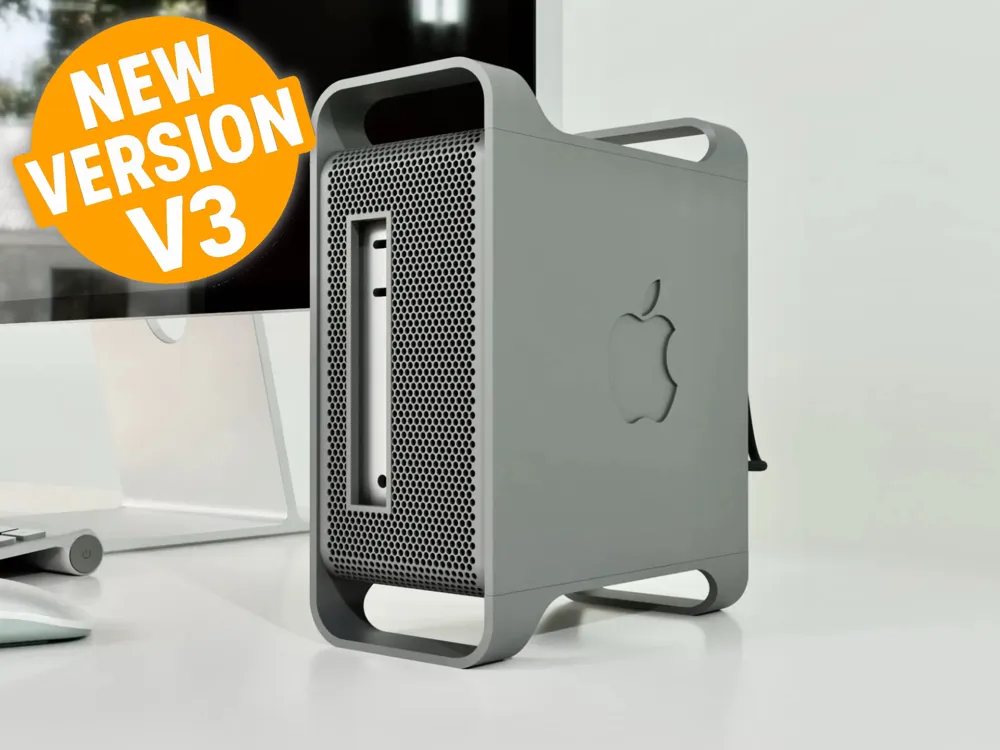
Case for Apple Mac Mini M4 with a space for external ssd. Inspired by Apple Mac Pro 5.1.
If You have wider ssd enclosure (for example fanless Qwiizilab or Electronica 4U) check new Mini Pro 5.1 Plus:
https://makerworld.com/en/models/1291164-mini-pro-5-1-plus-wider-case-for-m4-mac-mini#profileId-1321475
Case provides space for up to 2 external ssds. I'm using it with Ugreen Thunderbolt 4 enclousure and 2tb ssd to get fast external disk. All in neat single package without dongles laying around.
Temps are similar to stock M4 mac mini. SSD is also quite cool. I've put some thermal pads between enclosure and Mac Mini case to transfer heat, and small radiator, mostly to wedge it against case side panel.
The case has internal frame that holds mac mini. DO NOT transport Your mac mini by holding this frame! It is not secure enough. It is only meant to slide Mac and disks out of the case. Internal frame has integral supports (those pins). Just snap them (some may fall by themselves).
I've used glue for printing the frame. If you have problems with adhesion, glue or use brim.
There are 2 side panel variants - with or without logo.
Button - insert it inside main case and use a bit of tape to secure it in place. It will still work and it would be easier to slide Your Mac inside.
Update 11 Feb 2025
Added v2 print profile:
- main frame with separate handles for smoother surface print (not print tested yet - please let me know if it works good). You have to glue handles to main frame.
- stronger internal frame with separate ledge. Should not snap when removed from print plate. Still - wait 15-20 min for print plate to cool down. Separation would me much easier.

Update 16 June 2025
NEW V3 VERSION
Customizable version.
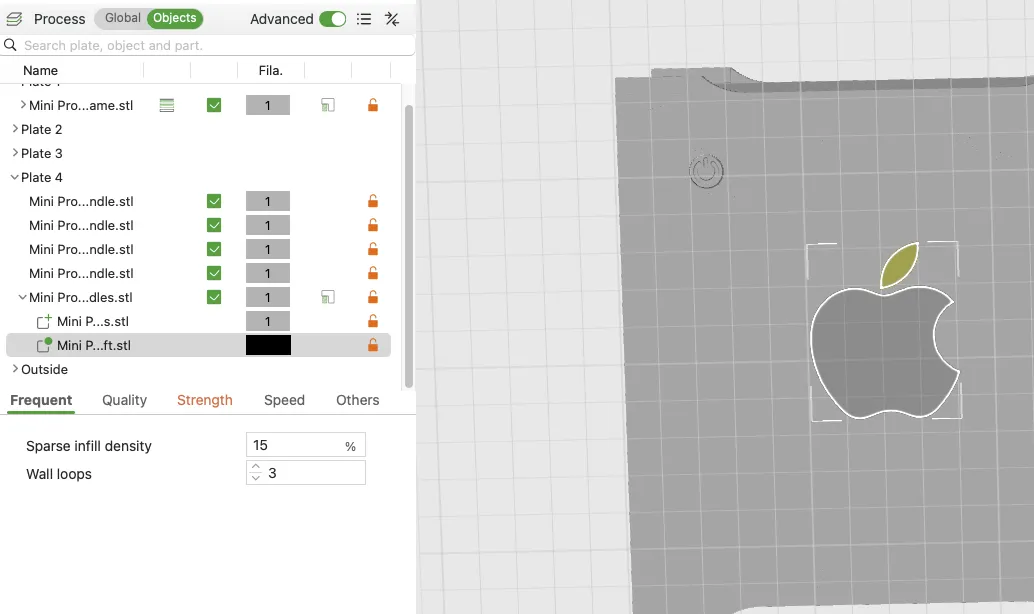
Many options provided as modifiers:
* You can add 2 types of side vents (long or short ones)
* You can add array of holes (taken from one of apple logos)
* Integral supports for front and back cutouts
* Logo is a modifier - You can change colours, slice pattern or subtract it from geometry (or remove completly)
* Integral frame for filter
* Integral button
Here is how You can change modifiers:
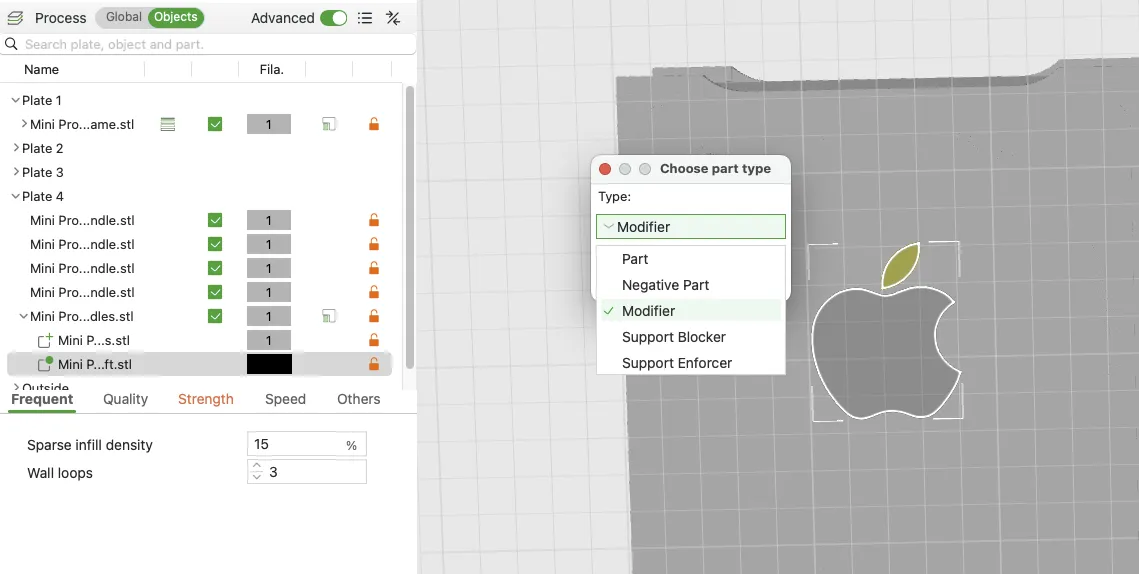
If You have any wishes please comment :)
License

You shall not share, sub-license, sell, rent, host, transfer, or distribute in any way the digital or 3D printed versions of this object, nor any other derivative work of this object in its digital or physical format (including - but not limited to - remixes of this object, and hosting on other digital platforms). The objects may not be used without permission in any way whatsoever in which you charge money, or collect fees.


Comment & Rating (143)