
Rock Stand

Print Profile(1)

Description
Disclaimer: If you are on mobile and can not directly edit the size of the model before you print it, the default size is 80x80mm.
Which Model Do I Choose?
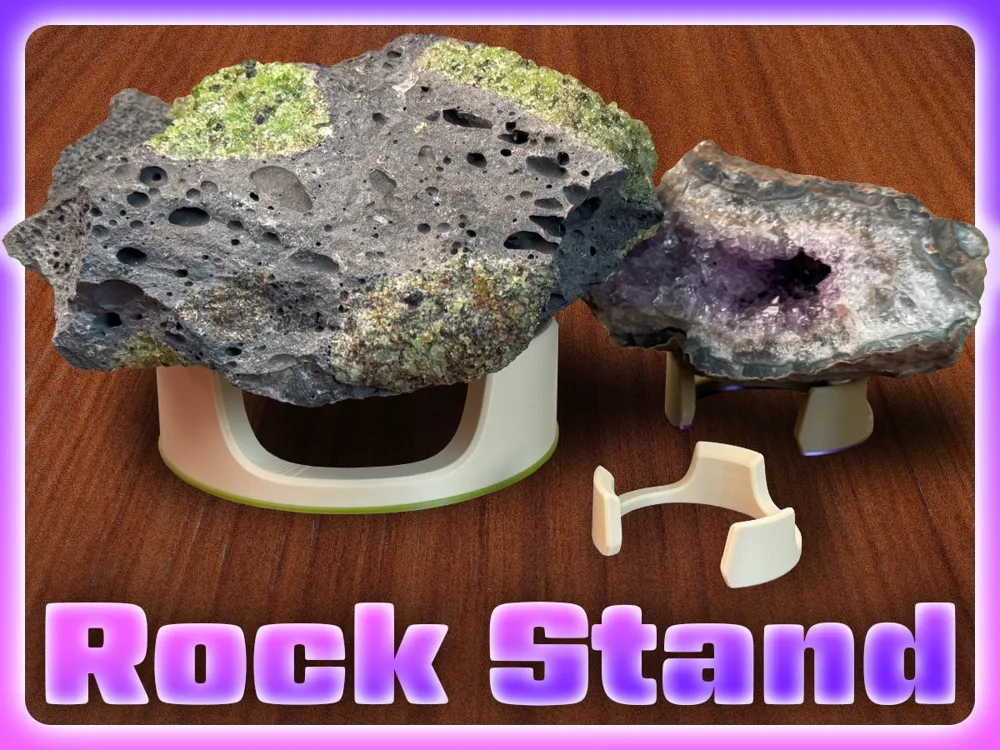
There are four different models. What differentiates these models are whether or not they have a brim and what shape they are. The brim is a little extruded area around the base of the stand which allows you to add an accent color for your rock to add more character to your space. The shapes are Full Circle and C-Shape, the difference being the C shape does not connect on one of the edges, forming a C.
Sizing
To size your stand correctly, look at the side of your rock that will be touching the stand (the underside). Measure a circle that could fit inside of the rock, subtract a few millimeters and change the width of the model to the diameter of the imaginary circle.
Example
Imagine a circle on the side of that rock that fits completely within the bounds of the rock, imagine your rock is 120mm by 80mm, you could fit an 80mm diameter circle. You could either go with that size or subtract a few, which would result in a 75mm circle. Then, when in the slicer, if you go with the full circle model just change one of the two equal dimensions to 75mm while keeping uniform scaling on. If you go with the C-Shape, change the biggest dimension to 75mm while keeping uniform scaling on. So if the default model is 80x72x25, you will change the '"80mm" dimension to 75mm.
License



Comment & Rating (12)