Search models, users, collections, and posts

Tekwiz17
@tekwiz17
Bio
Making simple, useful designs. ❤️ - A life long Apple Lover ❤️🖨️- 3D printer fanatic ❤️🅵- Using Fusion360 for my designs Please do not hesiatate to reach out or post if you have questions/comments/concerns/ or need help with my models! Please like, collect, post, share, or boost if you like my models!
Achievements

MakerWorld Guardian
Active more than 20 days out of last 30 days UTC time
Recent Article
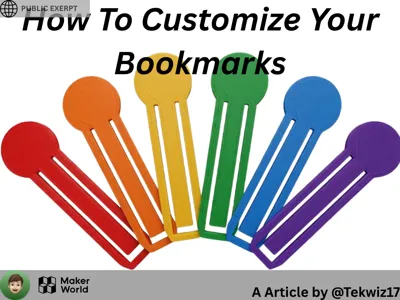
PUBLIC EXERPT: How to Customize Your Bookmarks
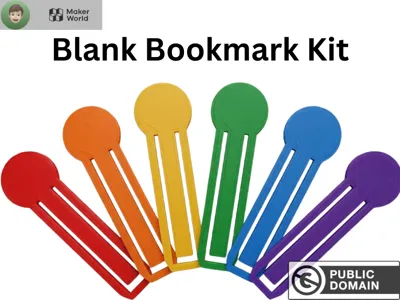
PUBLIC EXERPT: How to Customize Your BookmarksPUBLIC EXERPT: How to Customize Your BookmarksThe below is a exert of a follower only article, to view the full article, follow me (@Tekwiz17) and go to https://makerworld.com/community/post/1775987 for the full article. It is no cost. If you are not a follower, you will get a 404 Error. How to Customize Your BookmarksBy @Tekwiz17 One of my more popular models is my Public Domain (CC0) Blank Bookmark Kit, and the reason it is my most popular models is that anyone can do anything with it, make it blank, customize, and upload to MakerWorld or other sites. This guide will go through how to customize in two ways, via Mesh Graffiti or Bambu Studio. METHOD COMPARISONMesh Graffiti - EASY- Color Changes ONLY - ANY image file needed (or paint/use text) {PARTLYIN EXPERT}Bambu Studio - HARD - Color Changes, Add, Subtract - SVG OR STL NEEDED (or paint/use text) {NOT IN EXERPT}Customizing with Mesh Graffiti (EASY)Mesh Graffiti is a powerful MakerLab tool introduced recently by MakerWorld. This tool allows you to upload a STL/3MF and customize with text, SVGs, and images.Steps to Customize via Mesh GraffitiOpen Mesh Graffiti (https://makerworld.com/en/makerlab/meshGraffiti?from=makerlab)Open my model, Blank Bookmark Kit (https://makerworld.com/en/models/2735879-blank-bookmark-kit)Download the 3MF (see below image)Go to the Mesh Graffiti tab and import the 3MFAfter importing the 3MF it should look like thisOn the right sidebar remove all colors you don't want and add the ones you doSelect how you want to add by using this menu (Top is painting, Middle is text, bottom is image)CUSTOMIZING (For all, after preparing, use left sidebar to adjust rotation and size.)PAINTINGSelect painting (top) and then paint where you want to, after selecting color…  For the full article, please follow me and go to https://makerworld.com/community/post/1775987, if you dont follow you will get a 404 Error. There is another section and the finish of this sectionc