Search models, users, collections, and posts
The Model Maker
@TheModelMaker
Bio
Colossians 3:23: "Whatever you do, work at it with all your heart, as working for the Lord, not for human masters." I'm a person who makes models for fun on my free time. I make models on Blender! please think about printing a thing or two!
Achievements

Stellar Reviewer
Rate or Comment 207 different models
MakerWorld Guardian
This badge has expired
Recent Article
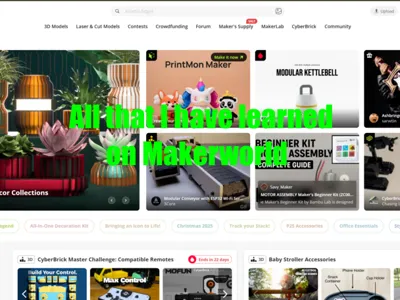
All that I have learned on Makerworld
All that I have learned on MakerworldNote: this article will be helpful mostly to new users. that does not mean it won't be helpful to all users. maybe you will learn something new by reading this. I will include things not only for newbies. Hello fellow Makerworld users! I want to tell you about what I have learned about how makerworld works! This article can help if you are new to the platform, and need to learn how to get started and how things work on here. It can also help with longer-time makers. 1: Getting startedthis section is for the newbies specifically. of course, anyone can read this section, but if you are not new, I'd recommend skipping by this part.A: profile setupThe first thing you will need to do to use this app right is to make a profile. This is easy enough. do all the given tasks like putting in your email and creating a password. a profile picture is not required, but is useful. for a username, I don't recommend doing anything long and weird. just stick to something simple, yet easy to remember. If you have an account on bambulab or something else, I'd recommend doing the same username. Also, type out a bio about you and what kind of things you will make.B: First free boostsyou will be given some free boost tokens to use when you join Bambulab. Use them wisely, because if you want to get more on the future, it will cost you. not money, but time. I will talk more about this later. Only boost things that are really well made. don't spend all your free boosts on random models that you like. spend them on models that are very well made. I spent some of my first free boosts on some random models that I liked, but I realised that I should have used them on better models.C: First model uploadsUploading your first models is very important. seeing what you make and what gets most popular will help you see what kinds of models to make in the future. doing this will also get you some starter points. I will talk more about points in the future. people can also boost your models, giving you points. Making high quality models is one key thing to getting prints and downloads. Also, you need to read what I am about to say. PICTURES. pictures pictures pictures. I cannot tell you enough how IMPORTANT it is to have high quality photos. Use real print photos and blur the background to let the other users see the model better. Photos are the #1 thing that can lead to an unpopular model.2: Next stepsThis next section is a good starting place for those who have already done what I talked about is the last few sections. This part will talk about points and the exclusive model program and other such things.A: Points and BoostsThis part will talk about points and boosts. points can be used to buy things in the points shop, like discounts on certain bambu items, and gift cards. you will get points in many ways. If people boost a model of yours, you will get 12 points. doing some of the starter things will get you some points. reaching milestones with downloads and prints on your models will get you some. If you want to know more ways, click on the points icon at the top of your screen.You may be confused on how to earn boost tokens. if you print 2 60 minute or longer prints made by someone else, then you will get 1 boost token on monday. Saving up points is a good idea, so don't spent all of them as soon as you can.B: The exclusive model programThe exclusive model program is unlocked when you get 100 total model prints. you can apply this to your models by editing them and clicking the tab that says exclusive model program. Once done, your model will say, “exclusive” in the top left corner. doing this gives many benefits. It raises it's exposure by a lot, it gives a 25% extra points incentive, and exclusive points can be redeemed for real money!C: The communityThe community is what you are looking at this post on right now! the community is where people can ask questions and show of their models and many other things. you can even post things on here too! people can answer any question you may have on here (not guaranteed)! you can also search thing on the community, so if you have a question, someone else might have already asked it, and you can see the answers by the other people.3: other factsThis section is the final section. I will simply give some facts about how some things work.A: Bambu academy coursesThe bambu academy courses can teach you about how things work on bambu lab and how to solve certain problems. it will make you read something, and then it will give you a quiz about what it said. and don't worry! you have infinite tries on every question. And, as a bonus to all this knowledge, you get points for completing these courses! you can get up to 100 points for doing these courses.B: followingIf you want, you can follow any creator on here that you want. When you follow someone, it supports them on here. it also tells you if they upload a new print. I did not put much in this section, I know.C: ratingYou can rate certain models if you print them by going to your account and clicking ratings. like most things, you can give a 1 star to a 5 star rating on their model. the rating average will appear on the print profile of the model. this will show you if their model is good or not.D: Scammerssadly, scammers have been popping up on here by private messaging users and acting like makerworld is trying to get you to pay money. I will say this. Do not EVER click on the links that they may give you. remember this: Makerworld will NEVER ask you to pay money, no matter what.4: final wordI hope this article helped you! I hope that you all have a good time experiencing makerworld for yourself. I ask one thing: please don't tell me any spelling errors I made, because there is no auto correct on here and everyone makes mistakes🙃. Goodbye, The Model Maker
Recent Makes (Ratings with High Scores and Photos)