Search models, users, collections, and posts

OfficineCasperLAB
@Officine_Casper
869
16.8 k
48.5 k
29.1 k
Social Media Links
Bio
We are a group of makers specialized in mechanical design ATTENTION: I do not accept other users' profiles on my projects! Ask for changes or new products in the comments section, and I will try to accommodate you
Achievements

MakerWorld Guardian
Active more than 20 days out of last 30 days UTC time

Popular Creator
More than 1,000 followers.

Stellar Reviewer
Rate or Comment 649 different models

Pioneer Maker
Print successful 568 different models and 2,249 hours
Recent Article
“Bambu Lab: The Home 3D Printing Revolution”
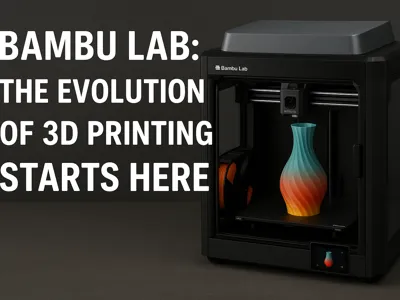
“Bambu Lab: The Home 3D Printing Revolution”Bambu Lab: The Evolution of 3D Printing Starts Here In recent years, the 3D printing sector has seen an explosion of innovation, but few names have had such a disruptive impact as Bambu Lab. This young but ambitious Chinese company has managed to earn a prominent place in the maker community, thanks to a clever mix of advanced technology, intelligent design and attention to user experience. Who is Bambu Lab? Founded by a group of former DJI engineers (yes, the leading company in drones), Bambu Lab debuted in 2022 with its first 3D printer, the X1 Carbon. The goal was clear from the start: to offer a “consumer-level” machine capable of professional-level performance, minimizing the learning curve and maximizing reliability. Bambu 3D printers: technology at the service of creativity The flagship model, the Bambu Lab X1 Carbon, immediately impressed with some key features: 🌈 Multicolor printing up to 16 different materials thanks to the AMS (Automatic Material System)🧠 AI algorithms and LIDAR sensors for automatic leveling and error detection⚡ Printing speed up to 500 mm/s without sacrificing quality📱 Integration with apps and cloud for remote monitoring and OTA updates Following the success of the X1, Bambu Lab also launched the P1 series, more affordable but still full of features. The P1P and P1S quickly became favorites among hobbyists, small businesses and schools. Why Bambu Lab makes the difference While many manufacturers focus on hardware, Bambu Lab has also invested heavily in software. Their Bambu Studio slicer is intuitive, powerful, and well-integrated with their ecosystem, and the Bambu Handy service allows for remote control from a smartphone, a really useful addition for those who print in series or remotely. In addition, the community around Bambu Lab is constantly growing: forums, Telegram groups, printable models, open-source updates, and fast and transparent official support make the user experience complete and engaging. Conclusions Bambu Lab has not only created a 3D printer: it has set a new standard. By combining speed, quality, and ease of use, it has broken down many barriers that made 3D printing a “geek” territory. If you are looking for a 3D printer that can keep up with your creativity (without driving you crazy with endless calibrations), then the Bambu world is worth a look.Have you tried a Bambu Lab printer yet? Write it in the comments or share your experience!
5 Essential Tips to Improve Your 3D Prints
5 Essential Tips to Improve Your 3D Prints5 Essential Tips to Improve Your 3D Prints 3D printing is a fascinating technology that offers endless possibilities, but sometimes it can be difficult to achieve perfect results without the right approach. Whether you're a 3D printing enthusiast or just starting out, these five tips will help you improve the quality of your prints and optimize your projects. 1. Calibrate your printer correctly One of the main causes of inaccurate or defective prints is an incorrect calibration of your 3D printer. Make sure that the print bed is perfectly level and that the nozzle is in the right position relative to the bed. Regular calibration is essential to avoid defects such as warped prints or poor adhesion of the material to the bed.🔧 Tip: Use the automatic calibration function, if available, or a manual calibration spatula for maximum precision. 2. Choose the right material for the project The choice of material is essential to the success of the print. Each type of filament has different properties in terms of resistance, flexibility and visual appearance. For example, PLA is easy to use and suitable for general projects, while ABS is more resistant and ideal for functional objects that need to withstand higher temperatures. TPU is perfect for flexible objects.🎨 Tip: Carefully consider the characteristics of the material based on the final use of the object, whether it is a decoration or a structural component. 3. Optimize the print settings (Speed, Temperature, Layer Height) Every 3D print is unique, so it is important to adjust the settings based on the model. The print speed can affect the quality and strength of the object: lower speeds usually lead to greater precision, while higher speeds speed up the process but reduce the quality. The temperature of the extruder and the print bed are other crucial variables for a good result.⚙️ Tip: Start with default settings, then experiment with small changes to find the right balance between speed and quality. Set a temperature that is appropriate for the material you are using. 4. Add supports where needed Some 3D models may have hanging parts or corners that are difficult to print without proper support. Using the right support for these parts will help prevent warping or sagging during printing. Most slicing software offers an option to automatically generate supports.🛠️ Tip: Use support only when necessary. Too much support can increase print time and post-processing, while too little can compromise the quality of your object. 5. Pay attention to your model's adhesion to the print bed Another common issue is poor adhesion between your model and the print bed. This can cause your print to peel off during the process and compromise your final object. Make sure your print bed is clean and that the material sticks properly. You can use blue tape, spray adhesive, or a glass surface to improve adhesion. 📏 Tip: Use an adhesive that is specific to the type of material you are printing (for example, an adhesive for PLA or ABS) and consider using raffs (print edge) to improve adhesion.  Conclusion 3D printing is an ever-evolving field, and mastering the right techniques can make a big difference in the final result. Remember that every print is an opportunity to learn and improve. With the right preparation and a little practice, you will be able to get perfect prints for every project!
Layer Height in 3D Printing: A Complete Guide
Layer Height in 3D Printing: A Complete GuideLayer height is one of the most important parameters in 3D printing, and directly affects the visual quality, mechanical resistance and production times of your projects.  But what does "layer height" really mean? And how do you choose the right value based on the object you want to print? What is Layer Height? In a 3D printer, the object is built layer by layer.  Layer height indicates how thick each layer is deposited during the printing process.  It is usually measured in millimeters or fractions of a millimeter (e.g. 0.1 mm, 0.2 mm, 0.3 mm). The thinner the layer:The more detailed the print will be;The smoother the surface will be;But also the longer the printing times will be. The higher the layer:The faster the production times will be;But the surface will be less defined. Practical Examples: When to Use High or Low Layers 1. Collectible miniature or detailed model 🎨 If you are printing a miniature, a sculpture or an artistic object rich in details, you should use a very low layer height, for example 0.08 mm or 0.1 mm. ✅ Smooth surface ✅ Maximum definition of details ❌ Very long printing times (even 10-12 hours for small objects) 2. Smartphone cover or functional piece 📱🔧 For a cover or a technical object that must be resistant rather than aesthetically perfect, you can use a higher layer height, such as 0.25 mm or 0.3 mm. ✅ Reduced print times ✅ Good resistance ❌ Rougher surface and visibility of print lines 3. Quick prototype or dimensional test 🛠️ If you simply need to verify that a design assembles correctly or functions dimensionally, you can also further increase the height (up to 0.32 mm or more) to obtain quick results and without consuming too much material. How to choose the ideal height? The choice depends on:Type of object (aesthetic or functional);Time available;Type of material (some materials support thicker layers better);Installed nozzle (example: with a 0.4 mm nozzle it is recommended to stay between 0.08 and 0.32 mm). Rule of thumb: 👉 The ideal layer height is approximately 25%-75% of the diameter of the mounted nozzle. Conclusion Understanding and controlling layer height allows you to optimize each 3D print based on your real needs. There is no “right” value for everything: there is the best value for your specific project!Next time you set up a print, ask yourself: do I want speed or quality? Or a balance between the two? The answer will guide you in choosing the perfect layer. 🚀