Search models, users, collections, and posts

Bio
Learning the basics of CAD, Slicing, etc.
I appreciate all the things people do here to help and advise
Great Community
Achievements

MakerWorld Guardian
Active more than 20 days out of last 30 days UTC time

Unload process not working with TPU since firmware 01.08.00.00
when I ran the unload process having just run tpu, the printer did not recognize I had pulled the tpu from the toolhead. I canceled the unload and tried to just start the next load and it gave me the message that the printer was still performing a function (I can't remember the wording) this happened twice today and I had to power cycle the printer to correct it
anyone else have a problem like this recently?
Thanks
Share
0
0
0
well made and easy to print, sizes were spot on, thanks!
Share
0
0
0
Great looking print!
Check your filament settings, to prevent contraction at head and neck which bends it inward
That was my woops not the model 😊
Share
0
0
0
Excellent, works perfectly for holding bottles and I'm sure I'll find other uses as well
Great design
Share
0
0
0
Are you kidding me! VERY COOL! thanks for sharing
Share
0
0
0
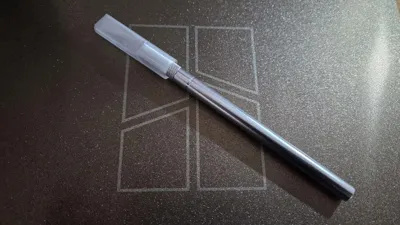
Amazing, dealing with lost caps for years and if you wanted to buy one might as well buy a new knife so thanks a lot
Printed in clear PETG and seems be holding up well
Share
0
0
0
Excellent, works great
Share
0
0
0
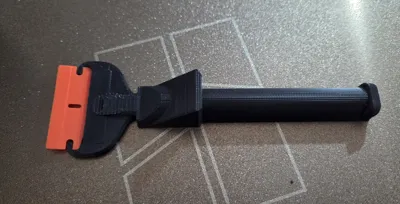
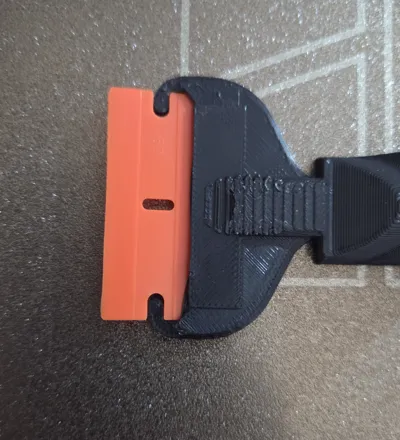
Outstanding! I've tried many of these and wasn't satisfied, most too complex for a simple tool
with this, easy install and removal of the blade and holds great.
thanks for solving this for me! you saved my day!
Share
0
0
0
Hello, I'm new to printing and the A1 and having a problem changing my nozzle in Bambu Studio
can anyone help me figure out why when I set my A1 to a .2 nozzle and click sync info it reverts to a .4
If I don't sync the printer still shows .4 when I try to print plate and warns me about the conflict
(the current diameter doesn't match.... See Attached screenshot)
I've also tried to click sync in the Send Print Job dialog but that doesn't fix it either
Thank you
Share
2
4
0
No more data