
Parametric MultiBoard Generator
Print Profile(1)

Description
Update 13 May 2026: Added multiboard_full_control which allows the user to independently define corner and edge types (i.e. can have one edge as overlap and another as butt joint)
Update 12 May 2026: I have converted the geometry over from a Fusion360 model to an OpenSCAD which should work better with BambuLab's parametric model tool. My suggestion would be to change all parameters other than “num_cells_tall” and “num_cells_wide” first to get your desired configuration and then changes those to your desired size as it is a complex model and the large the board size becomes, the longer the associated build time will become.
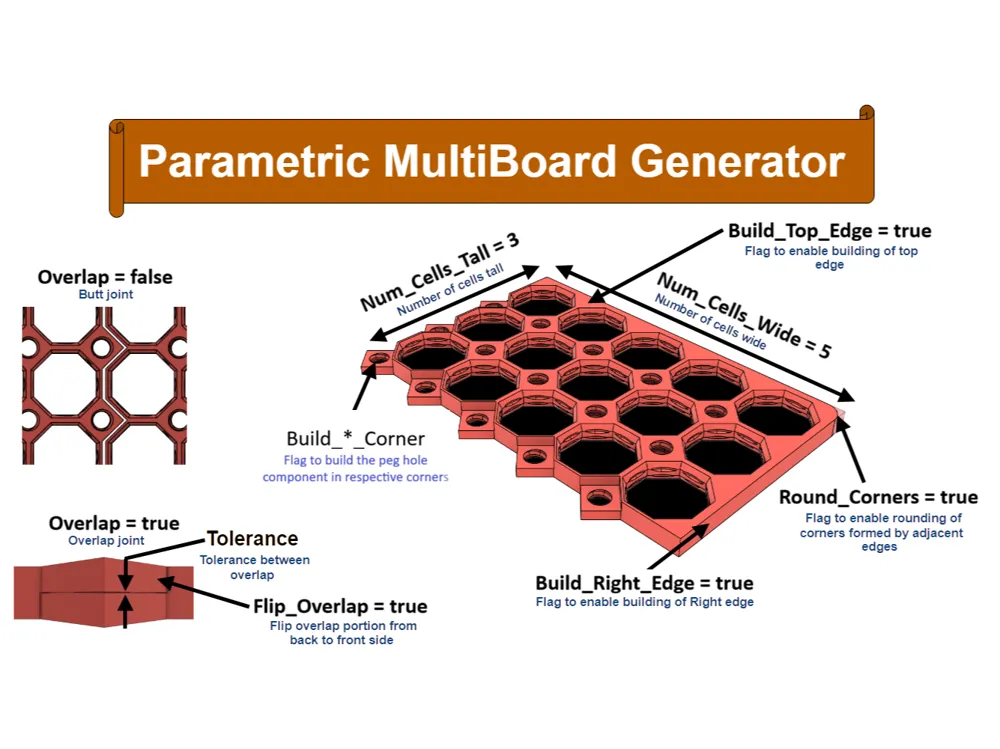
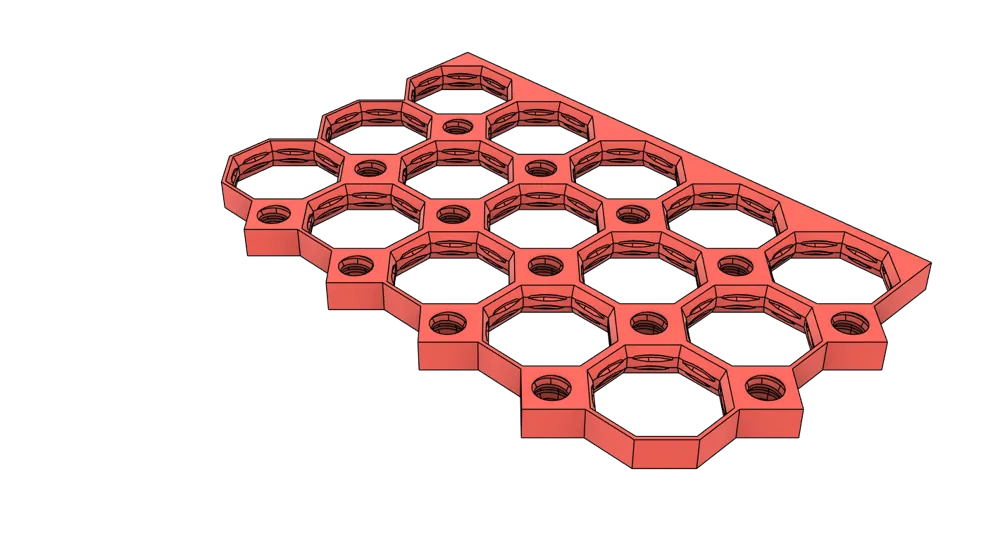
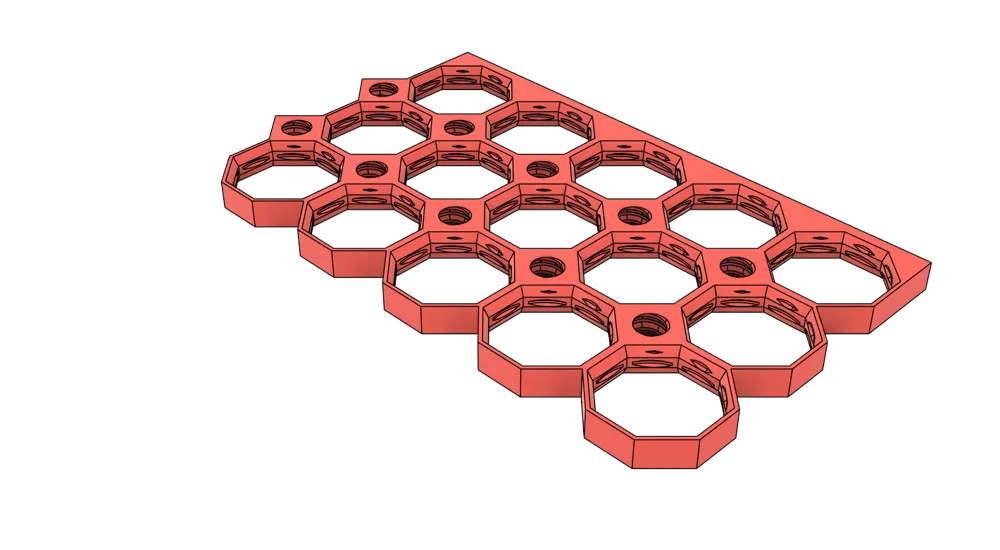
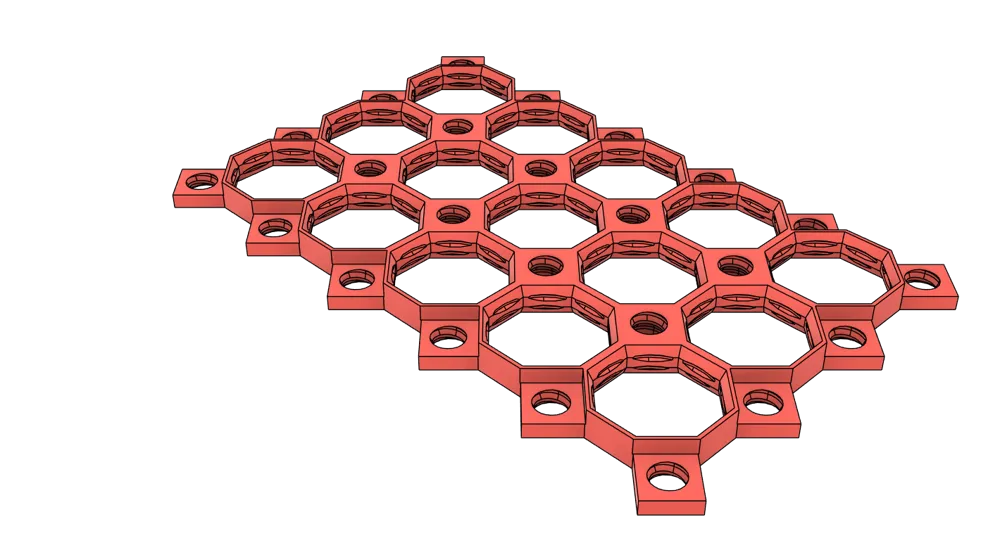
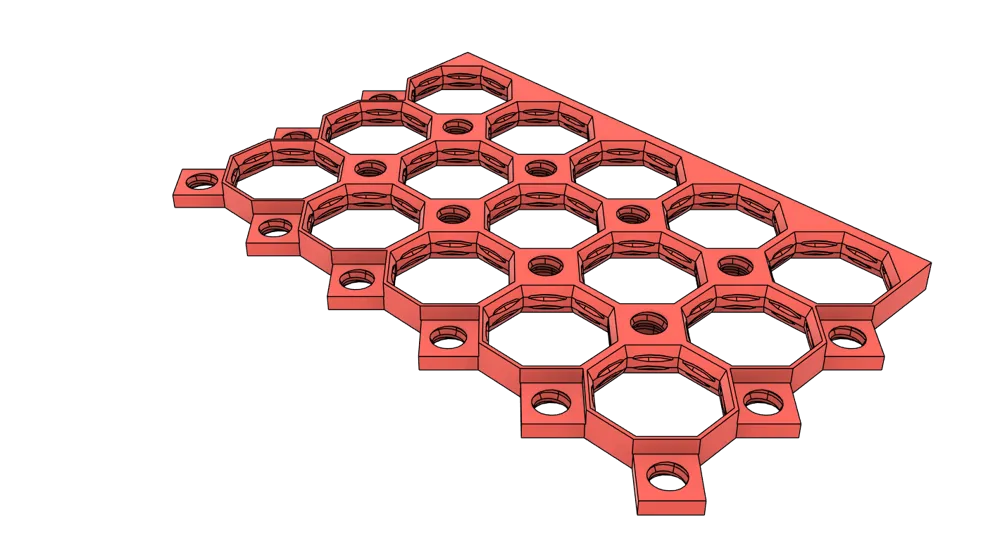
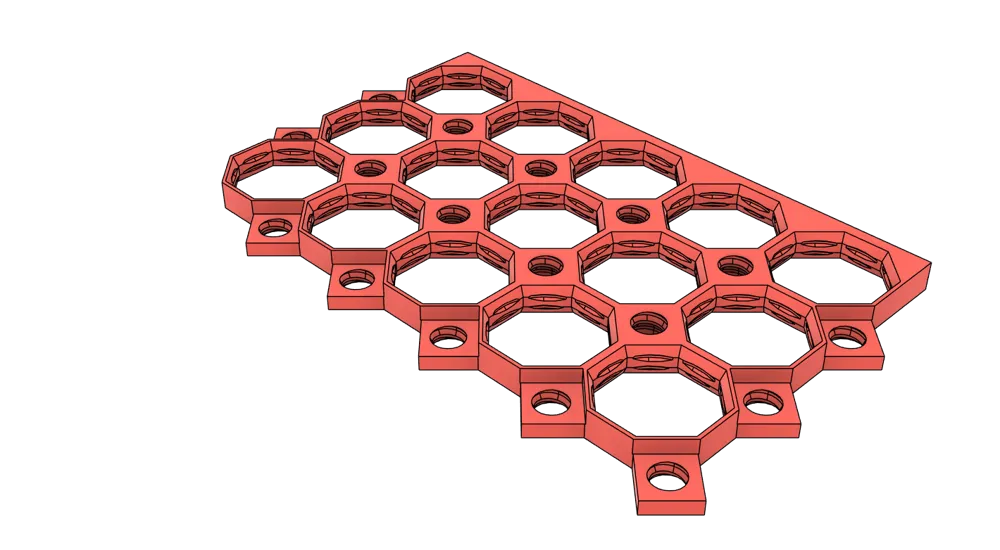
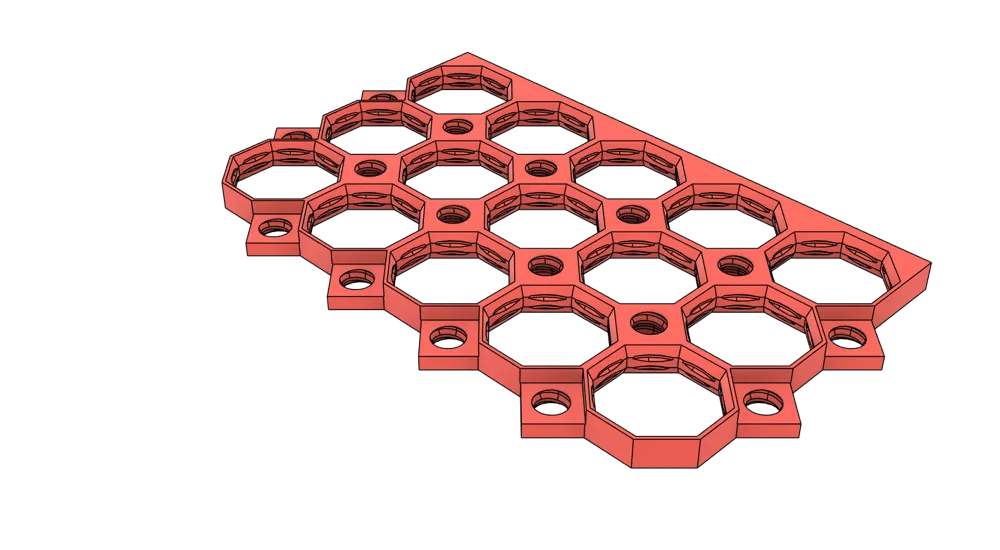
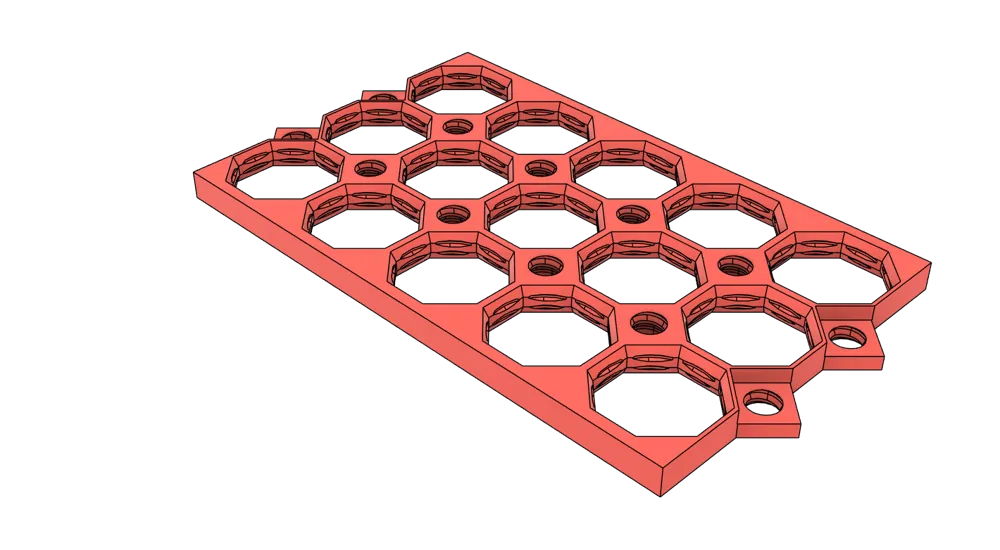
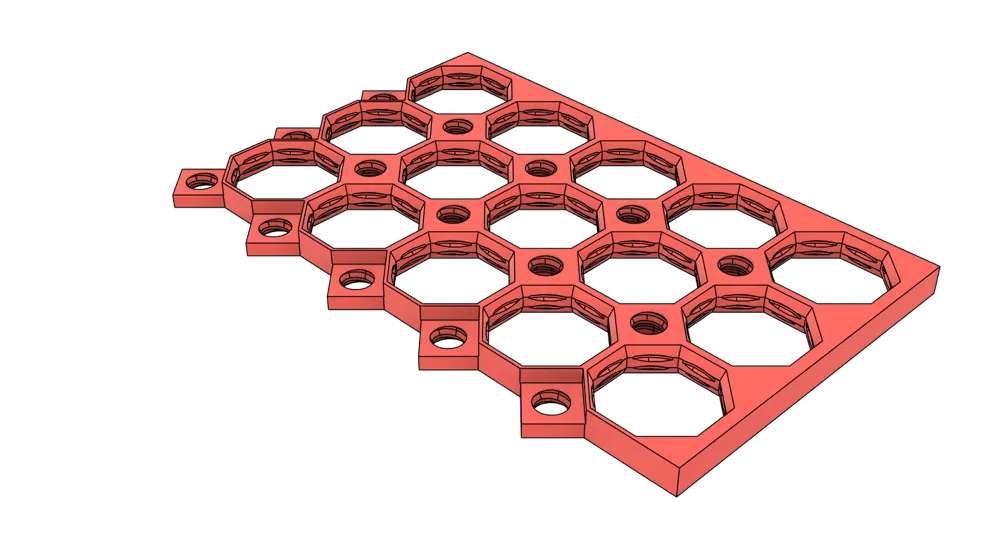
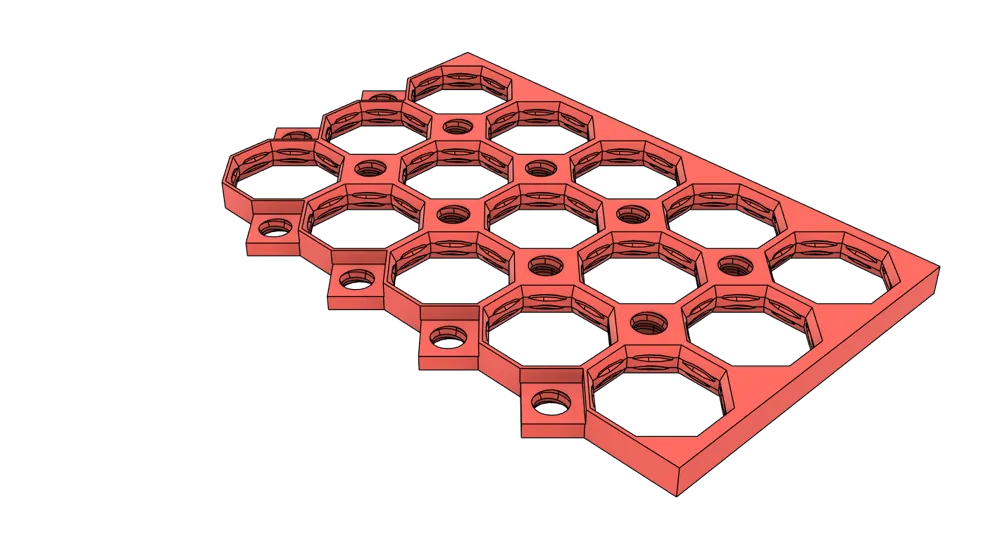
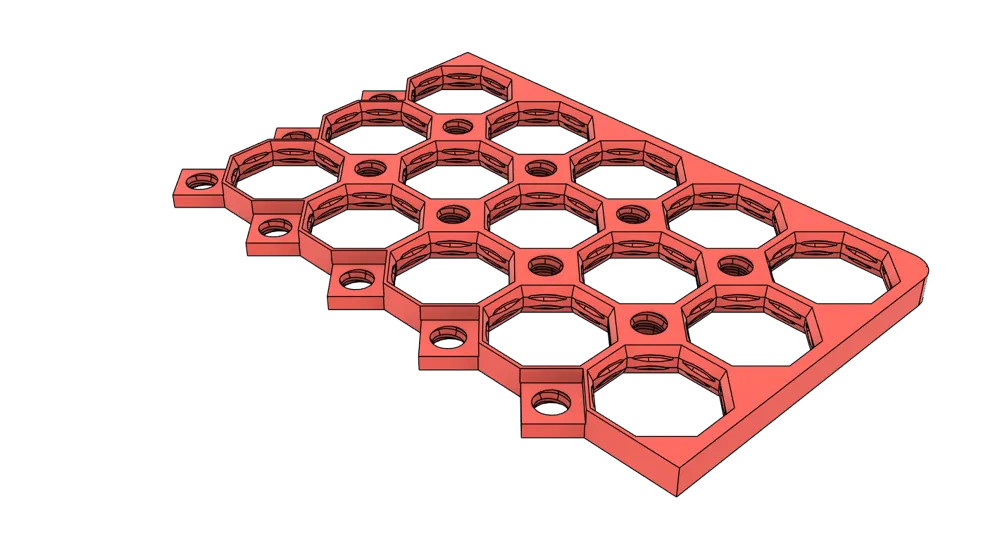
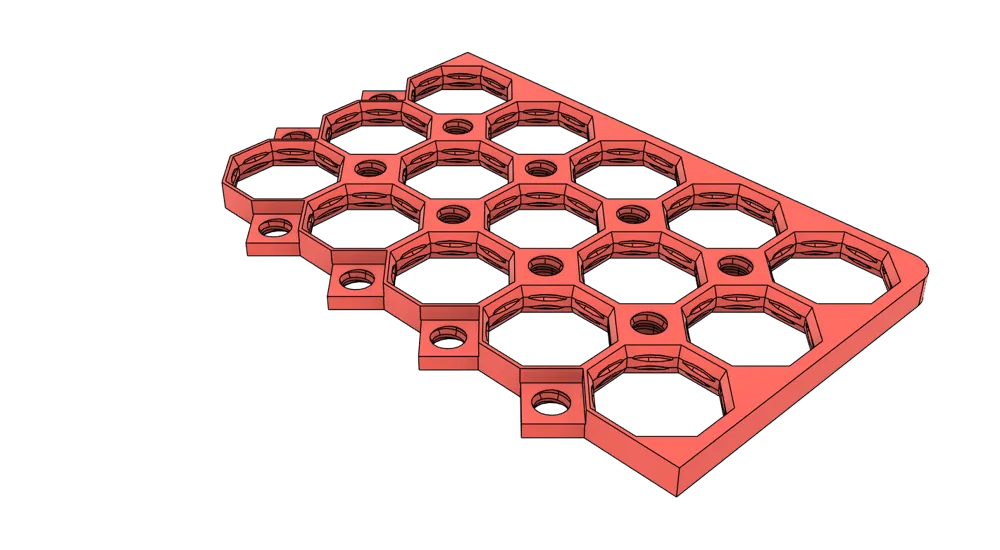
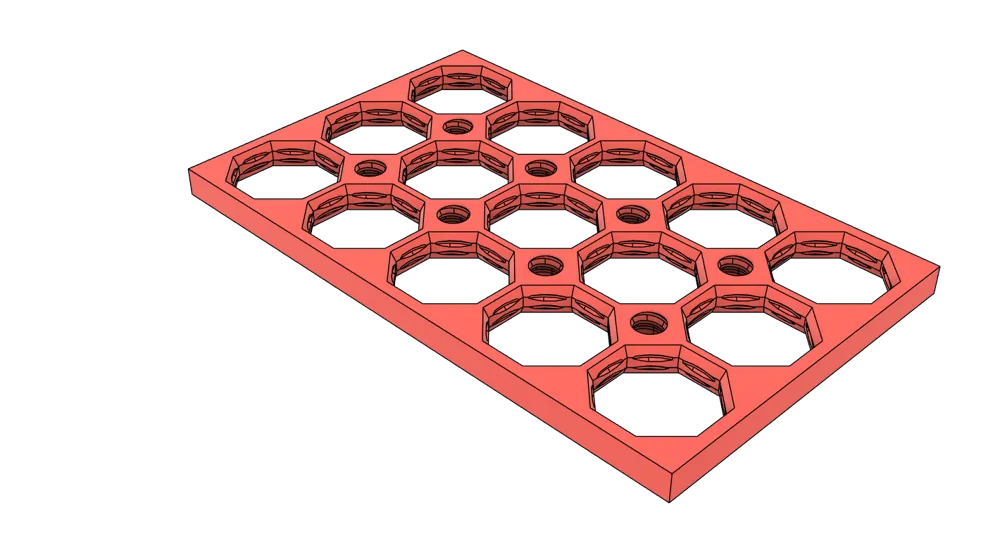
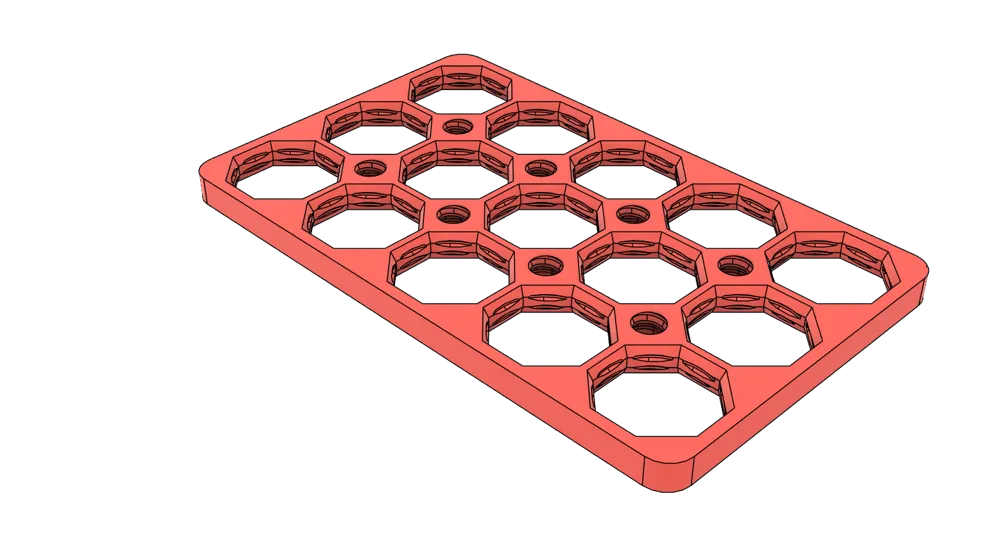
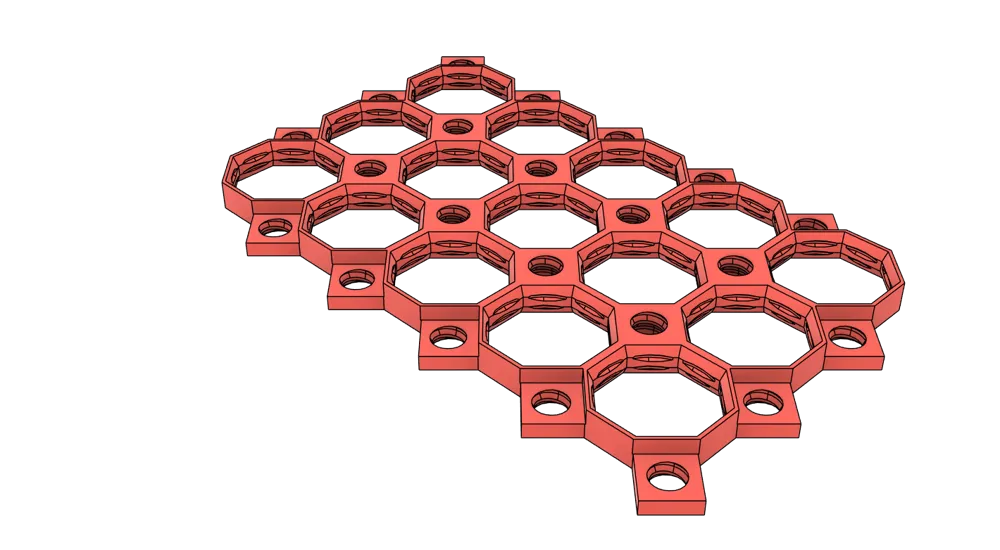
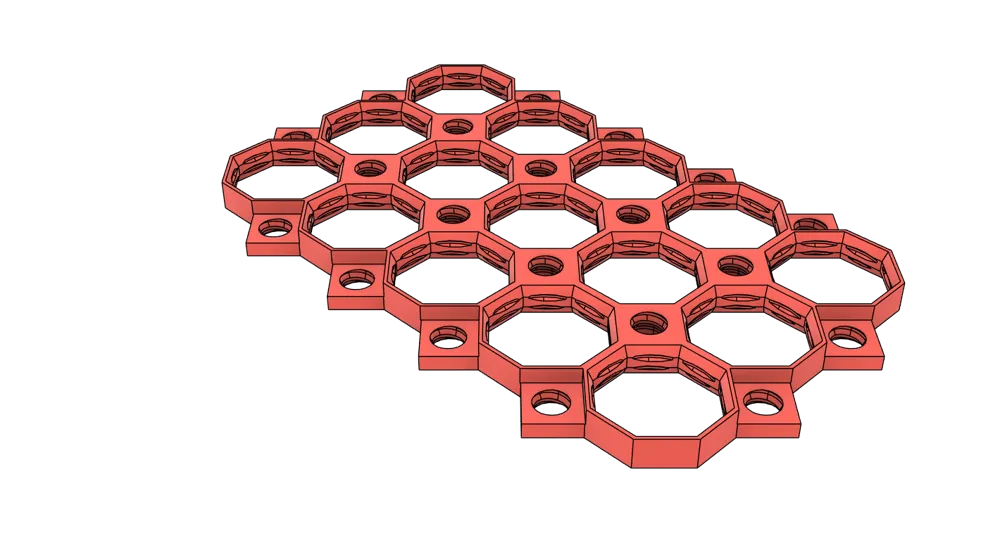
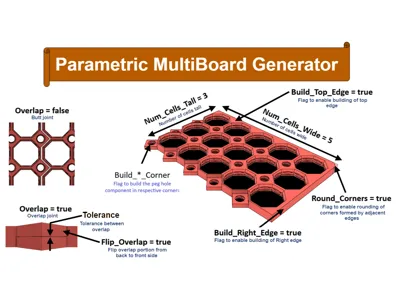
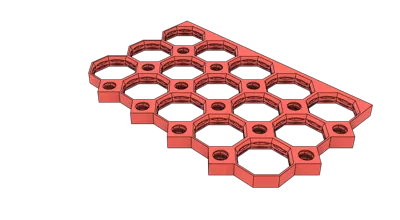
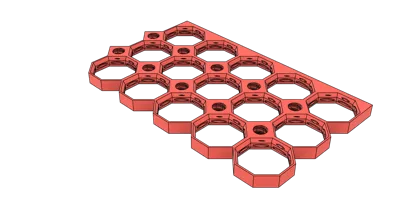
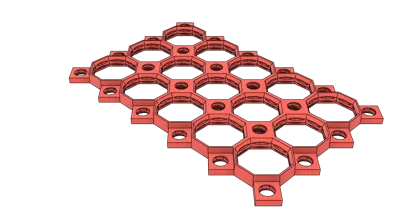
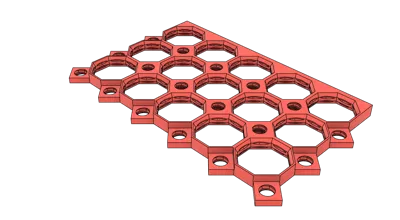
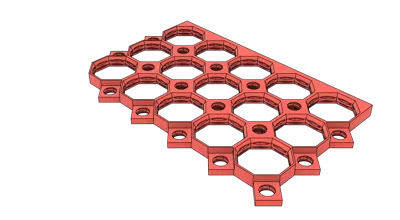
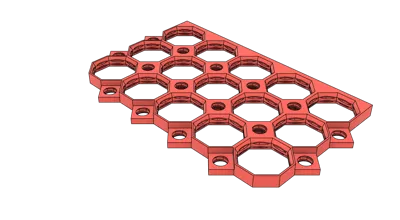
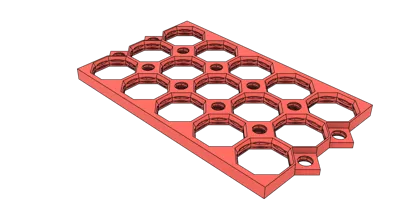
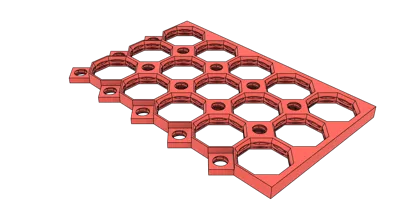
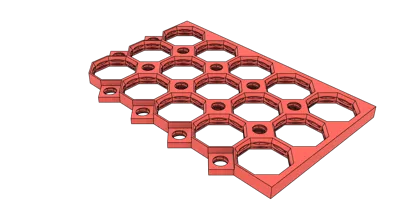
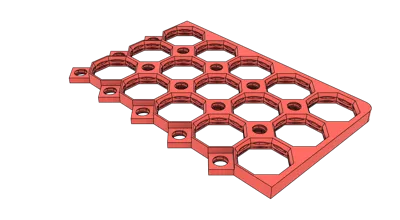
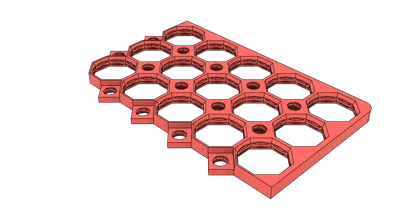
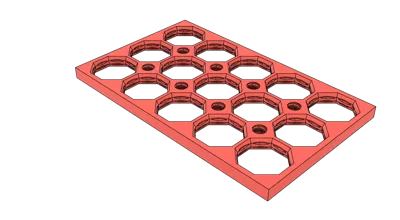
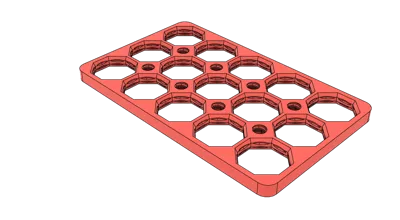
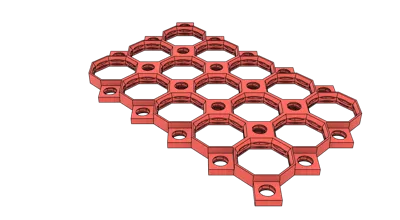
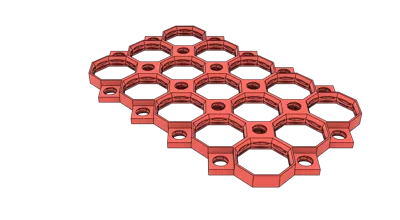
This is a fully parametric/customizable MultiBoard system capable of producing any configuration of MultiBoard panel that you may desire. You can customize the size of the board (number of cells tall by number of cells wide) as well as the joint type for multiple boards (i.e. butt joint or overlap joint with tunable tolerance on the overlap). You can also configure the model to have border edges for a nice clean edge and corners (with the ability to round off corners if so desired). Shown in the pictures are all combinations with the “Overlap” flag and then 2 combinations of the non-overlap/butt joint.
You can use the “BuildTopEdge”/"BuildBottomEdge"/"BuildLeftEdge"/"BuildRightEdge" flags to configure which edge/borders are built. If you set the flag to build 2 or more adjoining edges and have set the "RoundCorners" flag, the the corner formed by the adjoining (i.e. Top and Left) edges will be rounded.
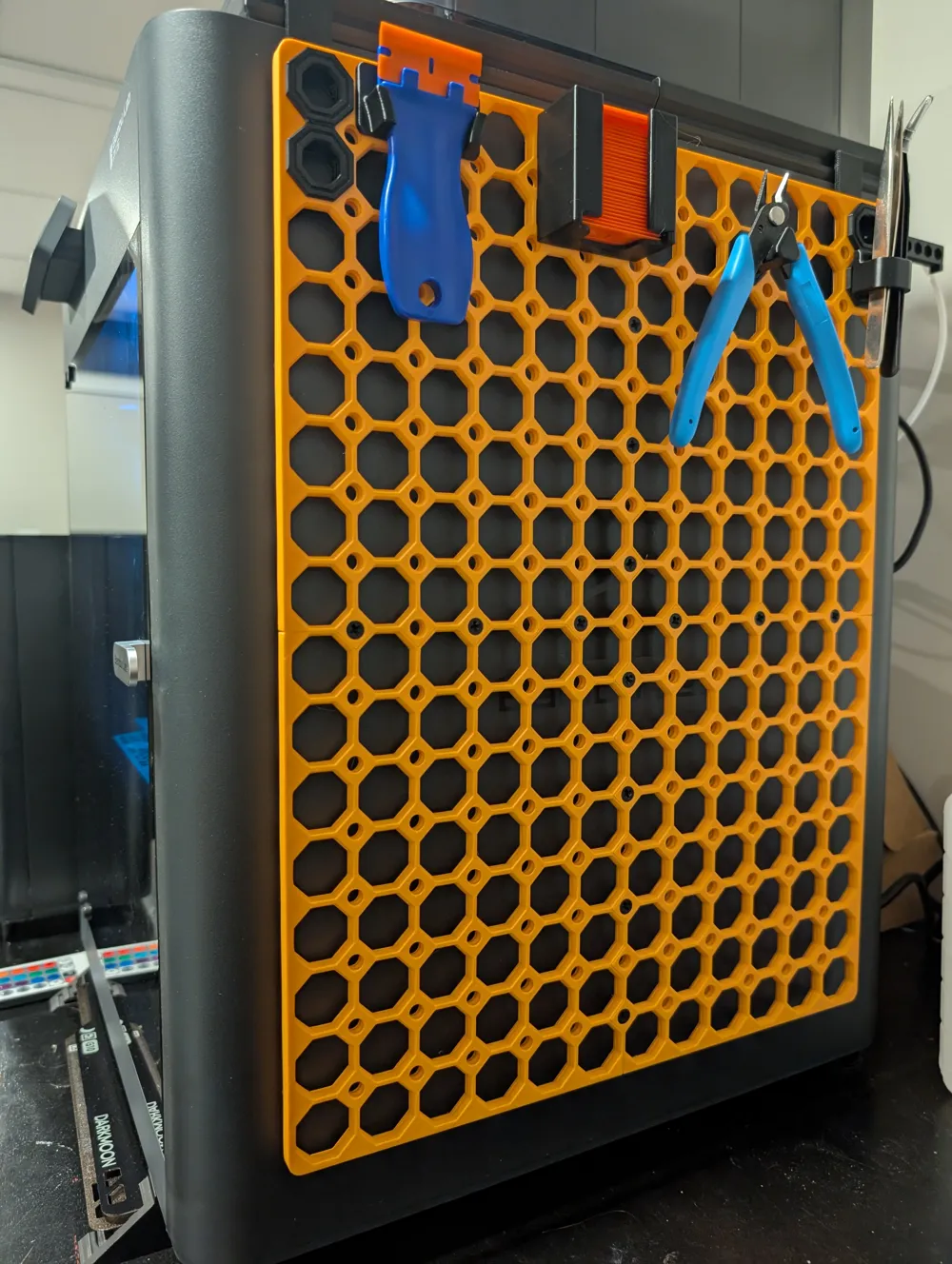
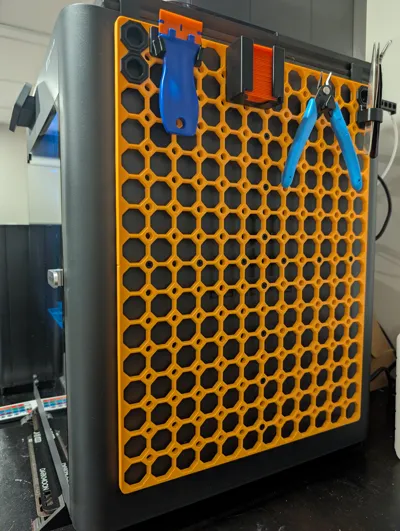
The first print profile has been configured for printing 4 panel to hang on the side of the P1S/X1C/P2S with all connector screws to connect the overlap MultiBoard panels. The panel is hung from the AMS Slim Riser V3 using this Adapter.
The list of customizable parameters are as follows:
NumWide → Number of cells wide
NumTall → Number of cells tall
Tolerance → Tolerance on overlap joints (0<=Tolerance<=0.25,true)
Overlap → Flag for switching between overlap or but joints (1 for overlapping pieces otherwise 0 for pieces that butt together)
RemoveAllPegCorners → Flag to remove all 4 of the corner peg hole components for fitment (1 to remove all four corner peg holes otherwise 0)
BuildEdges → Flag to enable building of border/edges (1 to enable building of border edges, otherwise 0)
Build2Edges → Flag to enable building of 2 border/edges (1 to build the model with 2 border edges, otherwise 0)
BuildTopEdge → Flag to enable building of top border/edges when set to 1 (1 to build top edge, otherwise 0)
BuildBottomEdge → Flag to enable building of bottom border/edges when set to 1 (1 to build bottom edge, otherwise 0)
BuildRightEdge → Flag to enable building of right border/edges when set to 1 (1 to build right edge, otherwise 0)
BuildLeftEdge → Flag to enable building of left border/edges when set to 1 (1 to build left edge, otherwise 0)
RoundCorners → Flag to enable rounding of corners formed by adjacent border/edges (1 to round corners between adjacent border edges, otherwise 0)
FlipOverlap → Flag to flip side on which overlap is placed (1 to flip which side on which the overlapping peg hole is being placed (i.e. overlap on front piece versus back piece) to ensure overlapping peg hole threads are properly aligned, otherwise 0)
License

You shall not share, sub-license, sell, rent, host, transfer, or distribute in any way the digital or 3D printed versions of this object, nor any other derivative work of this object in its digital or physical format (including - but not limited to - remixes of this object, and hosting on other digital platforms). The objects may not be used without permission in any way whatsoever in which you charge money, or collect fees.


Comment & Rating (18)