
MP3 Player (Case)
Print Profile(1)

Bill of Materials
- Schraube (4,2x13) x 4: Senkkopf, selbstschneidend (z.B. Holzschraube)
- MP3-Modul mit 7 Tasten x 1: PlayMeGram MP3 Soundmodul KSM-U3
Description
MP3 Player (Case)
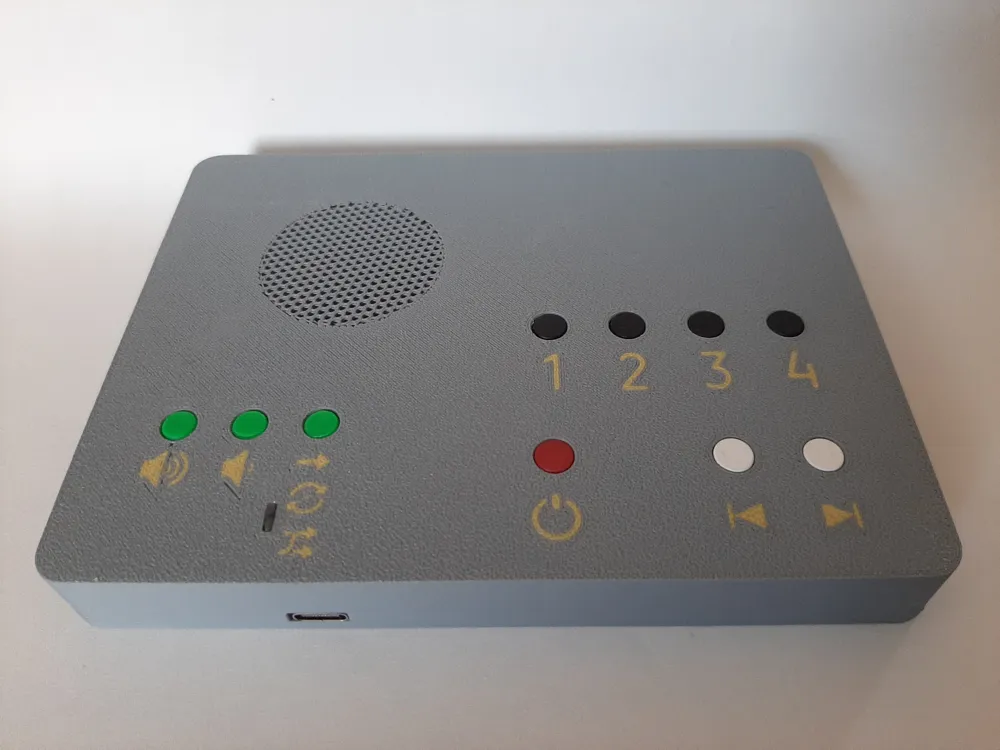
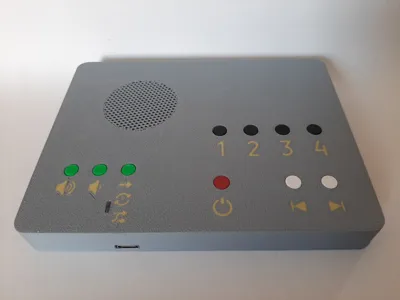
This model serves as a case for the KSM-U3 MP3 sound module from PlayMeGram with 7 buttons
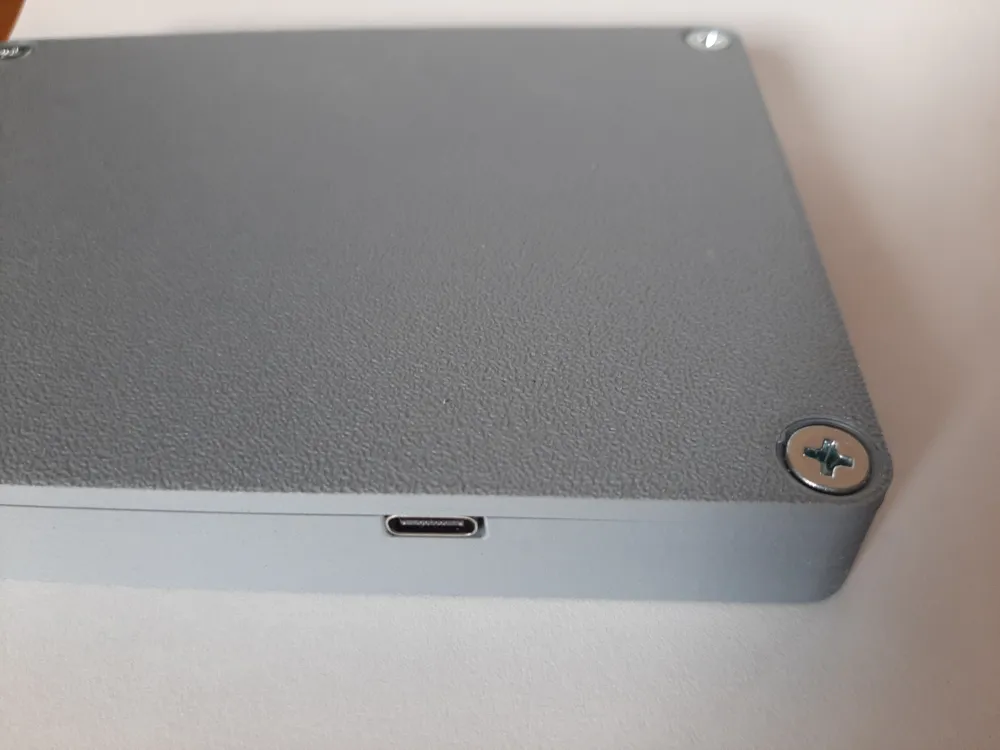
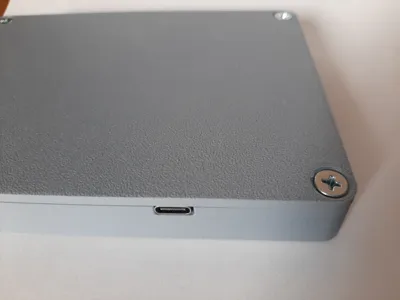
It is suitable for small children or older people, as the large colored buttons are very prominent. You can program file folders for audio plays or favorite music onto the four numbered buttons via the USB-C interface
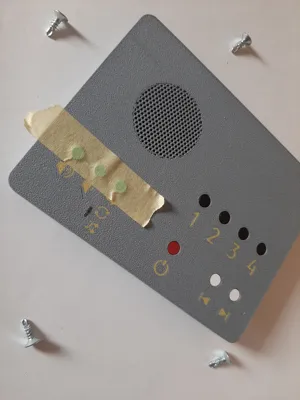
The free surface on the case offers space for creative additions. For example, I glued on small figures that appear in the audio play
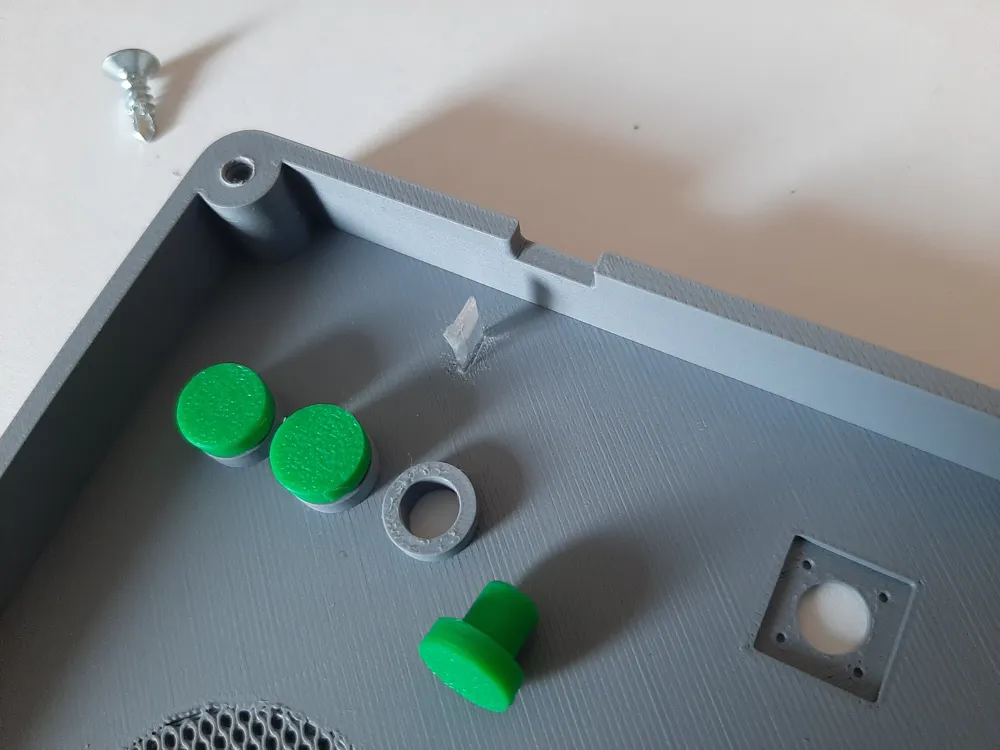
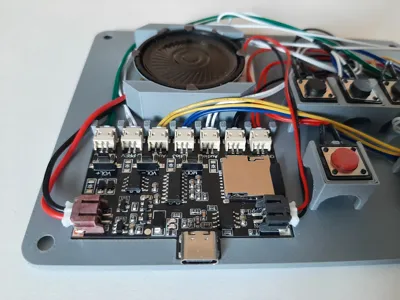
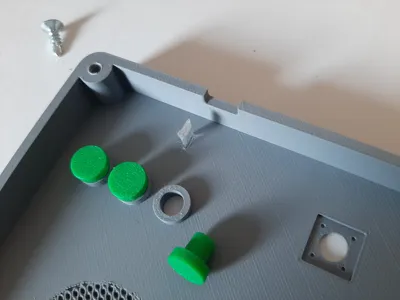
I designed additional buttons for the three buttons (volume +/- and playback mode) on the circuit board and integrated them into the case. For the indicator light also located on the circuit board, I cut out a piece of plexiglass approximately 1 cm long from an old CD case and glued it into the slot of the lid. This creates a fiber optic effect that displays the indicator light on the surface of the MP3 player
Printing
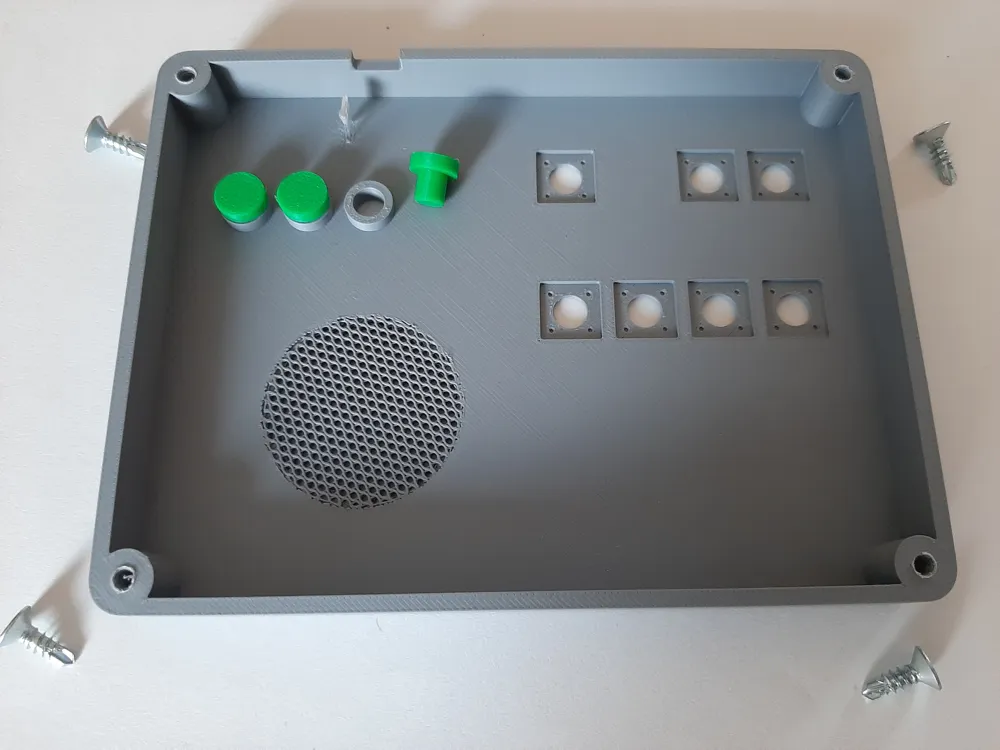
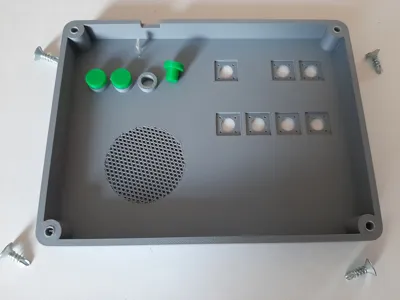
- A cylindrical modifier for the honeycomb speaker cover is inserted in the print profile
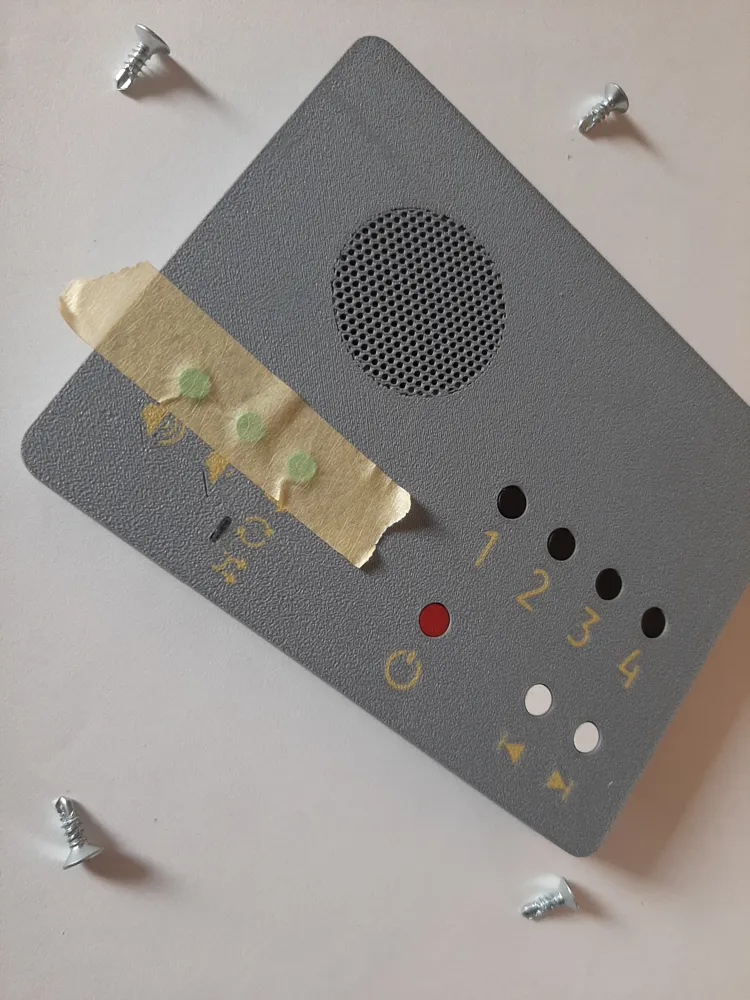
- The labels on the top side of the lid are on the bottom side in the print profile and were created as separate colored objects with a thickness of 0.2 mm. This means only a single filament change is necessary, as the labels are only one layer thick. The colors of the labels can be individually adjusted before slicing
- The print profile should require no supports
- The two case parts and the three colored buttons should not be printed simultaneously to prevent filament changes. Please delete the corresponding parts before slicing
Assembly
Note: I do not guarantee that the model will fit any MP3 player. I designed the case specifically for the aforementioned MP3 player. It is possible that not all circuit boards supplied by the manufacturer have identical dimensions. If necessary, change the dimensions of the model. I have included the source file
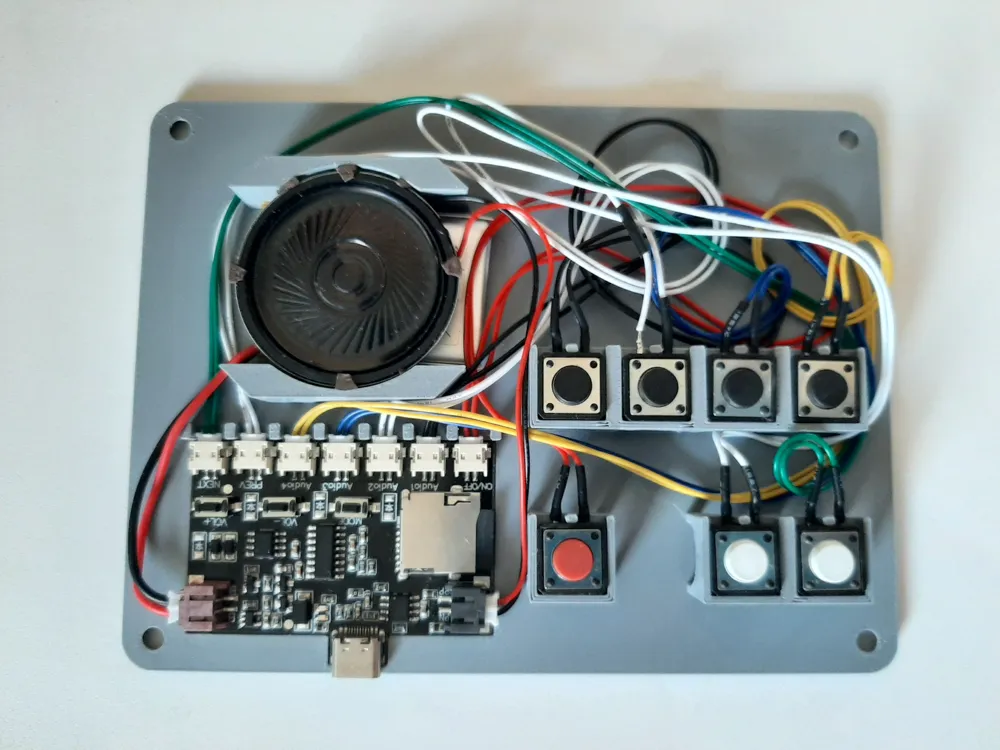
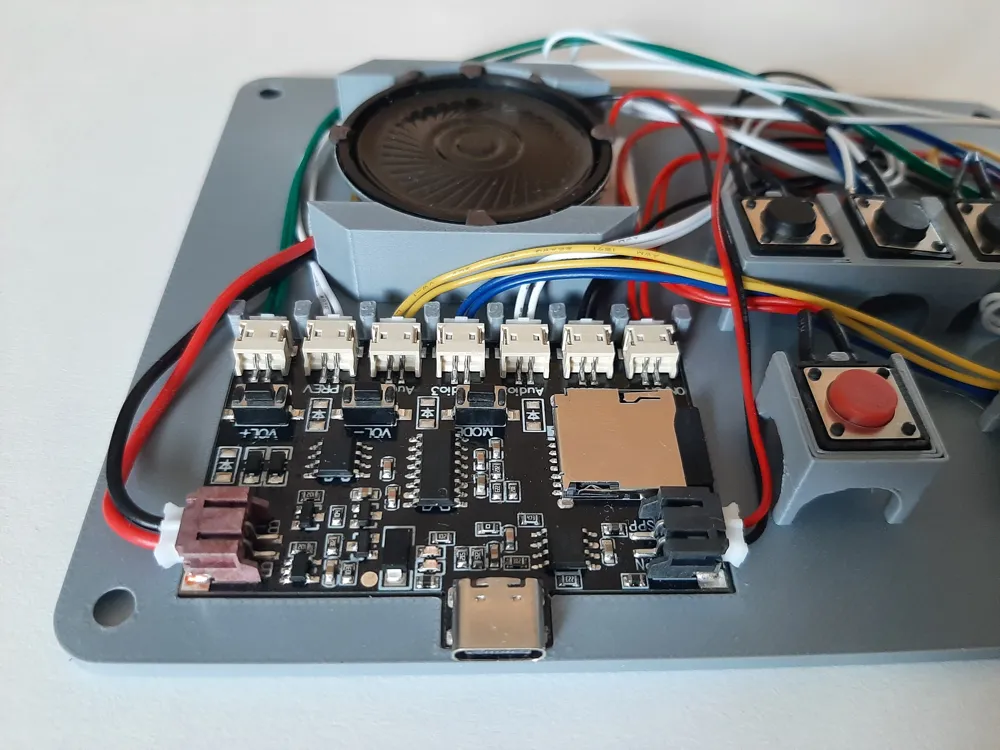
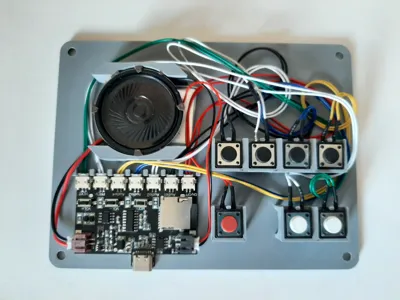
- The MP3 player's circuit board is inserted into the recess of the base plate. No gluing is necessary
- The battery is placed in the recess between the speaker mounts
- To prevent the speaker from rattling, thin foam or cellular rubber strips should be glued between the speaker and the case during installation
- The cables of the 7 buttons can be routed under the bridges if necessary. The 7 buttons are placed on the bridges, observing the assignment and function of the buttons
- The three color-printed buttons are inserted into the holes and secured from the top with adhesive tape so they do not fall out during assembly (see photo)
- If available: Glue a piece of plexiglass (approx. 10 mm x 1.2 mm x 5 mm) into the slot. I cut a fragment from an old CD case
- Carefully place the lid on the base plate without pinching the cables. Then screw the lid down with four screws (4.2 x 13 - countersunk head)
Enjoy your favorite tracks at the touch of a button!
License

You may create derivative works based on this object, provided that all such derivative works are published exclusively on the MakerWorld platform and include proper attribution to the original creator. You may not share, upload, host, distribute, or publish this object—or any derivative work of this object—on any other digital platform, marketplace, or distribution channel. Commercial use of this object and any derivative works is strictly prohibited. This includes, but is not limited to, selling, renting, sublicensing, or using the object in any context in which you receive monetary compensation or other financial benefits.


Comment & Rating (0)