
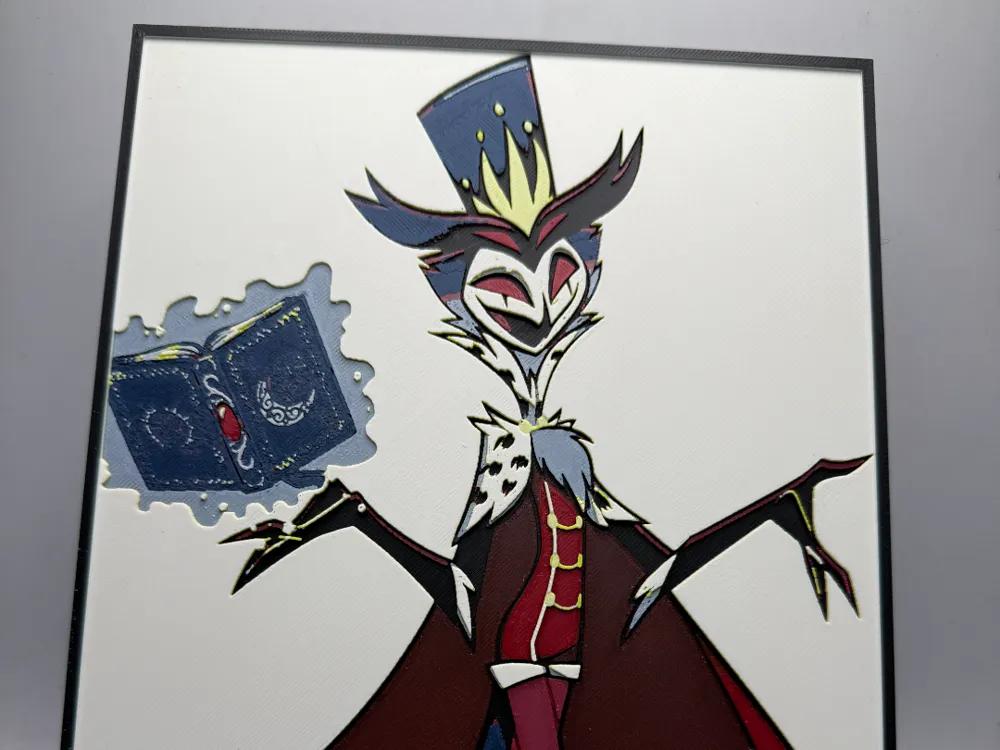
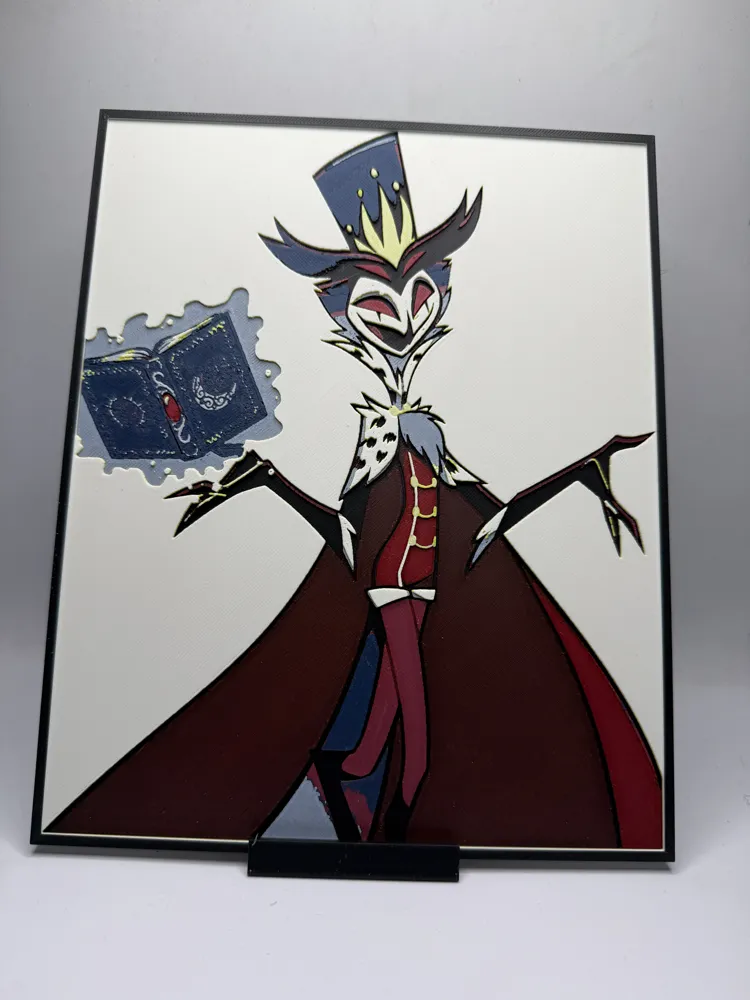
Stolas Helluva Boss
Print Profile(1)

Bill of Materials








Description
**IMPORTANT INFORMATION**
You cannot adjust the z scaling on any hueforge. This will mess with the coloring done and your hueforge will not come out as intended. You can however change the x and y to scale the picture. I recommend only changing by the same percentage.
To get an accurate print as shown in the photos you MUST use the same filaments listed below. You can change brands (as long as they are similar) but keep the filament colors the same. If you use any other color, you will not get the same results as me.
What you see in the slicer will not be how the final results will look! Hueforge takes advantage of color bleed to make the blended colors!
I have added pauses for color swaps for those with only one ams!!
If you enjoy my work or are looking for something different, consider joining my Patreon! I upload all my files there and offer different membership tiers.
www.patreon.com/MonkeyForge3D
Project: Stolas Helluva boss.hfp
Print at 100% infill with a layer height of 0.08mm with a base layer of 0.16mm
The Model is 188x235mm in size
You may print at higher layer heights below the Base Thickness of 0.96mm
The Max allowed Thickness is 3.92mm and the Actual Thickness is 2.88mm
Filaments Used:
#000000 PLA BambuLab Basic Black Transmission Distance: 0.6
#c00d1e PLA BambuLab Basic Red Transmission Distance: 4
#9d2235 PLA BambuLab Basic Maroon Red Transmission Distance: 1.6
#4c5f71 PLA BambuLab Basic Blue Gray Transmission Distance: 3
#1c254c PLA BambuLab Matte Dark Blue Transmission Distance: 1
#d1d3d5 PLA BambuLab Basic Light Gray Transmission Distance: 1.7
#fce300 PLA BambuLab Basic Yellow Transmission Distance: 6
#ffffff PLA BambuLab Matte Ivory White Transmission Distance: 3.5
This print uses 8 unique filaments
Swap Instructions:
Start with Black
At layer #17 (1.44mm) swap to Red
At layer #19 (1.6mm) swap to Maroon Red
At layer #22 (1.84mm) swap to Blue Gray
At layer #23 (1.92mm) swap to Dark Blue
At layer #25 (2.08mm) swap to Light Gray
At layer #27 (2.24mm) swap to Yellow
At layer #31 (2.56mm) swap to Ivory White
This slider is set higher than the mesh depth. It is not affecting your final mesh. Consider removing it.
Border Only Colors from here until the end.
At layer #47 (3.84mm) swap to Black for the rest.
Boost Me (for free)
Feel free to Boost If you like my work!
License

You shall not share, sub-license, sell, rent, host, transfer, or distribute in any way the digital or 3D printed versions of this object, nor any other derivative work of this object in its digital or physical format (including - but not limited to - remixes of this object, and hosting on other digital platforms). The objects may not be used without permission in any way whatsoever in which you charge money, or collect fees.


Comment & Rating (0)