
Butler
Print Profile(2)


Description
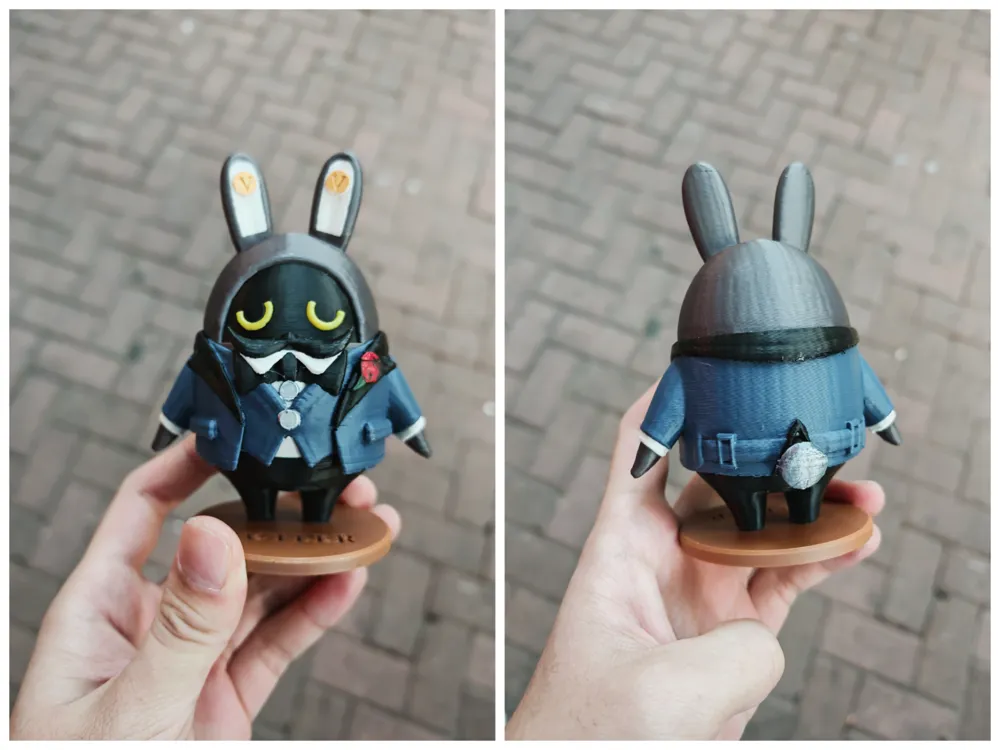
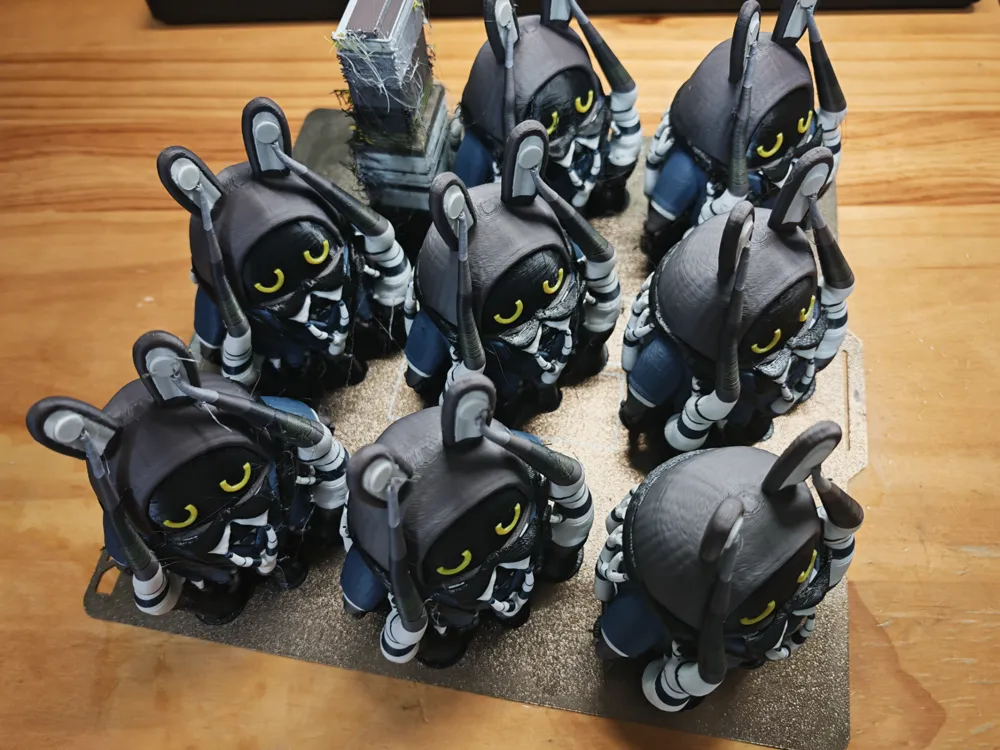
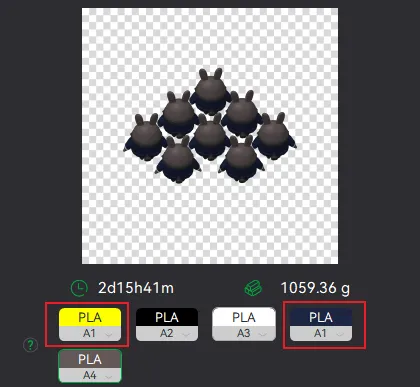
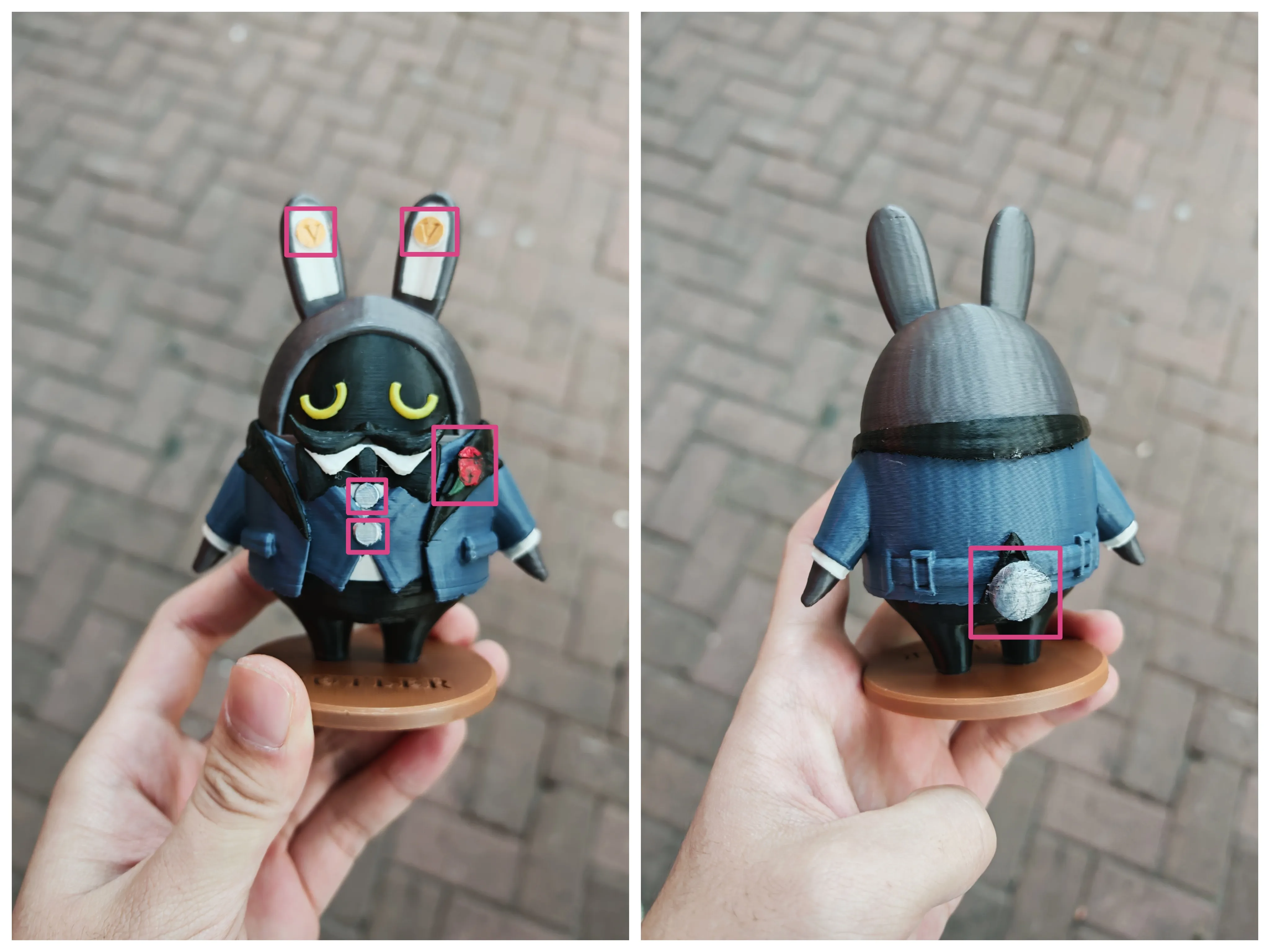
Although the butler's main body requires five-color printing, it can still be completed using only one AMS. When sending the print profile to the printer, the dark blue filament and yellow filament must be set in the same position within the AMS, as shown in Figure 1 below. When starting to print, this shared position needs to have the dark blue filament loaded first instead of the yellow one. There will be a pause during the printing process, and you will need to replace the dark blue filament with the yellow filament during the pause. The butler's main body and base are printed separately; after printing is complete, the two parts need to be glued together. Prepare dark green, red, gold, and silver pigments, and apply the corresponding colors to the marked locations in Figure 2 after printing.
Boost Me (for free)
This was not easy to make; thanks for your support
License

You shall not share, sub-license, sell, rent, host, transfer, or distribute in any way the digital or 3D printed versions of this object, nor any other derivative work of this object in its digital or physical format (including - but not limited to - remixes of this object, and hosting on other digital platforms). The objects may not be used without permission in any way whatsoever in which you charge money, or collect fees.


Comment & Rating (1)