
Speed test

Print Profile(1)

Description
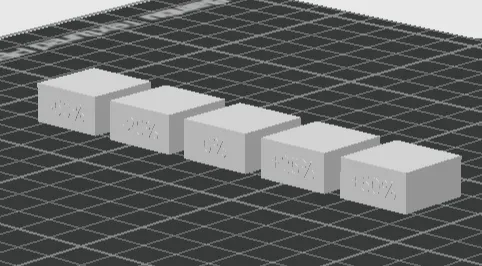
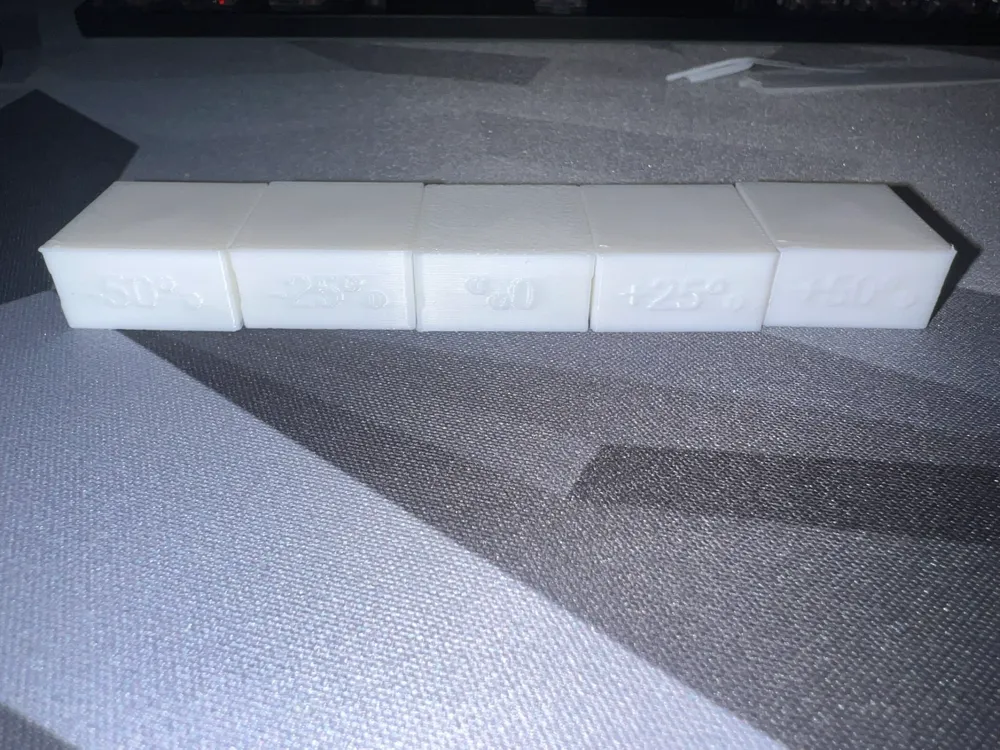
This is a test to see how high speed your filament can handle. This test tests the outer wall, inner wall, sparse infill, internal solid infill and top surface. In my test I use bambu lab PLA basic and an A1.
The cubes is 20mmx20mmx10mm.
Follow the instructions for success:
Step 1
In bambu slicer you choose your printer, filament and either system preset or your own for this filament.
Step 2
Click on objects
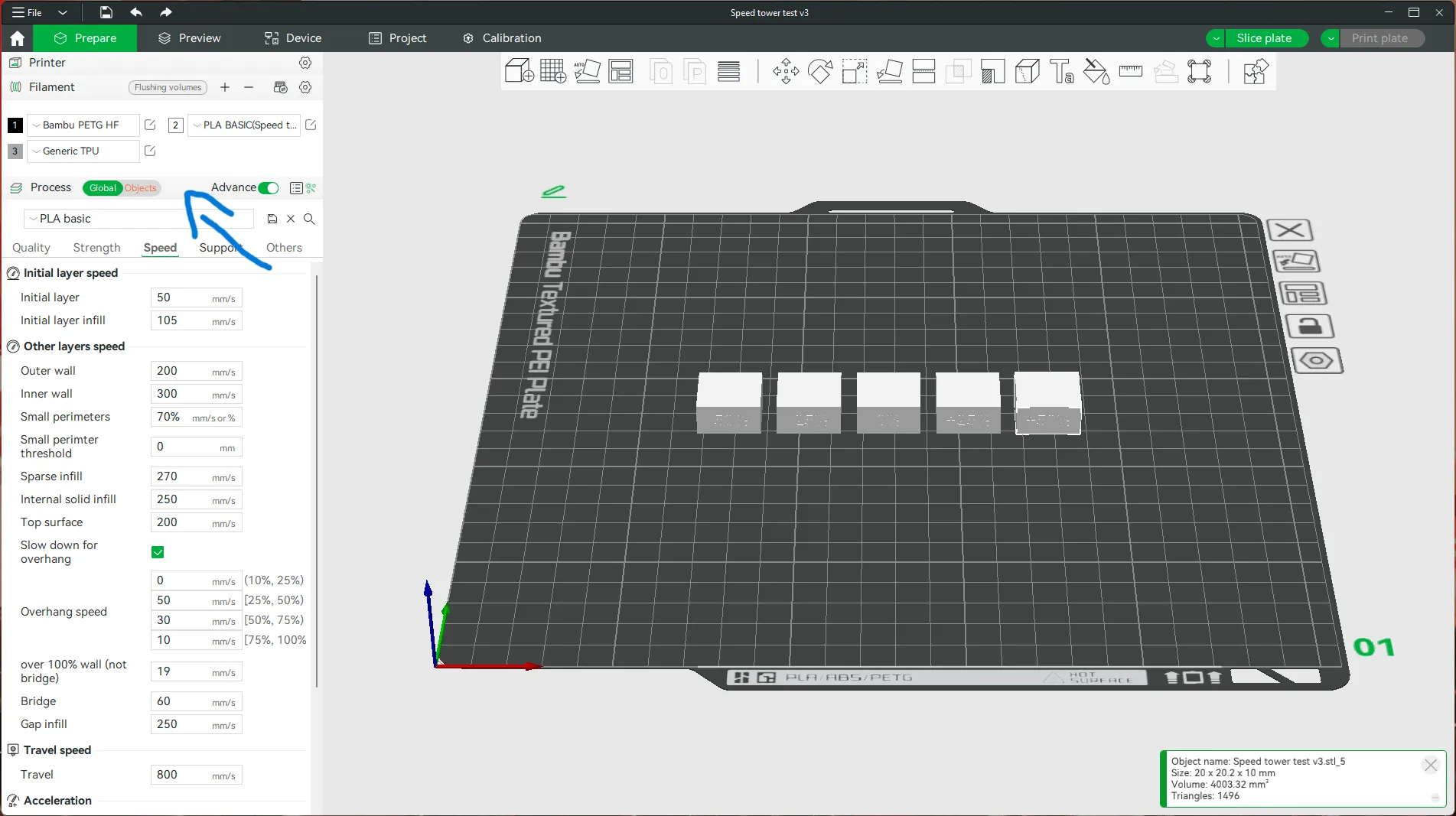
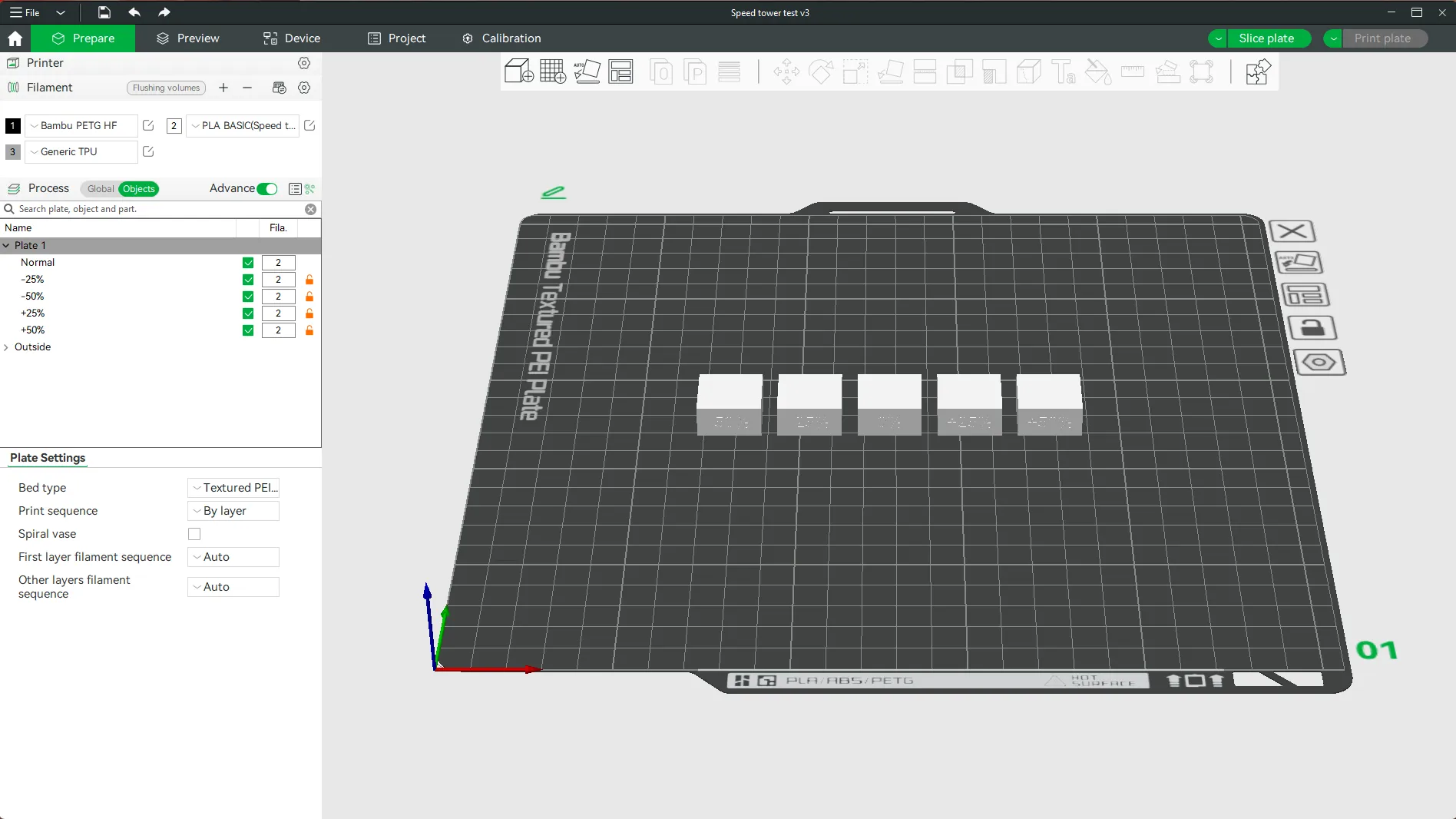
Step 3
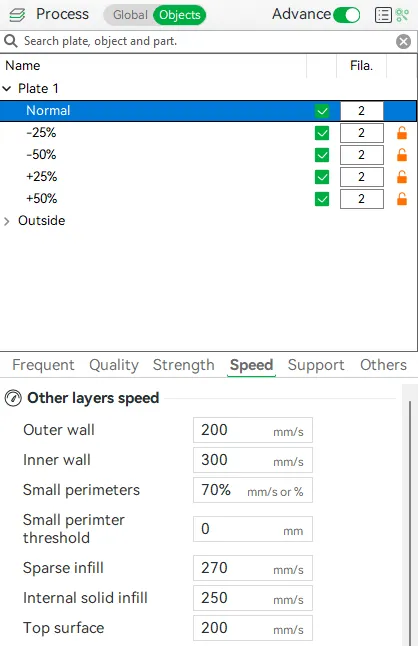
Start with normal. Here you enter the values that you used before.
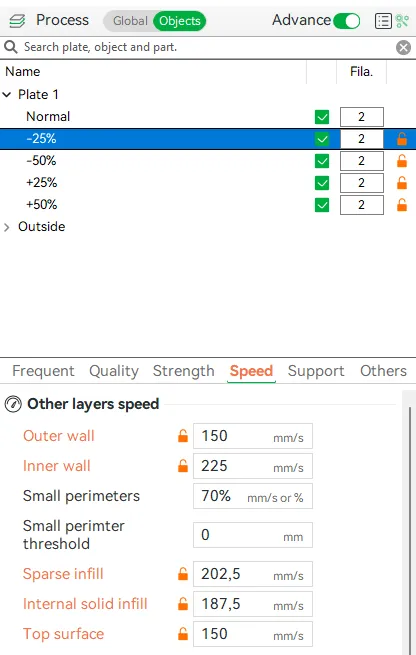
Then you take -25%. To get the value for this you can enter take the value-25% or divide the value by 4 and multiply by 3.
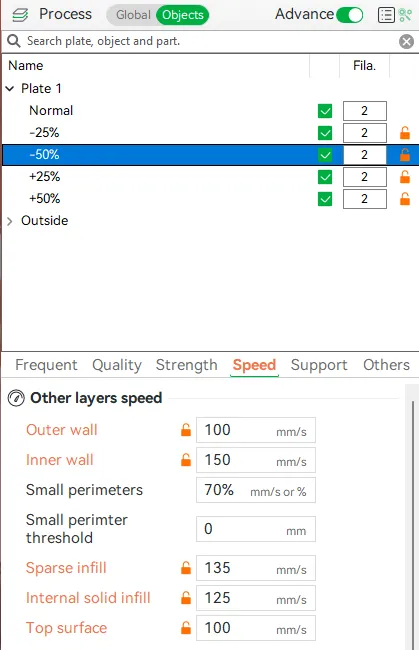
So -50% here you enter half the value from normal.
At +25% you can either take the value+25% or multiply the value by 1.25.
AT +50% you can either take the value+50% or multiply the value by 1.5.
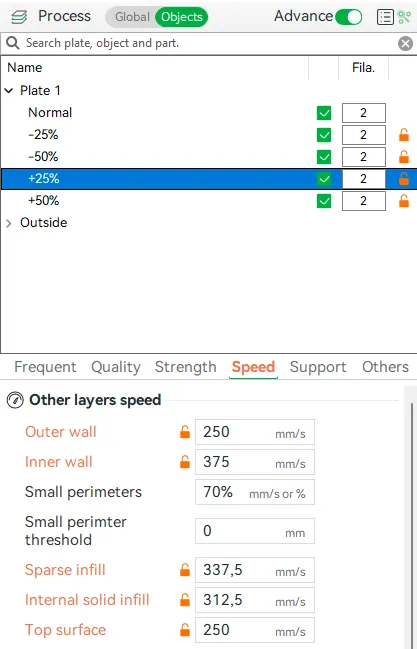
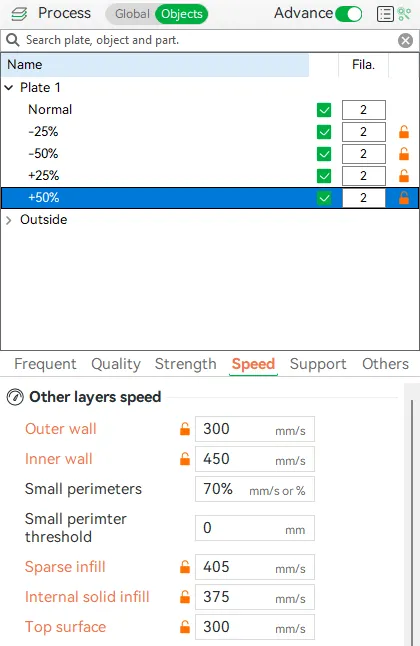
Step 4
Slice plate and select the speed in the Color Scheme to see the speed change.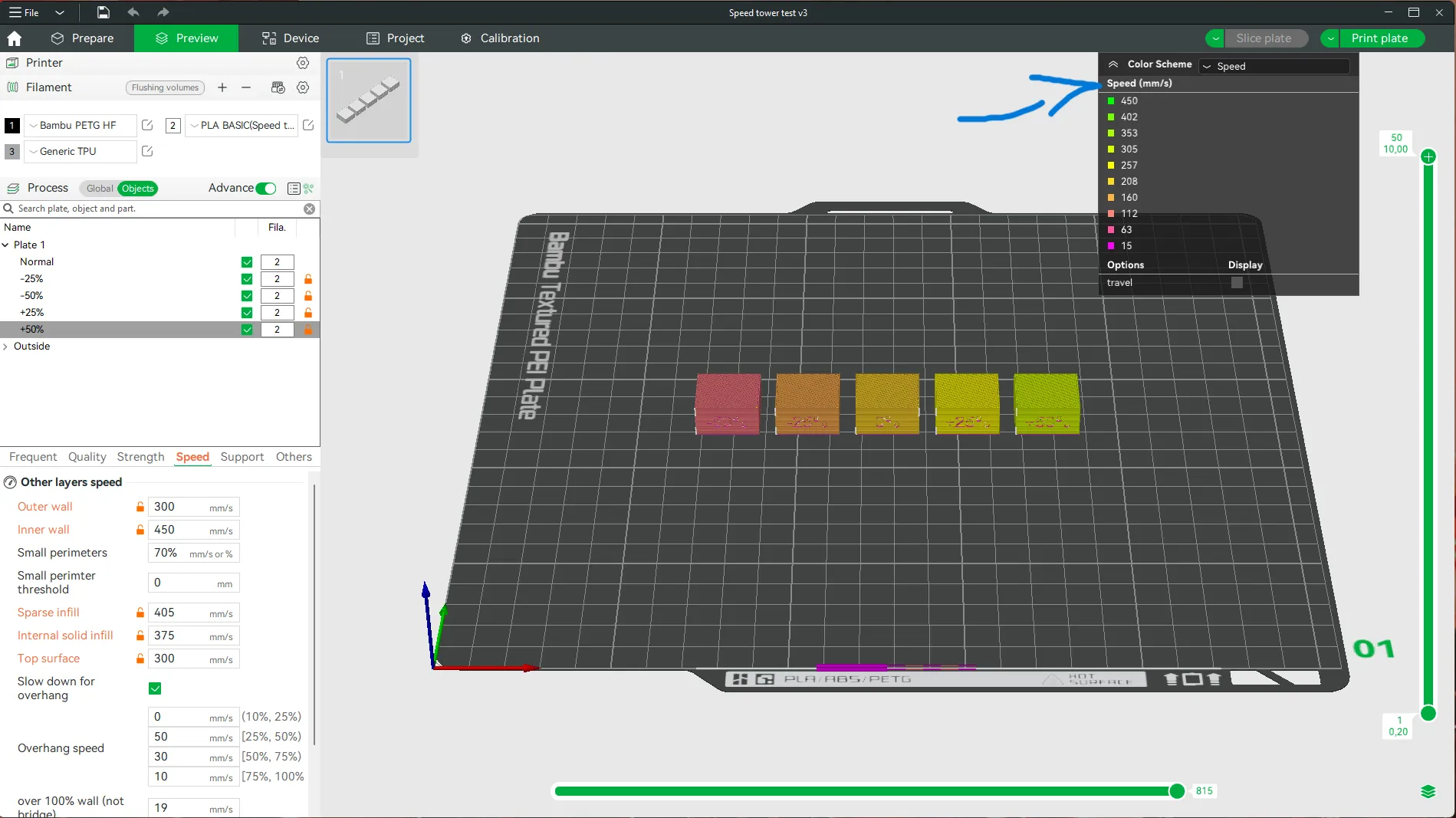
License

You shall not share, sub-license, sell, rent, host, transfer, or distribute in any way the digital or 3D printed versions of this object, nor any other derivative work of this object in its digital or physical format (including - but not limited to - remixes of this object, and hosting on other digital platforms). The objects may not be used without permission in any way whatsoever in which you charge money, or collect fees.


Comment & Rating (0)