
Print Profile(3)


Bill of Materials
Description
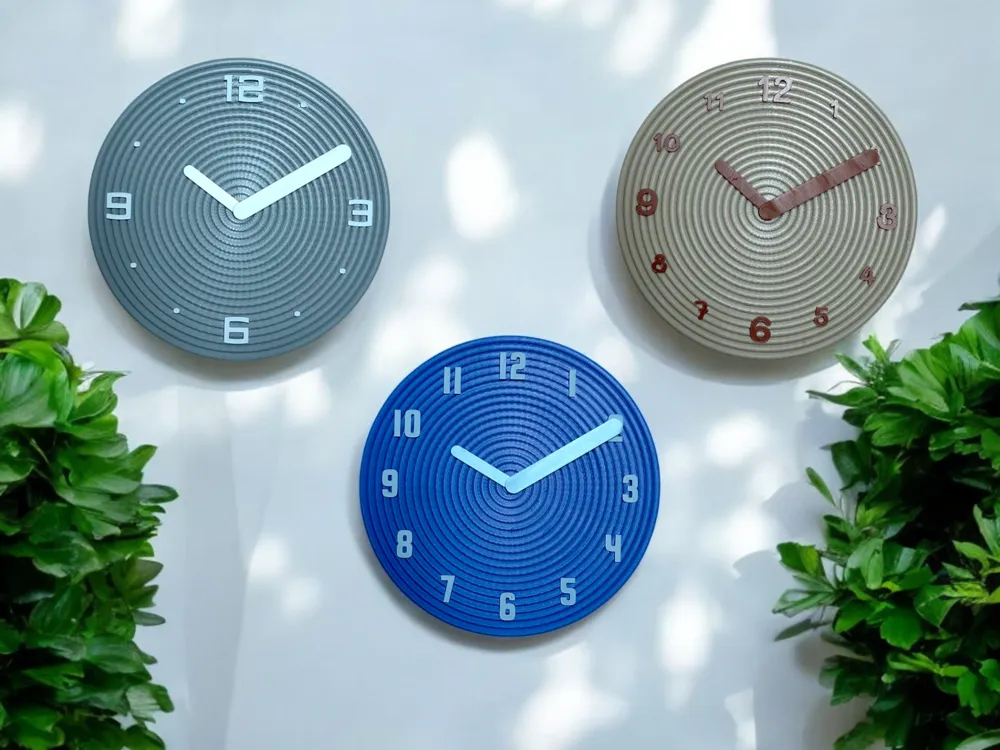
Introducing Tubely: a wall clock that reflects your personality.
Choose your font and your style… and hit Print!
This project is related to the circular version of Tubesly. Have a look at the vertical version too!
How to print
Tubely is made of two parts: a dial and the hands.
The clock dial
Each print profile has a different font and contains three different dials:
- All the numbers big
- Quarter-hour numbers big and other numbers smaller
- Quarter-hour numbers only and dots (or flowers!) for the others.
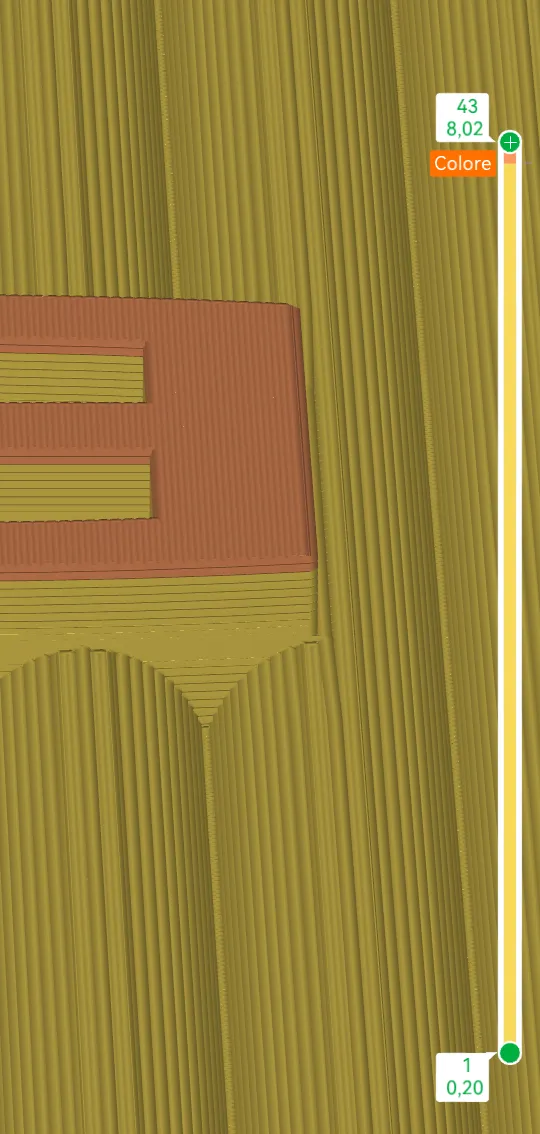
Each dial has two different colours: a background one, used in the entire clock except for the last two layers, and a secondary one, used for the top of the numbers.
Before printing, ensure the Changing filament instruction is correctly set on the 2nd last layer. See the screenshot for reference.
The dials have the adaptive layer enabled and ironing on all the top surfaces.
The clock hands
The minute and the hour hands are printed separately. Feel free to print them with the secondary colour or a third one!
Do not print the hands with the background colour, otherwise they won't be visible at all! 😄
How to assemble
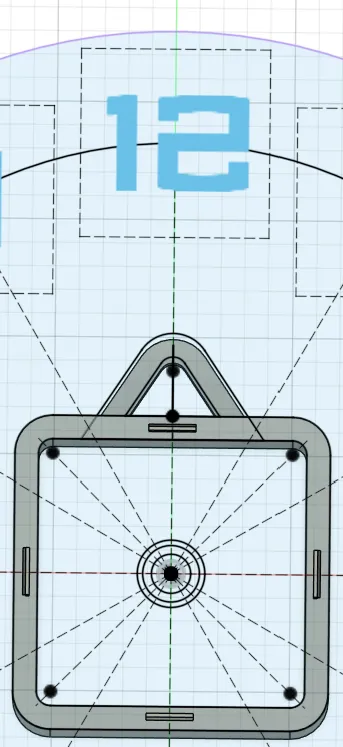
It's pretty intuitive to assemble all together: make sure the hole on the back for the hook or the nail is aligned with the 12, and snap the back to the dial by the four joints.
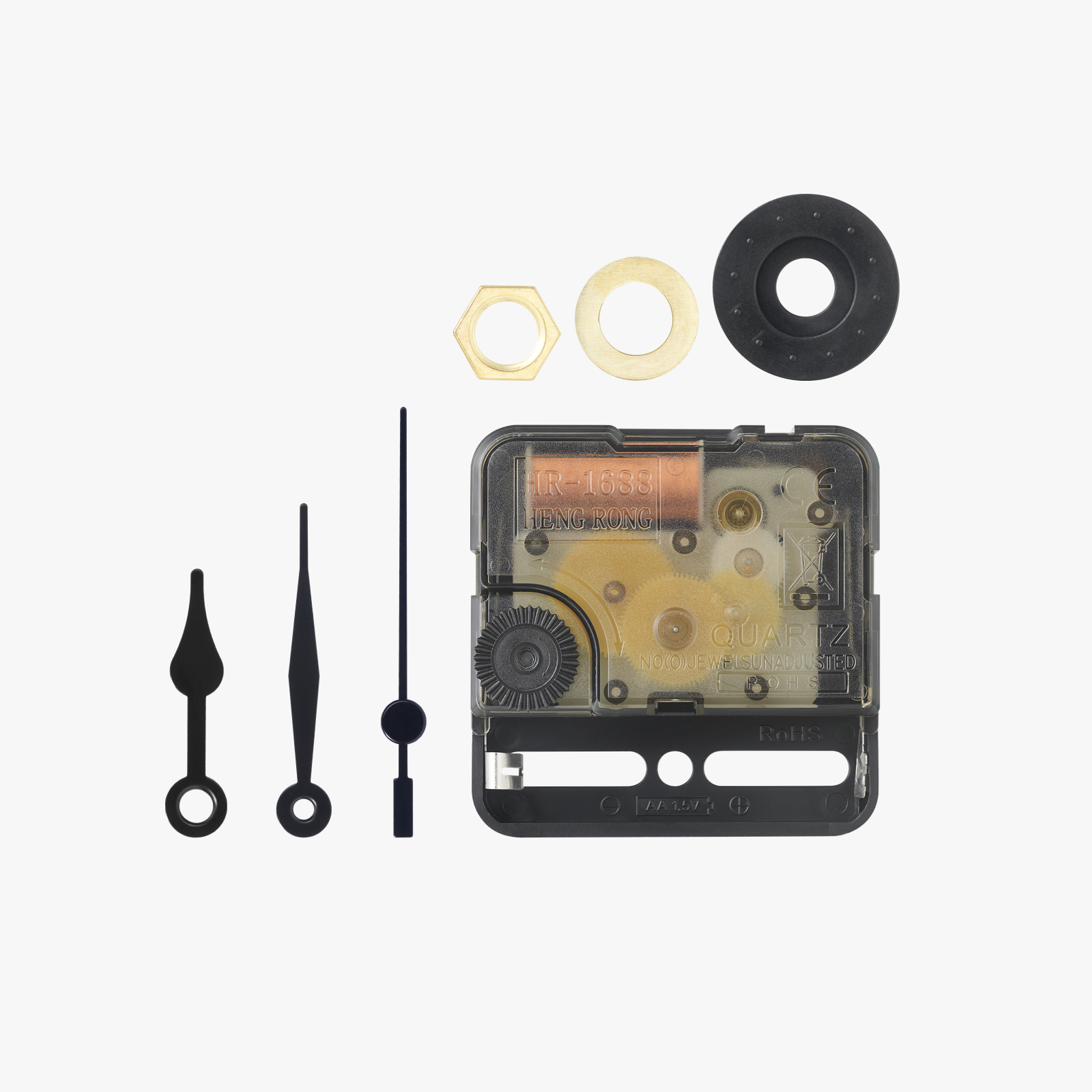
Now you're ready to put the kit in place: look at the photo below, in the Troubleshooting section, to see the nut, the hour hand and the minute hand in place.
Troubleshooting
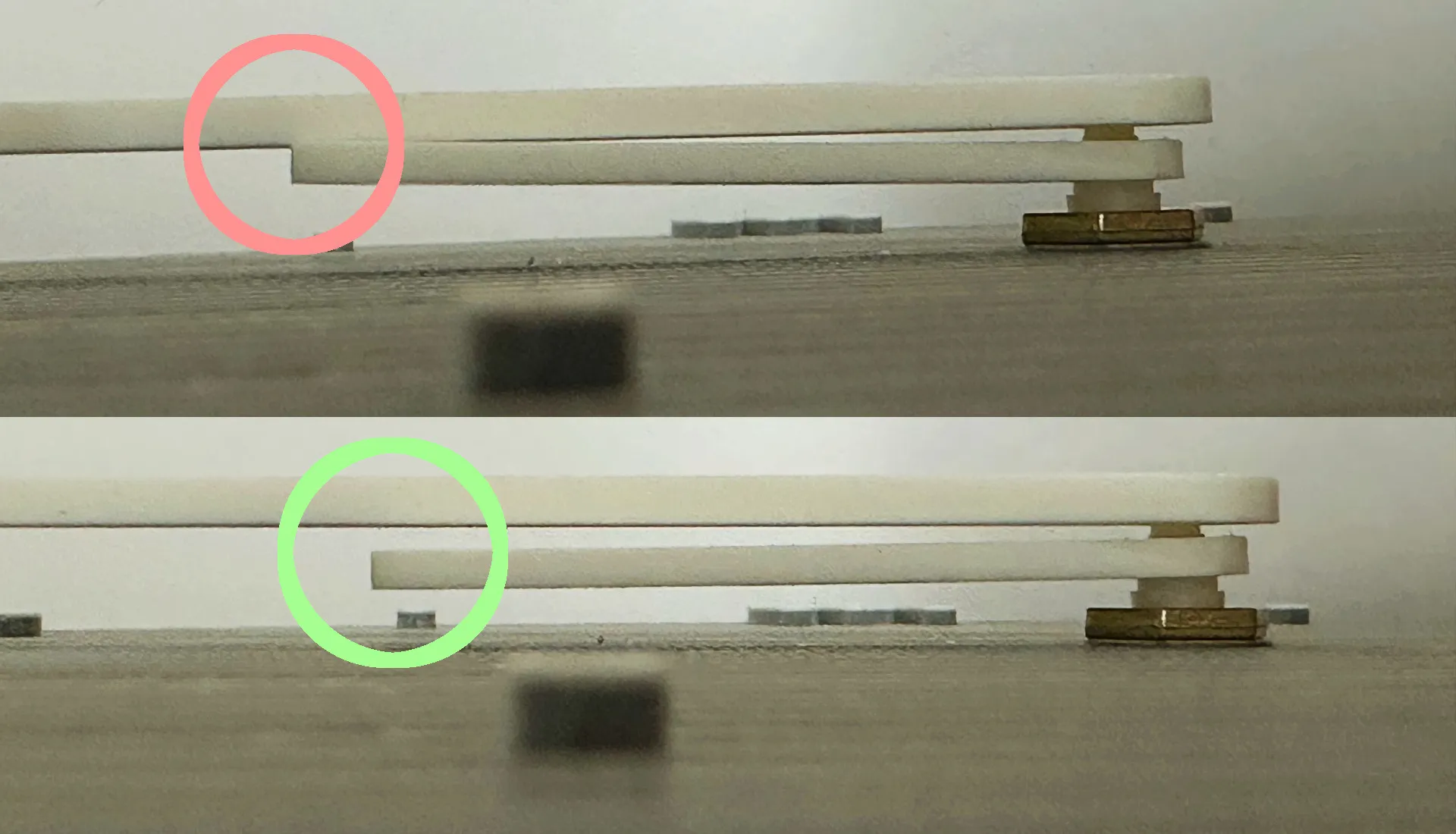
The hour hand and the minute hand collide and don't overlap
Make sure that the hour hand is perfectly straight. If it's not straight, you can push it a bit to separate it from the number one.
Have a look at these photographs.
Pro tip
Try to print numbers and hands with the PLA glow to see them shining in the dark! 😉
Customizations
If you'd like a specific font from Google Fonts or a custom style, feel free to comment on this model, and if possible, I'll prepare it for you!
Credits
This project was inspired by the Desktop clock model by Abstractia Design.
Don't forget to visit its profile for more designs!
On the cover, clocks are actual prints, and backgrounds are generated through AI.
Boost Me (for free)
If you like this project, boost me! Thank you for your support! 🤗
License

You shall not share, sub-license, sell, rent, host, transfer, or distribute in any way the digital or 3D printed versions of this object, nor any other derivative work of this object in its digital or physical format (including - but not limited to - remixes of this object, and hosting on other digital platforms). The objects may not be used without permission in any way whatsoever in which you charge money, or collect fees.


Comment & Rating (6)