Search models, users, collections, and posts

Functional Commander Deck Box - Double Sleeved
Remixed by

Print Profile(1)

All
X1 Carbon
X1E
P1P
A1
H2D
P1S
H2S
H2C
X1
P2S
H2D Pro
X2D
A2L

Blank deck box, Single color (paintable)
6 h
1 plate
4.9(19)

Open in Bambu Studio
Boost
137
357
45
34
648
250
Released 

Description

Remixed my original model to now fit 100+ double sleeved cards.


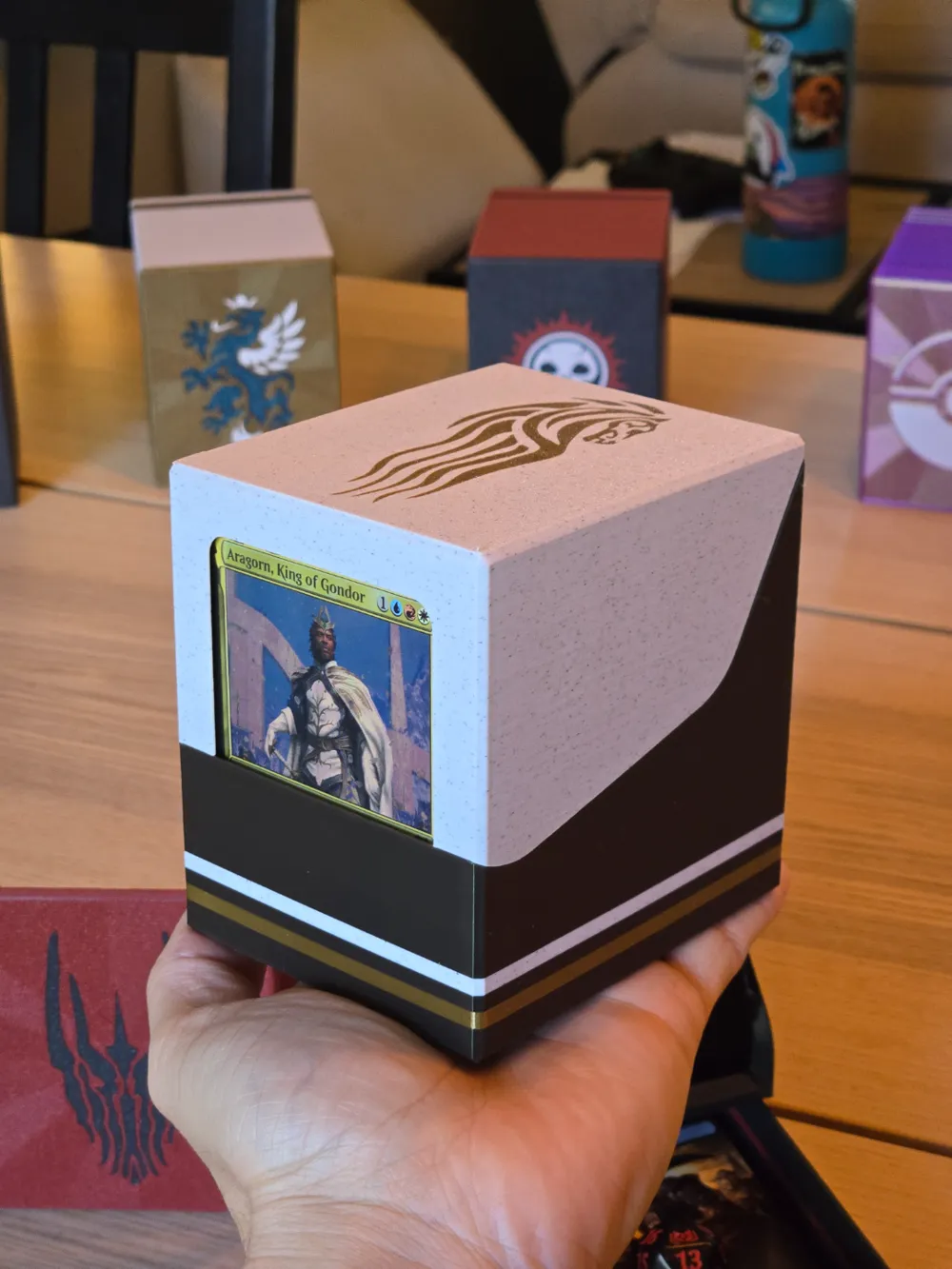
The goal for this project was to create a functional box that wouldn't need to be moved off the table during play because it would double as your library.


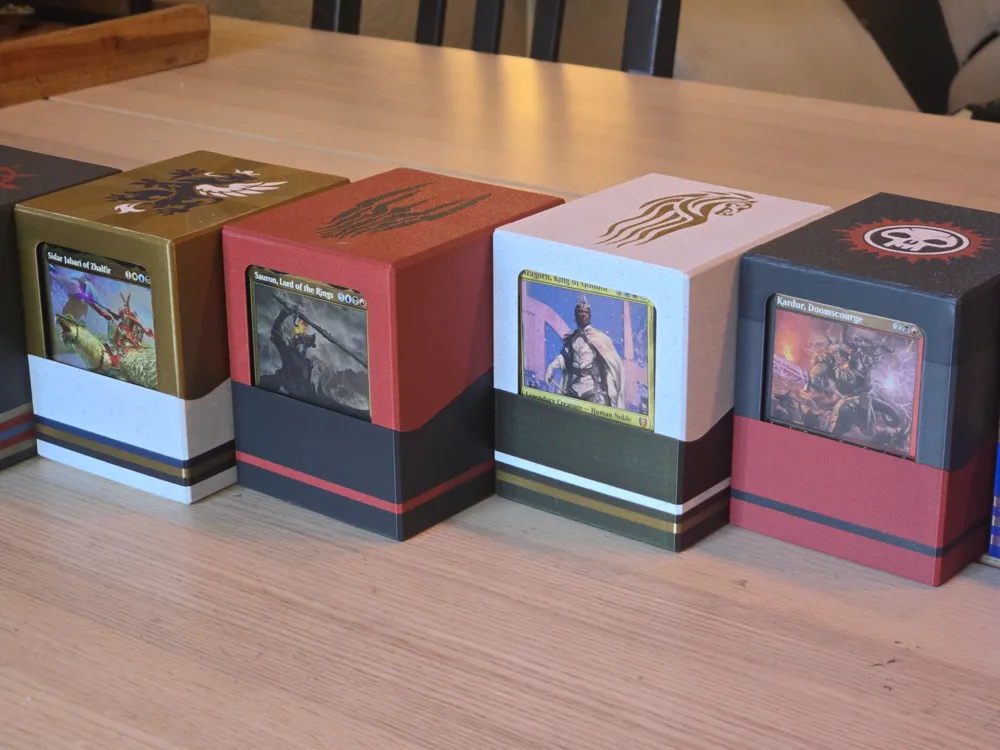
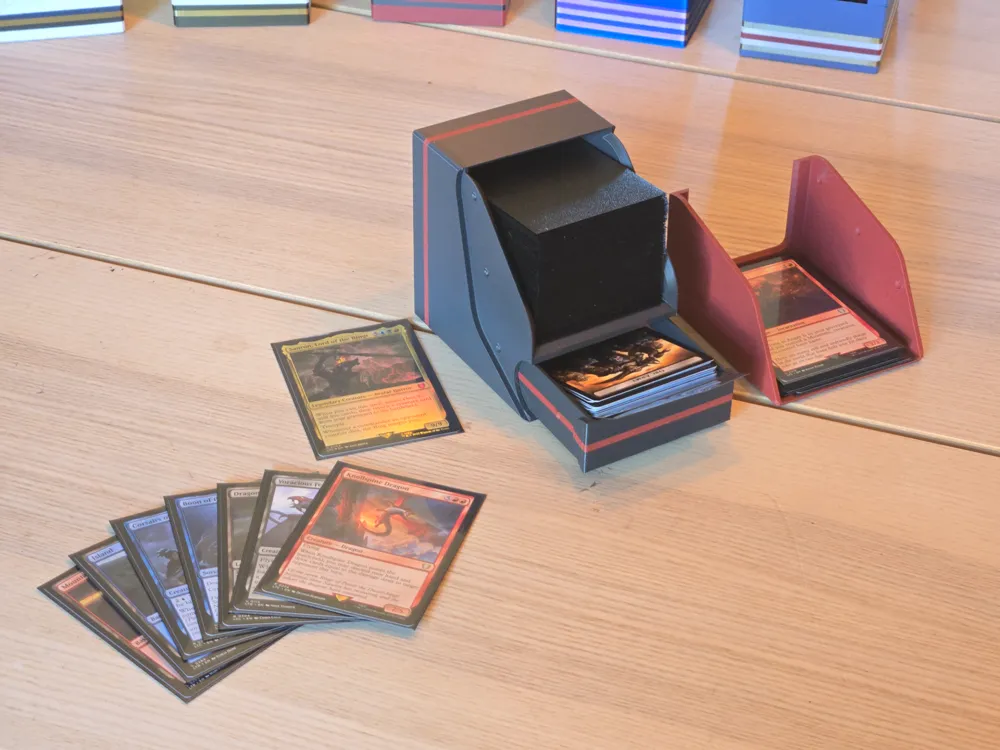
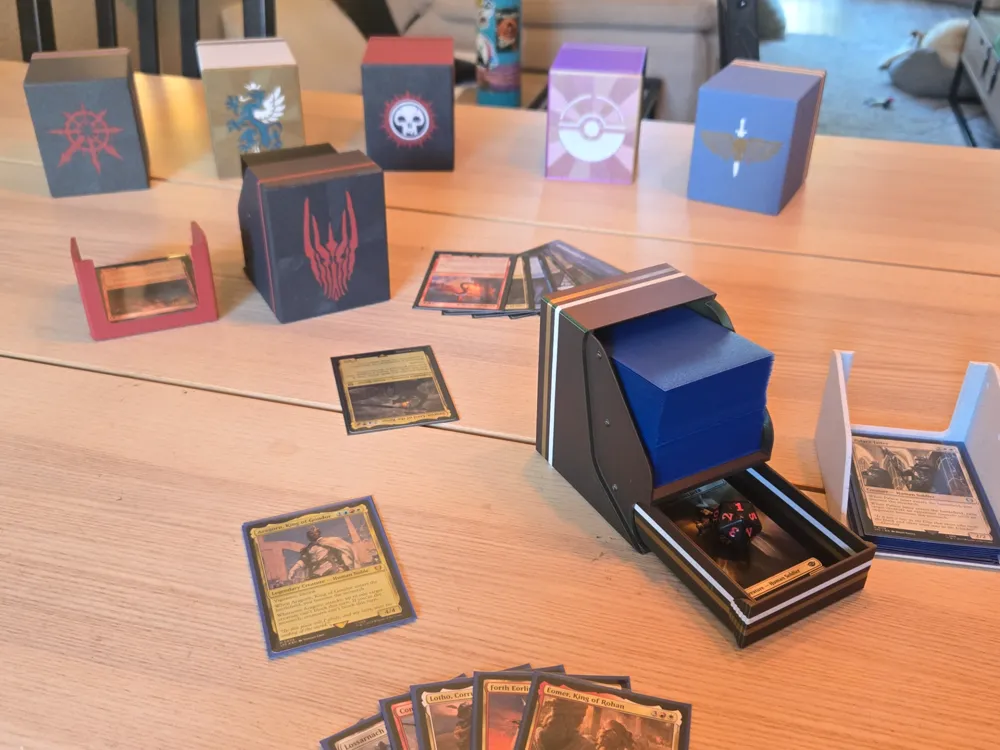
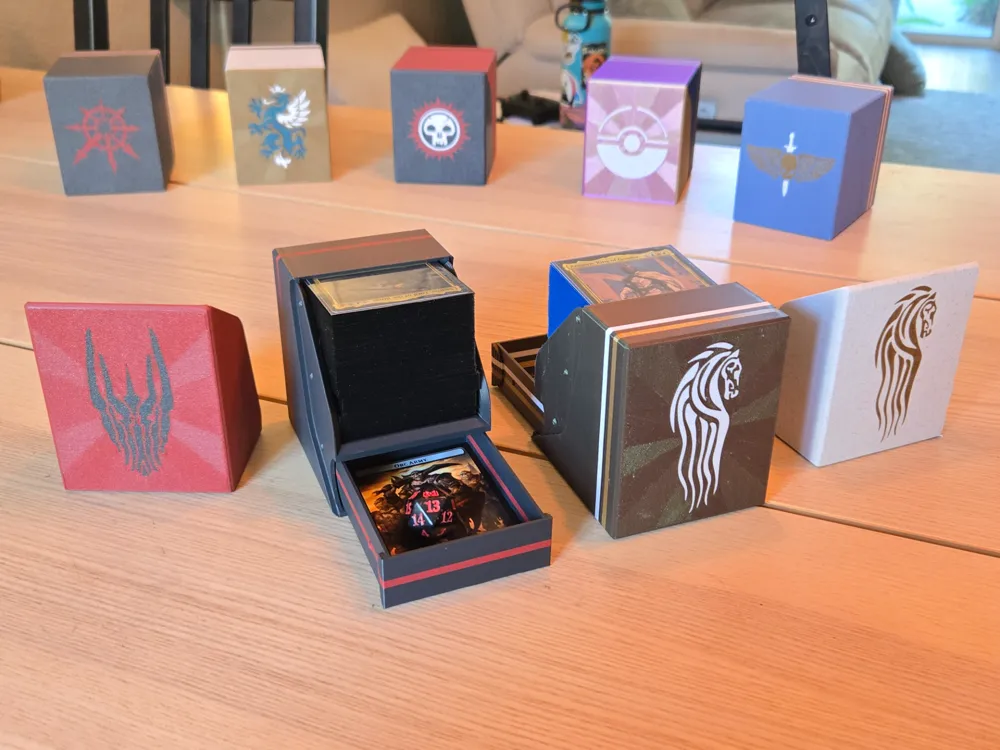
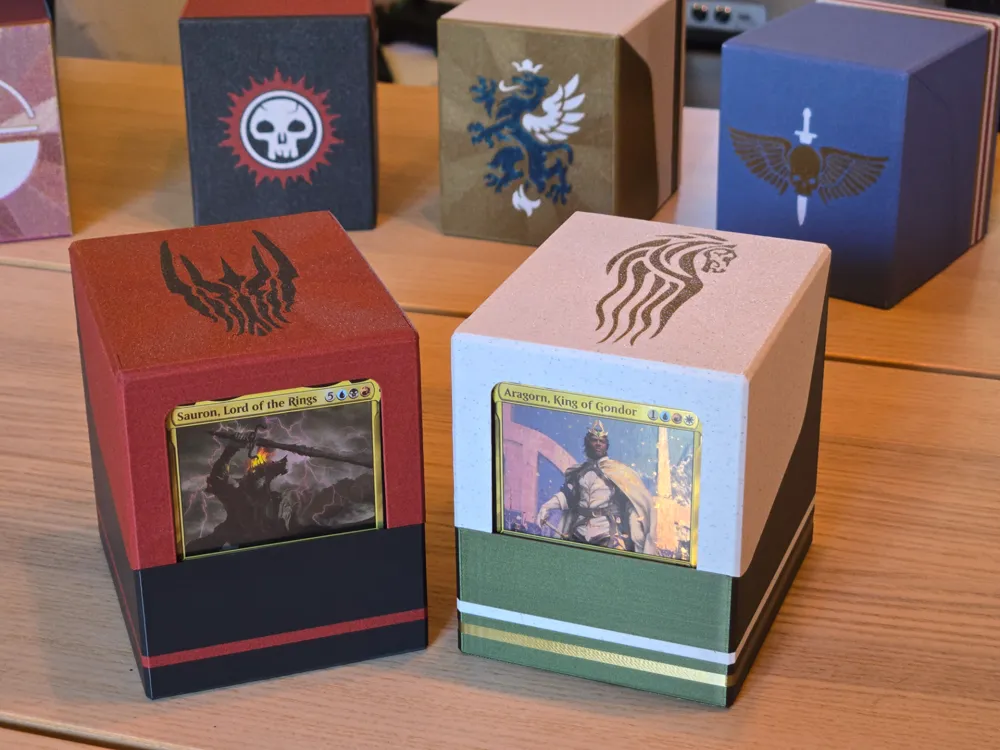
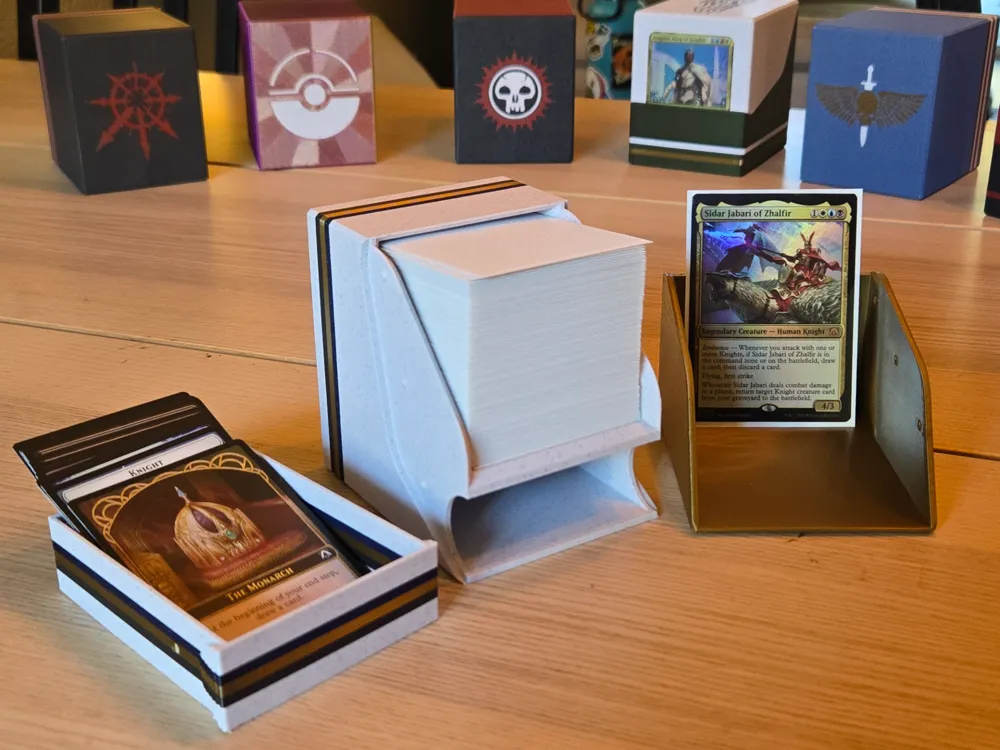
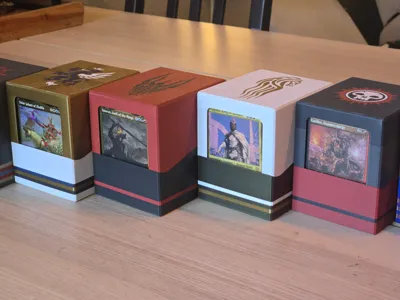
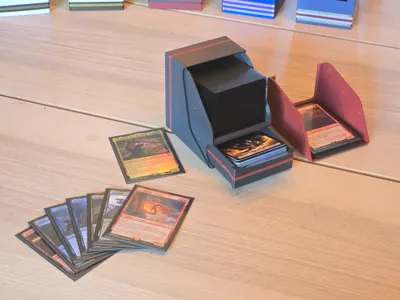
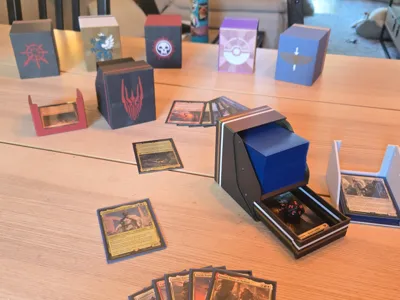
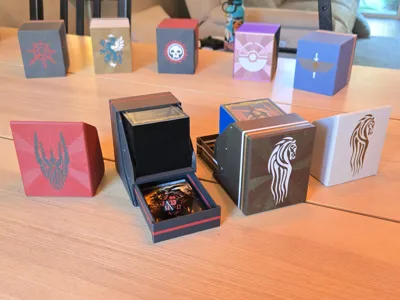
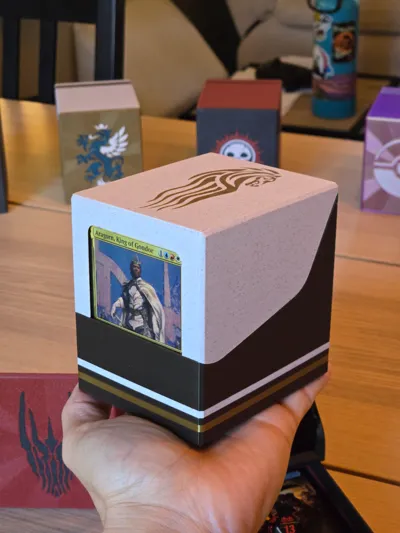
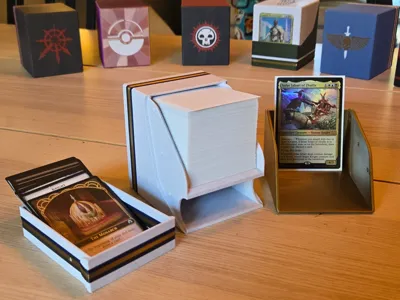
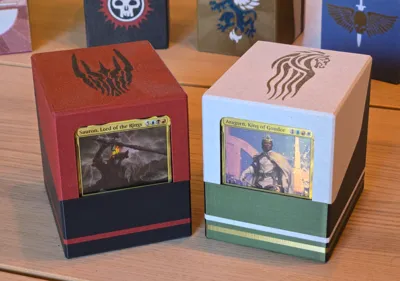
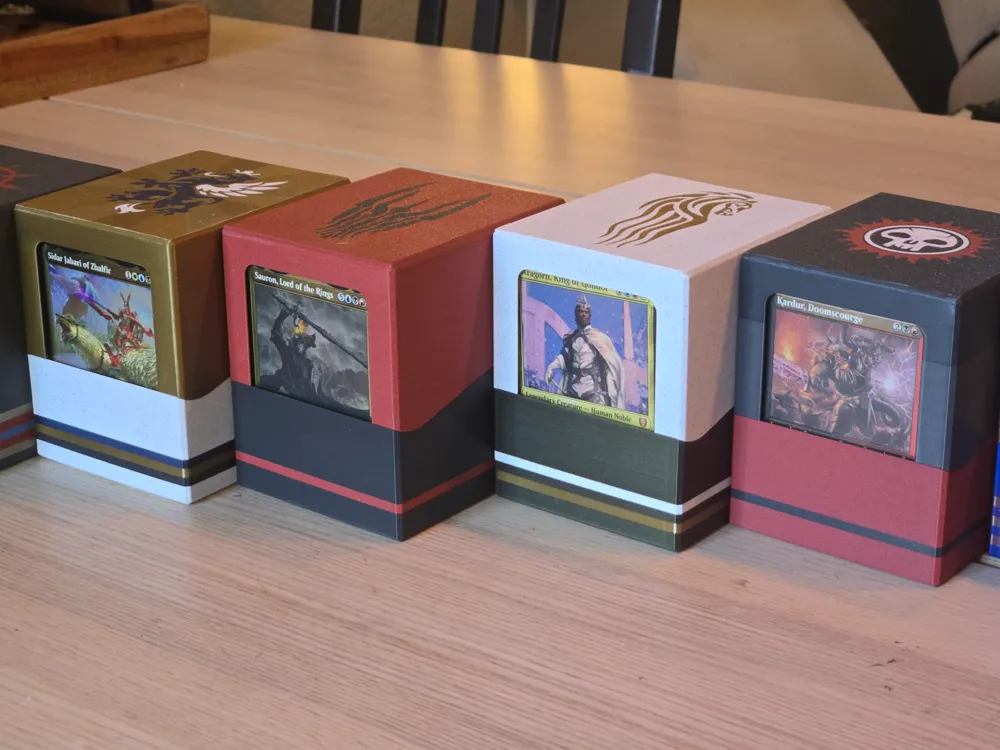
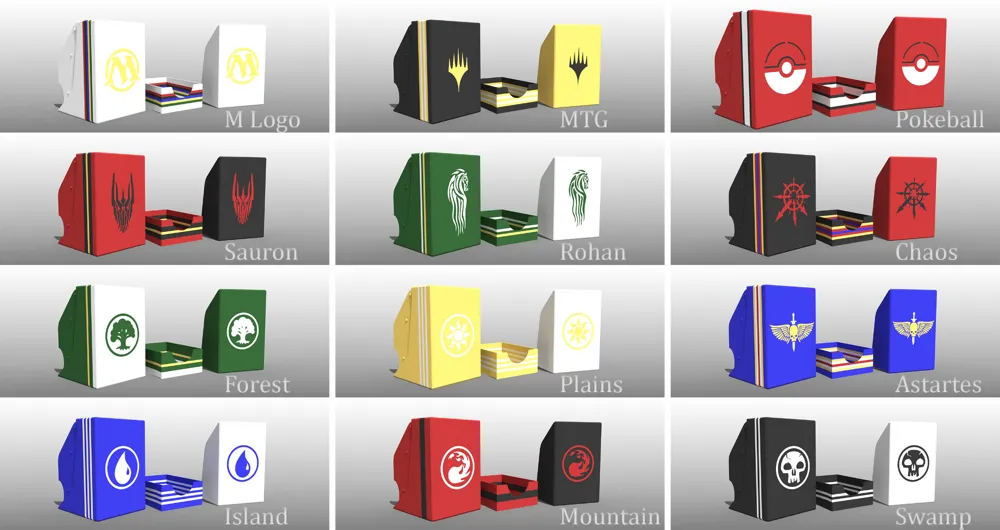
This box has a main compartment for 100+ double sleeved cards with a window to your Commander when closed. Open the lid and rotate the box so that you can use it as your library holder during gameplay. The lid can be used as your graveyard. There's also a slide-out drawer for tokens, dice, counters, etc. Each folder has an alternate lid if you don't want a commander window.


For the single sleeved version click here:

https://makerworld.com/en/models/865419#profileId-816647


Assembly:

Every complete print will need 1x Box, 1x Lid, and 1x Drawer. No magnets or extra pieces needed. 


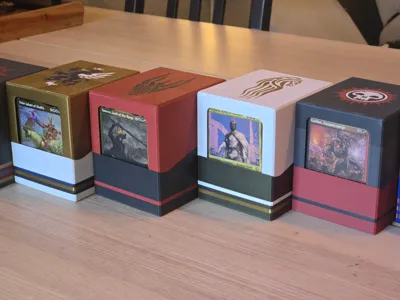
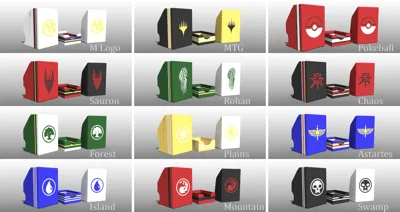
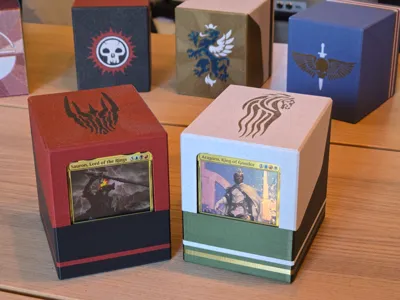
For multicolor prints, I've cut the “Box” into horizontal slices for easy color coding of decks and put logos/symbols on the Box and Lid. Right-click the model in your slicer and “separate to parts” in order to assign each part separate filaments as needed.


Updates:

Reserved for future updates.

Comment & Rating (45)

(0/1000)

Print Profile
Blank deck box, Single color (paintable)
Printed perfect. Added in my own Torgal image I made for a friend. First print attempt is satisfactory.
3
Reply
how do you add a design or logo to the STl? trying to make a rohan one for my friend :)
0
Reply
this is the only deck box I want in my life but I keep running into a issue where the corners lift off the bed during a print, does anyone have any tips how to stop this. I tried twice with the second time having higher temps the corners didn't curl as much that time but you can still notice it.
The designer has replied
0
Reply
Hey there! Very sorry it's not working. The common tip is to make sure the bed gets a fresh clean with soap and water, then being careful not to touch the surface as you install it back in the printer. But as a last resort there's no harm in turning on a brim for any part that gives you trouble. The brim should be easily trimmed away by folding it if your settings are nicely tuned, or cutting it with an Xacto or my favorite - a deburring tool.
0
Reply
Print Profile
Blank deck box, Single color (paintable)
This is a really smart design and the colour possibilities are fantastic. I printed two for a nephew and he loved them. He carries then everywhere. If I had one improvement, it would be a stronger latch on case of drops. I printed multiple colours in two ways: one with separated object layers to print each separately and then glue them back together; and one by simply changing filaments during the print. The latter method is far better, because the glued version is obviously not as clean or strong.
0
Reply
Boosted
Print Profile
Blank deck box, Single color (paintable)
in black petg hf with translucent stripes, clear and brown. prints and works perfectly. highly recommended
0
Reply
Print Profile
Blank deck box, Single color (paintable)
works great
0
Reply
Boosted
Print Profile
Blank deck box, Single color (paintable)
Good job. Thank You
0
Reply
I've printed a few of the single-sleeved variety using the STLs so I can add my own logos. These models are so well done! I'm moving on to print some double-sleeved versions. Do you happen to have a drawer model without the thumbhole for double-sleeved boxes? I see there's this option for the single-sleeved profile. This helps keep dice in the drawer. Although it's pretty rare that they'd fall out, so it's not a big deal. Either way, thanks so much for the great models! I'm slowly replacing all of my older (less functional) deck boxes.
The designer has replied
designer
4
Reply
Thank you! Glad you are getting use out of them. I've gone ahead and uploaded a Double Sleeve drawer without the thumbhole for you. Look for the STL named "Drawer_00_Double"
2
Reply
Print Profile
Blank deck box, Single color (paintable)
1
Reply
I love this design but can you upload a completely blank lid with no window? All the versions I am seeing have a design on the lid if it's windowless but maybe I'm not looking in the right spot? Thanks!
(Edited)
The designer has replied
0
Reply
Hey! Instead of clicking the green "Download 3MF" button, just to the right side of it click the "Download STL" dropdown. It'll open up a folder with all the models. There's a folder there for blank box with no logos. Then just choose a drawer from the parent folder to go with it.
0
Reply
Replying to @RandomMistakes :
I tried that but when I looked there, the blank box lid is labled "Lid_40K Astartes_00_NoWindow_Double.STL" which has the Astartes logo on it. I checked the other folders and they all have corresponding lids including the Astartes box.
designer
1
Reply
Replying to @RandomMistakes :
You're absolutely right, it was hidden in the 40K folder mistakenly. I've corrected the error. Give the "Blank" folder a shot now!
0
Reply
I've made a few of these now (though havent quite worked out the logos for the double sleeved commander deck yet), and they're so so good. I've made a Gridfinity insert to store these perfectly in which I'd love to share with you all - Whats the best way to go about doing that?
The designer has replied
designer
1
Reply
That's awesome! I'm glad they are working out well for you. I'd love to have your gridfinity out there for everyone. Honestly, I'm not sure if it's better to post a remix on my deck page or on the gridfinity model page. Whichever you think would gain the most traction and be easy for others to find is fine with. If you do upload it, let me know and I can put a blurb in the model description about it. If I can figure out how to link it and credit you, I'll do that as well.
0
Reply