
'Choose-Your-Size' Cord Wrap Organizer

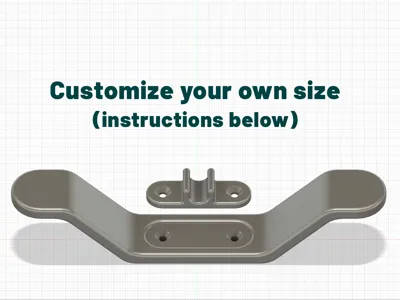
Print Profile(11)


Description
Boost Me (for free)
As a fellow maker, I can’t wait to hear what you think. As always, your support means a ton 🙏🏻
7.21.1 25 - Now supported with BambuLab's in-browser Parametric Model Maker! Simply select the “Customize” option to generate your custom model :)
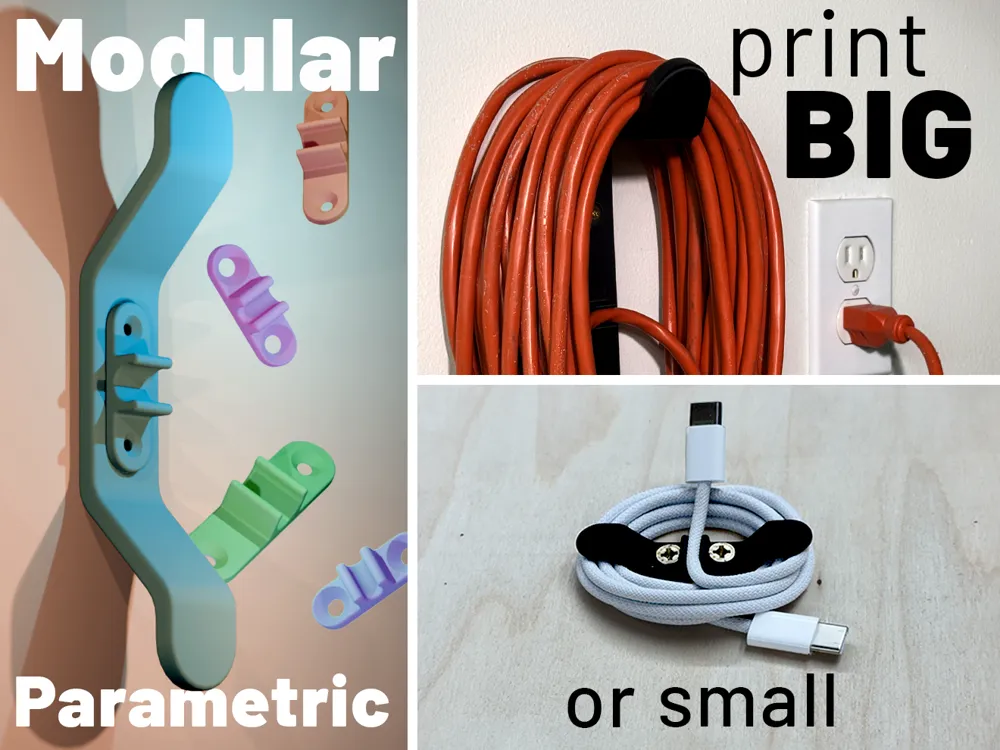
I'm excited to introduce InfiniCord! A highly expandable, surface-attachable cord organization solution!
I made (very) brief video of it's functionality: Instagram Link
This page contains (2) printable options
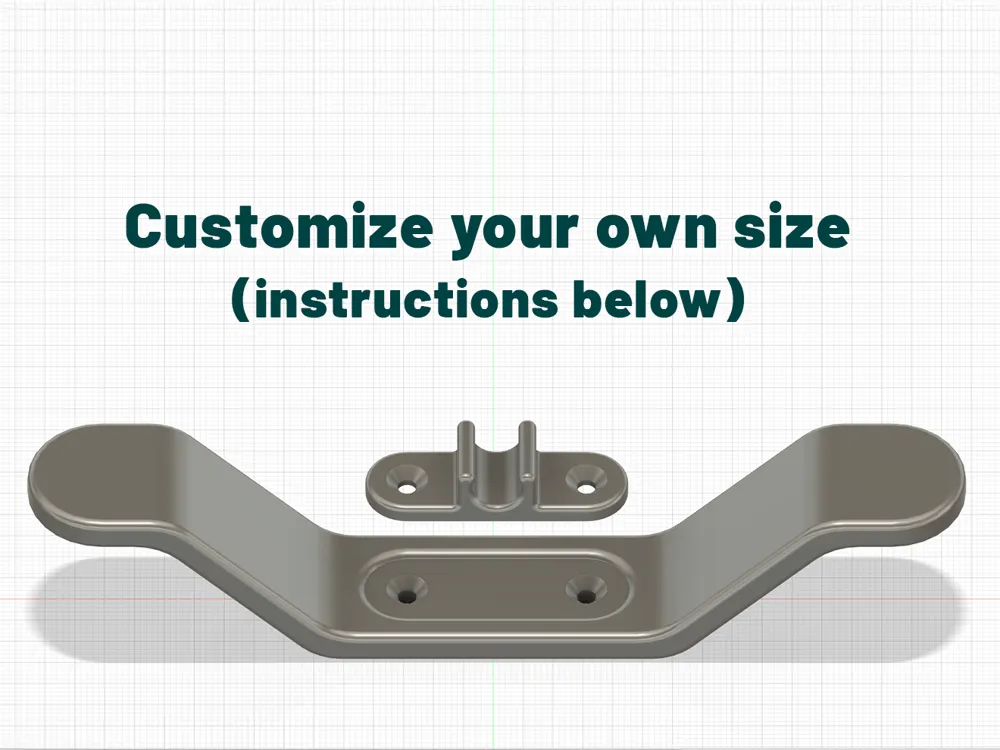
1. Customizable Fusion360 (.f3d) File
Within this file, you can change parameters to customize the model to your specific needs!
If uploading new print profiles, please consider selecting the “☑️ Present the model designer with MakerReward Points on this print profile.” checkbox 🙂 This model required a considerable amount of time and effort 🙏🏻
2. Ready-to-Print .3MF File(s) - (See Details Below)
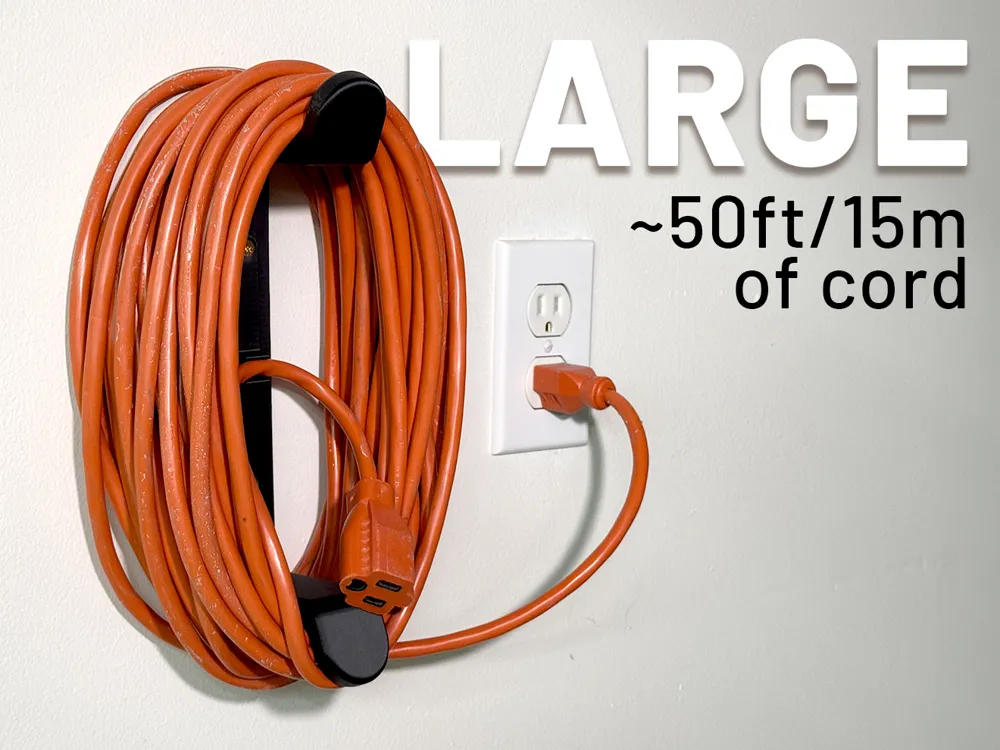
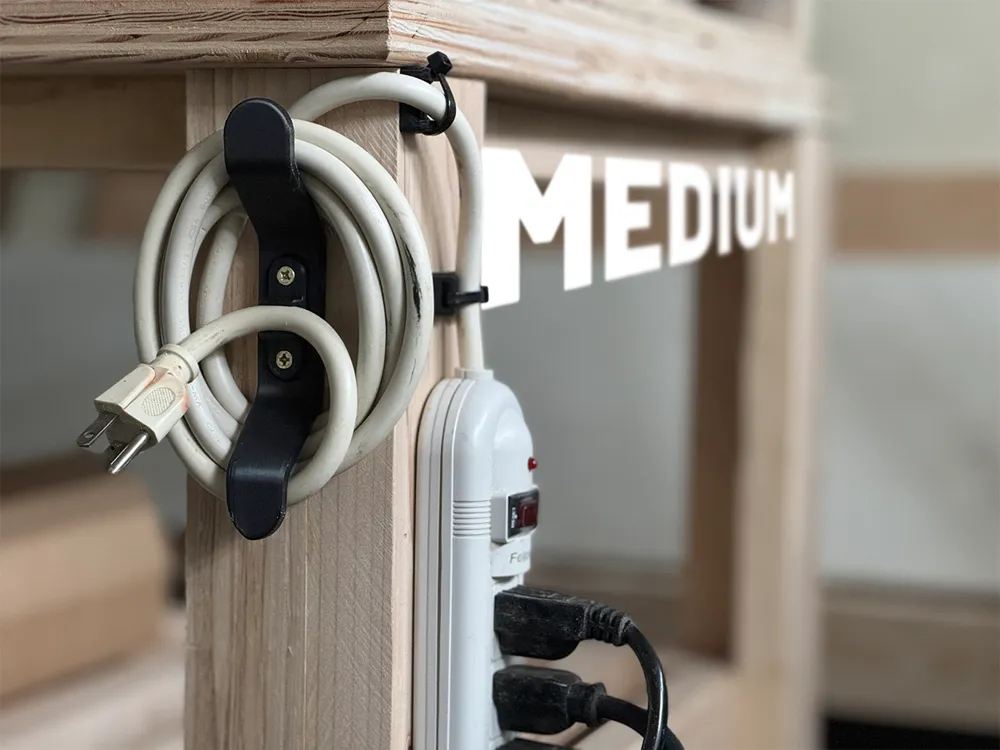
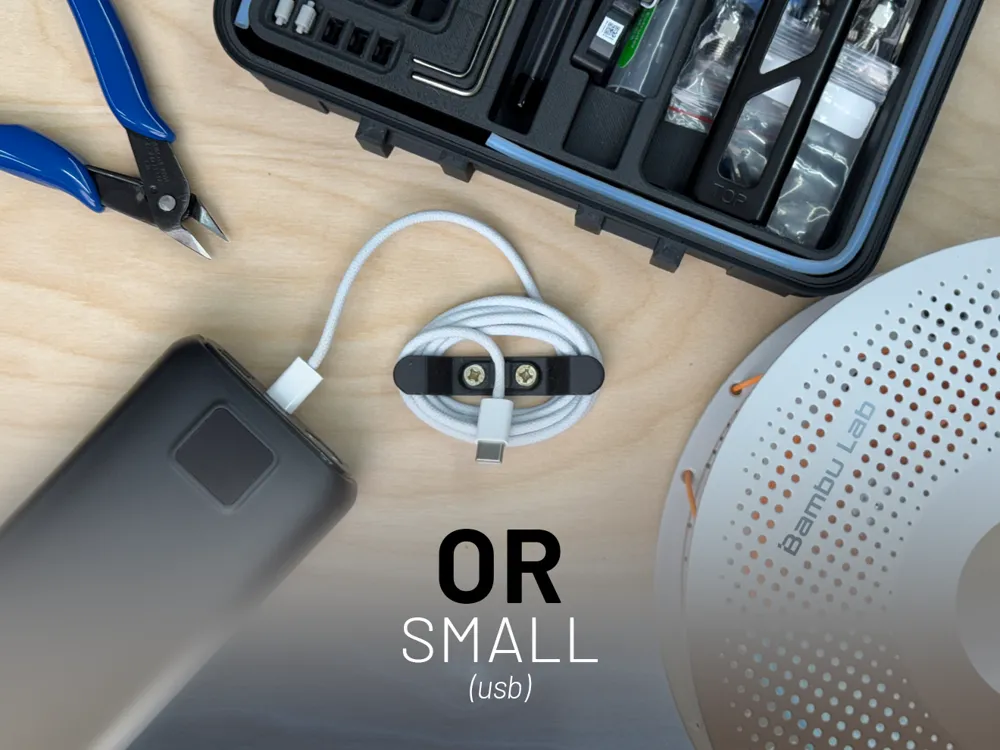
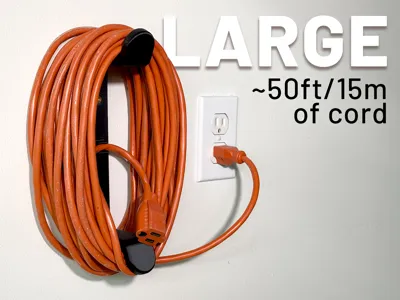
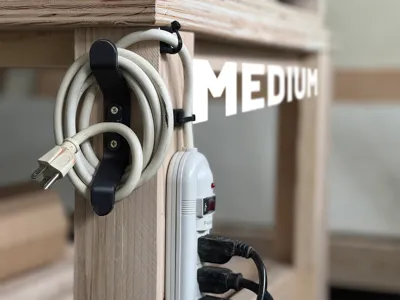
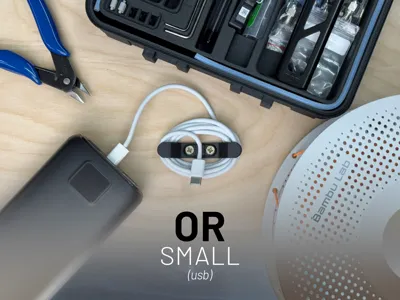
I’ve uploaded ready-to-print profiles—SMALL, MEDIUM and LARGE.
Simply select your size and, if desired, the corresponding cord clip. The cord diameters are listed at the top-left of each build plate. If you'd like additional sizes, let me know in the comments :)
Ready-to-Print (.3MF) “WRAP ONLY” Print Profiles:
- SMALL - great for small electronics (usb, earbuds), thread, yarn, tubing, etc.
- MEDIUM - great for power strips, long usb cable, vacuum cord, rope, power tools, etc.
LARGE - great for extension cords (up to ~50ft/15m!), Christmas lights, hoses, rope, etc.
Note: This model was originally designed for thicker gauge cords, but it can also scale down quite effectively. Keep in mind that small parts may encounter bed adhesion issues, so ensure your print bed is clean and please use adhesion aids as needed.
My maker YouTube channel: https://www.youtube.com/@ModernRemade
How to update the Customizable Fusion360 (.f3d) Model
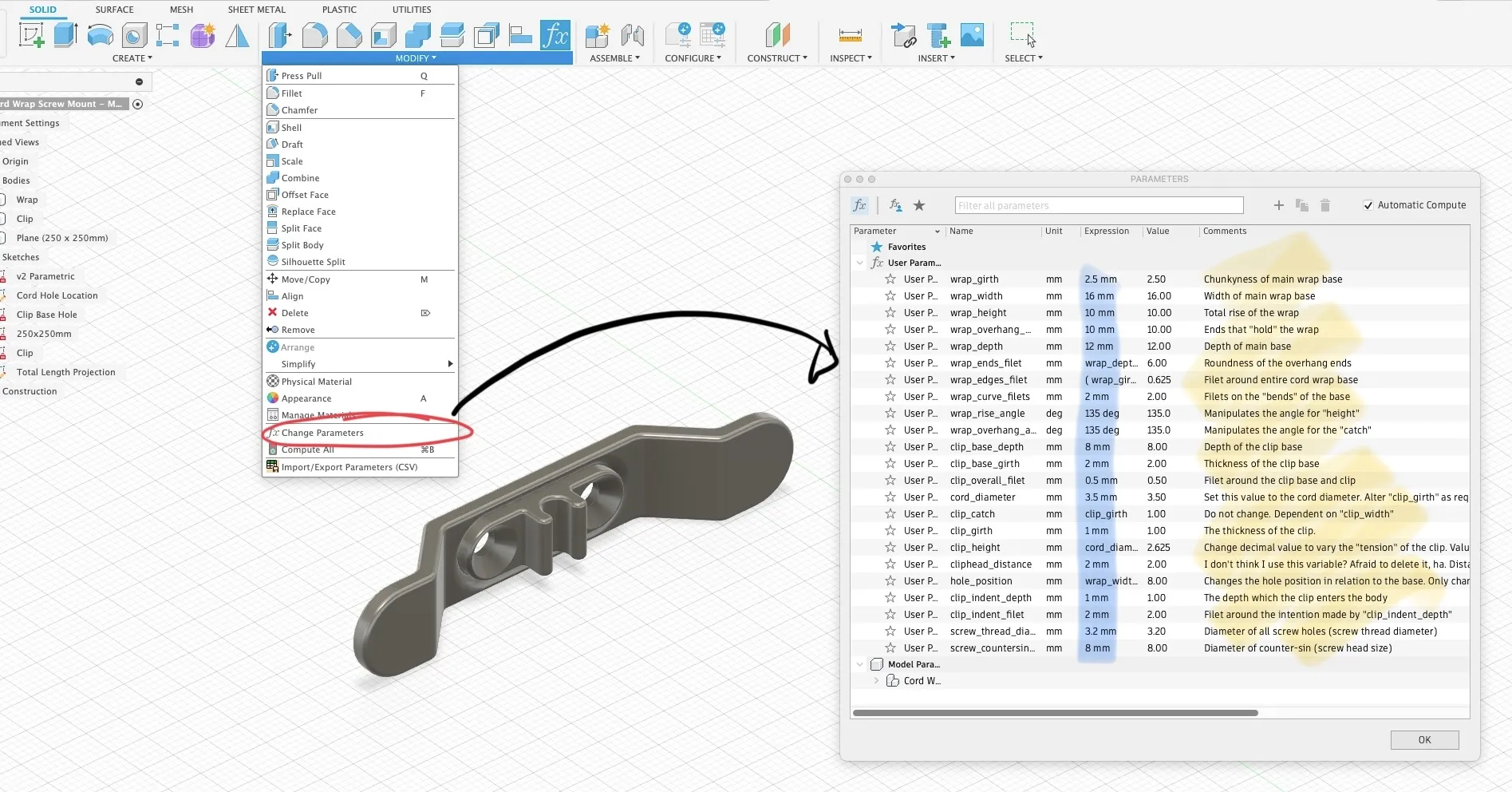
- Download the Fusion360 (.f3d) file to your computer and open in Fusion360.
- Within the “SOLID” workspace, navigate to the "MODIFY" dropdown and select “Change Parameters”.
- From here, the parameters list will open. I've done my best to add descriptions to various parameter values.
- By changing the expressions in blue to integer values, you can dynamically change the model to your liking.
How to export the Fusion360 (.f3d) model
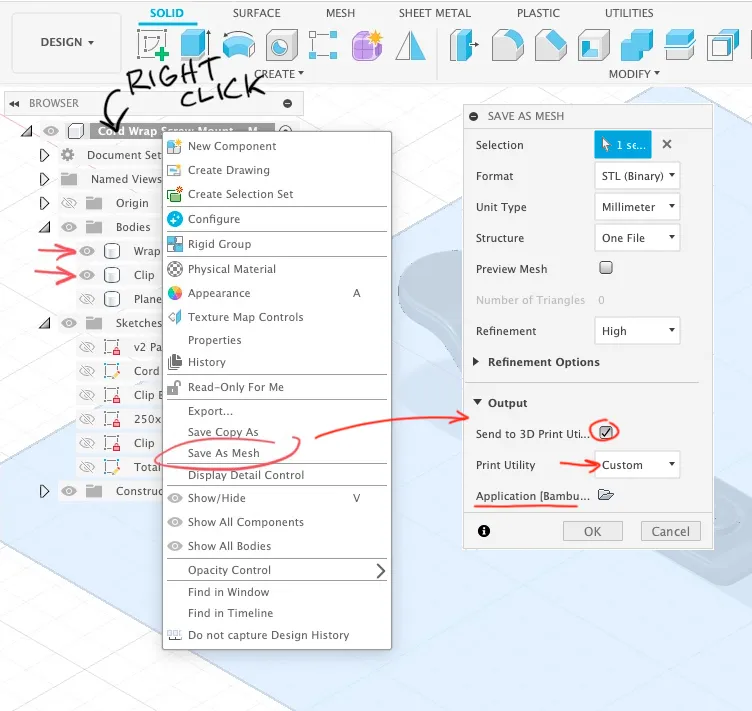
- Ensure only “Wrap” and “Clip” bodies (3D model parts) are active by referencing the dark-gray eye. The “Plane 250x250mm” body is for size reference only. Alternatively, you may export each body individually.
- Right click on the top-most component and select “Save As Mesh”.
- From here, Fusion360 offers the ability to export directly to your slicer software of choice.
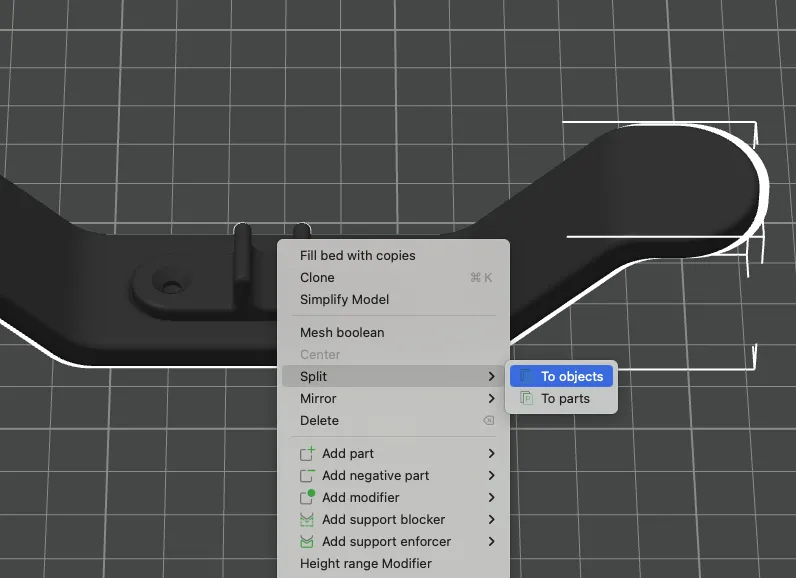
- If you exported each body separately, move to next step. If “Wrap” and Clip" were exported together, you will need to separate into objects to ensure the correct printing orientation within the slicer. Select Model > Right Click > Split > To objects (see below).
- Then select “Auto-Orient” within the slicer. From here you are ready to print!
Why a modular clip?
- Enables precise adjustments to the fit, minimizing material waste for the main cord wrap.
- Offers the flexibility to switch between sizes to fit different cords.
- Supports the use of various materials like TPU (though I haven’t tested this yet).
Drawbacks?
- Since the screw holes on the cord clips scale with the main wrap model, you’ll want to retain the original parameters for any future updates. To avoid this, I recommend saving your custom model for easy modification later.
3D Printing Tools I Use
- IMO best bang-for-buck filament (PLA):
- Black: https://amzn.to/3X22IIX
- White: https://amzn.to/3SIcc9F
- Wire Cutter/Nippers: https://amzn.to/3Awt2SG
- PTFE Tube + Cutter: https://amzn.to/4dIB6OA
- Deburring Tool: https://amzn.to/3yL3HUA
- Drywall Anchors: https://amzn.to/3YEupsL
- Adhesive Bumper Pads: https://amzn.to/3SMZK8X
- M3 Assorted Metric Hex Bolts: https://amzn.to/3M6fvnI
- M5 Assorted Metric Hex Bolts: https://amzn.to/4coRy5y
Magnets I Use
- 4x2mm Neodymium Magnets: https://amzn.to/3X5orPl
- 6x2mm Neodymium Magnets: https://amzn.to/3X5of2z
- 6x3mm Neodymium Magnets: https://amzn.to/4dgGZ5Q
- 8x3mm Neodymium Magnets: https://amzn.to/3X4VqV7
- 10x2mm Neodymium Magnets: https://amzn.to/4cs5iwi
- 10x3mm Neodymium Magnets: https://amzn.to/46KypK5
Disclosure: Your purchases made through these affiliate links help support my work at no additional cost to you. So thank you!
License

You shall not share, sub-license, sell, rent, host, transfer, or distribute in any way the digital or 3D printed versions of this object, nor any other derivative work of this object in its digital or physical format (including - but not limited to - remixes of this object, and hosting on other digital platforms). The objects may not be used without permission in any way whatsoever in which you charge money, or collect fees.


Comment & Rating (233)