Search models, users, collections, and posts

Emoji Box
IP Report


Print Profile(5)

"kissing cat box" 0.2mm layer, 2 walls, 15% infill
Designer
52 min
1 plate

"Sloth box" 0.2mm layer, 2 walls, 15% infill
Designer
1.1 h
1 plate

"Battery box" 0.2mm layer, 2 walls, 15% infill
Designer
43 min
1 plate

"Ribbon box" 0.2mm layer, 2 walls, 15% infill
Designer
54 min
1 plate
Click to see more
Open in Bambu Studio
Boost
56
112
12
6
67
32
Released
Description
Have a rounded emoji box for your stuff - now the box itself says what's inside!
Customizing
Use the customizer (see customize button above!) or OpenSCAD to adapt the emoji and sizes as needed!
Multicolor model
Customize twice, with type set to:
- “both”, and save as xxx_both.STL
- “sunken_text_only”, and save as xxx_textonly.STL
Then load both “xxx_both.STL” and “xxx_textonly.STL” into Bambuslicer.
It will ask wether its a single object.
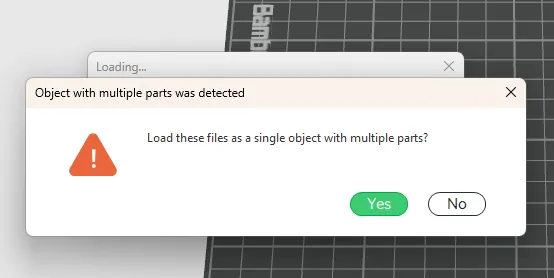
Press “yes”.
Then color the two parts as you want:
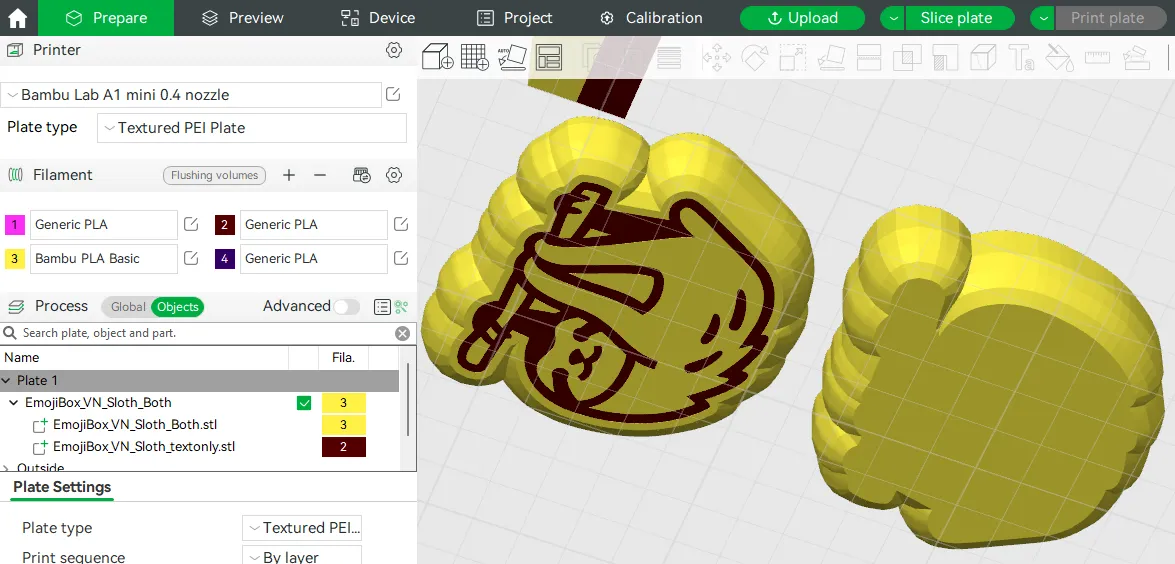
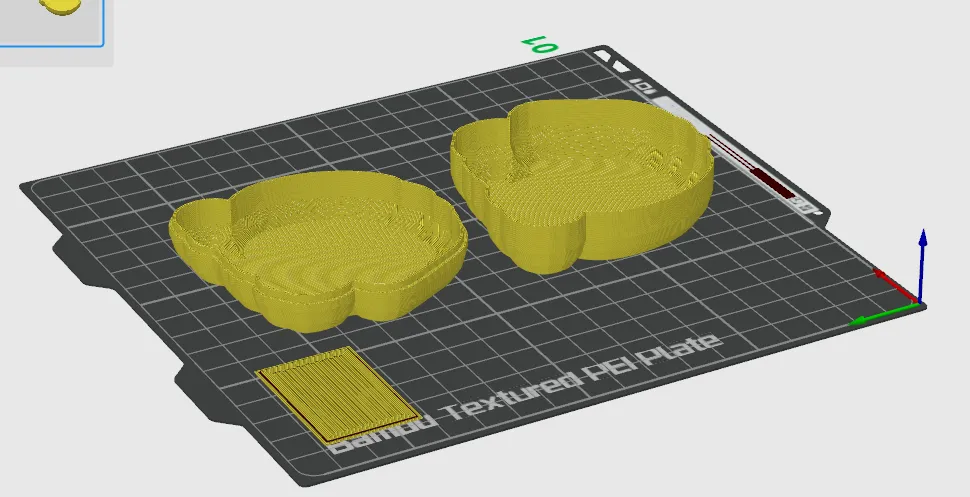
As the color change is only in the first few layers, the wipe tower is very small:
Have fun!
Printing
You can print the box without supports:
Note that the wiggle room between the top lid and the bottom container is by default zero. If your printer is not well calibrated, increase this value to e.g. .3mm, so the lid fits on the bottom container.
License

This user content is licensed under a
Creative Commons Attribution-Noncommercial-Share Alike


Comment & Rating (12)