
FlightScnrPi - large ADS-B traffic sweeping radar


Print Profile(1)
Description
Boost Me (for free)
All my files are free and self-funded - boosts help cover filament costs and let me keep giving back to the MakerWorld community.
Thank you for the support! ❤️
FlightScnr Pi
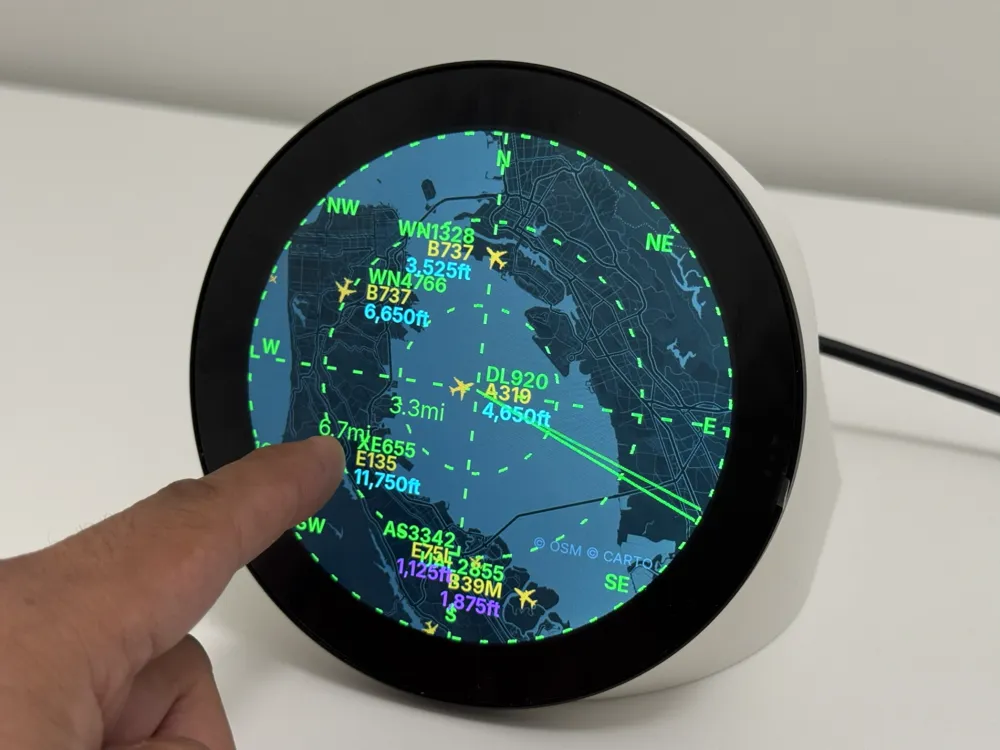
A flight tracker for Raspberry Pi built for the Waveshare 4in touch display. The on-device UI is modeled after my other project, FlightScnr: dark radar aesthetic, animated sweep, map tiles, and gesture navigation. A built-in web portal configures everything from your phone or laptop on the same network.
What it does
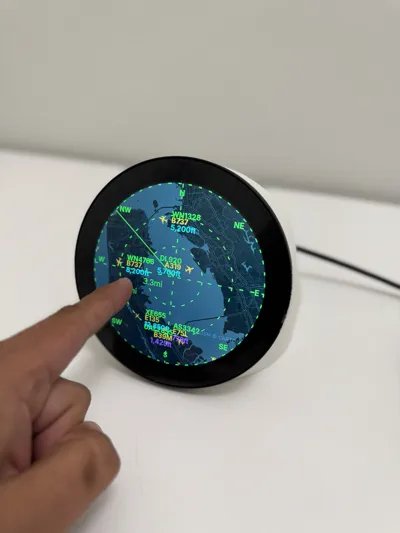
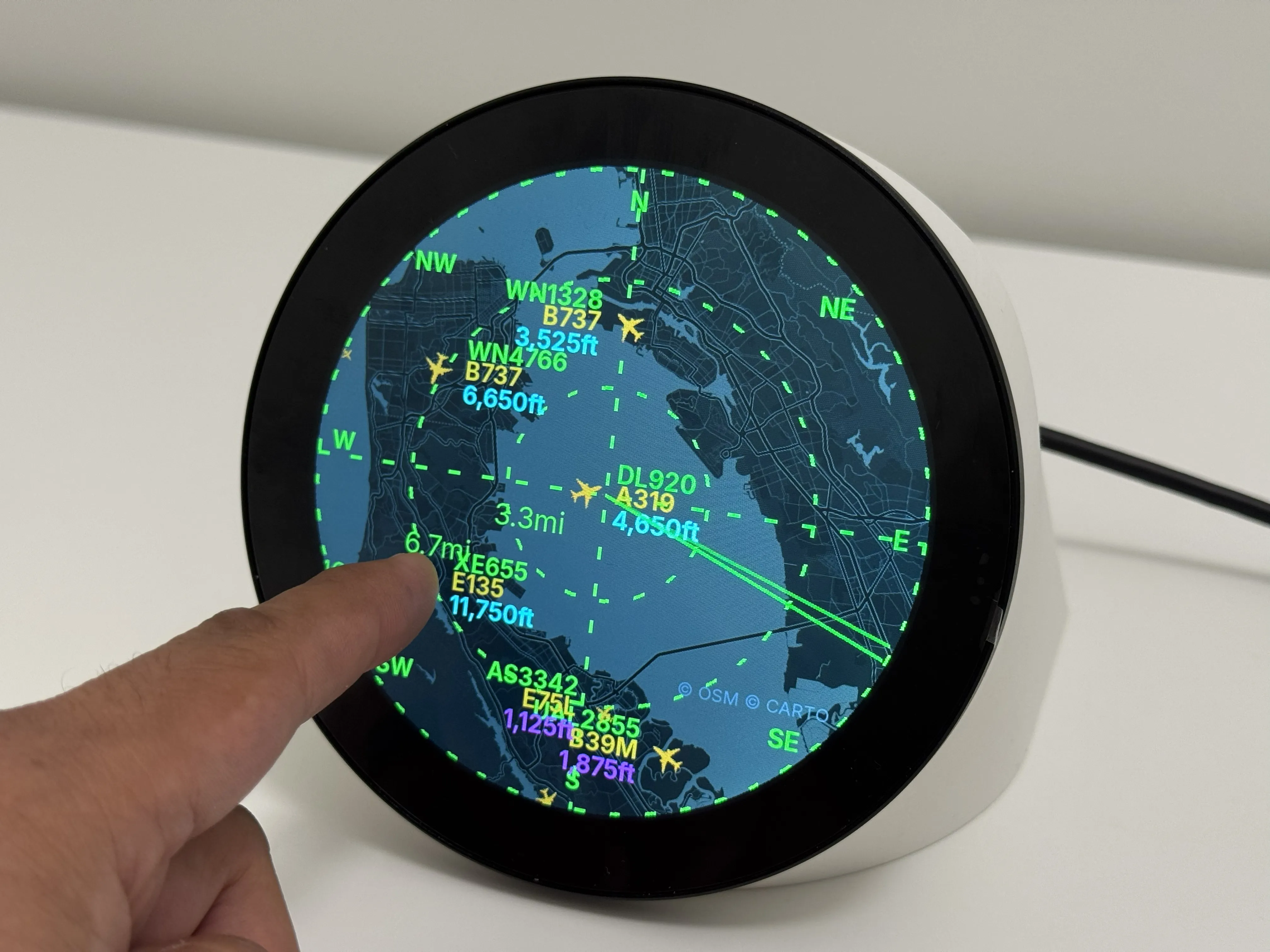
FlightScnr Pi shows live aircraft around your pre set location on a circular radar, with rich flight details when you tap a plane. It combines FlightRadar24 (FR24), live positions from adsb.fi (free cloud feed — no local ADS-B dongle), Tomorrow.io weather, and optional AirLabs schedule data. Settings, API keys, tracking, and updates are managed through a local web portal. No SSH required for day-to-day use.
Round touch display
The UI is designed for a 4in round LCD with touch (default layout: 720x720).
| Screen | How to open | What you see |
|---|---|---|
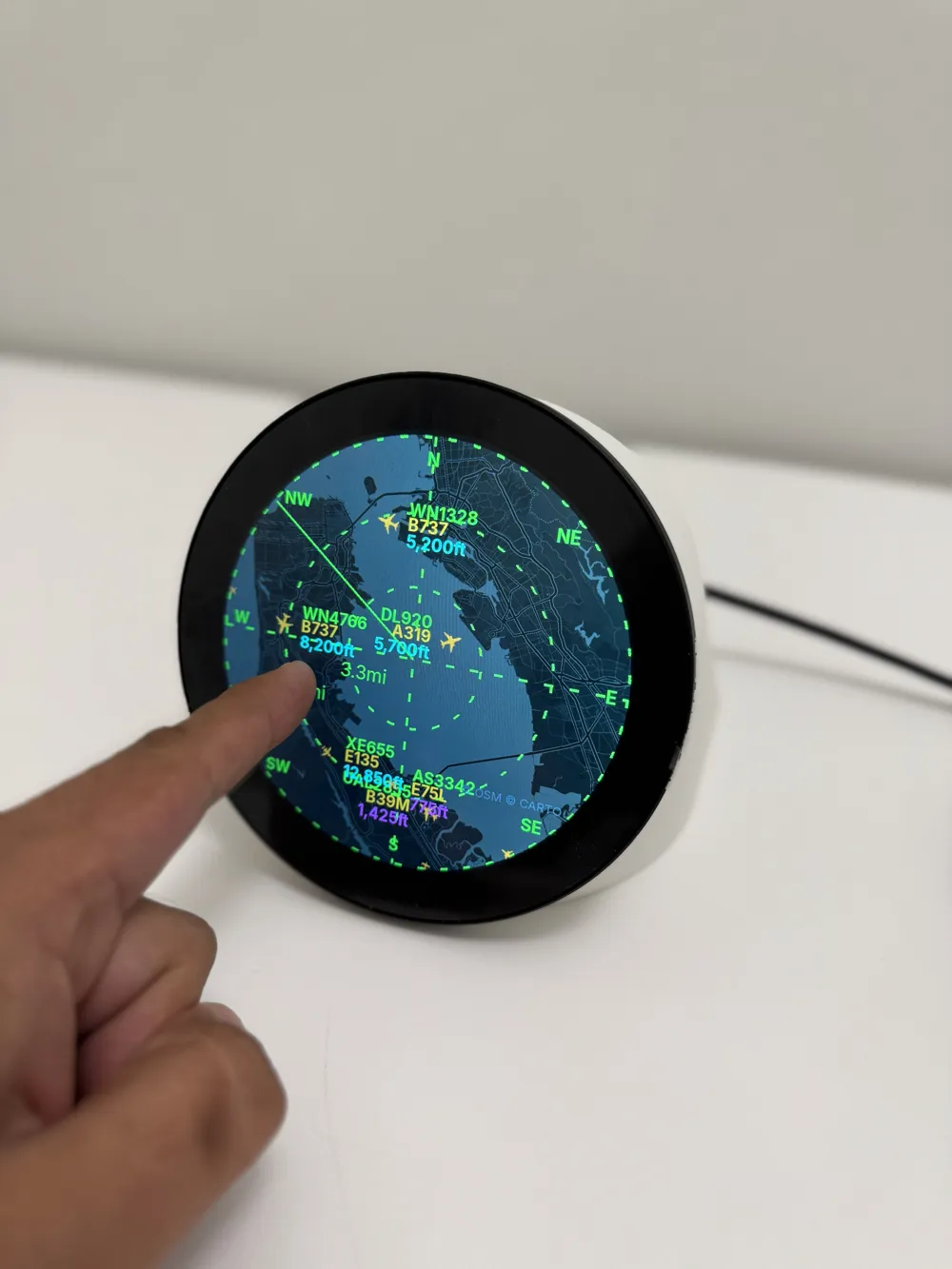
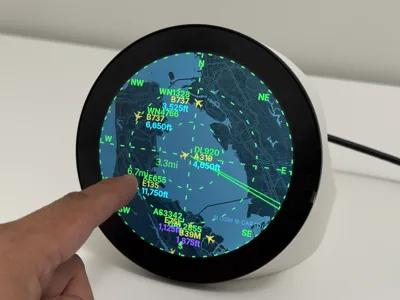
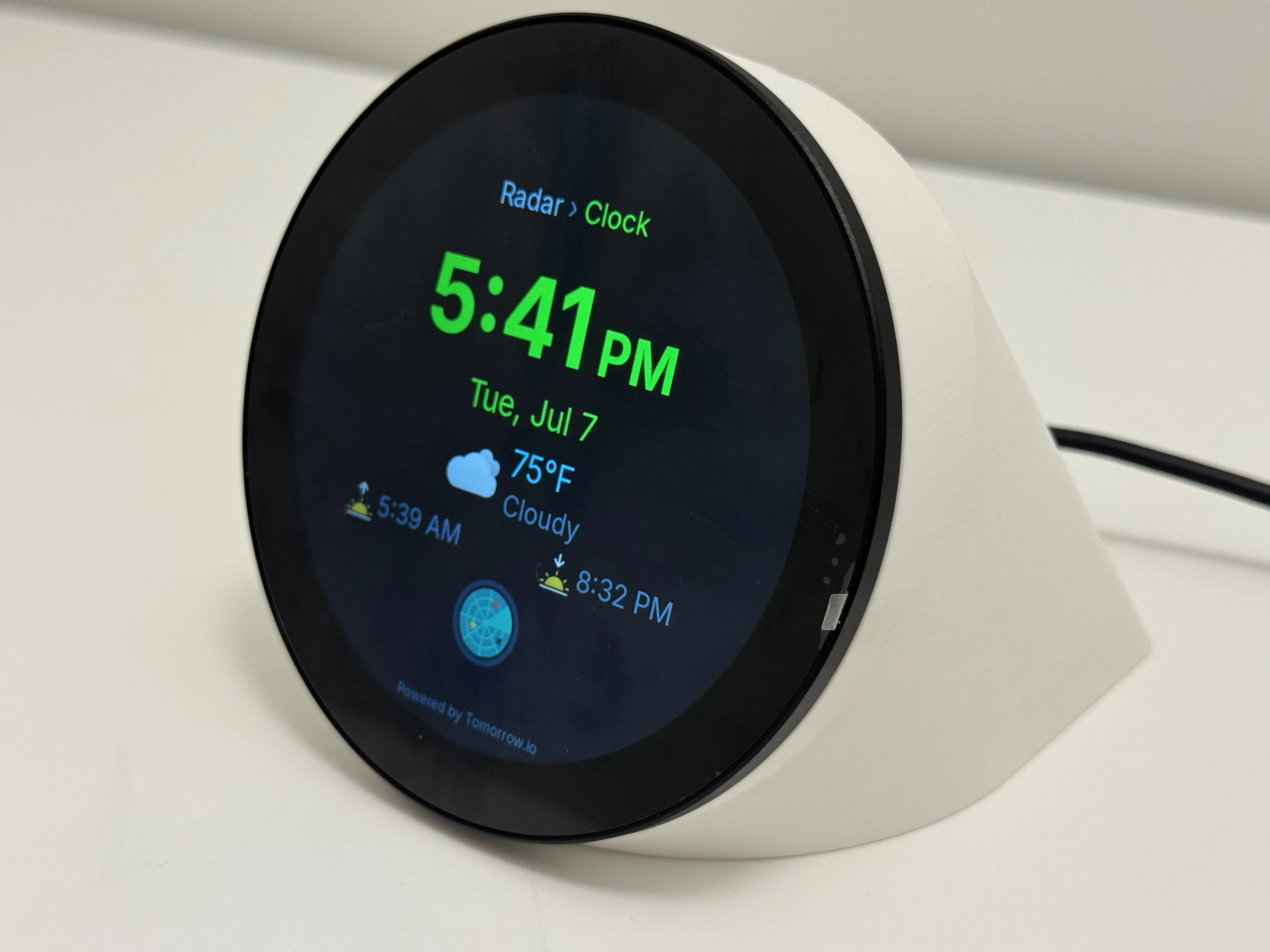
| Radar | Boot / home | Live aircraft, map background, sweep line, compass rose, range label, altitude tags |
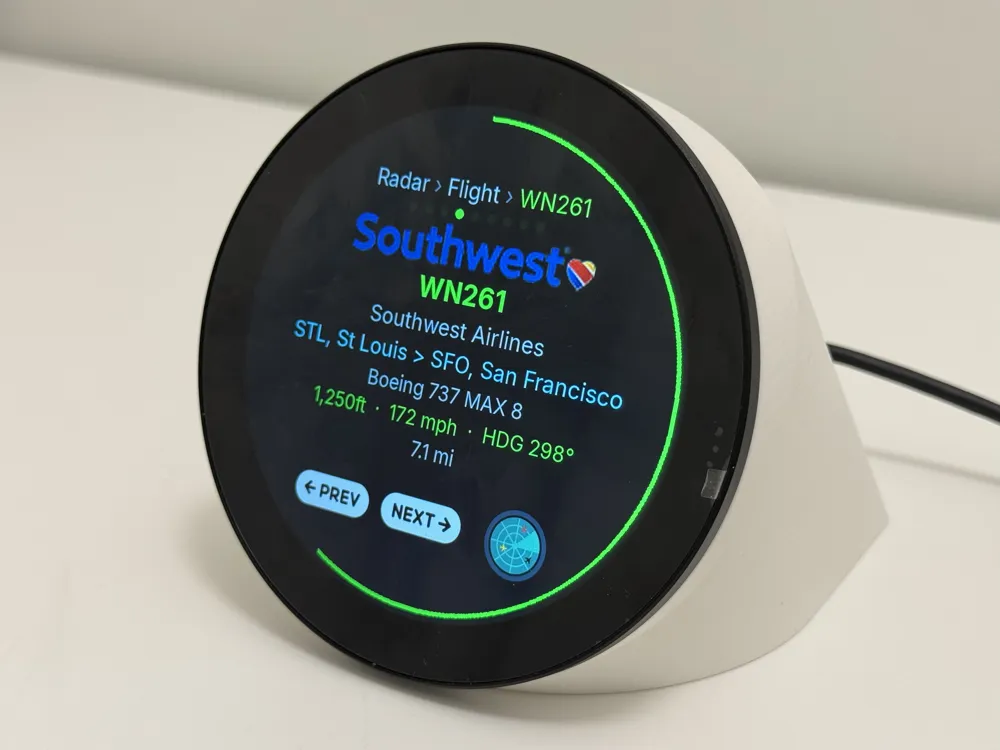
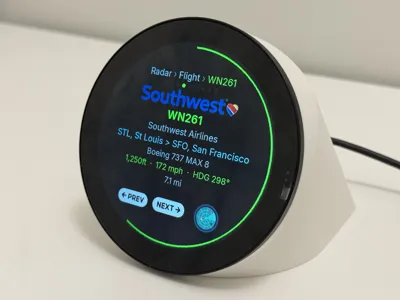
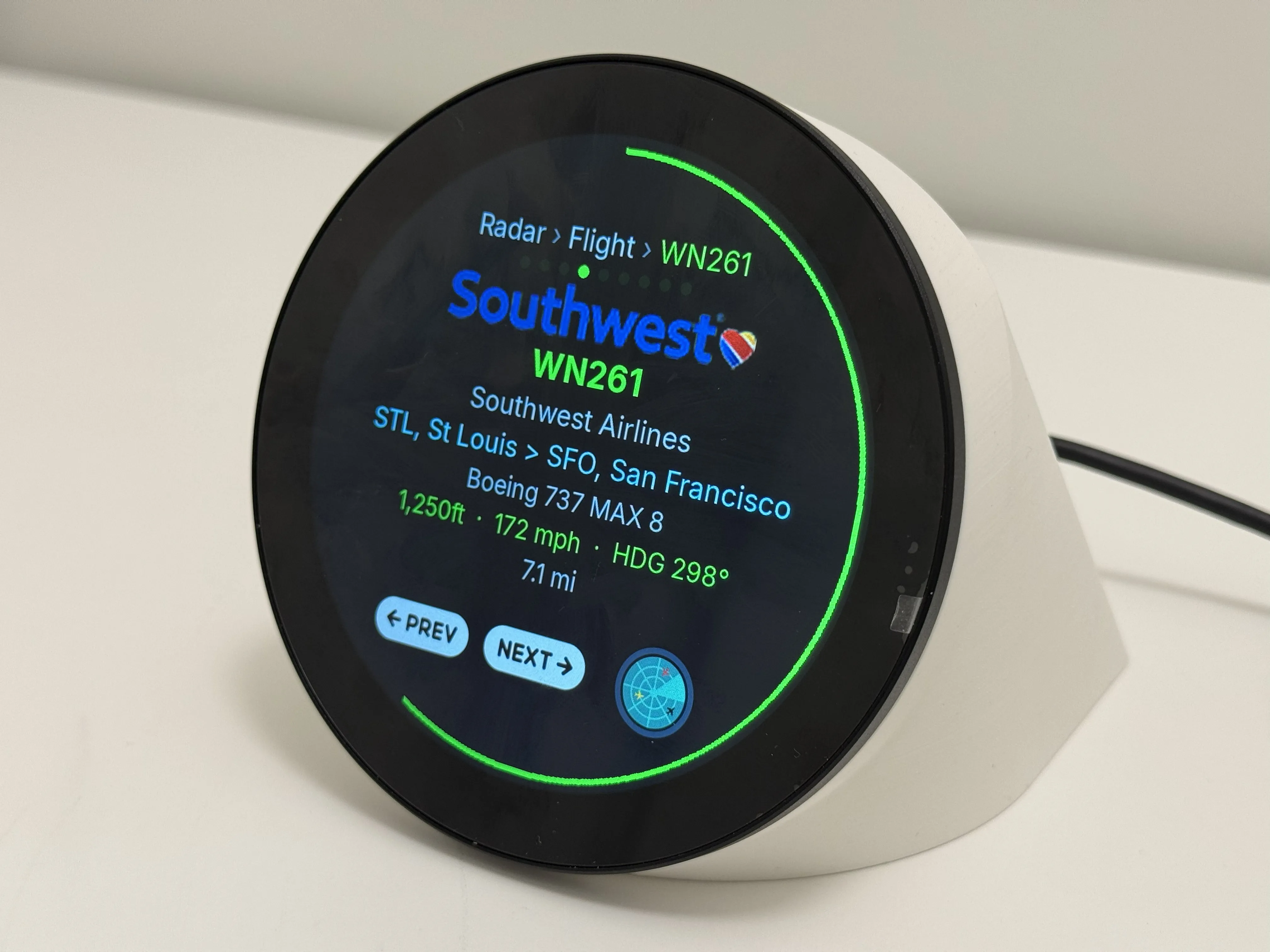
| Flight detail | Tap aircraft on radar | Airline logo, route, type, altitude, speed, heading; swipe or footer to cycle aircraft |
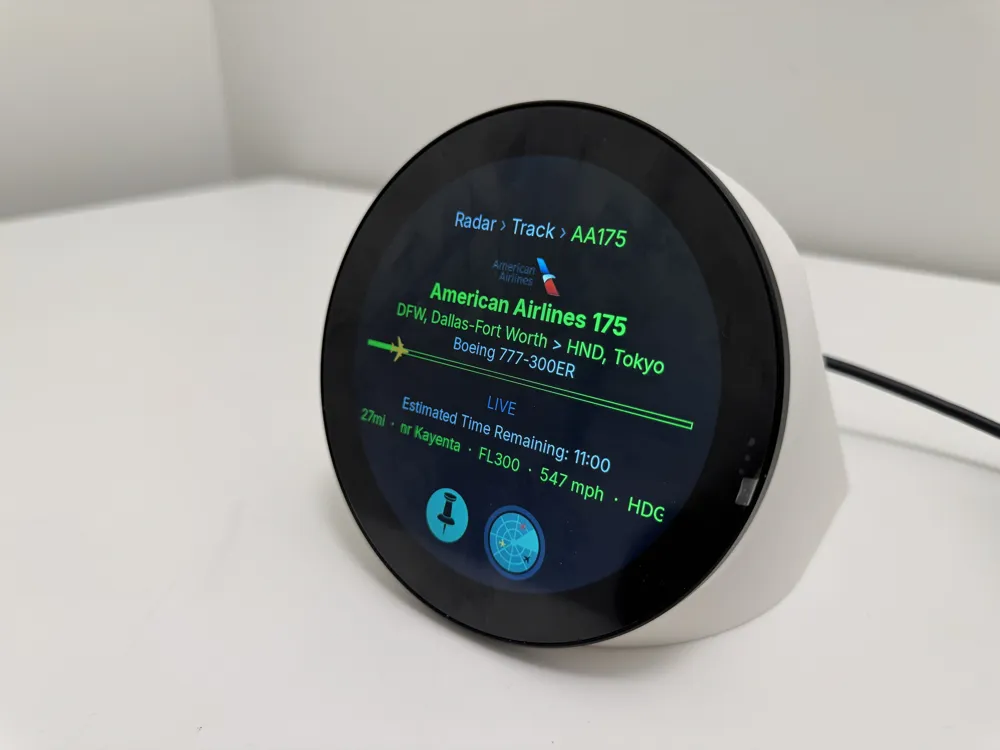
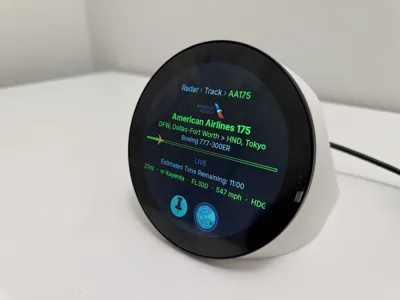
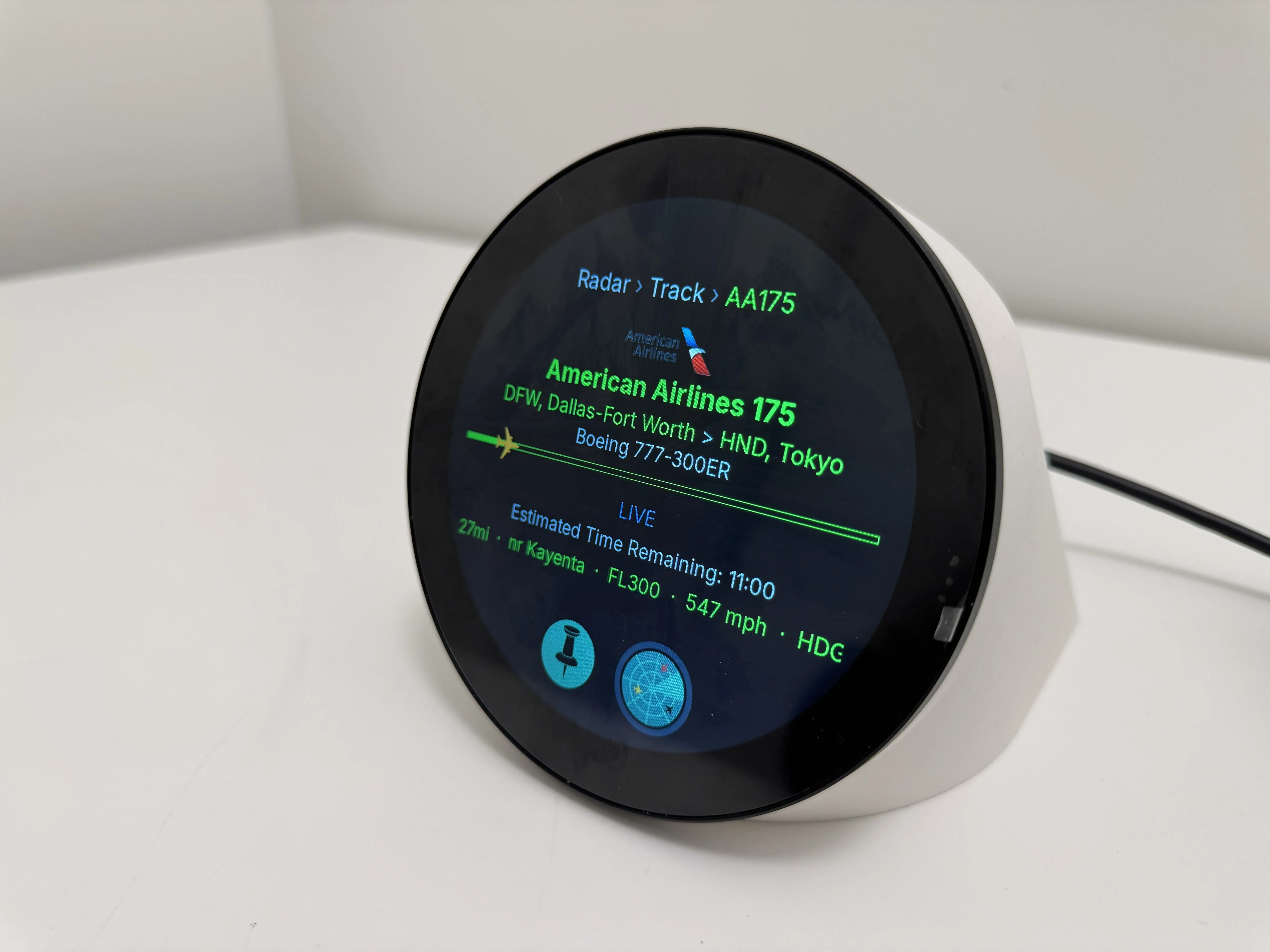
| Tracked flight | Web portal → Track, or swipe right on radar | Route header, progress bar with aircraft icon, LIVE/ETA, vertical speed ticker; pin to keep screen open |
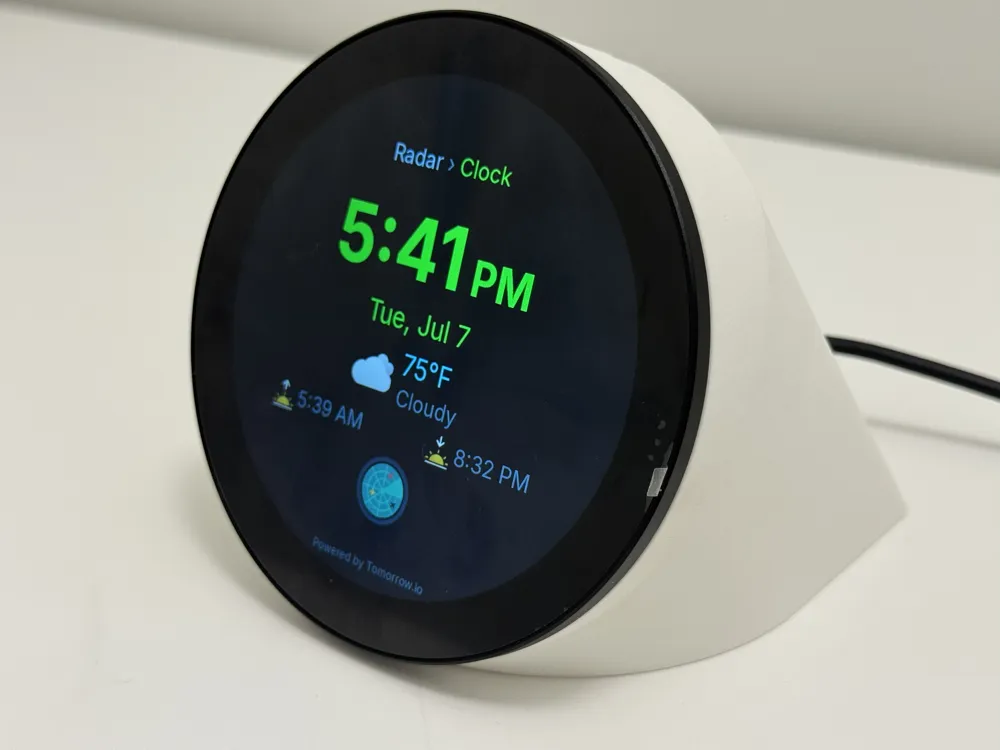
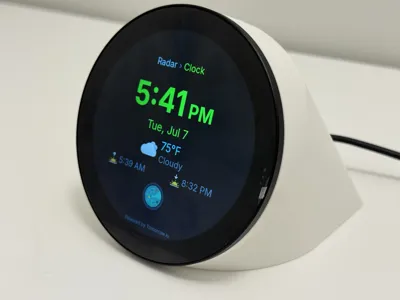
| Clock and current weather | Swipe down from radar | Time, date, current weather and conditions |
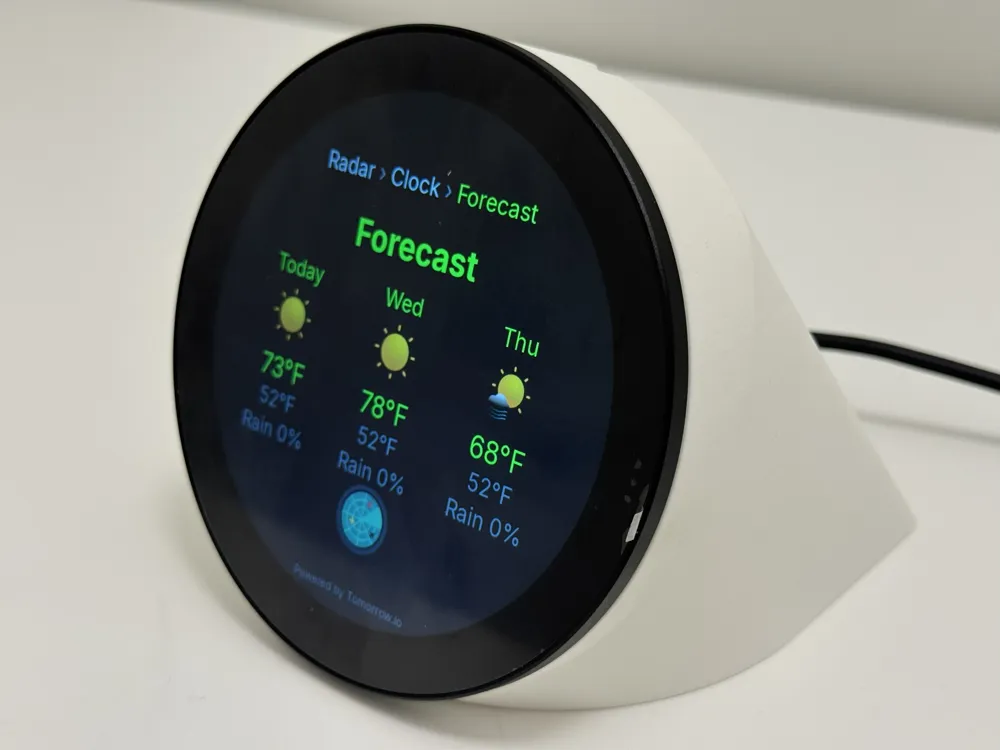
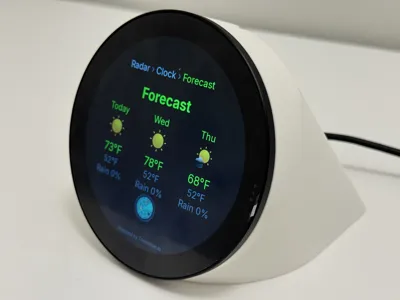
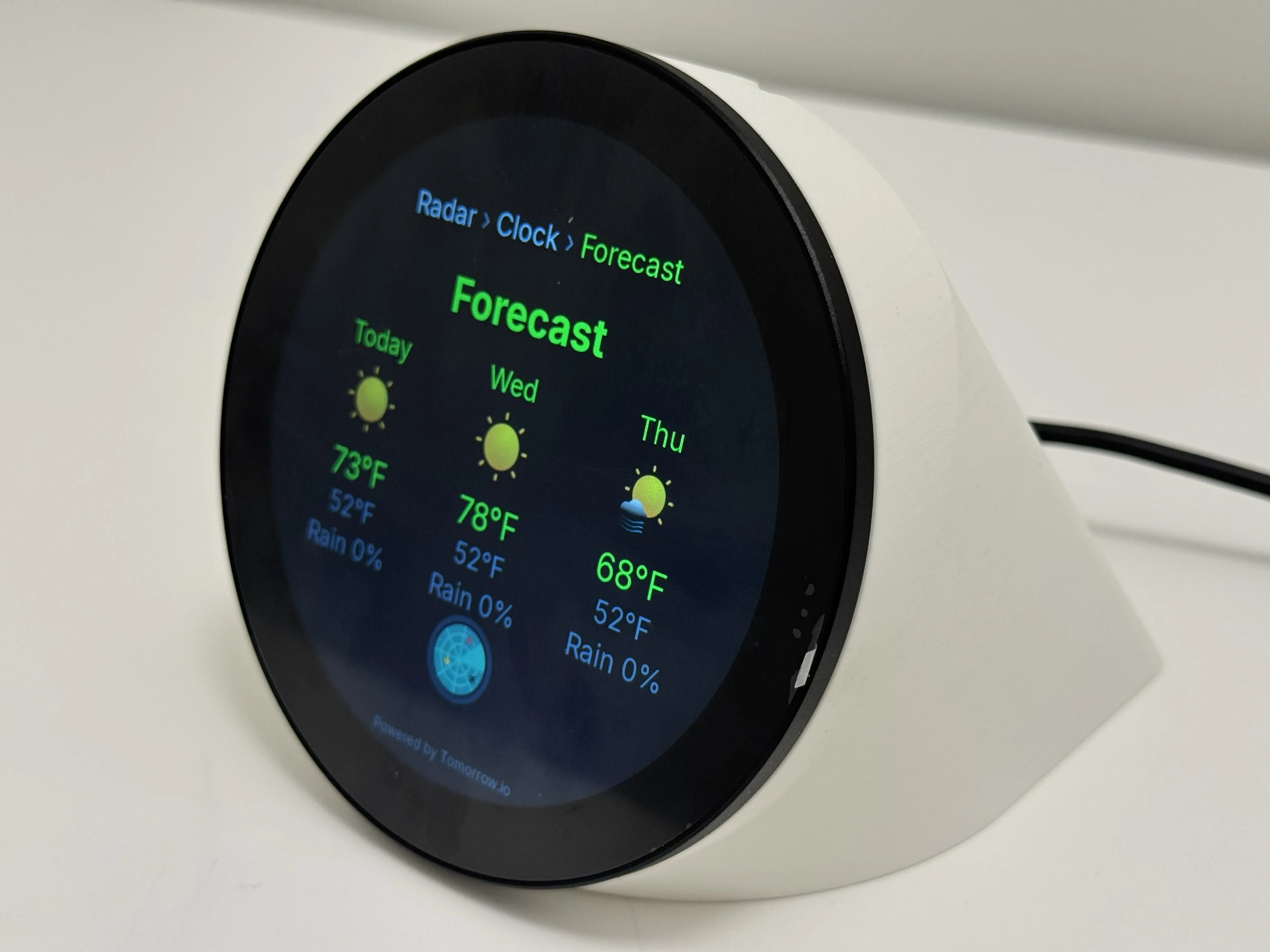
| Weather Forecast | Swipe right from clock | Multi-day forecast (Tomorrow.io) |
| Clock settings | Swipe left from clock | Clock format and related options on-device |
| About / details | Swipe up from radar | Version, network, API status, portal URL |
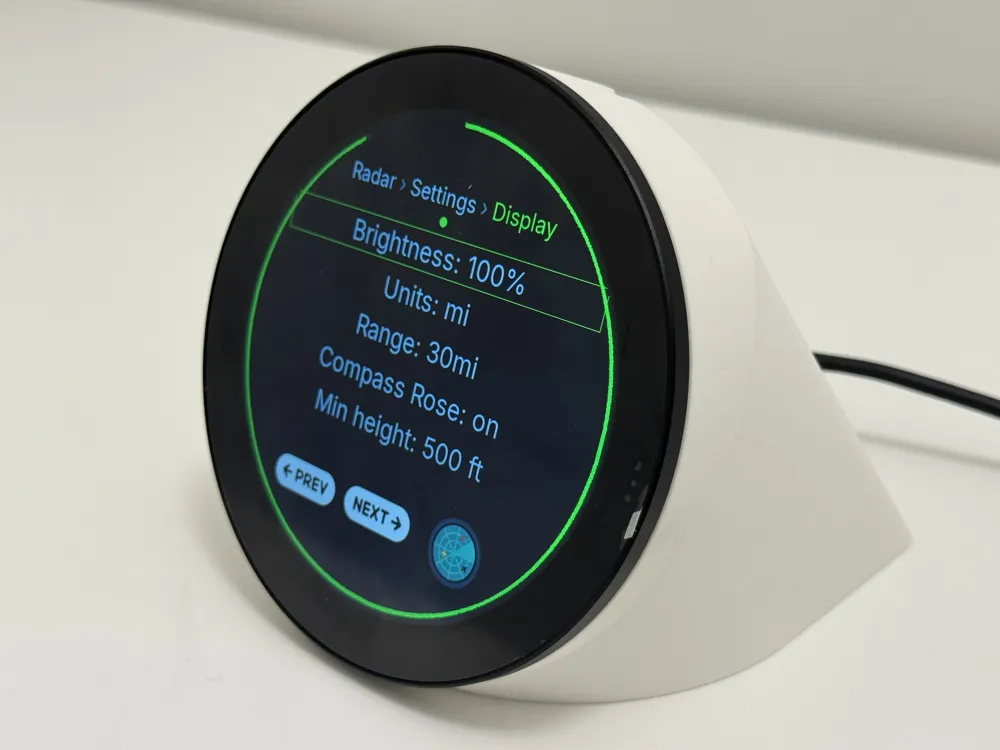
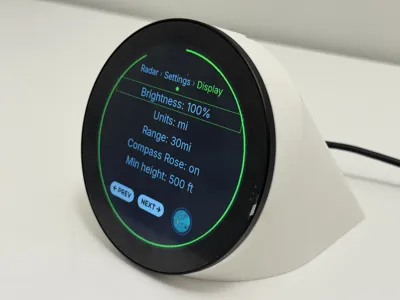
| Settings | Swipe left from radar | Brightness, timeouts, color theme, display options (multi-page) |
Gestures and controls
- Tap aircraft → flight detail
- Tap range label (top) → cycle zoom presets (2–30 mi / km / nm)
- Two-finger pinch → zoom radar range in and out
- Swipe between screens (see table above)
- Footer buttons on detail, tracked, and settings screens (PREV / NEXT / RADAR / PIN)
- Auto-return to clock when no aircraft are visible (optional, portal setting)
- Off-hours schedule can dim the panel, turn it off, or force the clock screen at night
Radar features
- Animated radar sweep with configurable accent color themes (Red, Yellow, Orange, Green, White)
- Optional compass rose and sweep line (toggle in portal)
- Map tile background (CARTO dark or OpenStreetMap) with cached tiles in /var/lib/flightscnr/maps/
- Aircraft-type icons (jet, turboprop, helicopter, military, etc.) with altitude/speed tags
- Minimum altitude floor to hide low aircraft (e.g. pattern traffic)
- Alert mode: highlight military aircraft, emergency squawks (7700/7600/7500), or a custom watch list; optionally hide non-alerted traffic
- Distance units: km, statute miles, or nautical miles
Tracked flight
Pick any callsign in the web portal. The display shows origin → destination, aircraft type, a progress bar with a moving plane icon, and live stats (time remaining, distance, vertical speed). Flights not yet airborne can use AirLabs schedule data when configured.
Web portal
Open from any device on your LAN:
http://<hostname>.local (default port 80; change with WEB_PORT in /etc/flightscnr.env)
| Section | Purpose |
|---|---|
| Radar | Set radar center (lat/lon), range, distance units, min altitude, color theme, compass, sweep |
| Display & screens | Brightness, flight-detail and clock timeouts, auto-return to clock when empty |
| Off-hours | Night schedule - dim, turn off display, or show clock |
| Weather | °C / °F for clock and forecast |
| Alerts | Military, emergency squawk, watch list, hide non-alerted aircraft |
| Tracking | Track a callsign; route search (origin + destination) for live flights |
| API keys | FR24, Tomorrow.io, AirLabs - save or save & restart |
| Updates | Check GitHub for new releases; Update Now runs git pull and re-syncs (git checkout required) |
| System | Reboot or Shutdown the Pi remotely |
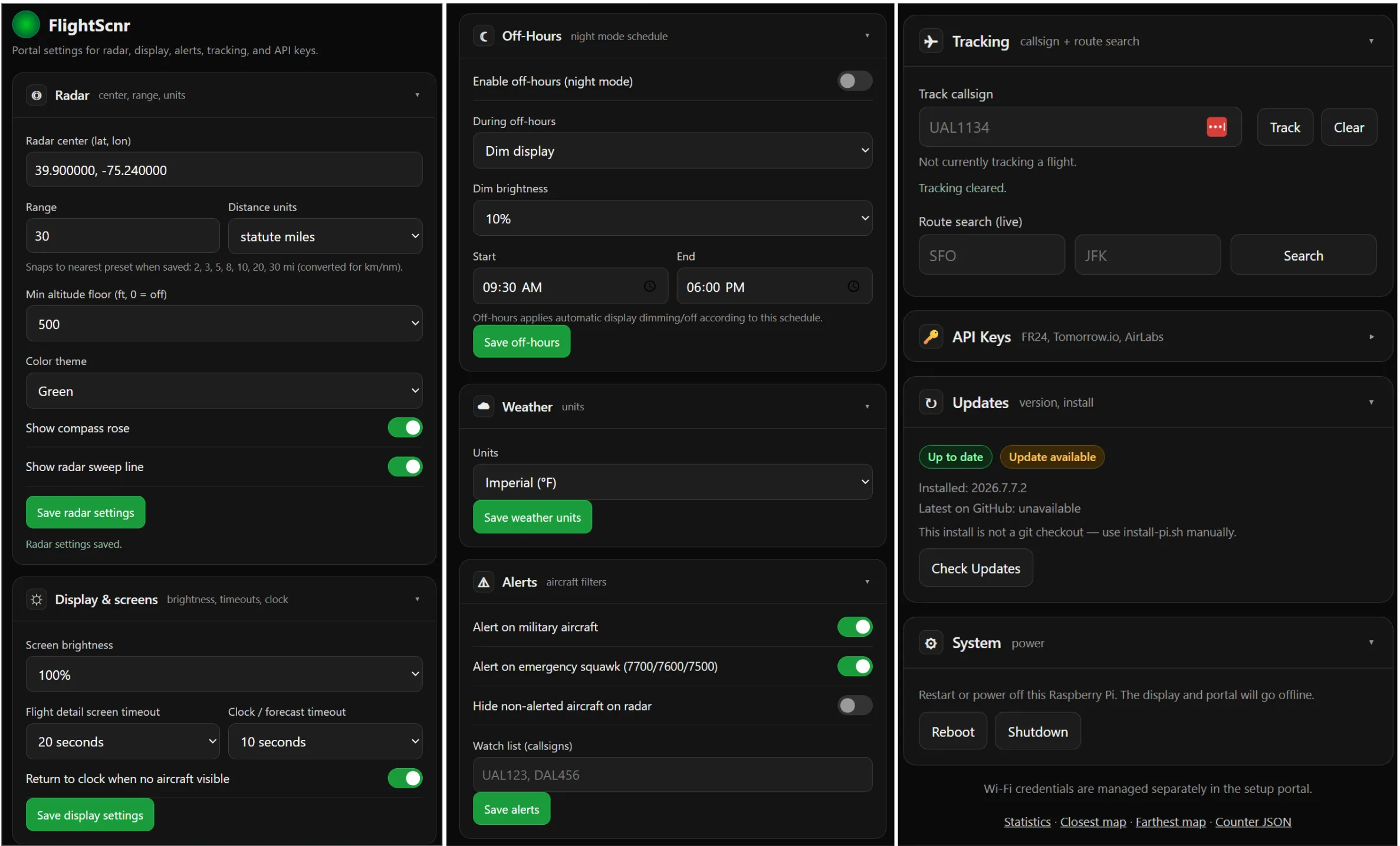
Portal preferences are stored on the Pi in /var/lib/flightscnr/ and apply without wiping on update.
Data sources and modes
| Source | Required? | Provides |
|---|---|---|
| FR24 API | Yes (full app) | Routes, airlines, flight details, tracked flights, enriched radar |
| adsb.fi | Optional (on by default) | Free live positions over the internet — merges with FR24 or fills the radar when FR24 is off (ADSB_ENABLED=True). Not a USB ADS-B receiver. |
| Tomorrow.io | Yes (weather) | Clock temperature and multi-day forecast |
| AirLabs | Optional | Scheduled departure info when a tracked flight is not yet airborne |
API responses are cached (e.g. FR24 feed ~90s, flight details ~30 min, weather ~1 hr) to reduce quota use during 24/7 operation. Offline databases (airports.json, airlines.json, icao_types.json) download on first run.
GitHub Link: https://github.com/yashmulgaonkar/FlightScnr_Pi
License

You shall not share, sub-license, sell, rent, host, transfer, or distribute in any way the digital or 3D printed versions of this object, nor any other derivative work of this object in its digital or physical format (including - but not limited to - remixes of this object, and hosting on other digital platforms). The objects may not be used without permission in any way whatsoever in which you charge money, or collect fees.


Comment & Rating (6)