
ASCII Aquarium Interactive & Holographic Desk Toy
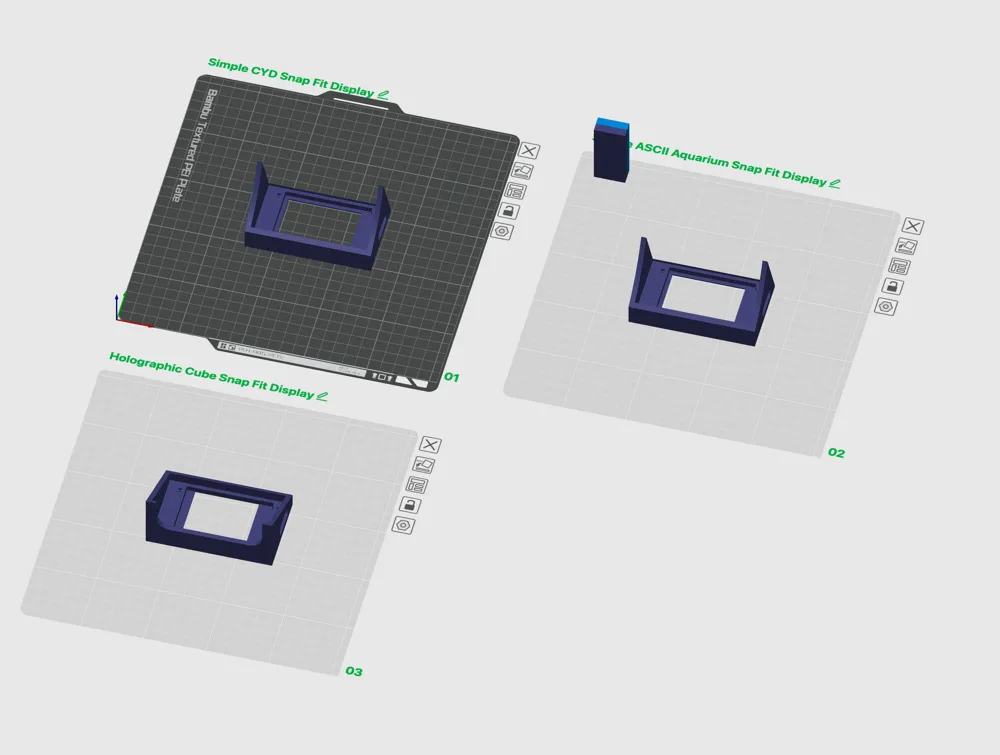
Print Profile(1)
Bill of Materials

- 50mm Beamsplitter cube x 1: https://www.aliexpress.com/item/1005006772844723.html
- ESP32-2432S028R x 1: https://www.aliexpress.com/item/1005004971720824.html
Description







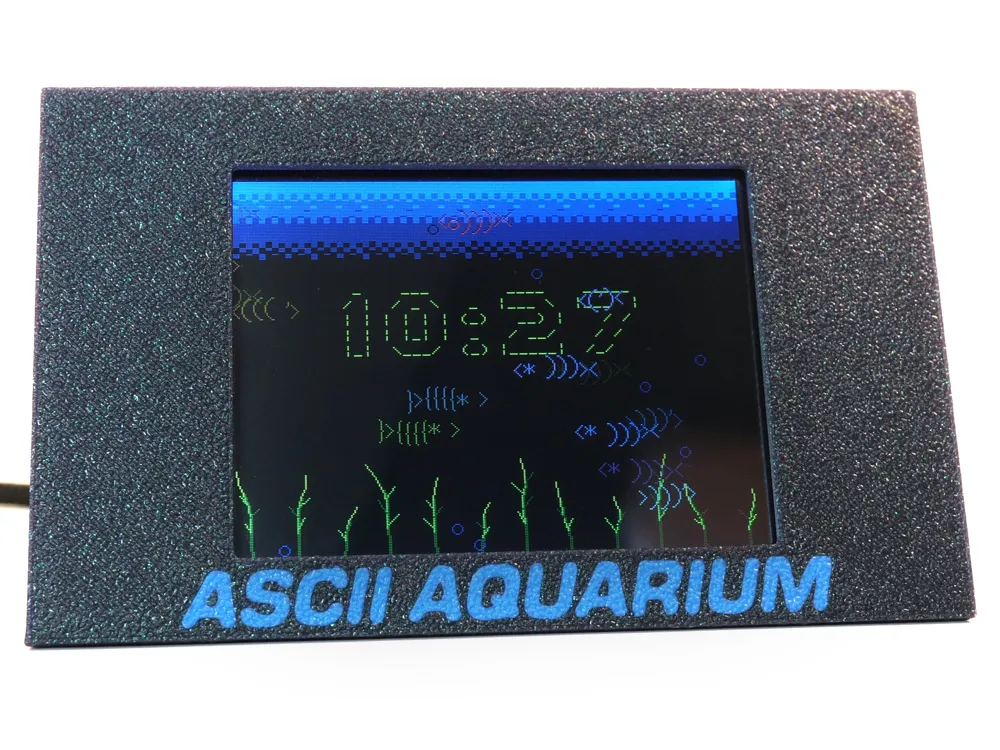

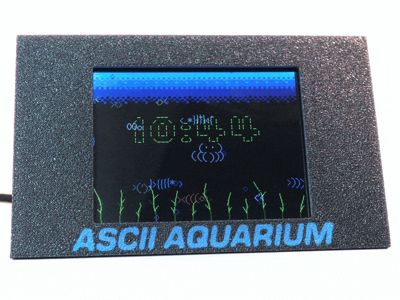
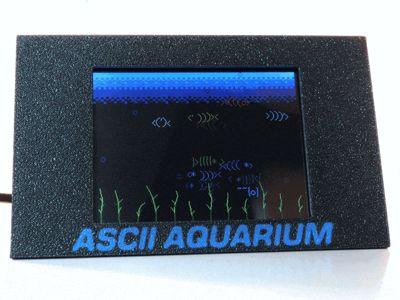
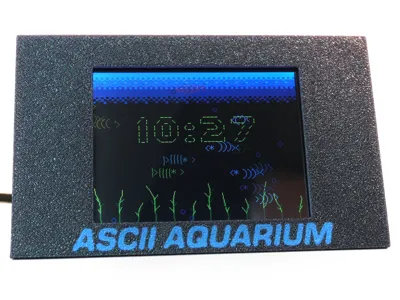
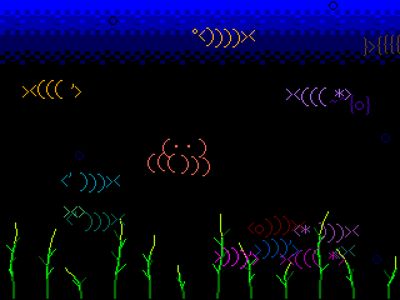

The ASCII Aquarium is a delightfully over-engineered desktop fish tank for the ESP32-2432S028R "Cheap Yellow Display" 320x240 touchscreen. It turns the CYD into a living ASCII fish tank with schools of fish, bubbles, seaweed, tap-to-feed behaviour, an optional clock, Wi-Fi time sync, SD screenshot capture, and just enough fish puns to make the whole thing seem intentional.
This is not a video loop. The tank is fully interactive and animated! Each fish swims with a little character-wave motion, turns into a mirrored ASCII version when it changes direction, varies in colour and brightness, and generally minds its own business until you tap the glass and drop food. Then the little freeloaders go snack mode.
It is part clock, part screensaver, part tiny art object, and part excuse to make fish-shaped punctuation swim around like it has somewhere important to be.
Once you have your CYD, plug it into your machine, open Chrome/Edge, and use the Web flasher https://power-pill.github.io/ASCII-Aquarium/ to flash it to your device. Full Github page here: https://github.com/POWER-PILL/ASCII-Aquarium

Membership
🍄 "READY TO POWER UP? 🚀 with a membership for our retro video game keychain packs! No cheat codes needed—just pure pixel-perfect prints! 🔥 With this membership, you’re stepping back into a world where cheat codes were sacred, cartridges needed blowing, and every pixel mattered! ⚡💊
Boost Me (for free)
If you enjoyed this project, please consider boosting to support the creator. Thank you and make sure to check out my other projects on Makerworld!


Building your own ASCII Aquarium is a dry project, despite all the fish. No buckets, no cycling, no mysterious aquarium chemistry. Just print the case, flash the CYD, and give the little punctuation swimmers somewhere to live.
You will need:
- This specific 2.8" ESP32-2432S028R "Cheap Yellow Display" board with the 320x240 ILI9341 screen and XPT2046 touchscreen from AliExpress.
- Support has now been added for the JC3248W535 board and the CYD2USB board as well. Check out the web flasher for those options!
- USB data cable for flashing (It comes with one!).
- Micro USB or USB-C power source for everyday use.
- Optional microSD card if you want BMP screenshots or frame captures.
Build steps:
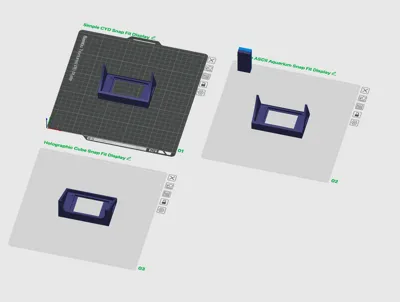
1. Print the stand from this MakerWorld page or use another great case such as the CYD Buddy from Annaglyph
2. Connect the CYD to your computer with a USB data cable (the supplied cable works great).
3. Open the ASCII Aquarium web flasher in Chrome or Edge, click the flash button, choose the CYD serial port, and let the installer do its thing.
4. Power the board after flashing and make sure the tank boots. Tap the screen to drop food. If the fish rush over, congratulations: you have been accepted as staff.
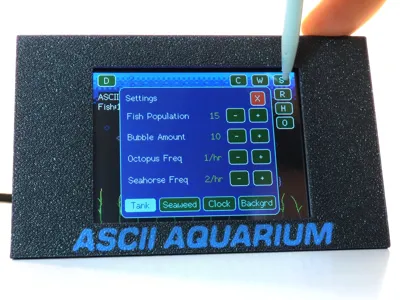
5. Tap the top-left corner to reveal the hidden HUD and check settings before final assembly.
6. Place the CYD into the printed case, keep the USB port accessible, insert a microSD card if you want capture features, close everything up, and enjoy a maintenance-free aquarium with absolutely no filter to clean.
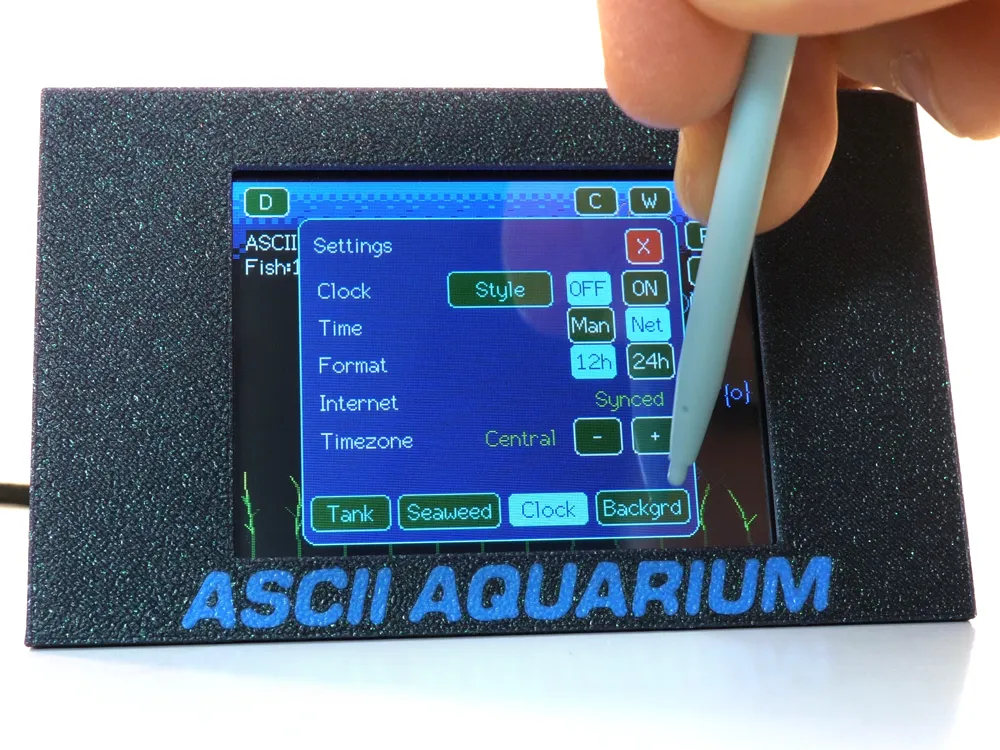
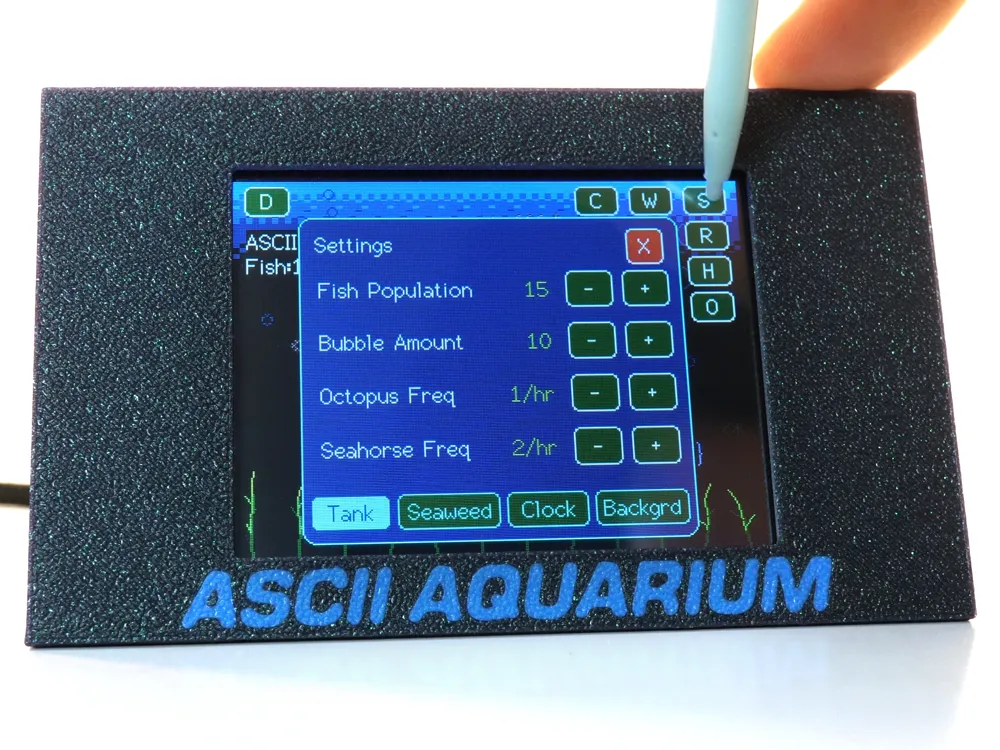
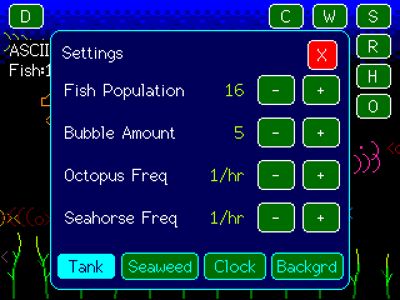
First-run tip: open the settings panel to tune fish population, bubbles, seaweed, visitors, clock, Wi-Fi time sync, and background style. The defaults are already seaworthy, but a little fin-tuning never hurt.


- Tap the tank to feed the fish.
- Tap the top-left corner to reveal the hidden HUD.
- Use the settings panel to tune fish, bubbles, visitors, seaweed, clock, and backgrounds.
- Use the Wi-Fi panel for internet time sync.
- Use the capture panel or BOOT button to save BMP screenshots to SD.
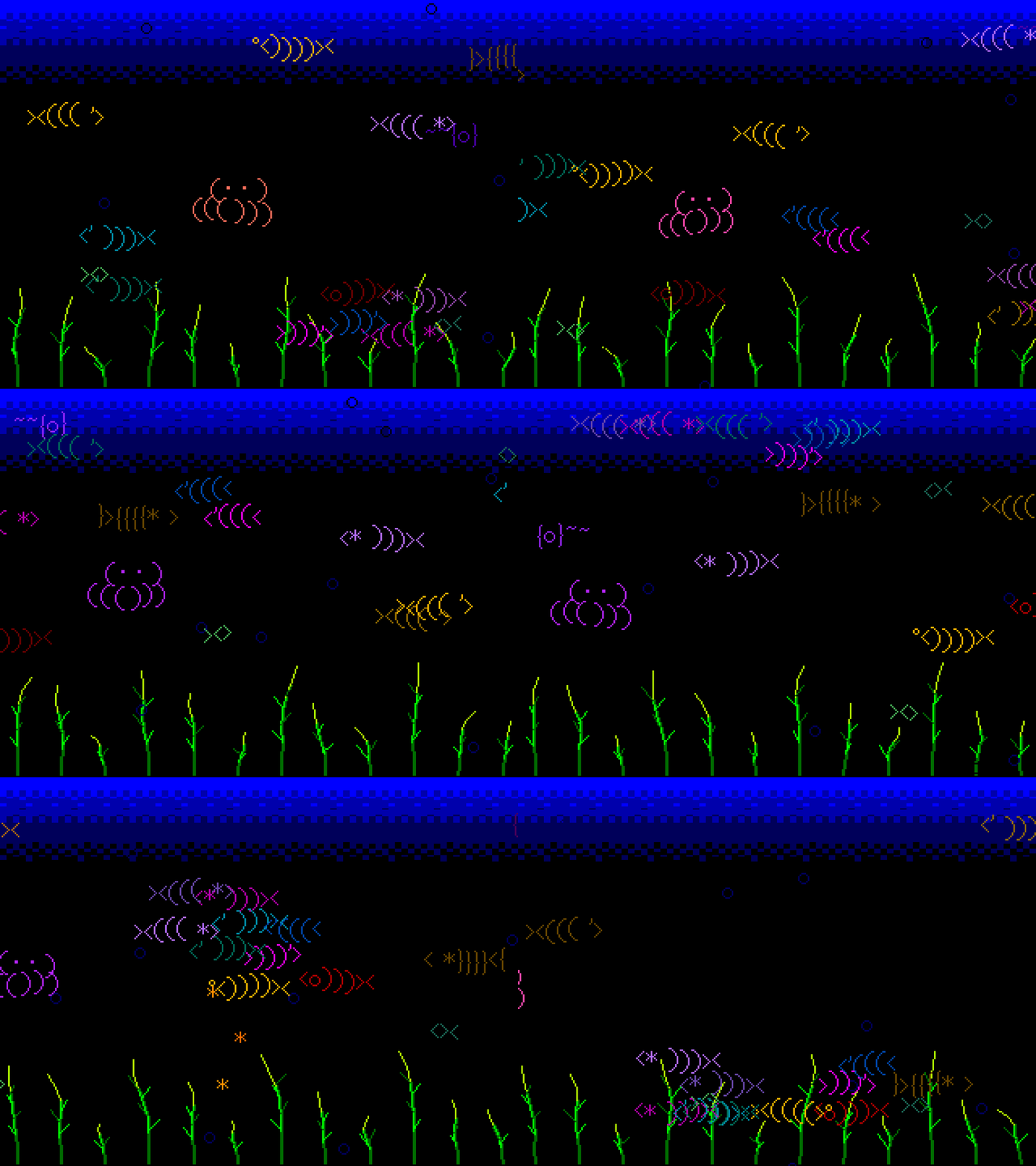
- Animated ASCII fish with multiple glyph species, varied colours, depth shading, smooth wraparound, schooling, wandering, and separation behaviour.
- Tap-to-feed flakes: touch the tank to drop food and watch nearby fish chase it down.
- Configurable fish population from 6 to 36.
- Configurable bubble count from 0 to 50.
- Animated bubbles and seaweed, with adjustable seaweed sway, length, and randomness.
- Visiting octopus and seahorse characters that drift through the tank, with selectable spawn rates from 1 to 60 times per hour.
- Fish steer around the octopus, seahorse, and each other, because even ASCII fish deserve personal space.
- Background styles: black, blue fade, purple fade, and a randomized Spongebob style flower backdrop.
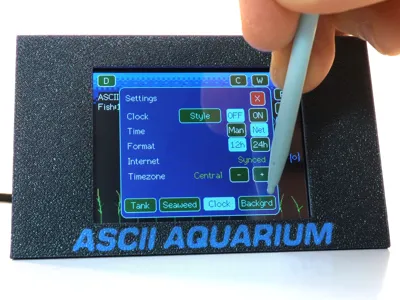
- Touch settings menu with Tank, Seaweed, Clock, and Background tabs.
- Optional on-screen clock with manual time or internet time.
- 12-hour and 24-hour formats, timezone selection, small top/bottom clock, large ASCII clock style, and clock colour picker.
- Wi-Fi panel with network scan, saved credentials, on-screen password keyboard, reconnect handling, and NTP time sync.
- Persistent settings via ESP32 Preferences, so your carefully curated fish nonsense survives reboot.
- SD card capture tools: Press and hold the BOOT button on the back of the CYD for single BMP screenshots.
- Sequence capture is VERY slow, since it slows down the animation to write every frame to the SD card.
New Features in 2.20 ><((((>`
Detailed Release Notes for 2.20 can be found here.
- New Overhauled background system with new smoother dithered gradients
- New background colours available
- New smooth background option
- New LCD Backlight and RGB Ambient LED colour and brightness control
- New Ambient LED Control can link to background colour, or use a different colour
- New CD Backlight and RGB Ambient LED Light Schedule and Tap to wake functionality. Thank you to @mjpcomp for the suggestion.
- New Timed events setting with Auto feeding. This is great if you're using the beam splitter since you can't tap the screen. Thank you to @mjpcomp for the suggestion.
- 20 new Selectable ASCII clock fonts
- Various Bug fixes

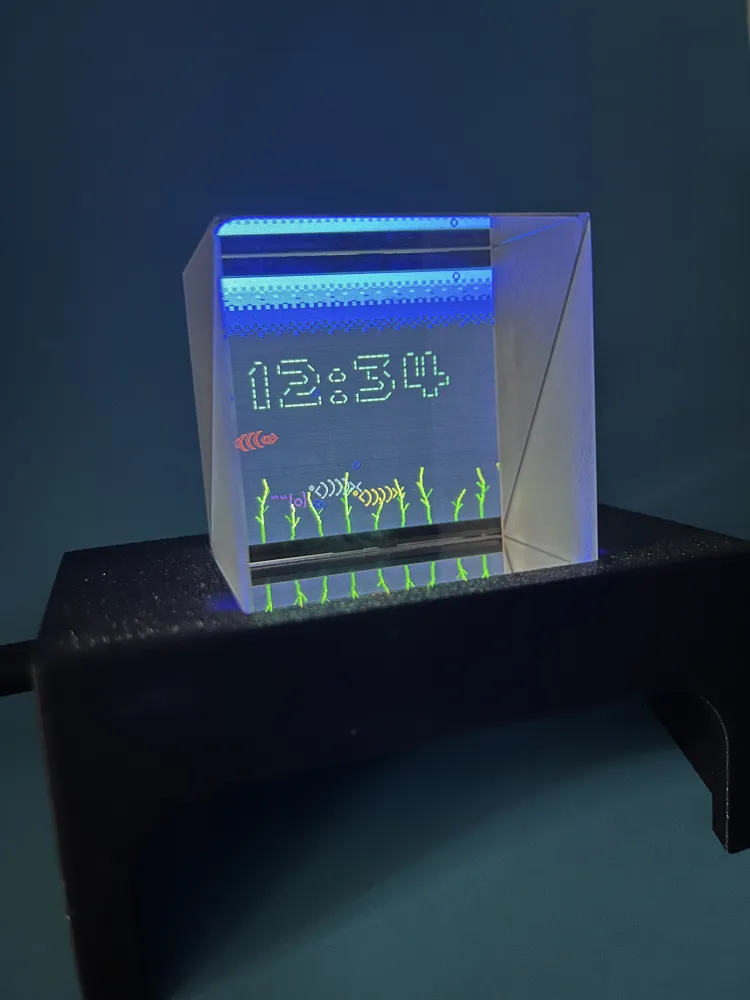
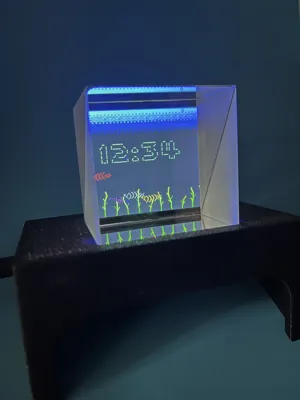
This build can also use a 50 mm beam splitter cube to give the aquarium a little "floating in glass" look.

A beam splitter cube is made from two glass prisms joined together with a partially reflective diagonal layer inside. When the CYD screen shines into the cube, some of that light passes through and some of it reflects off the internal 45-degree surface. To your eyes, the aquarium appears to hover inside the cube instead of just sitting flat on the display. It is basically a tiny optical tide pool.
- Use the 50 mm cube size for this printed stand.
- Handle the cube by the edges and wipe fingerprints with a clean micro-fiber cloth. Smudges are the enemy of premium fish.
- Seat the cube squarely in the holder so the clear face points toward the viewer.
- Keep the display bright and the surrounding room a little dimmer if you want the fish to really pop.
- A dark base or darker background behind the cube helps the reflection look cleaner.
- If the image looks faint, doubled, or not quite centred, rotate or flip the cube and try again. Beam splitters can be a bit fin-icky about orientation.
If using the clock with the beam splitter cube, you will need to enable “flip clock” in the clock style settings window.
The cube does not create the animation by itself; the CYD is still doing all the swimming, bubbling, clocking, and snack-chasing. The cube just splits and redirects the light so the tank feels more like a miniature glass aquarium and less like a bare screen. No water required, unless you count the tears of anyone who bought a real aquarium and then learned about water changes.

I saw this video on Instagram and wanted to see if it was possible to make something similar on a much lower powered device. Raspberry Pi's are expensive, and CYD's are about $20 a board, so this felt like a great fit for a silly project to learn the ropes of working with the CYD. The result is a tiny desk aquarium that has the soul of an old terminal screensaver, the practicality of a little embedded project, and the maintenance schedule of a rock.
Enjoy this project? Check out my other Retro video game keychain packs here:









License

You shall not share, sub-license, sell, rent, host, transfer, or distribute in any way the digital or 3D printed versions of this object, nor any other derivative work of this object in its digital or physical format (including - but not limited to - remixes of this object, and hosting on other digital platforms). The objects may not be used without permission in any way whatsoever in which you charge money, or collect fees.


Comment & Rating (18)