
K1 SE Side Spool Mount
Print Profile(1)
Description
REQUIRES ADDITIONAL HARDWARE
You will need a couple of 4x12mm or 4x15mm screws to affix the spool holder to either the rail or the side spool mount.
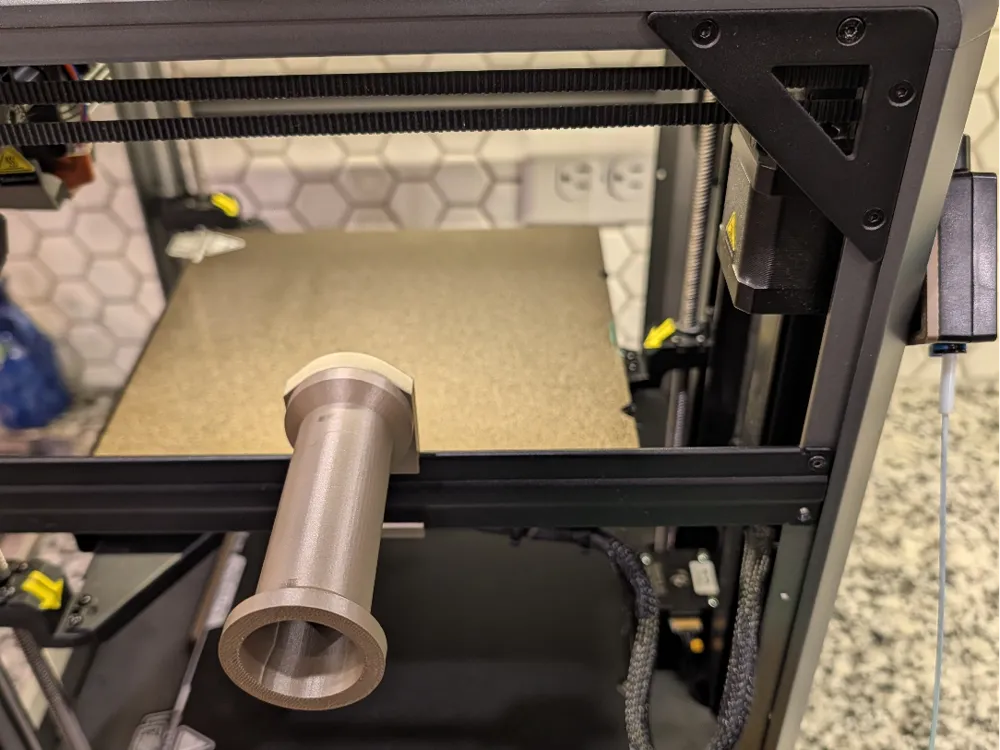
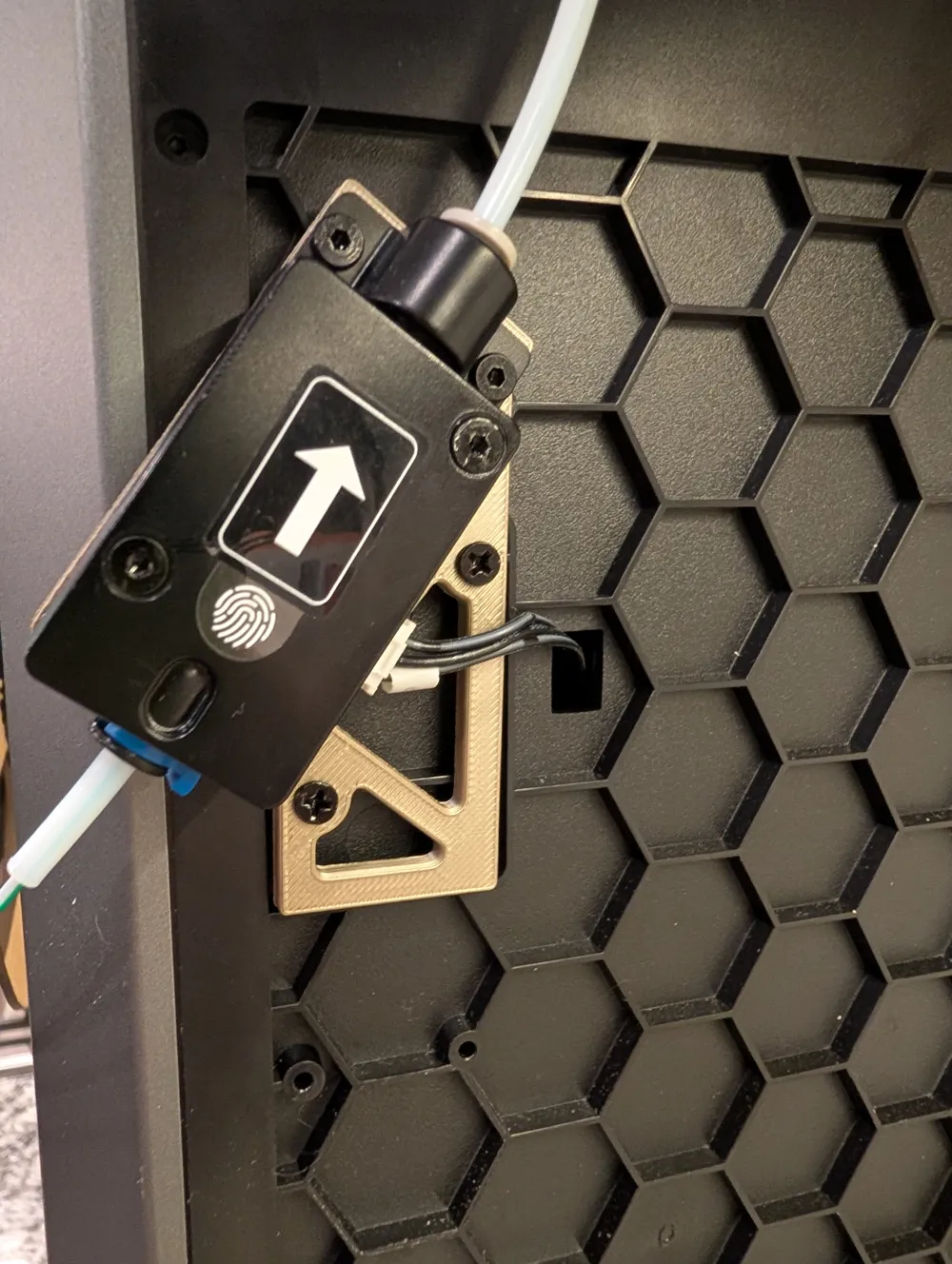
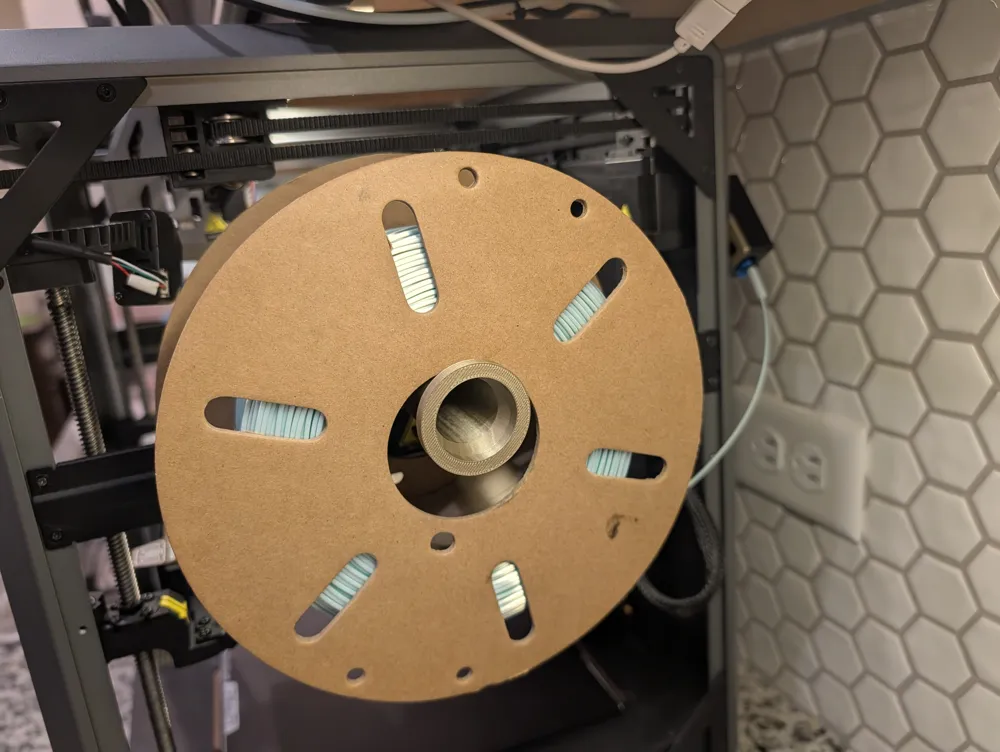
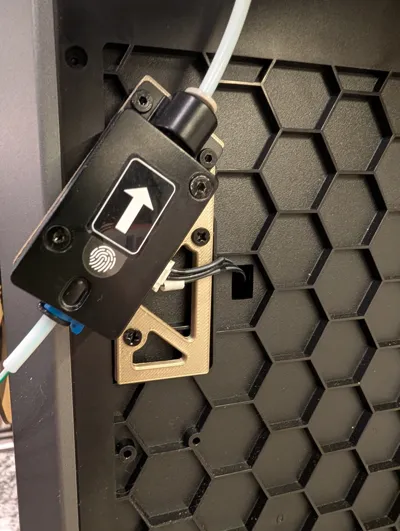
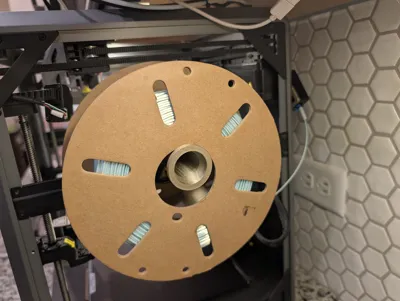
One of the main negatives on the Creality K1 SE in my opinion is that the spool mount is located in the back which makes it very difficult to change the filament in what I would argue is the most common setup. This modification allows you to hang the spool on the side and relocate the position of the filament sensor so that it is also loaded from the side rather than the back.
The original models were great (especially the adjustment of the filament sensor.) I made a few small changes so that the spool could also be mounted directly to the crossbar if you choose to drill. I also made the spool holder smaller from the original because the weight would cause the spool to slide all the way to the end of the spool holder which then increased strain since the weight was even further from the crossbar. I've also included a longer spool for those that use larger than 1KG spools with their printer.
Boost Me (for free)
If you have some boosts that are about to expire, I like chunky lemon milk.
This remix is based on

License



Comment & Rating (0)