Search models, users, collections, and posts

Multi-Sided D&D Dice

Print Profile(7)

All
A1 mini
P1S
P1P
X1
X1 Carbon
X1E
A1
H2D
H2D Pro
H2S
P2S
H2C
X2D
A2L

Larger Dual Color Solid with Brim
Designer
7.9 h
1 plate
4.7(66)

Larger Dual Color Solid
Designer
7.9 h
1 plate
4.7(32)

Larger Single Color Solid with Brim
Designer
2.1 h
1 plate
4.9(31)

Larger Single Color Solid
Designer
2.1 h
1 plate
4.5(20)
Click to see more

Open in Bambu Studio
Boost
943
2282
447
163
5.3 k
3.1 k
Released 

Description

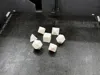
Multi-Sided dice with inlaid numbers.

They should probably be printed solid to give them some weight. I would also print them with line widths of 0.3 mm if you are using a 0.4 mm nozzle, this will make the text look much better. Ironing also helps with the top layers.

I have include 4, 6, 8, 10, 12, and 20 sided dice.

The text file are separated so you can print them in a different color than the dice.


Update: I added a 10 sided percent die.


Update 2: I saw a couple comments that the dice are small. I ordered some from amazon and compared them and ideed they were small except for the D6. I remodled them and made them match the ones I purchased. The original size models are still available as are the new larger dice. There are new profiles as well, one for single color and two for multi color. One multi color where the dice are individual so you can print just the ones you want, but cant do more than one with adaptive layers on, and the other with adaptive layers and all the dice as a single object.

Comment & Rating (447)

(0/1000)

Boosted
Print Profile
Larger Dual Color Solid with Brim
Only issue I am having is the first layer with the 1. i can't seem to get them to show. Thats a lack of knowledge on my part tho 😅
The profile uploader has replied
0
Reply
Are you using a .4mm nozzle? Did you change any of the other settings, like first layer line width?
0
Reply
Boosted
Replying to @RobertW :
I am using 0.4mm on A1mini bc the 0.2 is still out of stock. Other than that I didnt change anything
0
Reply
Replying to @NerdsDice :
That is so strange, I have printed 10 or so sets and I have never seen this. Does it show correctly in the slicer?
(Edited)
1
Reply
The print profile is no longer public
Printed extra large and in TPU for squishy dice :D
GIF
7
Reply
LOL That is awesome!
0
Reply
I love these dice, prints amazing and are pretty fair.... I made a spreadsheet. I rolled each die the amount off sides times 25 so a d20 500 times and a d4 100 times. they're all pretty fair, however the d12, d20, and d10(00-90) had the biggests gaps between the highest and lowest rolled numbers, for the d12 the gap of 17, the d20 a gap of 19 and the d10(00-90) a gap of 22. This is not a perfect analysis as the amount of rolls are quite low. Really like the die!
The designer has replied
5
Reply
I have been meaning to do this same thing, as I have been curious as to how fair they actually are. Thanks for doing this. Maybe I could create something to automate this and get 10000 rolls for each one. I could probably do that with an ESP32.
1
Reply
Print time? 10/10. Print quality? 10/10. Only Complaint is needing the numbers a tiddy bit more pushed inwards. I like-a the deep number dice. But honestly, 10/10. Everything ran good, I've used the dice for my DnD sessions without any problems.
The designer has replied
10
Reply
The dice were designed with the numbers flush. The numbers that are flush with the bed or on the top layer will be flush with the die. I am not quite sure how to inset the numbers to account for bulge that happens on on ends and corners for 3d prints. It is an interesting issue.
2
Reply
Print Profile
Larger Single Color Solid with Brim
printed great but much larger than expected, I suggest shrinking by 30-40%
The profile uploader has replied
0
Reply
The original are smaller, these "Larger" models match the size of the dice that I purchased.
0
Reply
Do you have a caliper that you could measure the six sided die with? In the picture they appear much larger than the designed model.
0
Reply
Replying to @RobertW :
NP, 20.28mm
0
Reply
The print profile is no longer public
Prints fine except for the bottom side (#1 in my photo). Is there anything I can do to improve the bottom side? All the other sides turn out great.
The profile uploader has replied
0
Reply
This looks like a first layer issue. What kind of bed are you using? It almost looks like the bed is not quite level and its printing slightly too high on the fist layer.
0
Reply
Replying to @RobertW :
I'm using an A1 Mini with the PEI plate.
0
Reply
Replying to @Geegeez :
What kind of filament? Does a calibration cube look the same? I don't know why the first layer would not look good. All the ones I have printed have turned out fine. I have an X1C but the A1 Mini should have no issues.
0
Reply
Thanks for the awesome model, they came out great on an X1C!! I changed up the print profile a little bit to get the best quality I could while minimizing purge volume. I used Bambu Black Sparkle PLA and Blue Silk PLA and couldn't be happier. I uploaded the print profile I used if you like. :D - I used the modified gcode in my default print profile to pull filament back 20mm before the cut when changing filament to minimize poopage. Seems to be just the right amount. - 5 walls to minimize text distortions and allow for purging to infill without issues - .12 mm layer height - .3mm line width - .4mm brim because I was having adhesion issues on the die with the smallest faces - 100% infill rectilinear - purged to infill 100% to minimize the amount of purged filament
(Edited)
The designer has replied
2
Reply
Always nice to hear when someone likes my designs. Thanks.
0
Reply
Will this print profile with the modified gcode still print on a P1S?
1
Reply
Replying to @user_1284958990 :
Sure will!! The modified gcode simply pulls the filament back slightly before cutting it when changing to the other color. I did this to help reduce the amount of filament needing to be purged.
0
Reply
Print Profile
Larger Dual Color Solid with Brim
Colors look great
The profile uploader has replied
0
Reply
Was there anything wrong with the print? Just wondering why the three start rating.
0
Reply
Replying to @RobertW :
Print failed a bunch, and all bambu was showing was failed print attempts. I must have restarted it from the printer because the app and site did not have any successful prints to rate. Bambu doesn't let you rate a unsuccessful print at 5 stars or I would have.
0
Reply
Replying to @MercuryRedstone :
Was it a bed adhesion issue, even with brims enabled? Just curious what bed and filament were you using?
0
Reply
Print Profile
X1C .4mm nozzle - Mod gcode to minimize poop, 5 walls, .12 mm layer height, .3mm width, 100% infill
Pretty nice! I would love to try printing with my 0.2mm nozzle, but the number of filament changes scares me.
3
Reply
I did it. The filament changes is scary. It's 17 hours with most of the time spent flushing filament into your poop bucket. No regrets on the results though.
(Edited)
2
Reply
Print Profile
Original Smaller Dual Color Solid Dice 100% infill
I thought I would need the 0.2mm nozzle for these but they turned out great with the .4
The profile uploader has replied
2
Reply
I haven't tried the .2mm nozzle I guess I should and post a profile. Thanks for the review.
0
Reply

License

This user content is licensed under a Standard Digital File License.

You shall not share, sub-license, sell, rent, host, transfer, or distribute in any way the digital or 3D printed versions of this object, nor any other derivative work of this object in its digital or physical format (including - but not limited to - remixes of this object, and hosting on other digital platforms). The objects may not be used without permission in any way whatsoever in which you charge money, or collect fees.