
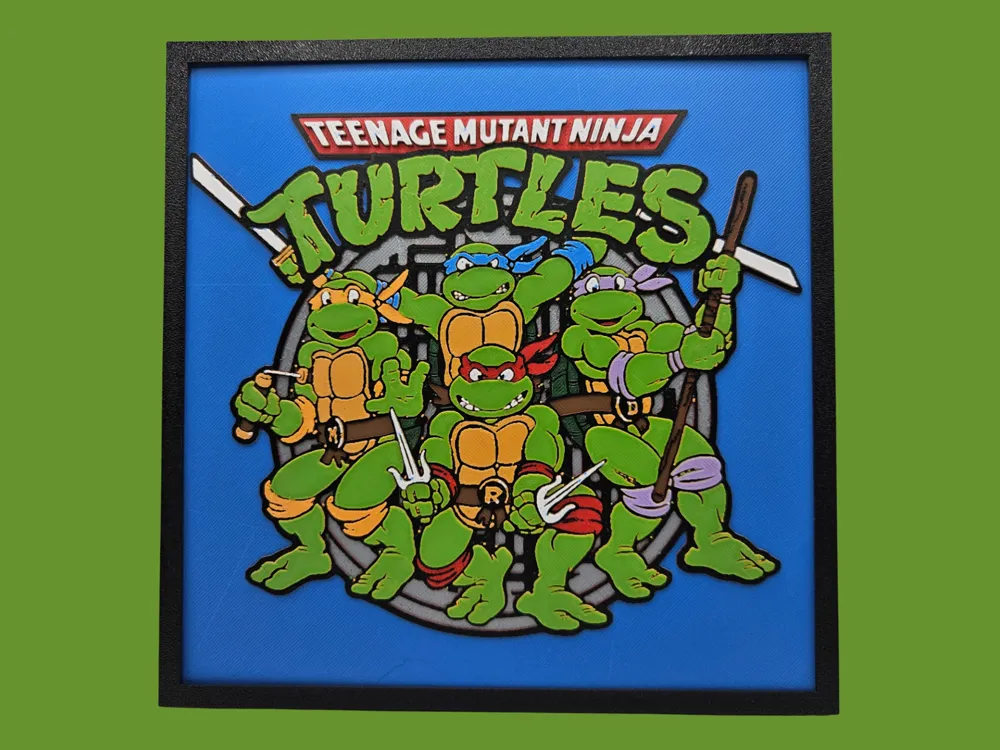
Teenage Mutant Ninja Turtles (1980s) - 2 versions
Print Profile(2)


Description
----------------------------
My designs for free download on Makerworld are intended for PERSONAL printing use only. If you wish to sell prints of my designs, please obtain a commercial license to compensate me for my time and skills in creating these files. A commercial license to sell my Makerworld AND exclusive designs on Patreon can be found at https://www.patreon.com/busykikibee
----------------------------
This file is available in 2 different versions – 8 colors and 9 colors.
The 9 color version has more orange for Michelangelo.
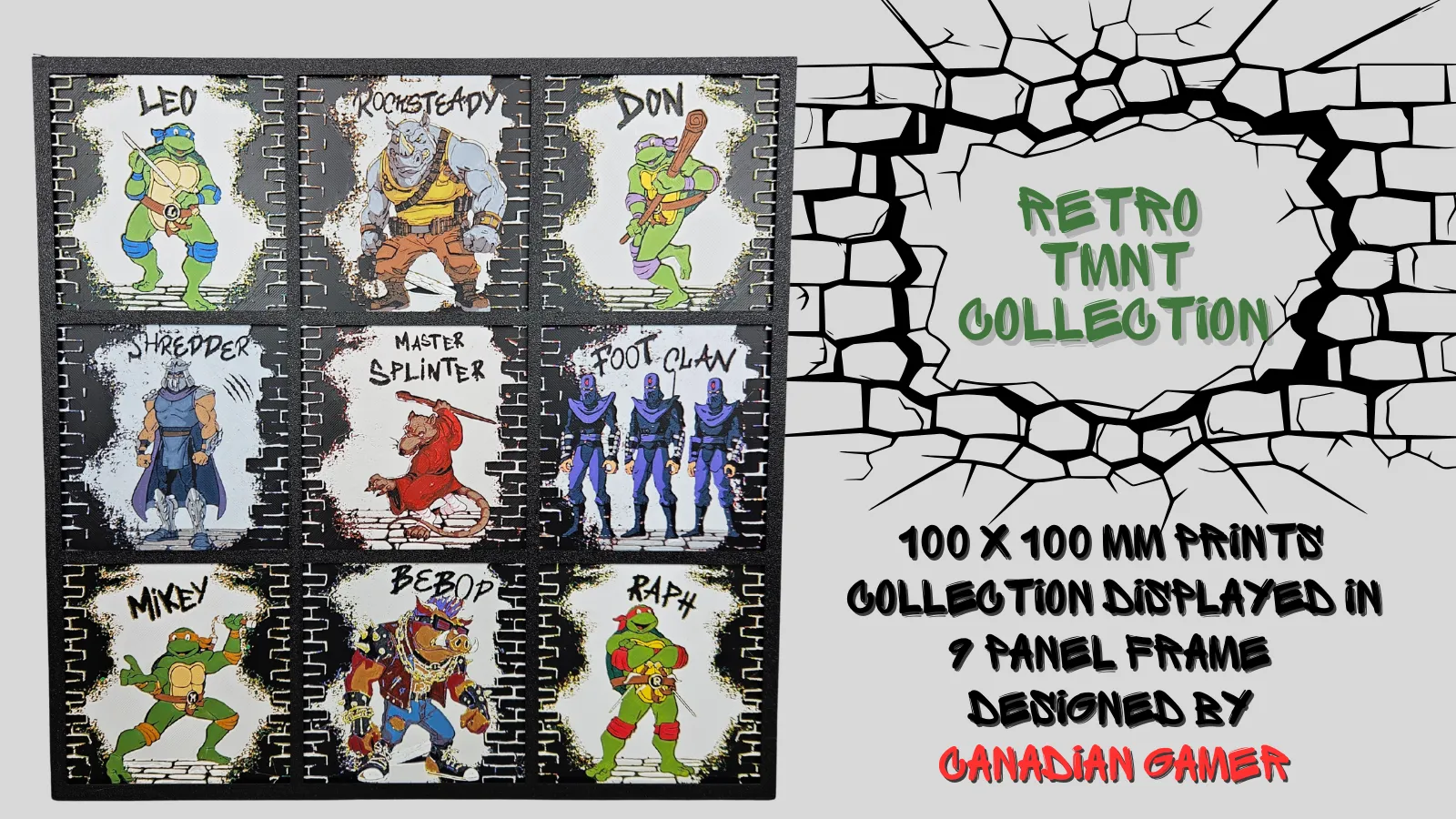
For more of my TMNT prints, including my Retro 80s TMNT collection pictured below, visit my Patreon shop →here←
FOR THE FIRST VERSION with 8 Colors:
Project: Retro Group TMNT
Print at 100% infill with a layer height of 0.08mm with a base layer of 0.16mm
The Model is 200x200mm in size
You may print at higher layer heights below the Base Thickness of 0.8mm
The Max allowed Thickness is 2.88mm and the Actual Thickness is 2.88mm
This print uses 8 unique filaments
PLA Bambu Basic Cyan Blue
PLA Bambu Basic Silver (for the best coverage, I recommend Silver, otherwise use MATTE Ash Gray as an alternative)
PLA Bambu Basic Black
PLA Bambu Basic Green
PLA Bambu Matte Lemon Yellow
PLA Bambu Matte Scarlet Red (or Basic Red)
PLA Bambu Matte Lilac Purple
PLA Bambu Matte Ivory White
Swap Instructions:
Start with Cyan Blue
At layer #10 (0.88mm) swap to Silver
At layer #13 (1.12mm) swap to Black
At layer #15 (1.28mm) swap to Green
At layer #18 (1.52mm) swap to Lemon Yellow
At layer #22 (1.84mm) swap to Scarlet Red
At layer #26 (2.16mm) swap to Lilac Purple
At layer #29 (2.4mm) swap to Cyan Blue
At layer #31 (2.56mm) swap to Ivory White for the rest.
FOR THE SECOND VERSION with 9 colors:
Project: TMNT Retro Group (Version 2 - More Orange)
Print at 100% infill with a layer height of 0.08mm with a base layer of 0.16mm
The Model is 200x200mm in size
You may print at higher layer heights below the Base Thickness of 0.72mm
The Max allowed Thickness is 2.8mm and the Actual Thickness is 2.72mm
If you have 2 AMS units, you will still need to perform 1 manual swap. Swap in WHITE for either Silver or Cocoa Brown, and remember to “trick” your AMS into using the silver or brown slot for the White when you send the print.
This print uses 9 unique filaments
PLA Bambu Matte Marine Blue (or Cyan Blue)
PLA Bambu Basic Silver (do not recommend a different Gray -- Silver provides optimal coverage)
PLA Bambu Basic Cocoa Brown (or Dark Brown)
PLA Bambu Matte Dark Red
PLA BambuLab Basic Black
PLA Bambu Basic BambuLab Green
PLA Bambu Matte Mandarin Orange
PLA Bambu Matte Lilac Purple
PLA BambuLab Matte Ivory White
Swap Instructions:
Start with Marine Blue
At layer #9 (0.8mm) swap to Silver
At layer #11 (0.96mm) swap to Cocoa Brown
At layer #14 (1.2mm) swap to Dark Red
At layer #16 (1.36mm) swap to Black
At layer #18 (1.52mm) swap to BambuLab Green
At layer #19 (1.6mm) swap to Mandarin Orange
At layer #24 (2mm) swap to BambuLab Green
At layer #26 (2.16mm) swap to Lilac Purple
At layer #28 (2.32mm) swap to Ivory White
At layer #32 (2.64mm) swap to Marine Blue for the rest.
All photos you see are of the actual print. Using the same filament choices will give the same result. 3mf file is AMS ready to slice and print with height range modifier and layers prepared for you. If using the STL to print the file, apply color swaps by their mm height and use height modifications and infill instructions as per the directions provided. You can safely ignore any error message about floating regions. You do NOT need a prime tower if you are printing with the STL file. Finally, if you wish to scale the design, do NOT scale the Z axis. Happy printing!
Pictured frame, stand, or puzzle box are by @CanadianGamer and can be found in his Frames and Functional items here: https://makerworld.com/@CanadianGamer/collections/1027330
Boost Me (for free)
Want to support my designs and keep me in filament? Consider boosting my designs and giving them a like. Thank you!
Membership
My designs for free download on Makerworld are intended for PERSONAL printing use only. If you wish to sell prints of my designs, please obtain a commercial license to compensate me for my time and skills in creating these files. I have 2 commercial license options: this license is for Makerworld designs only. Another license to sell BOTH my Makerworld AND exclusive designs on my Patreon can be found at https://www.patreon.com/busykikibee
License

You shall not share, sub-license, sell, rent, host, transfer, or distribute in any way the digital or 3D printed versions of this object, nor any other derivative work of this object in its digital or physical format (including - but not limited to - remixes of this object, and hosting on other digital platforms). The objects may not be used without permission in any way whatsoever in which you charge money, or collect fees.


Comment & Rating (10)