
Magnet Alignment Tool
Print Profile(1)

Description
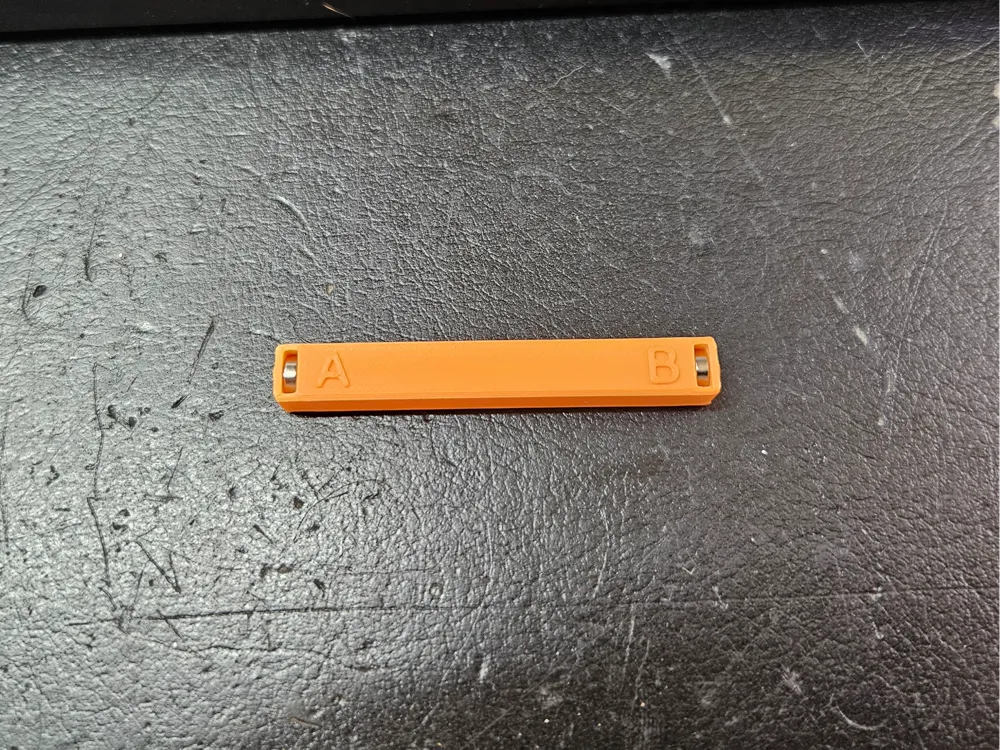
This is a small magnet alignment tool that I use to ensure that magnets in my projects are oriented correctly to each other.
The ends of the alignment tool are labeled A and B. There are small holes on the back of the tool to allow you to recover the magnets by pushing in something thin like a small paperclip or tiny hex wrench. To set up the tool, start with two 6x2 disc magnets together. Carefully separate them and, ensuring that you maintain that alignment, slide one into each end of the tool. Test it by picking up a magnet with each end and confirming they are correctly aligned to each other.
Use the A or B side, as appropriate, to install the magnets in the different pieces of your prints. After insertion, tap the magnet with the tool and lift up - if the magnet stays pot, all is good. However, if the magnet comes out, then it is too loose and may get yanked out when the nozzle passes over it - use a drop of superglue to ensure the magnet stays in place.
License



Comment & Rating (0)