
Parametric Multi-Layer Keychain Generator
Print Profile(1)

Description
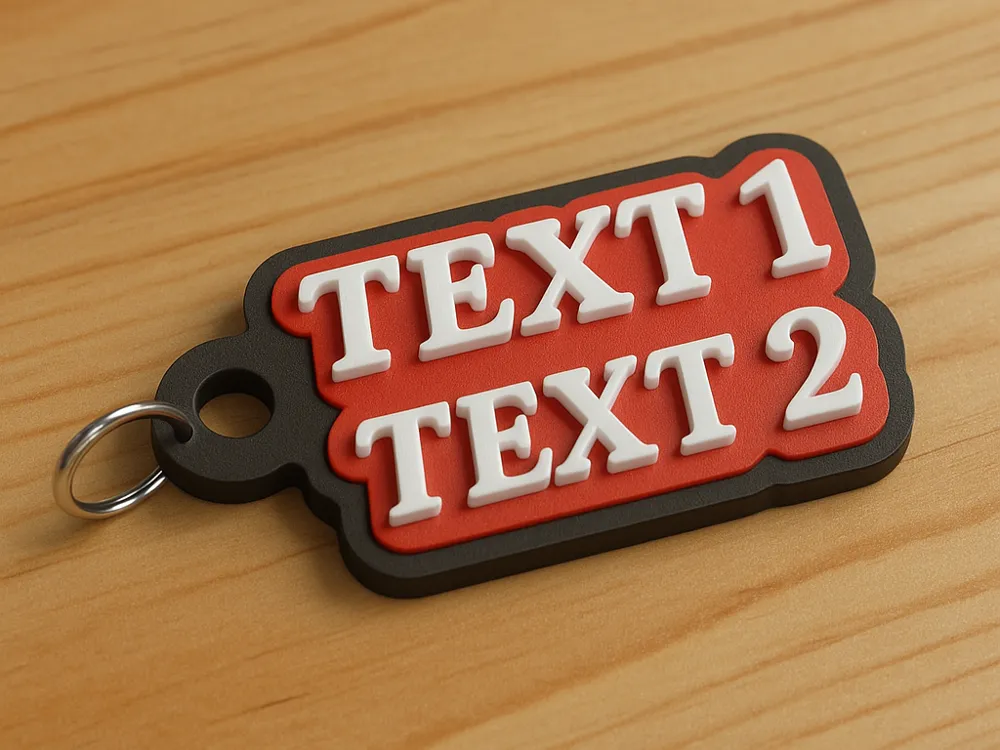
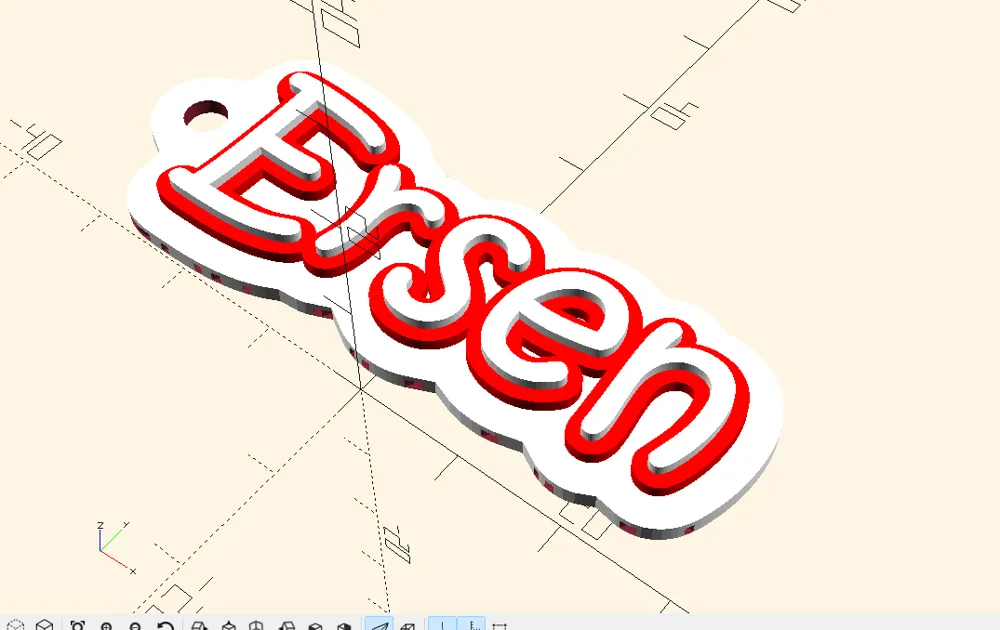
This fully parametric OpenSCAD project allows users to generate a highly customizable 3-layer keychain with advanced design options, including multiple fonts, tab shapes, QR integration, and flexible key-ring positioning.
All parameters are exposed through the OpenSCAD Customizer, making the model ideal for MakerWorld.
⭐ Features
✔ 3 Independent Print Layers (Exportable Separately)
- Bottom Layer (Base)
- Middle Layer (Shape Offset Layer)
- Top Layer (Text or Logo Layer)
Each layer can be exported as its own STL for multi-color or multi-material printing.
✔ Multiple Base Shapes
Choose from:
- Normal — follows the text outline
- Square
- Oval
- Drop Shape
- Heart Shape
- Rectangle
✔ Adjustable Key-Ring Hole (X/Y Positioning)
The key-ring hole is fully customizable:
- Move horizontally (X-axis)
- Move vertically (Y-axis)
- Works with all base shapes
- Always merges cleanly with the base
✔ 50+ Fonts and Dual-Font Mode
- Upper and lower text can use different fonts
- Or both use the same font (single-font mode)
✔ Text Effects
- Shadow layer
- Glitch layer
- Engraved mode
- Embossed mode
✔ QR Code Support
Import your QR code as:
- SVG
- DXF
QR area automatically aligns with the badge and can be positioned freely.
✔ Rear-Side Engraving
Optional text engraved on the bottom layer (e.g., phone number).
✔ Color Preview in OpenSCAD
Layer colors can be selected by name:
- black
- white
- red
- blue
- yellow
- orange
- green
- pink
(and more…)
✔ Global Scale Factor
Resize the entire model proportionally with a single parameter.
✔ MakerWorld-Friendly Customizer Menu
All options use dropdowns, sliders, or toggles for a smooth user experience.
🧰 Recommended Print Settings
- Layer Height: 0.16–0.20 mm
- Infill: 20–40%
- Brim: Recommended for oval/drop shapes
- Material: PLA, PETG, or TPU
- Multi-Color Printing:
Export each layer separately using export_modu in the Customizer.
🔧 How to Generate STLs
- Open the .scad file in OpenSCAD.
- Open Customizer (F10).
- Set:
Bottom layer
export_modu = "alt"
→ Press F6, then File → Export → STL
Middle layer
export_modu = "orta"
Top layer
export_modu = "ust"
Full Assembly
export_modu = "tam"
📥 How to Use QR Code
- Generate QR as SVG or DXF
- Place file in the same directory as .scad
- Set:
qr_dosya = "your_qr.svg" qr_is_svg = true qr_aktif = true
📝 Parameter Overview (For MakerWorld Page)
| Category | Parameters | Description |
|---|---|---|
| Text | Upper text, Lower text, Rear engraving | Fully editable |
| Fonts | 50+ font list, single/dual font mode | Highly flexible styling |
| Base Shape | 6 shape presets | Normal, square, oval, drop, heart, rectangle |
| Key-Ring Hole | X and Y offset | Total control over position |
| Effects | Shadow, glitch, engraving | Optional design effects |
| Colors | Named color presets | Helps preview multi-color printing |
| QR Code | ON/OFF, SVG/DXF import | Supports real scannable QR codes |
| Layers | Export mode | Export STL for each layer |
License



Comment & Rating (13)