
Hobbyplus Terranaut Lift & Stretch
Print Profile(1)

Description
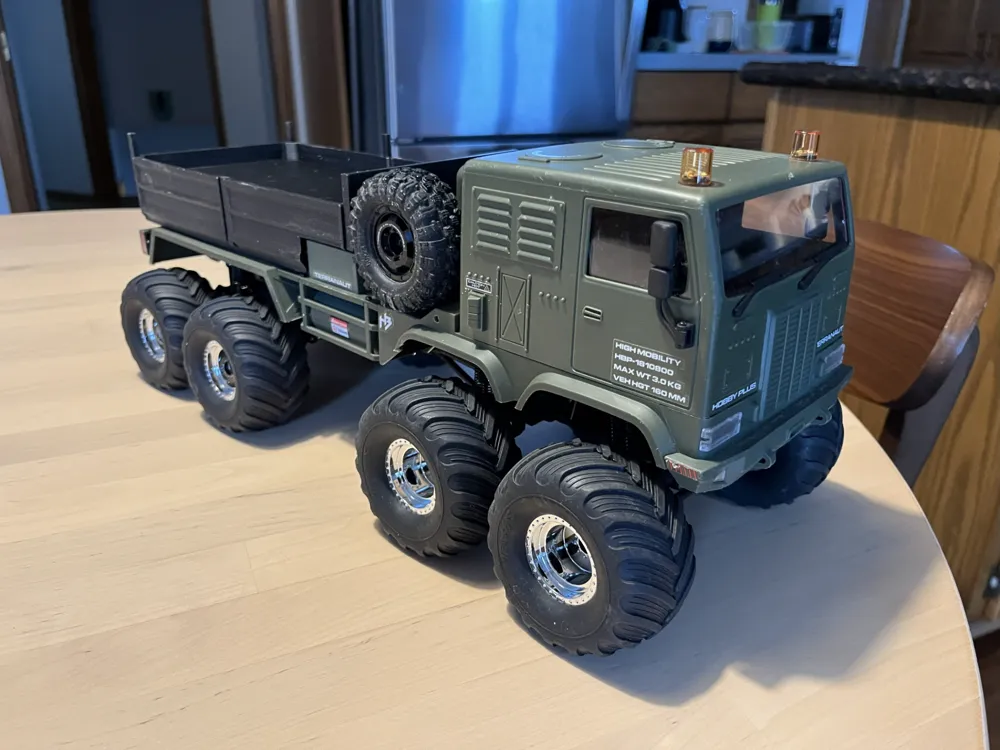
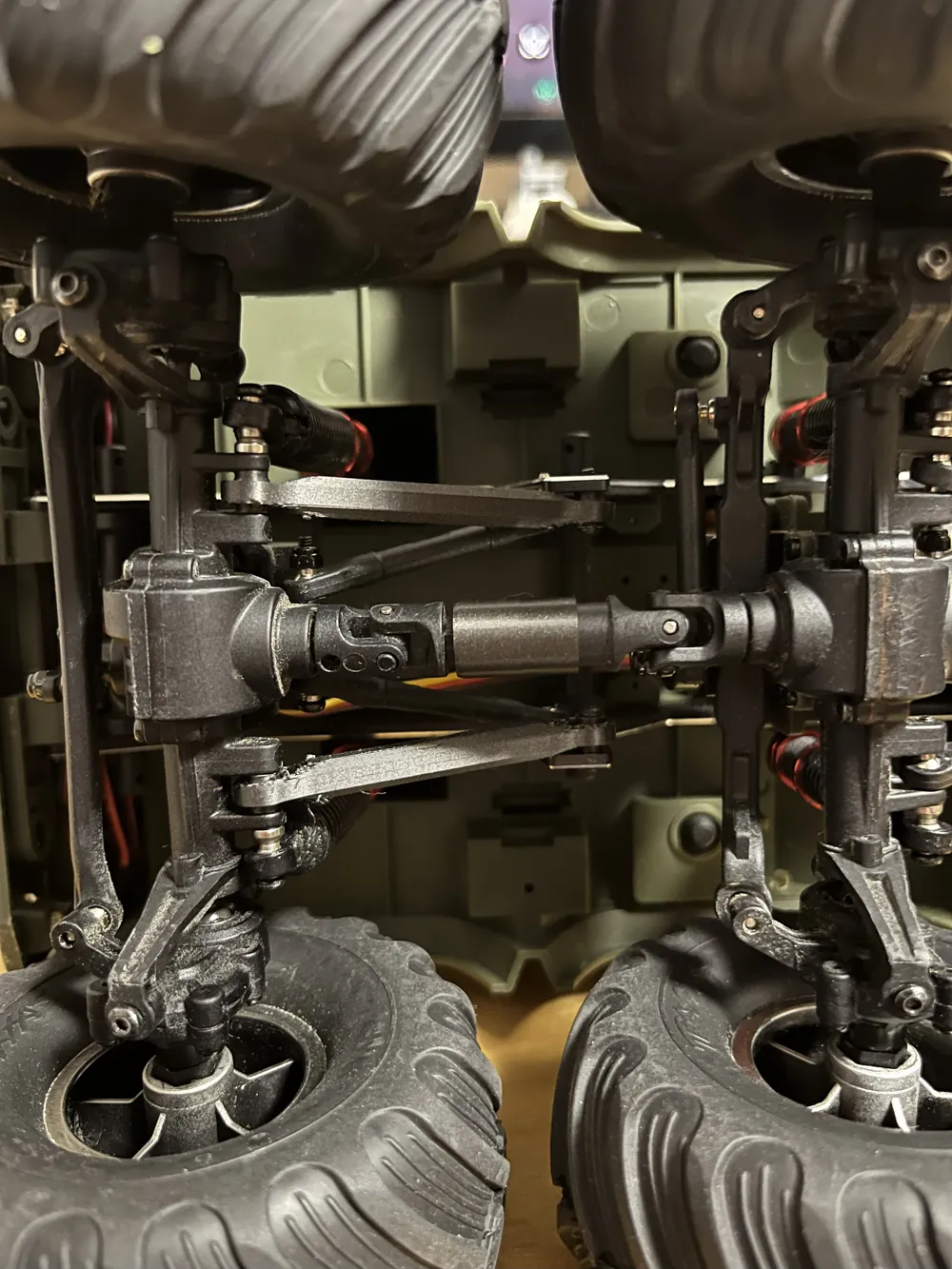
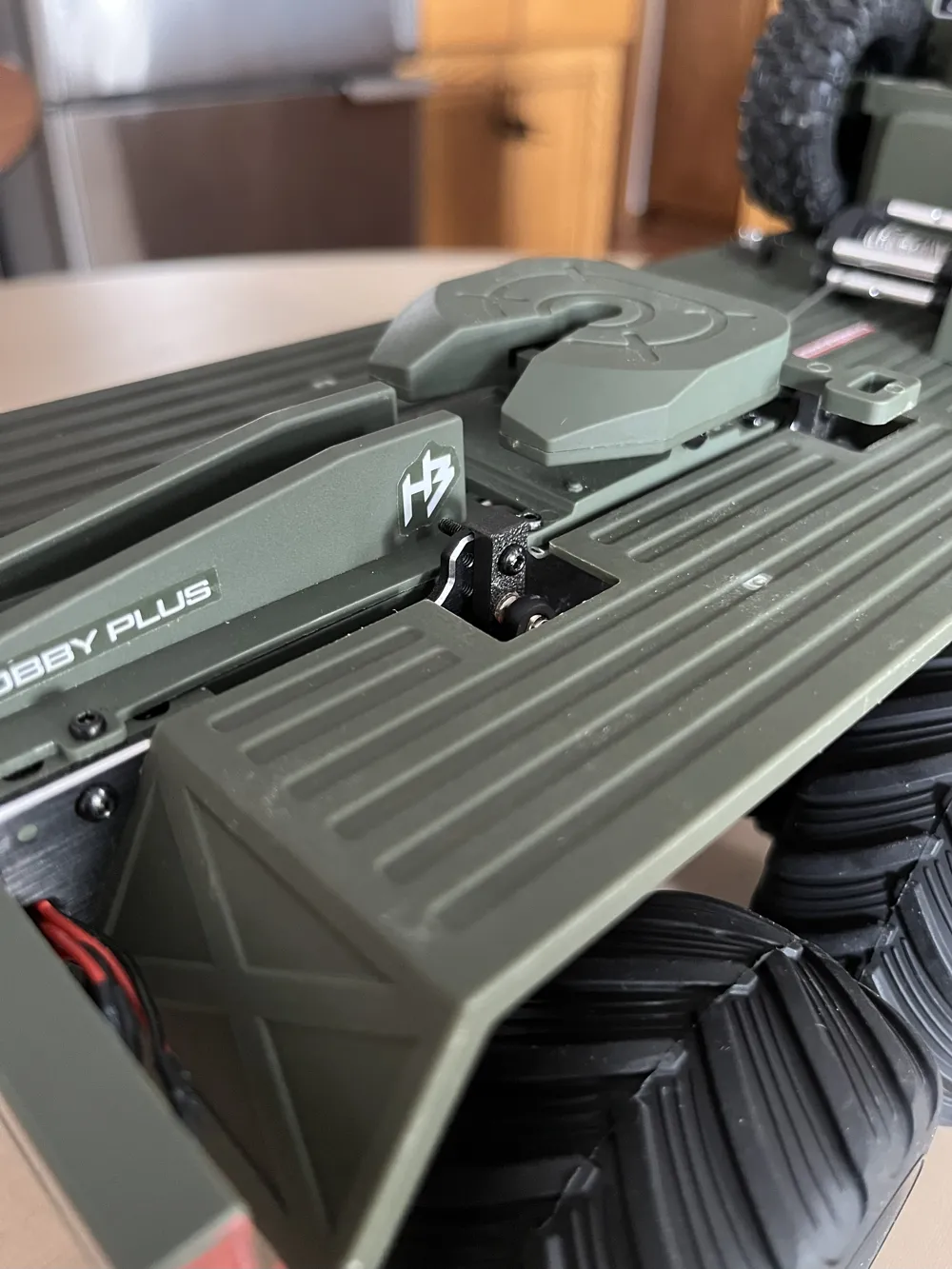
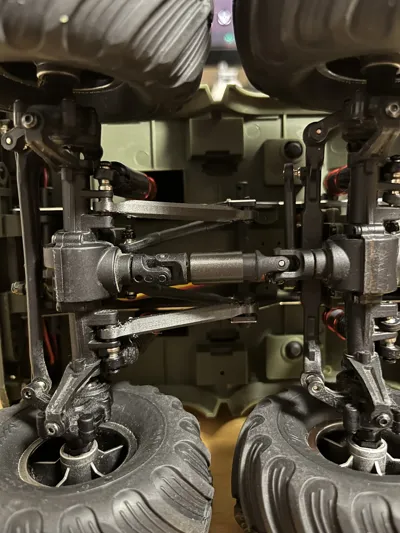
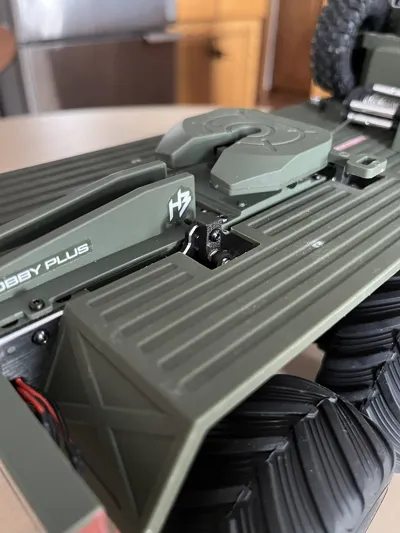
These parts are to lift and stretch your Terranaut to fit large tires. The lift blocks lift the truck +7mm over the factory upper shock position, the extended arms stretch the front and rear axles out by ~10mm each (length, not width) so large tires can be installed without hitting each other. The driveshaft extensions allow for the stretch axles to be run without driveshafts coming apart under flex.
To install the lift blocks:
1) Unscrew the top shock mount bolt.
2) Press the lift block onto the shock spacer, I used a pair of needlenose pliers.
3) Align the hole in the lift block with the upper shock position mount hole, reinstall the shock mount bolt.
To install the extended arms:
1) Unscrew your lower arms, remove.
2) Unscrew your upper arms, remove.
3) Install lower arms into the upper arm position.
4) Install extended arms into the lower position.
NOTE: You will need bolts to attach the extended link to the frame, hobbyplus uses ball-studs on the factory arms, the extended links do not use these. I used spare hardware from my TRX4M build, I believe these are M2 bolts.
NOTE: You will have to “pull” some more servo wire from the harness. There is extra length from factory in the harness, so pull more cable towards the servo so that the axle/servo is not restricted by the wires.
To install the driveshaft extensions:
1) Unscrew driveshaft from both ends.
2) Remove drive shaft from truck.
3) Pull driveshaft apart into 2 pieces.
4) Align splines of printed part to interal splines of driveshaft, press the printed part onto the diameter of the shaft.
5) Install splined end of driveshaft into printed part. Note orientation of universal joints, match these end to end.
6) Reinstall in truck.
Print in place extended links were made by user “Chatts”, so full credit to them for the links! They work perfectly in the Terranaut too. Original file name is “TRX4M Suspension Links - Print in Place”.
License

You shall not share, sub-license, sell, rent, host, transfer, or distribute in any way the digital or 3D printed versions of this object, nor any other derivative work of this object in its digital or physical format (including - but not limited to - remixes of this object, and hosting on other digital platforms). The objects may not be used without permission in any way whatsoever in which you charge money, or collect fees.


Comment & Rating (2)