Search models, users, collections, and posts

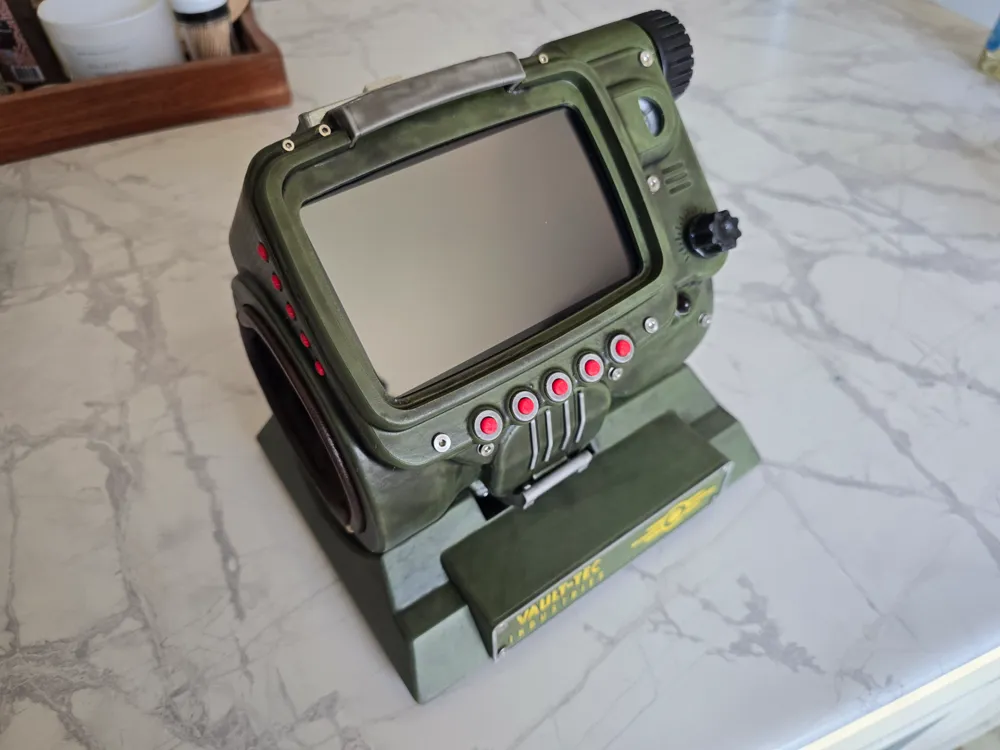
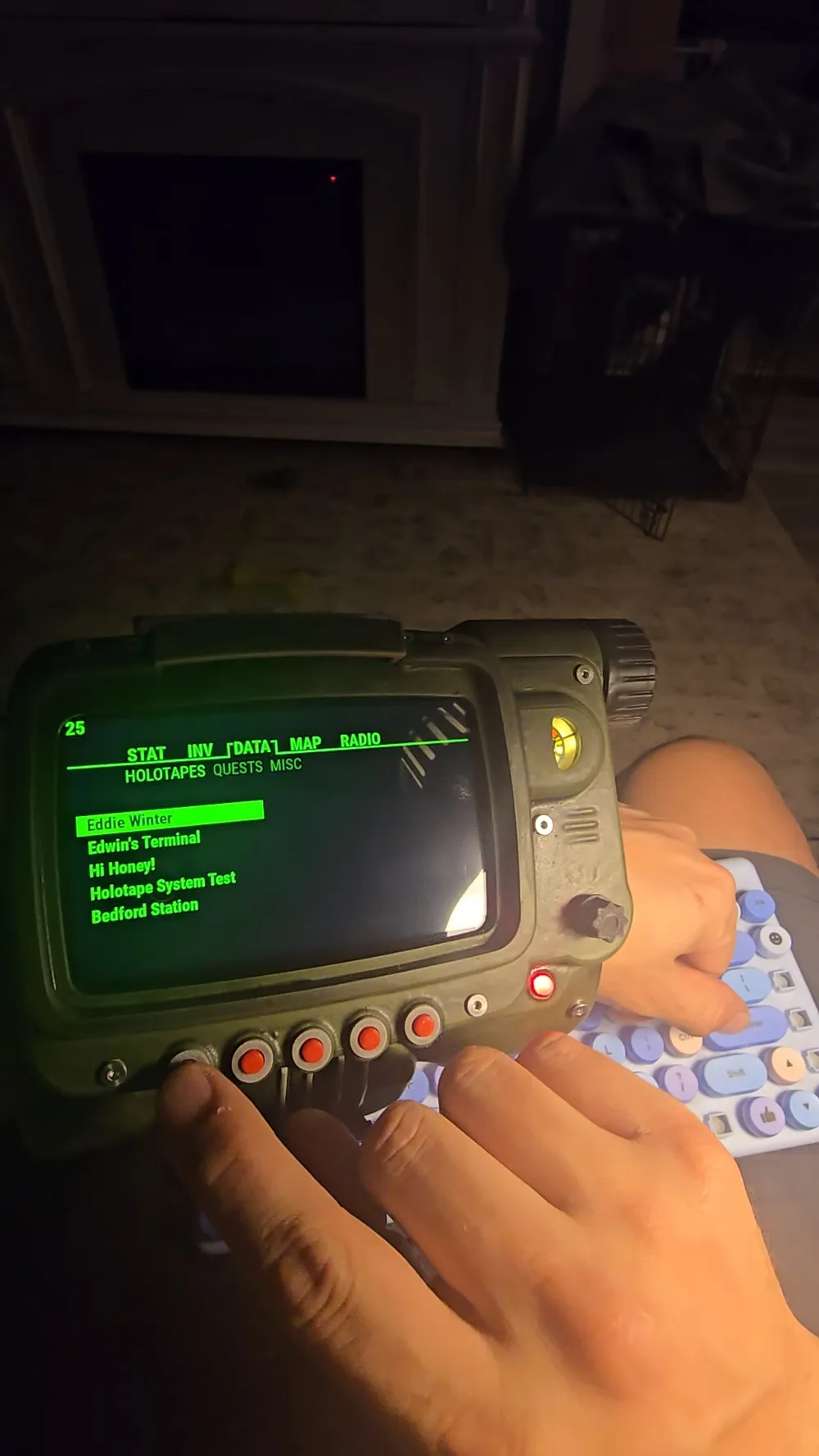
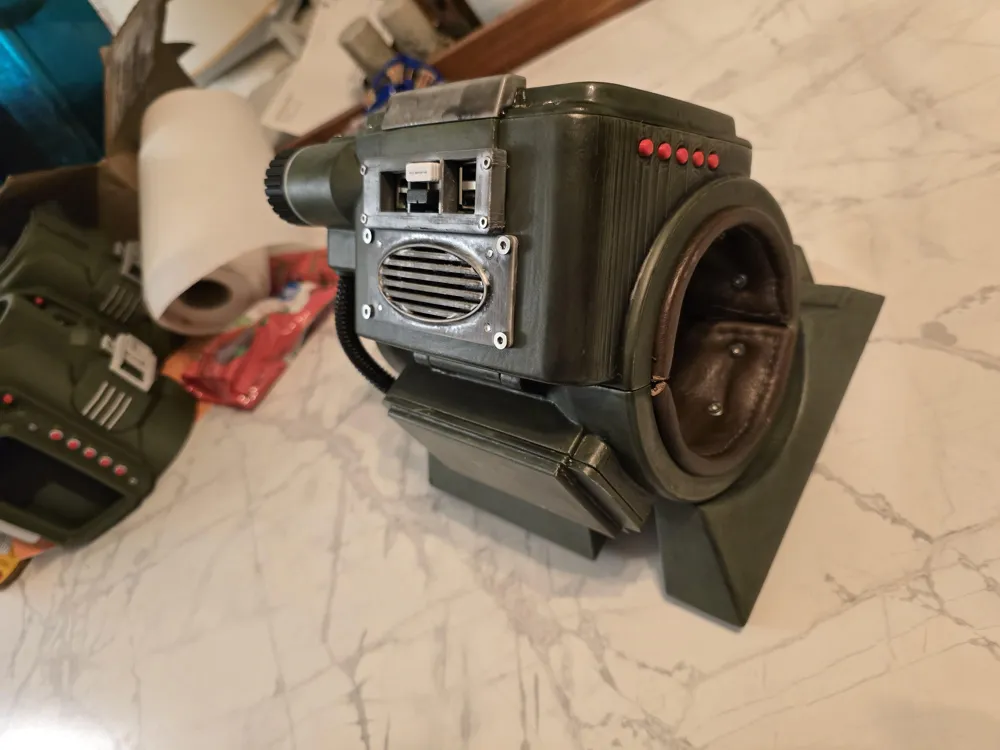
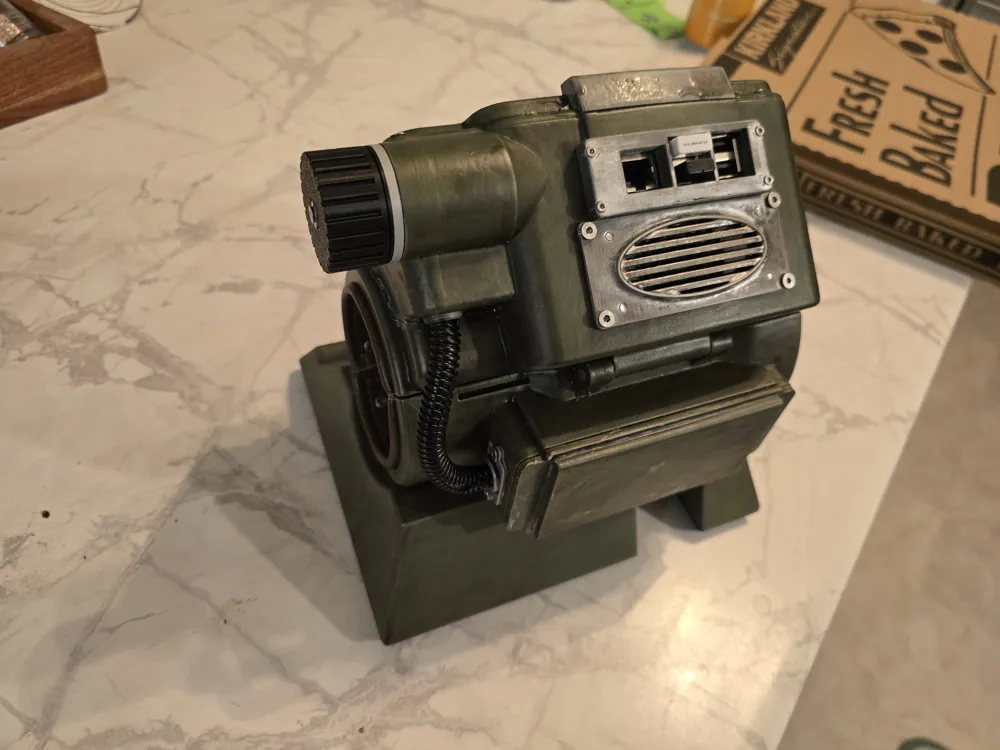
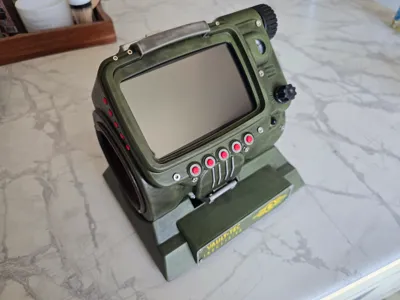
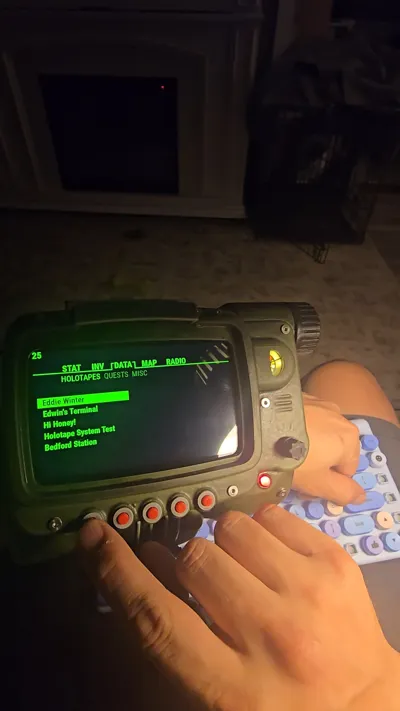
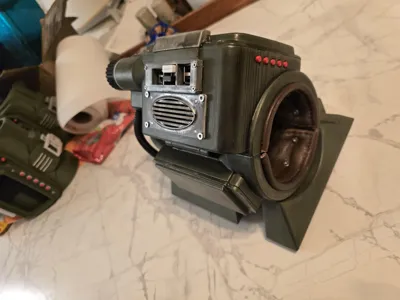
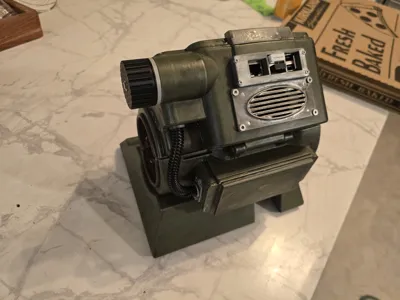
Raspberry Pi Pipboy

Print Profile(1)

All
P1S
X1
H2D
P1P
X1E
H2D Pro
A1
X1 Carbon
H2S
P2S
H2C
X2D
A2L

0.12mm layer, 2 walls, 12% infill
Designer
30 h
8 plates
5.0(16)

Open in Bambu Studio
Boost
1404
3786
207
97
956
199
Released 

Description

9/25/25

Added my python script for the buttons to the documentation. Using the button wiring pdf you should have F1 connected to pin 11, F2 connected to pin 18, F3 connected to pin 13, F4 connected to pin 19, F5 connected to pin 26, Up connected to pin 29, Down connected to pin 33, Left connected to pin 37, and Right connected to pin 36. Ground pin 39 with a 10k ohm reistor connects to all of the other sides of the switches.  I removed the gpio.py from the pypboy folder and added mine. I run it in it's own terminal window by typying:

     cd pypboy
     sudo python3 gpio.py

You should see “Sent Key: Key.F1” or whichever for each button pressed. 


How to launch the gpio.py and the pipboy app:

https://www.tiktok.com/t/ZP8SnPaeQ/ 


9/18/2025

Added the button wiring diagram to the documents.


DISCLAIMER

This project is not for beginners. Do not start if you aren't confident wiring, soldering, or programming. The phyiscal parts of this project are complete but the programming is a work in progress.


Parts List

M3x10 Screw - QTY 34

M3x5 Screw - QTY 20

M2x10 Screw - QTY 10

M2x5 Screw - QTY 4

6x2mm Magnet - QTY 18

6x6 Switches - QTY 9

3v Red LED  - QTY 1

Tea Light LED - QTY 1

Battery Board

18650 Batteries - QTY 2

Audio Amp

Speaker

HDMI Cable

5" Touch Screen

Wires

Raspberry Pi 3B+

10k ohm resistor

Micro usb - QTY 2

Audio Cable


Consumables

Solder/flux

Heat shrink tubing

Super Glue


The first bit of the assembly guide is complete. I have the GPIO pins labeled which buttons to attach to. One side of the switch goes to the gpio and the other goes to a common ground pin with a 10k resistor for safety. 


The operating system is based off this. I will be uploading my tweaks once they are finished. It is fairly easy to edit everything if you know basic python. 


https://github.com/zapwizard/pypboy


A1 mini profile coming later


Documentation (4)

Assembly Guide (3)
Raspberry Pi Pipboy assembly Part 1.pdf
Button Wiring Diagram.pdf
Wiring Diagram.pdf
Other Files (1)
gpio.zip

Comment & Rating (207)

(0/1000)

Excellent model and list of materials (thanks @Jeon ). Just finished mine. I have never done weathering paint job before fun process! I tweaked the GPIO script to cycle between 1-5 with the left-right inputs, so that you can see all the menus. Also had to teak the pypboy scripts to get everything on the screen.
The designer has replied
designer
8
Reply
Beautiful!
1
Reply
How did you fix the screen? I played with the WIDTH and HEIGHT with no success.
0
Reply
Replying to @sohailb108 :
I did struggle with that for a while: In the settings.py I have: # SCREEN WIDTH = 800 HEIGHT = 480 FULLSCREEN = True OUTPUT_WIDTH = 800 OUTPUT_HEIGHT = 480 # Menu Position menu_x = 10 #10 menu_y = 115 #140 # Menu Position footer_x = 0 footer_y = 445
2
Reply
whats the code for a rp5 because i just learned that the RPi.gpio as gpio doesn't work on rp5
The designer has replied
0
Reply
You're gonna have to do some research on that one. I don't have a 5
0
Reply
Replying to @Jeon :
alright (i have to change the code a bit) and by a bit i mean a lot so wish me luck
(Edited)
0
Reply
Replying to @Jeon :
so apparently the rp5 doesnt do rpi.gpio instead it does gpiozero which is more complicated
(Edited)
0
Reply
Cant wait for the rest of the instructions... I have already started building.
The designer has replied
0
Reply
All of the assembly stuff is up. The GitHub has some directions there as well. If you get stuck lmk though and I'll help you get through it.
0
Reply
Replying to @Jeon :
Would love some more detail on the button wiring. Have all of the F buttons wired up and nothing is working. Not seeing any print statements in the SSH terminal either. Display is working and keyboard keys work.
0
Reply
Replying to @weswiley :
I added my script file in a zip as well as the basic instructions on using it. I has which pins to connect to. I had it upside down the first time I looked at it and wired so I purposefully have it rotated in the instructions.
0
Reply
but what I really wanna know is, what toppings were in that pizza ?!?!
The designer has replied
7
Reply
Costco half and half ;)
3
Reply
Replying to @Jeon :
👍 😂
designer
1
Reply
what I really want to know is, what happened to the missing key caps
0
Reply
I dont seem to be able to get the software to run on my PI 3b am I missing somthing in the setup?
The designer has replied
0
Reply
3b or 3b+?
0
Reply
its a 3b+
0
Reply
im getting the exact same thing
0
Reply
I worked on the second season of the tv show and all I can say is this thing is awesome. Will definitely have to print this for when we go back for season 3. Well done!
The designer has replied
designer
6
Reply
I'm available, just sayin. Thanks!
0
Reply
Boosted
how do you get in that kind of work?
0
Reply
Replying to @Jeon :
Hahaha. Yea, so am I and have been since June. Hollywood has been absolutely dead. I was lucky to get on that show when I did. Haven't worked since we finished the season.
0
Reply
I added a fork on the zapwizard's repo to make the display scale correctly and the buttons work: - Layout adjusted for an 800×480 display. - Nine GPIO-controlled buttons enabled: F1–F5, Up, Down, Left, Right. - Left/Right handlers switch submodules (equivalent to number keys 1–5). - Footer shows date in ISO 8601 format (YYYY-MM-DD). - In Map page, footer displays current IP address for easy SSH access. Find my fork in GitHub under sohailb108
(Edited)
0
Reply
Boosted
thanks man. worked like a charm after installing Python 3.10.19. My only issue right now is the speed of the left and right... just flys through the menus, up and down seem to be fine and i think i ruled out hardware. poking around to see if i can add a longer debounce
1
Reply
Replying to @zangerle :
You can also switch the pins for the up/down pair with the left/right ones to see if those buttons are dirty or faulty.
(Edited)
0
Reply
Currently working on mine, had a quick question though! I can't quite figure out how you managed the wiring for the power supply on the touchscreen! Currently making mine with a Raspberry Pi 5 8gb as it will need to run a custom Pip-boy app we use at a LARP event. It has some small differences from the 3B+, like not having an audio jack (basically the only real issue. and the fact they have Micro HDMI) but If i cut away a bit near the LR knob, I might be able to use the audio jack on the screen!
The designer has replied
designer
1
Reply
I ran a 5v off the board up in and stripped a micro USB cable down to just power for it
0
Reply
Replying to @Jeon :
...... You know what... that makes sense xD I was staring blankly at the board because of the USB that I completely forgot that was an option xD
0
Reply
Replying to @Ashyturtle :
Haha all good!
0
Reply
Print Profile
0.12mm layer, 2 walls, 12% infill
really good print. I just have a slight parables with the wag that the print is set up on the build plate. but other than that if prints great.
(Edited)
0
Reply
why white?
0
Reply
Replying to @magnapants :
cause I was gonna paint it
0
Reply
Think I could get away with a pi 3b? I happen to have one of those sitting unused.
The designer has replied
0
Reply
Probably not. Even this 3b+ stutters a bit
0
Reply
Replying to @Jeon :
Hmm, noted. I could get a pi 4 b with 1gb of RAM for the same price as the 3b+ or 2gb for a bit more. I haven't had a look into the project details yet but would that be a possible route to go?
0
Reply
Replying to @asparkes :
I don't have a 4 to compare the physical size. If the size stayed the same it should be ok
0
Reply

License

This user content is licensed under a Standard Digital File License.

You shall not share, sub-license, sell, rent, host, transfer, or distribute in any way the digital or 3D printed versions of this object, nor any other derivative work of this object in its digital or physical format (including - but not limited to - remixes of this object, and hosting on other digital platforms). The objects may not be used without permission in any way whatsoever in which you charge money, or collect fees.
