
Prusa Core One - Nozzle Wiper
Print Profile(2)


Description
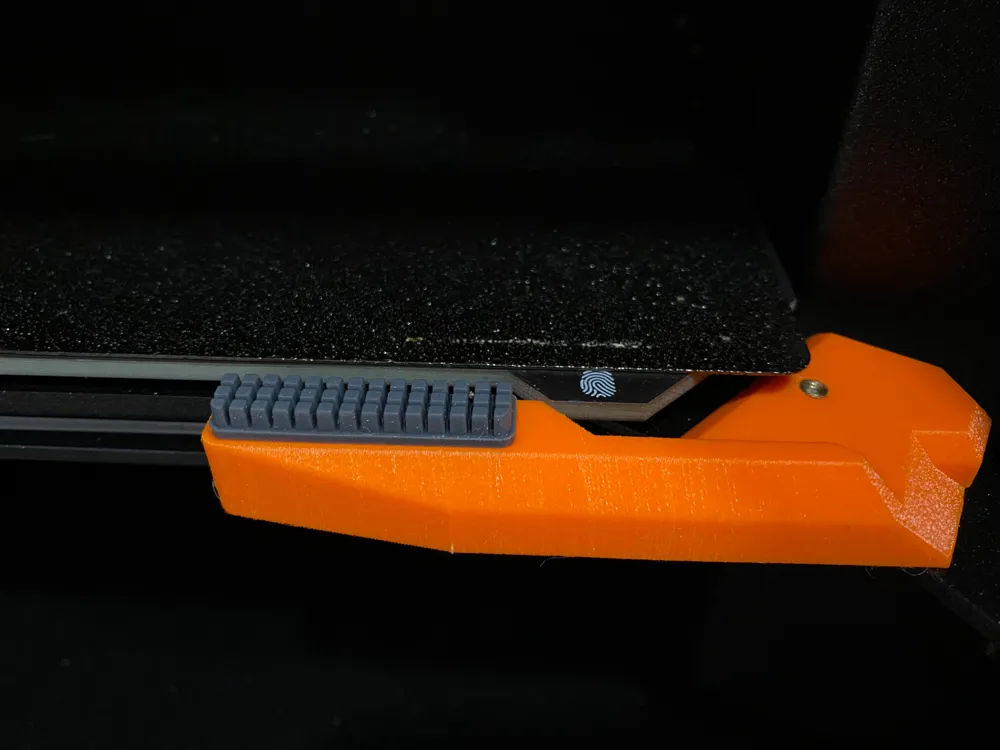
This adds the Bambu Silicone Nozzle Wiper to the Prusa Core One.
Instructions:
- Print in PETG.
- Use a M3 insert and bolt.
- Use a Bambulab "Nozzle Wiper Silicone Brush"
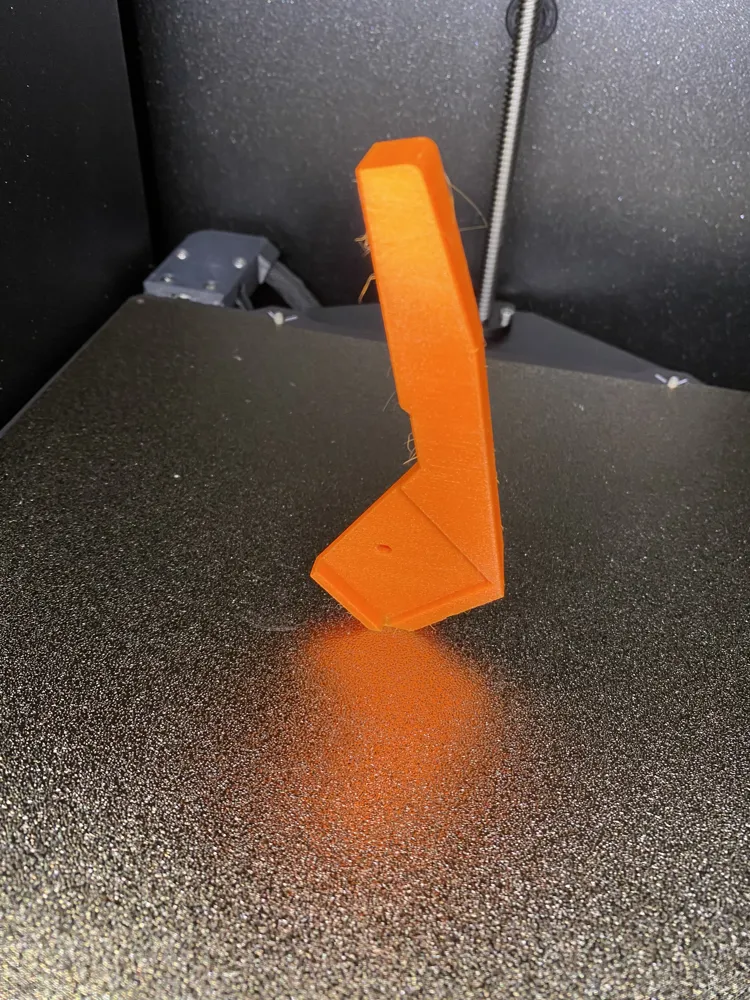
- Print in the indicated orientation (see picture). Make sure bed-adhesion is good, as there is very little surface contact.
- Assuming you are using PrusaSlicer change the Start G-Code from
G29 P9 X208 Y-2.5 W32 H4
to
;G29 P9 X208 Y-2.5 W32 H4 ; original nozzle cleaning method
G0 X210 Y-14 Z1.5 F7500; -- NEW
G0 X174 Y-18 Z1.5 F7500; -- NEW
G0 X174 Y-14 Z1.5 F7500; -- NEW
G0 X210 Y-18 Z1.5 F7500; -- NEW
G0 X174 Y-14 Z1.5 F7500; -- NEW
G0 X174 Y-18 Z1.5 F7500; -- NEW
G0 X210 Y-14 Z1.5 F7500; -- NEW
This is a remix of one of the multiple similar versions available on Printables. It reduces some of the various shortcomings I found.
____________________________________
How to customize parametric models: https://youtu.be/tTxtUKSM08c?si=AF2WSzBWkKsjiaGA&t=368
Boost Me (for free)
If you liked this model, boost to support the development of more things! Follow, if you want to see more of my designs! 🔥🛠️💡
License

You shall not share, sub-license, sell, rent, host, transfer, or distribute in any way the digital or 3D printed versions of this object, nor any other derivative work of this object in its digital or physical format (including - but not limited to - remixes of this object, and hosting on other digital platforms). The objects may not be used without permission in any way whatsoever in which you charge money, or collect fees.


Comment & Rating (2)