Search models, users, collections, and posts

Personalized golf ball markers for green
IP Report
Print Profile(2)

0.15mm layer, 2 walls, 15% infill
Designer
20 min
1 plate

0.15mm layer, 2 walls, 15% infill
Designer
21 min
1 plate
Open in Bambu Studio
Boost
11
49
5
3
149
72
Released
Description
Boost Me (for free)
If you found this model useful, a like or a boost really helps.
If you’d like to support my work further, you can do so here:
https://buymeacoffee.com/olbu
Thanks for helping me keep making more!
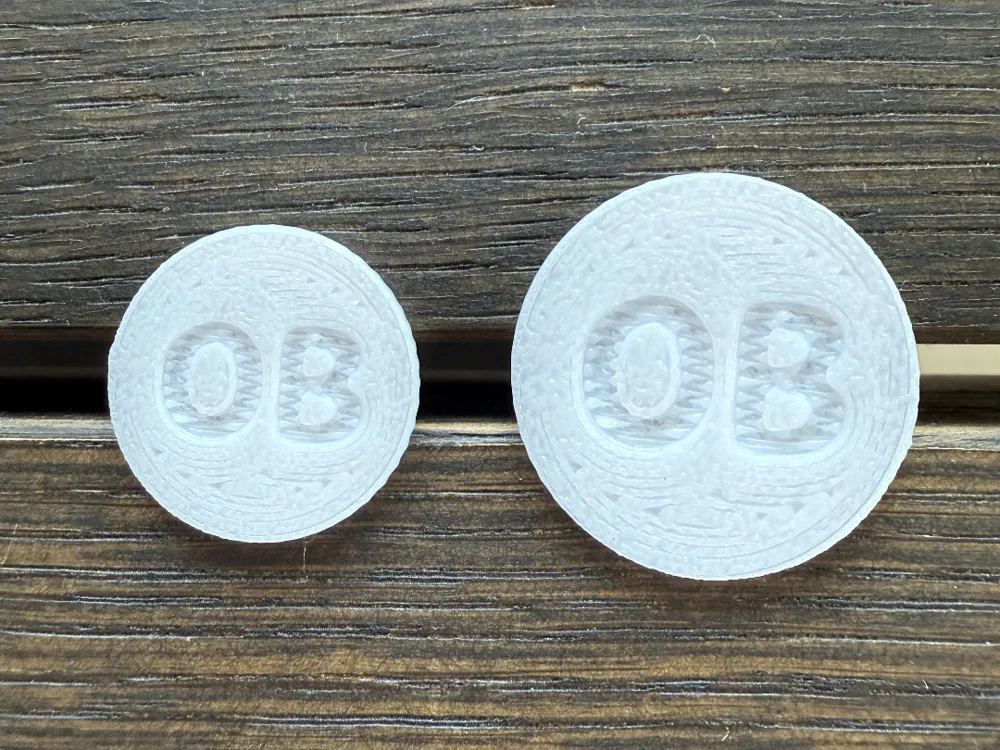
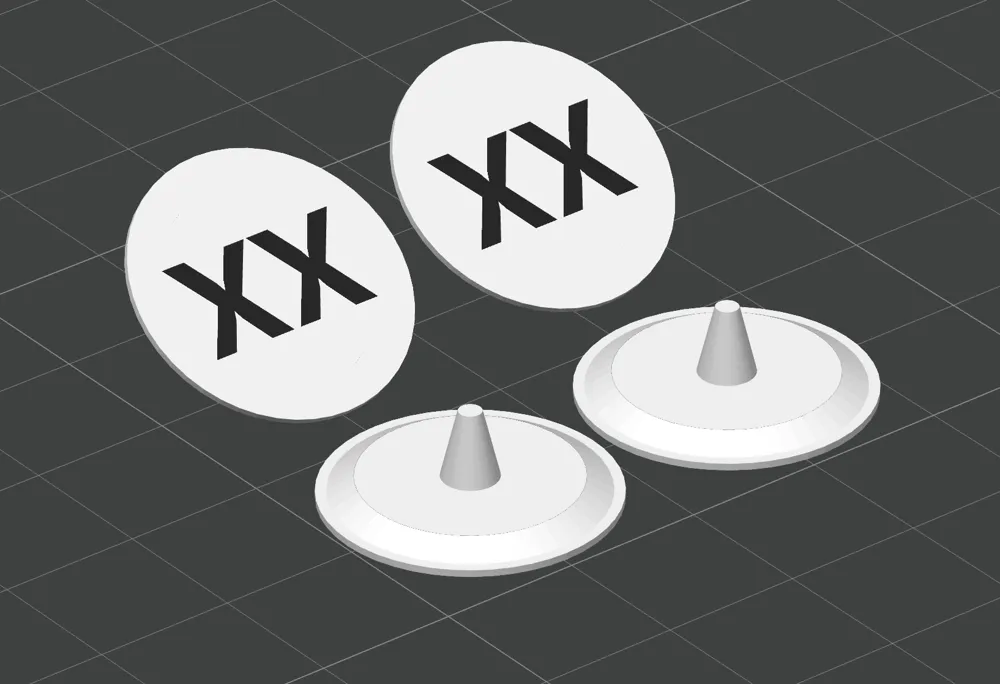
This customizable 3D-printed golf ball marker is perfect for adding a personal touch to your game. Available in two versions:
- AMS Version – Designed for multi-color printing with an AMS.
- Non-AMS Version – Features embedded text instead, so you can print with a single filament while still having your initials permanently integrated into the marker.
Choose from two sizes to suit your preference:
- Normal – 20 mm diameter
- XL – 25 mm diameter for extra visibility on the green
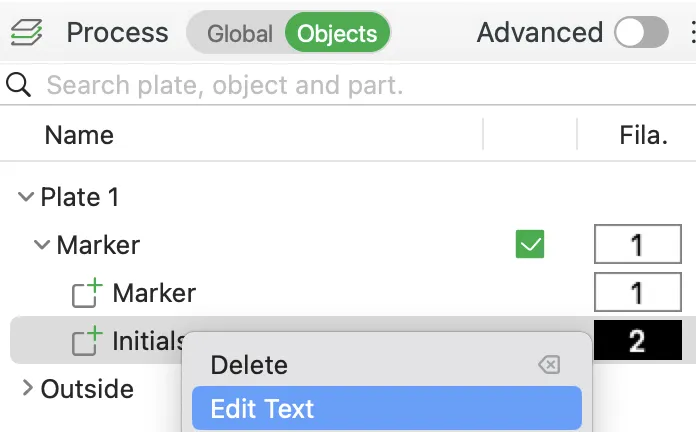
Change initials directly in the bambulab file:
- Go to objects
- Find the initials objects → right click the name “initials”
- Click “edit text”
- Change initials in “input text”
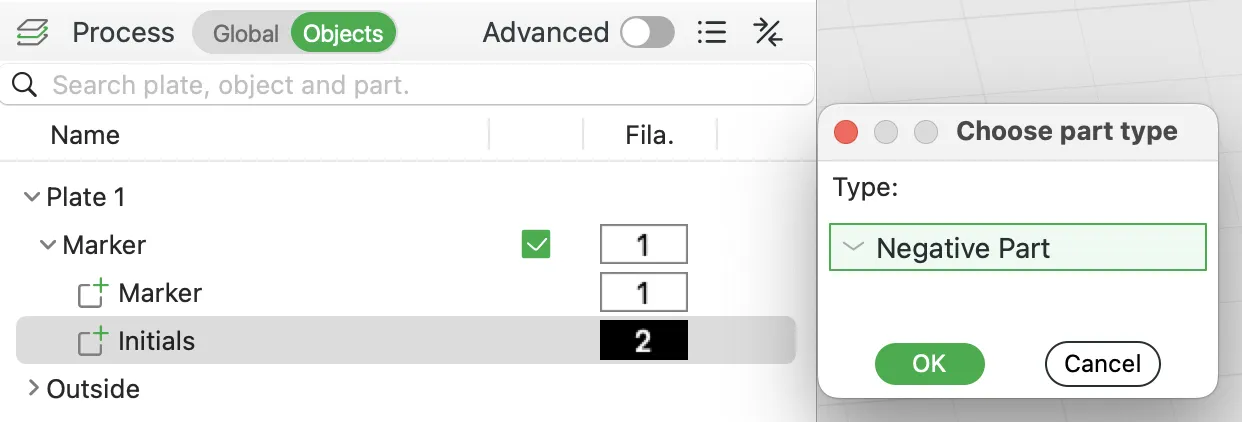
Change between embedded text or AMS multi-color version
- Go to objects
- Find the initials object → right click
- Choose change type
- Select “negative part”
NB. You cannot change the initials once it has been converted to a negative part. Then you need to change the type back to “part" by following step 1-3 above.
Happy printing!
License

This user content is licensed under a
Creative Commons Attribution-Noncommercial


Comment & Rating (5)