
Cigarette Pen
Print Profile(1)

Description
first of all i want to say I don’t smoke. Smoking smells absolutely gross and I’m stoked younger folks aren’t puffing away like past generations.
If you dont smoke now PLEASE! dont start.. never even try it, its not worth it. Solid advice i got from a pretty crappy person is “You can never miss something youve never tried” seriously if you dont smoke.. dont start its gross.
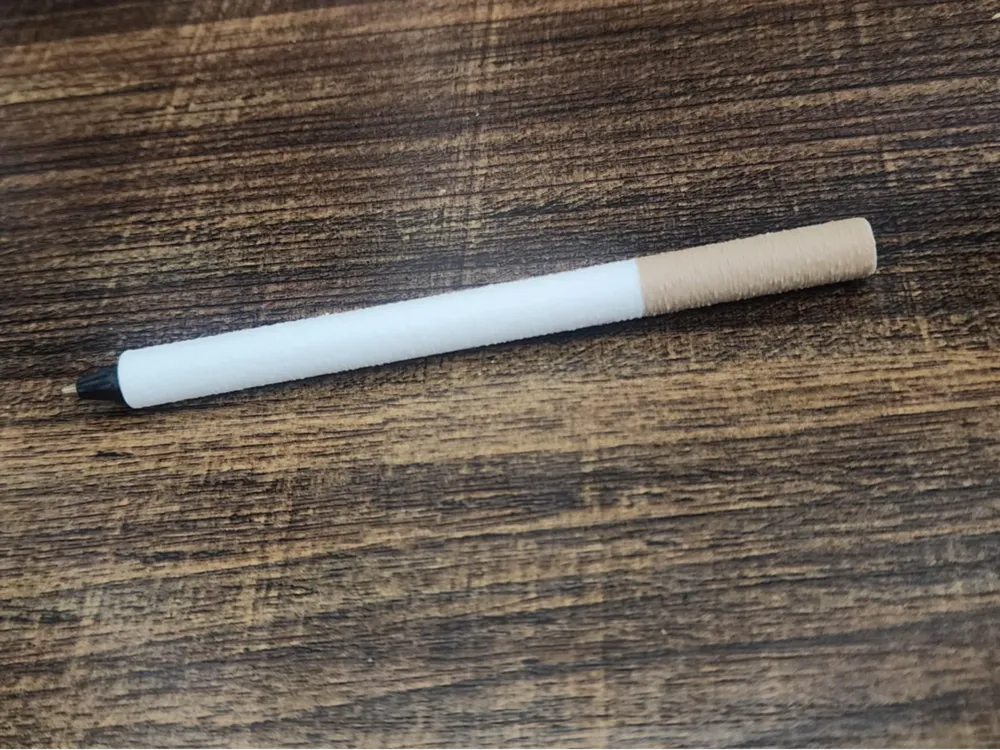
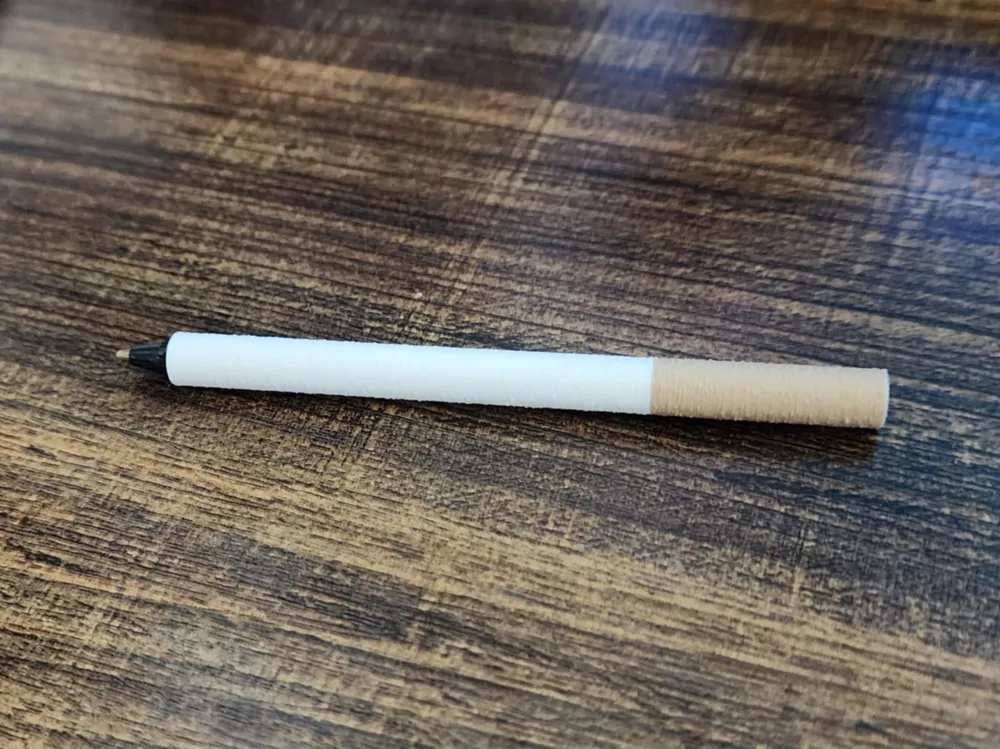
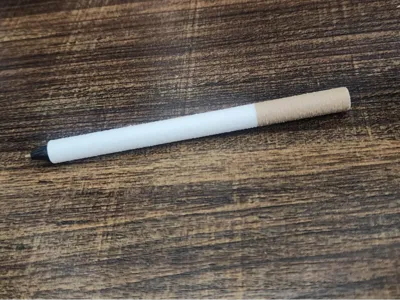
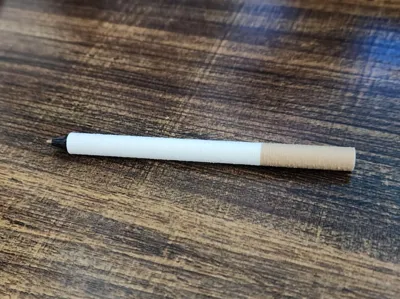
Anyway… here’s the realistic cigarette pen!
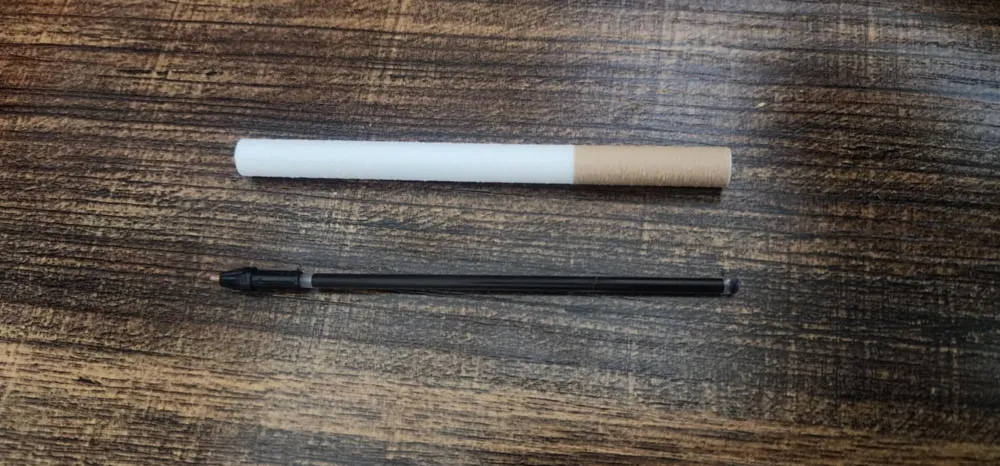
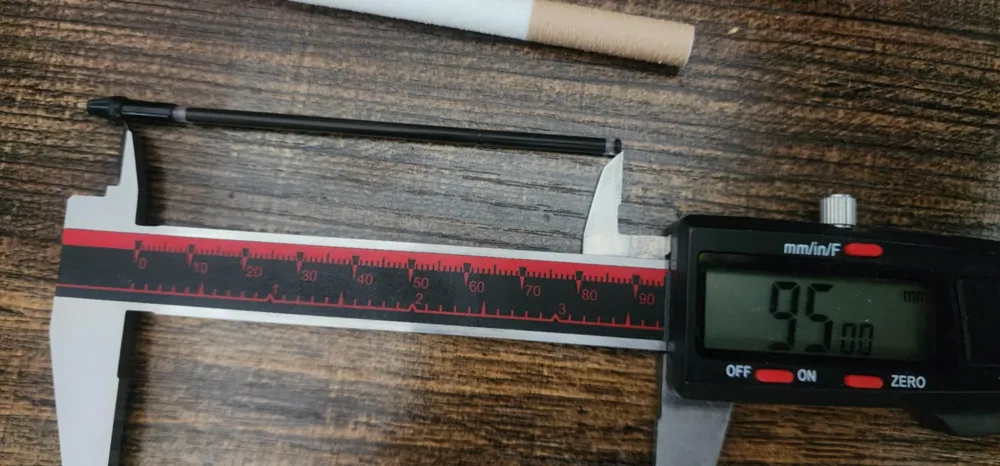
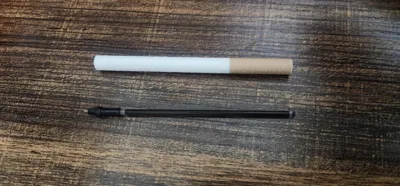
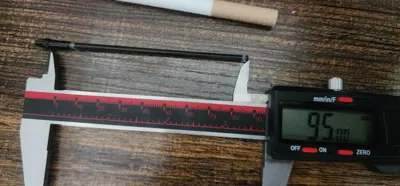
you will need to take the pen tip and ink part out of a bic pen and cut the ink tube to under 95mm. check the photo to see where i measured from and what part of the pen you need! it can take a bit of wiggling to fit in but i promise you it does and its removeable if you ever run out of ink.
Fuzzy Skin Settings
To get that cigarette-paper texture, I played with Fuzzy Skin in my slicer. You can probably tweak these better than I did, but the settings in the file are where i ended up.
If you want to mess with the settings here a Grok explanation on what the settings do and what to change.
Fuzzy Skin Point Distance:
- Sets how close the wiggles are (in mm). I used 0.4 mm for a nice, balanced texture. Go lower (like 0.2 mm) for finer detail, or higher (0.8 mm) for a chunkier vibe. Smaller values might slow printing a bit.
Fuzzy Skin Thickness:
- Controls how much the nozzle wiggles side-to-side (in mm). I set it to 0.1 mm for a subtle, papery feel. Try 0.2–0.3 mm for a fluffier look, but don’t go too high (like 0.5 mm) or it might mess with stability.
if you print this and change the settings make sure to drop your settings in the comments for others!
License



Comment & Rating (0)