
Chest of Superior Tracking - Dwarven Theme
Print Profile(6)


Bill of Materials
Description
Membership
Interested in Selling your prints?
Boost Me (for free)
Roll for initiative!

MakerWorld Crowdfunding Campaign Is LIVE!
I have created a crowdfunding campaign, here on MakerWorld, to fund the development of a collection of NEW THEMES!
Check it out HERE
The campaign is already 100% funded, but you can still pledge to instantly get access to 6 new themes with even more themes still to come!
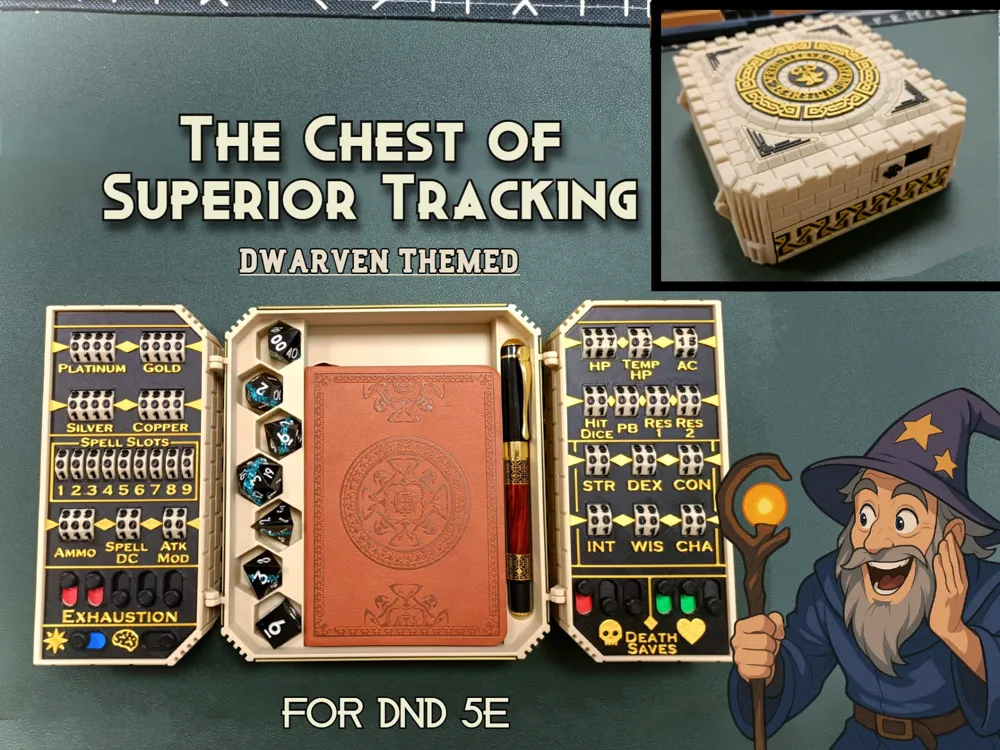
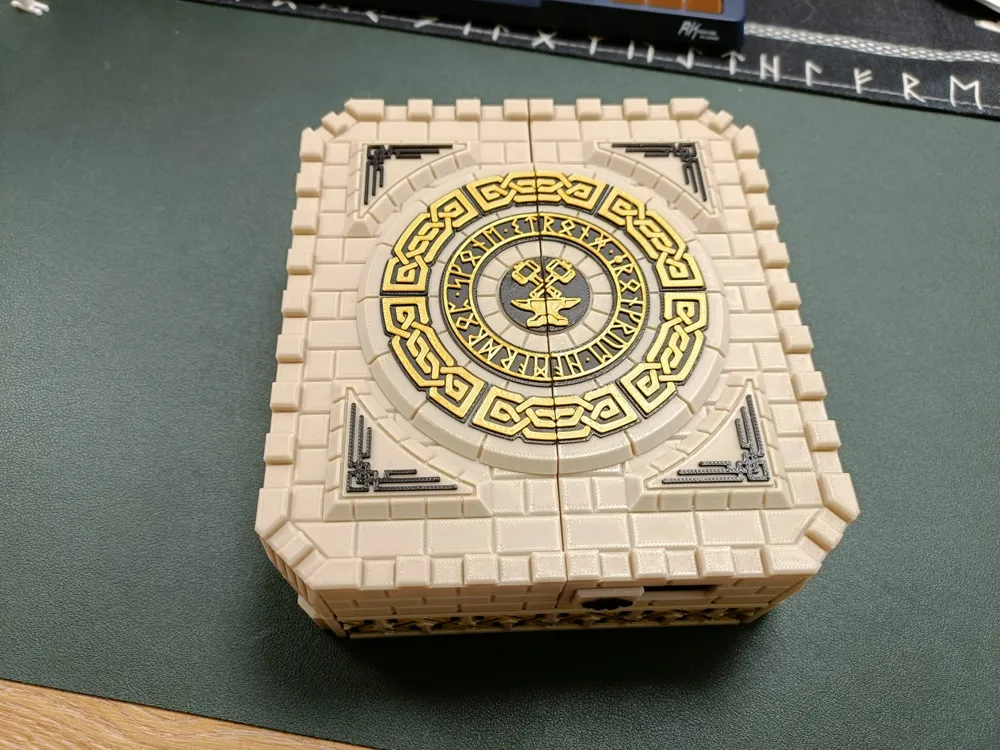
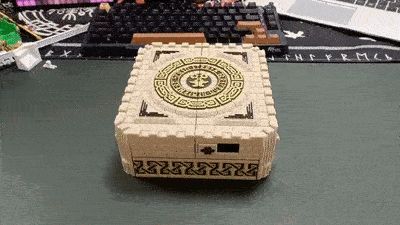
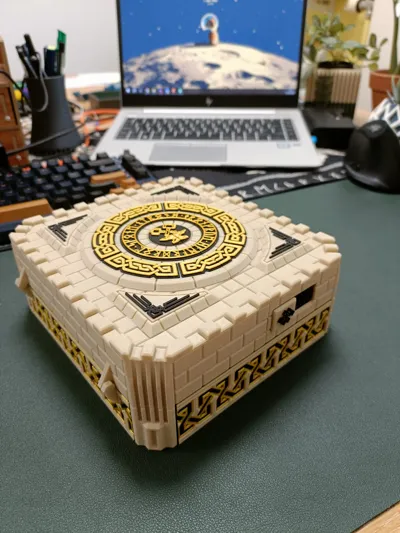
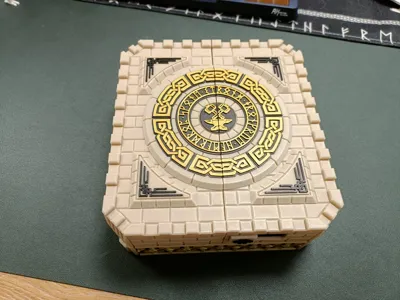
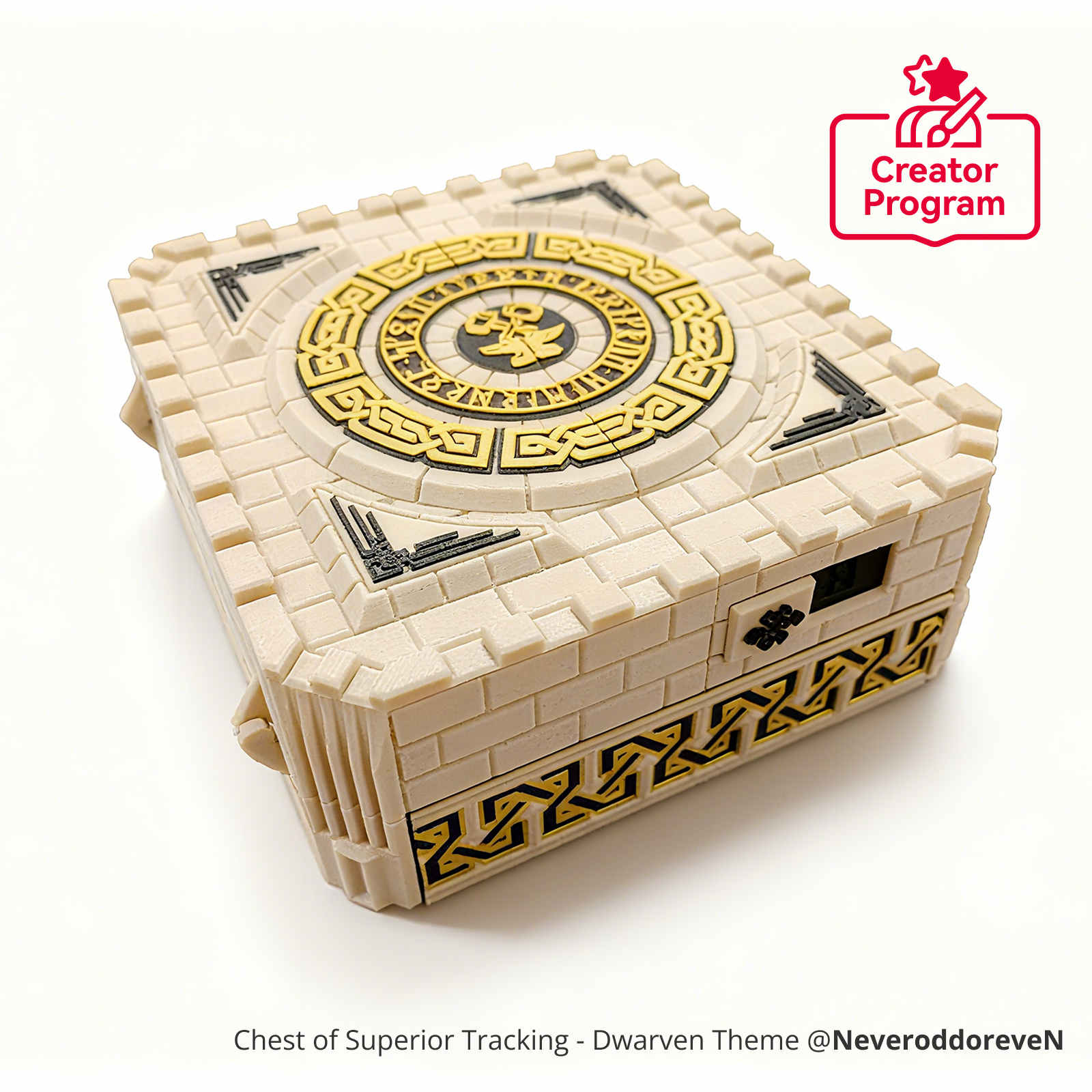
The Chest of Superior Tracking
Dwarven Themed
If you enjoy playing Dungeons and Dragons 5e, and you also enjoy 3D printing a whole pile of numbered wheels, then I have a great project for you!

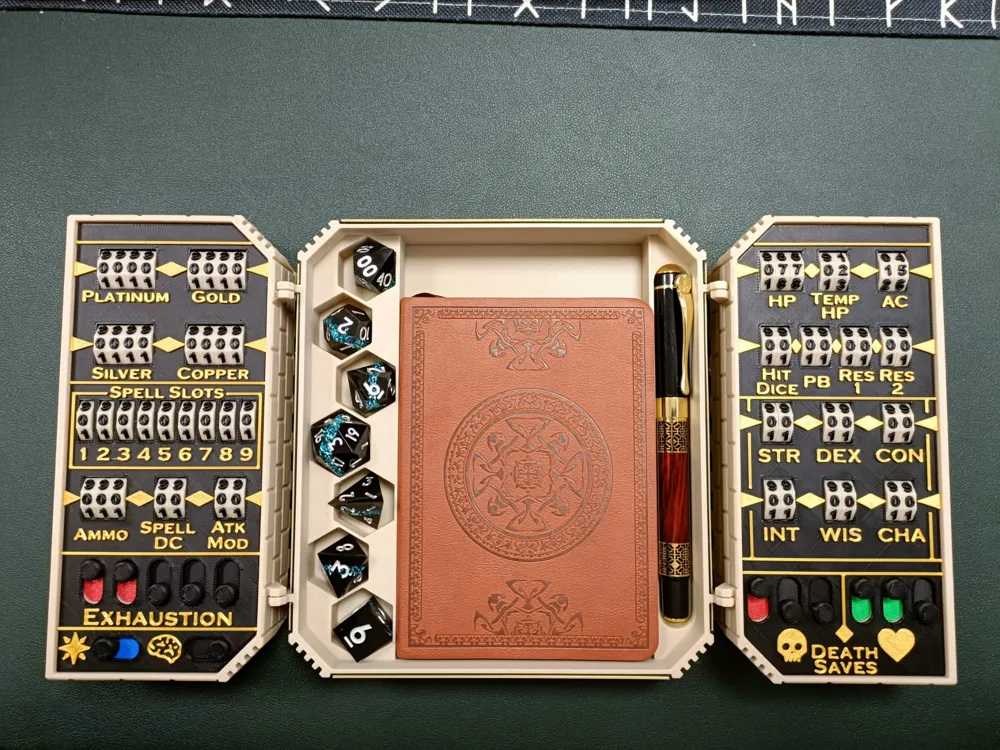
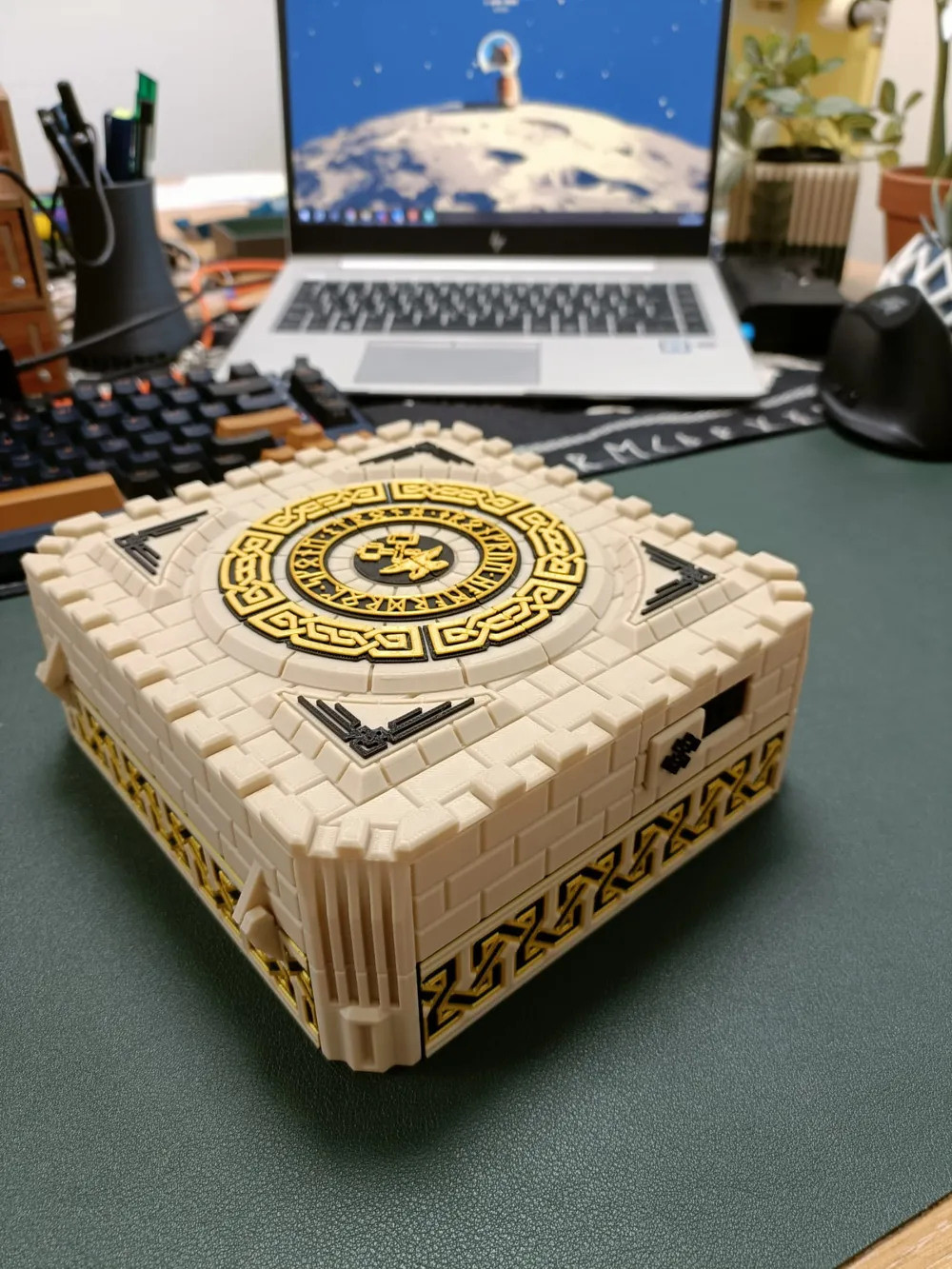
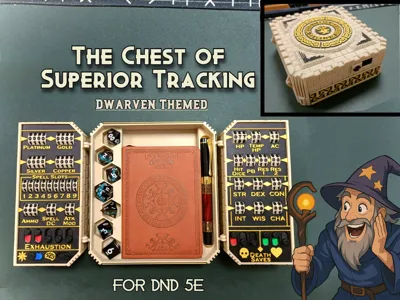
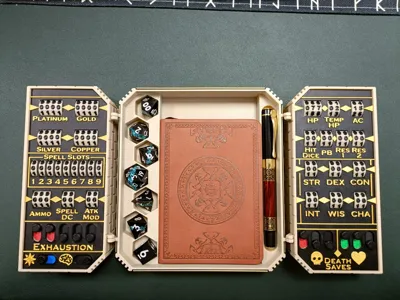
The chest of superior tracking is a fully 3D printed storage box for DnD players to track a whole bunch of character stats, as well as store a pocket notebook, pen and a full set of polyhedral dice! The whole box neatly folds closed and locks with a sliding switch.
Playing DnD in person is an amazing and fun experience, but tracking all your stats can be messy with paper and pen. Digital character sheets are great for solving this problem, but it can put a bit of a damper on the game vibe if everyone has their electronic devices out at the table. The Chest of Superior Tracking aims to assist players in tracking almost every stat in DnD 5e!
Major Update 26/11/2025 - The Dwarven Theme Chest of Superior Tracking Has Levelled Up!
The More Themes crowdfunding campaign has been incredibly successful, and is still open for late pledges - but the Dwarven Theme had started to fall behind the new themes being released. Today, that changes! The Dwarven Theme has received a major update with a brand-new print profile that brings it fully in line with the style and flexibility of the other crowdfunding themes.
It includes everything from the original profile plus a whole lot more.
What’s New in the Updated Print Profile?
Four Main Body Options
You now have four main body types to choose from:
- Two Non-Hardware Hinge versions (100% printed)
- Two Hardware-Hinge versions (See BOM)
Each hinge style includes:
- A Standard Layout (the classic version shown in the photos, with notebook + pen storage)
- A Modules Layout, designed to work with the Modules Print Profile for creating your own custom arrangement of dials, toggles, and more
Below is a breakdown of what each build plate contains:
- Plate 1 - Standard Layout main body with 100% printed hinges
- Plate 2 - Modular Layout main body with 100% printed hinges
- Plate 3 - Decorative Side Panels to fit the 100% printed hinges main body
- Plate 4 - Standard Layout Wing Covers with NO screw holes - For Gluing in
- Plate 5 - Pair of Wings for the 100% printed hinges
- Plate 6 - Standard Layout Main Body with hinges that use Hardware (See BOM)
- Plate 7 - Modular Layout Main Body with hinges that use Hardware (See BOM)
- Plate 8 - Decorative Side Panels to fit the Hardware Hinge main body
- Plate 9 - Standard Layout Wing Covers WITH screw holes - For screwing to wings (See BOM)
- Plate 10 - Pair of Wings for the Hardware Hinge main body (See BOM)
- Plate 11 - Lock Cap - Textured (Non-AMS Friendly)
- Plate 12 - Lock Cap - Flush Print (Requires AMS)
- Plate 13 - Axles, Lock & Toggle Switches
- Plate 14 - Toggle Slider Colours (Set up colour printing method however you want)
- Plate 15 - Numbered Dials x59
- Plate 16 - Standard Layout Wing Cover Plates with NO holes (Glue Down) FLUSH PRINT (Requires AMS)
- Plate 17 - Standard Layout Wing Cover Plates WITH holes (Screw Down) FLUSH PRINT (Requires AMS)
- Plate 18 - Pair of Blank Wing Cover Plates (No Text) Plus one cover with only “RES1” & “RES2” removed - NO Holes (Glue Down)
- Plate 19 - Pair of Blank Wing Cover Plates (No Text) Plus one cover with only “RES1” & “RES2” removed - WITH Holes (Screw Down)
- Plate 20 - Customisable Wing Cover Plates with cutting tools - See PDF Documentation for a How-To guide.
A Modular System
The modular layout trades the notebook compartment for five rows of additional components:
- Number dials - You decide how many and how they're grouped
- Toggle switches - Again, you can choose the quantity and arrangement
- A Card holder
- Even dice towers! - 3 Sizes to choose from
Instructions for creating a modular layout are fully detailed in the new PDF guide.
Yes… There’s Now Proper Documentation!
A brand-new PDF guide has been included. It covers:
- How to select the plates needed for your preferred chest configuration
- How to use and create modules
- A full walkthrough on building customised wing cover plates
That’s right! Using tools in Bambu Studio, you can now design your own wing layouts!
(This applies to the numbered dials only - toggle switches stay where they are for now.)
You can choose the number of dials per row, group them however you like, and assign custom labels.
New Bonus Components
The Modules Profile now includes two Conditions Cards that feature toggles for various conditions like “Charmed” or “Poisoned”:
- A large card with written condition names
- A small card that uses symbols for conditions
Just a little something extra for you!
The Dwarven Theme Rolling Mat Has Arrived!
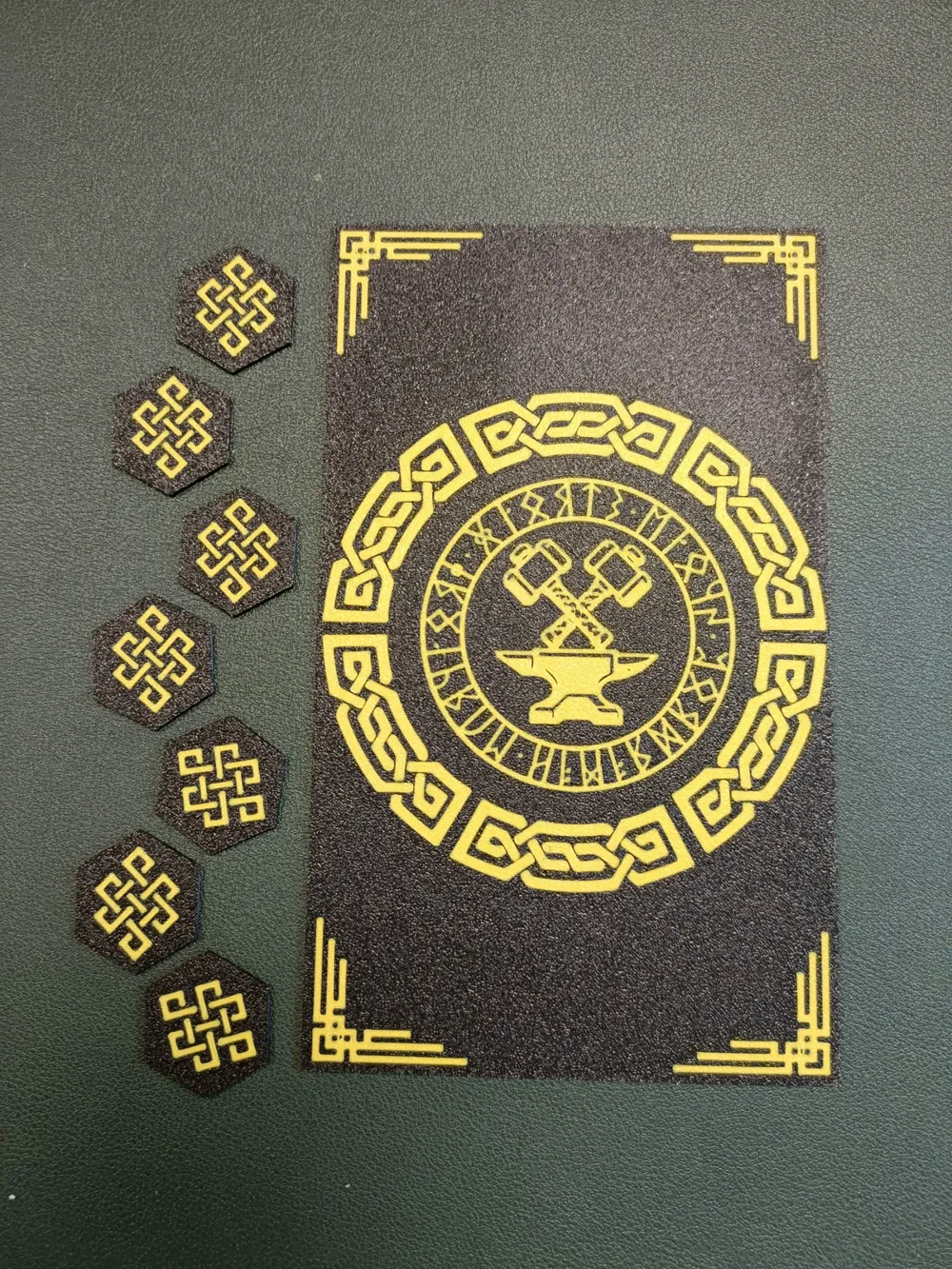
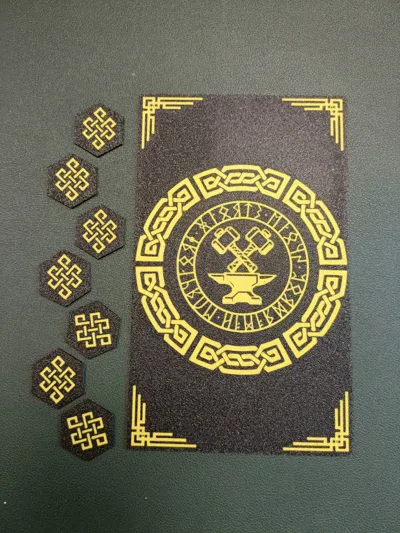
The Dwarven Theme now includes a brand-new print profile featuring:
- A large rolling-mat insert for the Standard Layout
- Hexagon inserts for the dice holders
These inserts extend the hardy dwarven aesthetic inside the box. They’re designed to be printed flush to the build plate, so an AMS is required.
Don’t worry if the profile looks blank when opened - the design is on the underside!
The Boring Updates
- The dedicated A1 Mini print profile has been removed.
All parts already fit on the A1 Mini, simply switch the printer model in Bambu Studio, and it will resize the build plates and redistribute parts automatically. - Some components push the A1 Mini’s limits and must be perfectly centred. If slicing fails, just right-click a part and choose “Centre.”
The “New Hinges and Screw-Down Cover Plates” Print Profile was also removed since all its content was absorbed into the new, primary print profile.
This is a huge step forward for the Dwarven Theme, and I’m incredibly excited to finally get it into your hands. More improvements and updates are always being developed, and whether you decide to pledge in the crowdfunding campaign or not, I thank you all so much for your continued support!
Update 05/09/25: -
Made a few more improvements to the 100% 3D printed Profile:
- I removed the AMS Main Body - Printing this as a single part was torture - It's far easier, and more efficient to print the main body in a single colour and glue on the decorative panels after.
- The Sliding Lock has been modified to make gluing the cap on a bit easier. The Lock Cap has also been modified to accommodate this change
- An option for a “Flush Print” lock cap was added. This prints with the pattern against the build plate to give a flat finish. This requires an AMS to work.
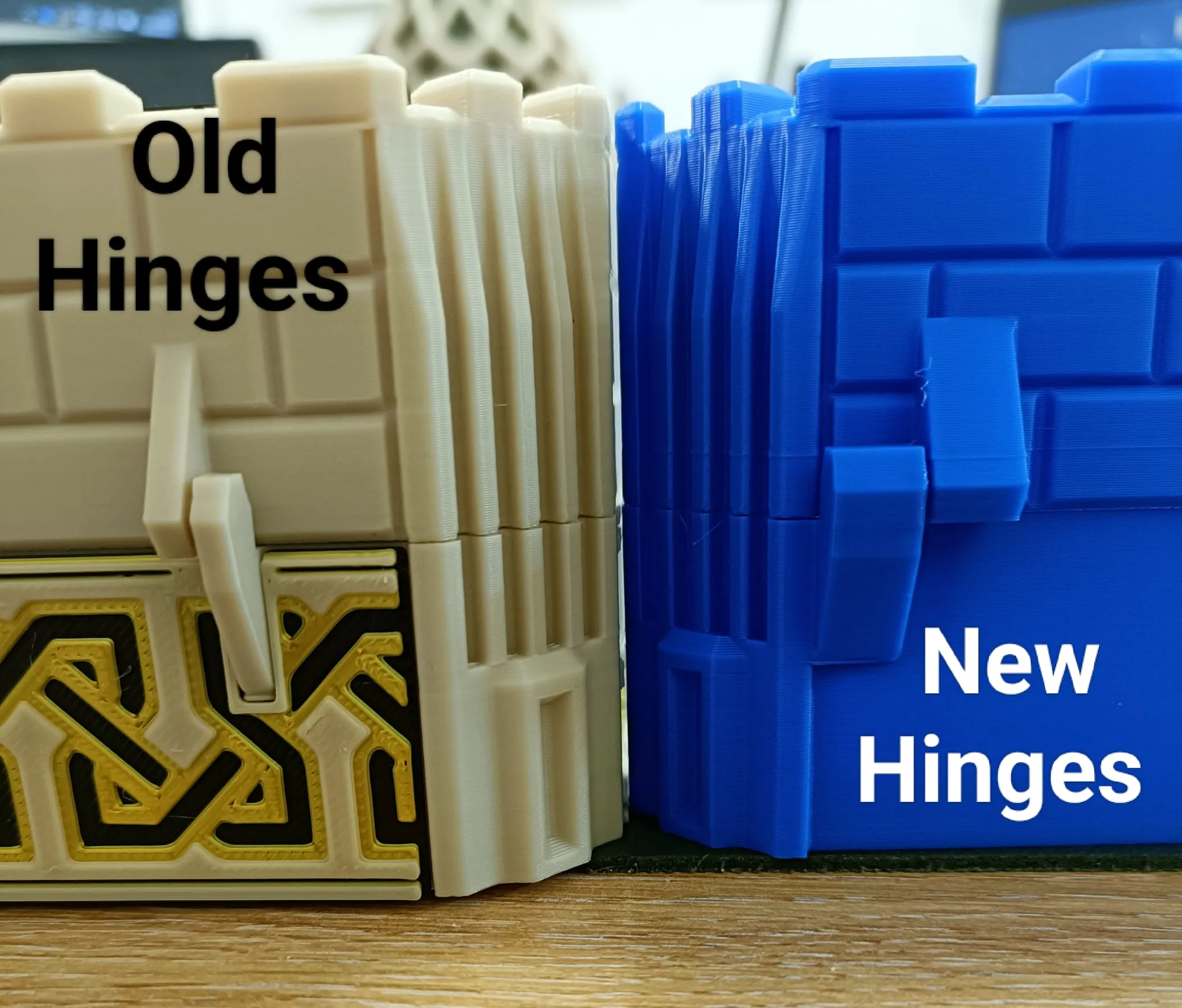
Thicker Hinges - I optimised the hinges to be thicker and stronger, see image below.
Update 20/8/25: -
Two new print profiles have been added, which include some requested modifications:
A Print Profile for the A1 Mini has now been added - This includes only the original models, re-arranged to fit on the A1 Mini
- A New Print Profile has been added that replaces some of the models with modified versions, the modifications include:
- Hardware Hinges - The hinges have been replaced with a slightly more robust design that use hardware. M2x2.5x12 shoulder screws and M2 Hex nuts are needed for these hinges. The exact parts used are listed below in the bill of materials.
- Screw-down Cover Plates - The cover plates now include 3 holes in each plate to allow them to be screwed down rather than glued down. The Wings also include 3 larger holes for Threaded Inserts to be push-fit into the wings. The threaded inserts can be cold pushed with the help of a vice or gripping tool, if you don't have a hot press already. This allows cover plates to be swapped to accommodate different player characters. The Threaded Inserts are M3x5x4 and the screws are M3x6. Exact parts are listed in the bill of materials below.
- @llanterner has created some spacers that help position the number wheels on their axles, making it easier to position the cover plates. You can find these spacers here: https://makerworld.com/en/models/1714477-spacers-for-the-upper-tracking-box#profileId-1819564
Update 14/7/25: -
The print profile has been updated with the following changes:
- The Main Body has now been painted for AMS Printing - (personally, I have found myself using the Non-AMS version for faster printing)
- Toggle Sliders now have a slight "Snapping" action and should stay in place between game sessions :) This means the geometry of the sliders AND the wings are slightly different from the original.
Added Standard Cover Plates that print with flush text - These are added as optional and print with the text against the build bed. Each letter and design element is a separate body so you can really go crazy with colours :)
What Does it Track?
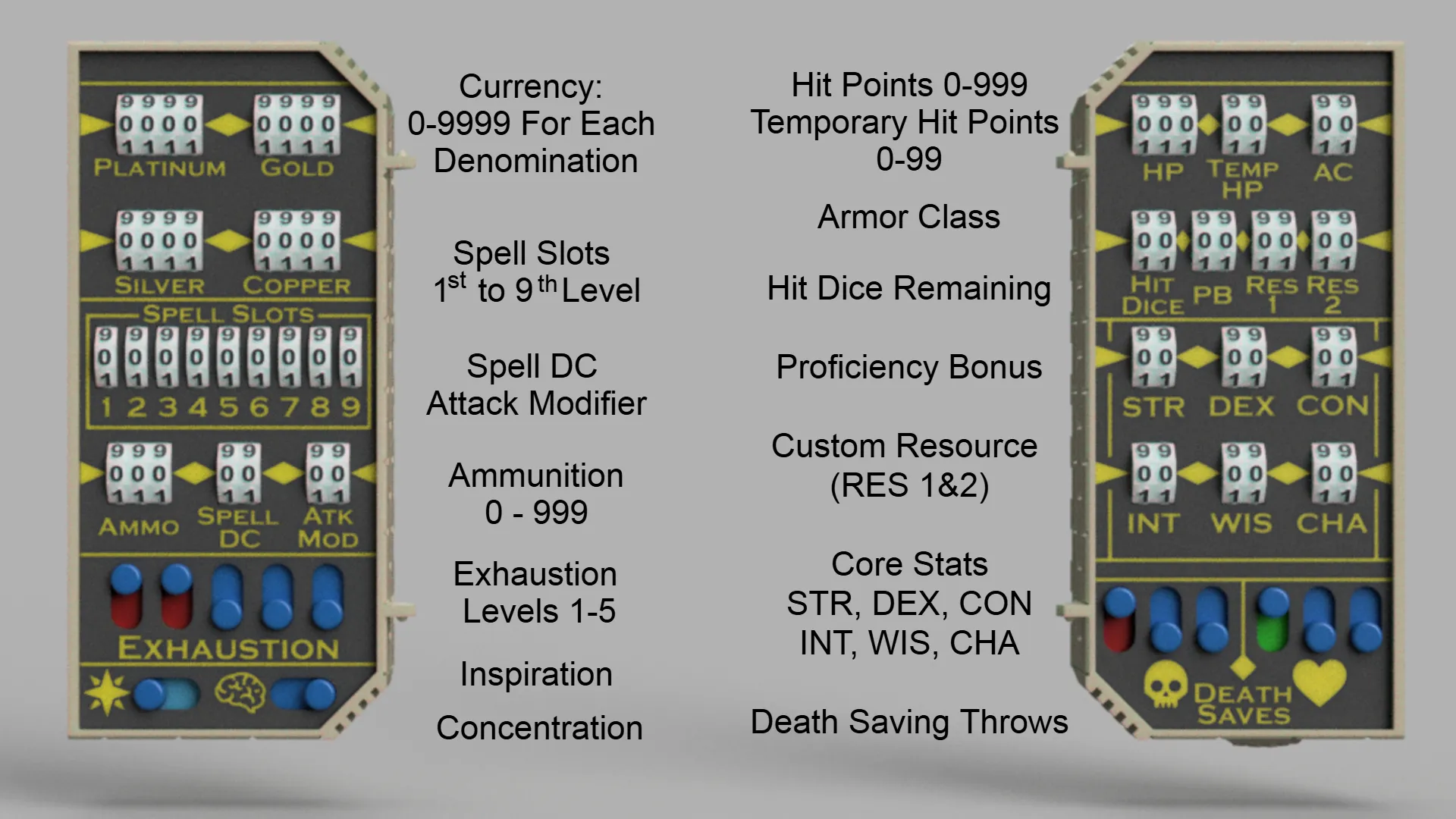
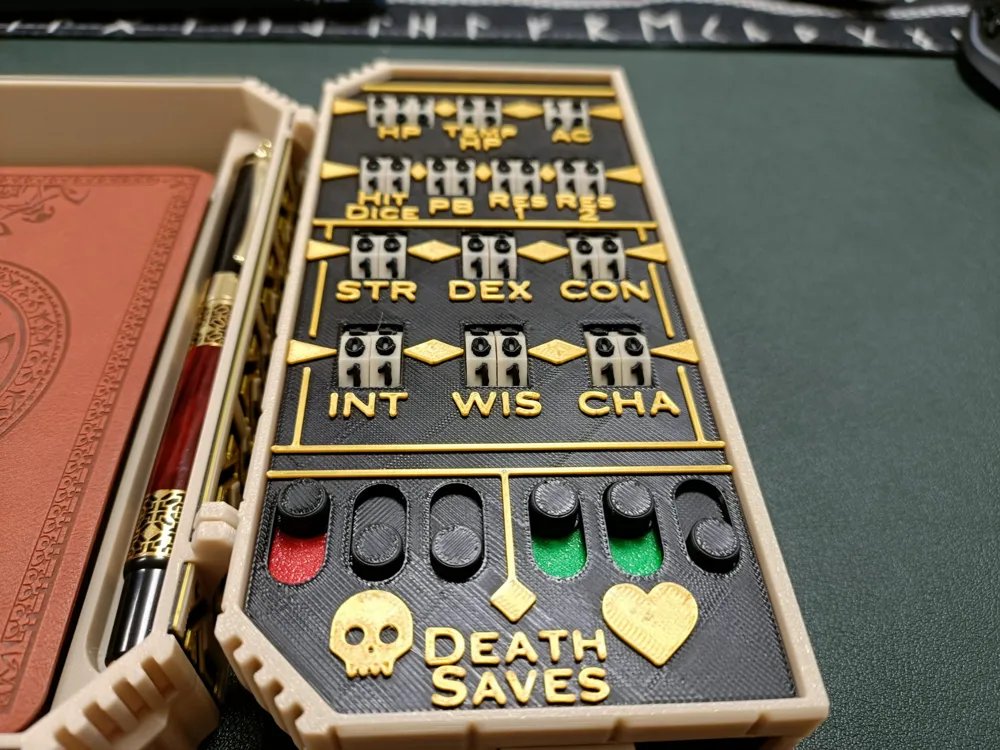
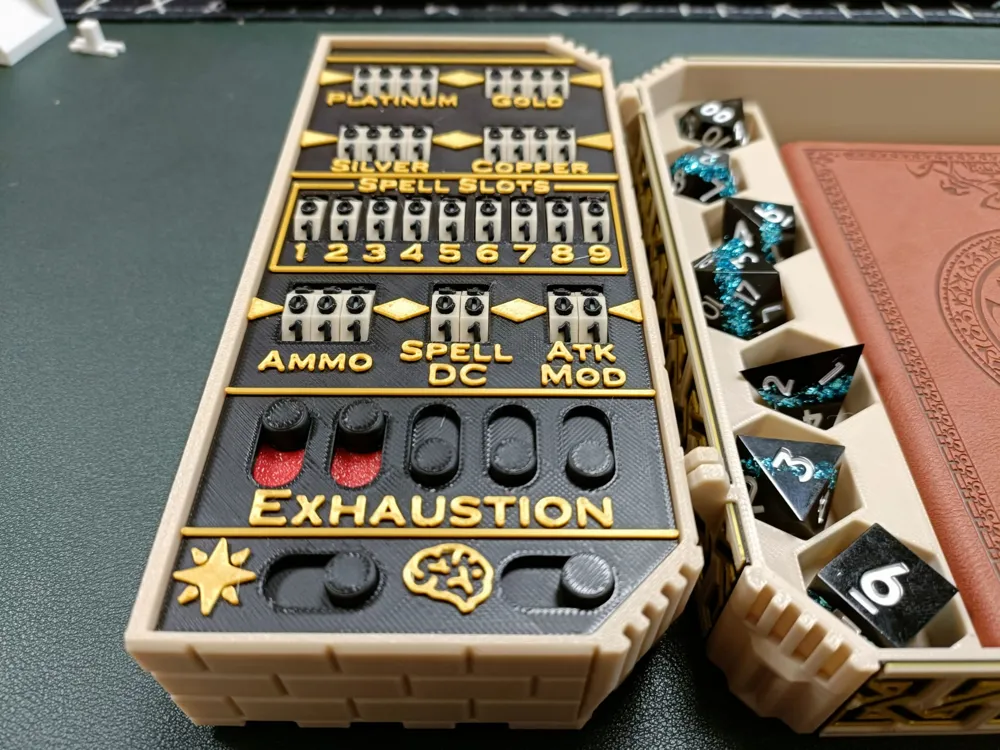
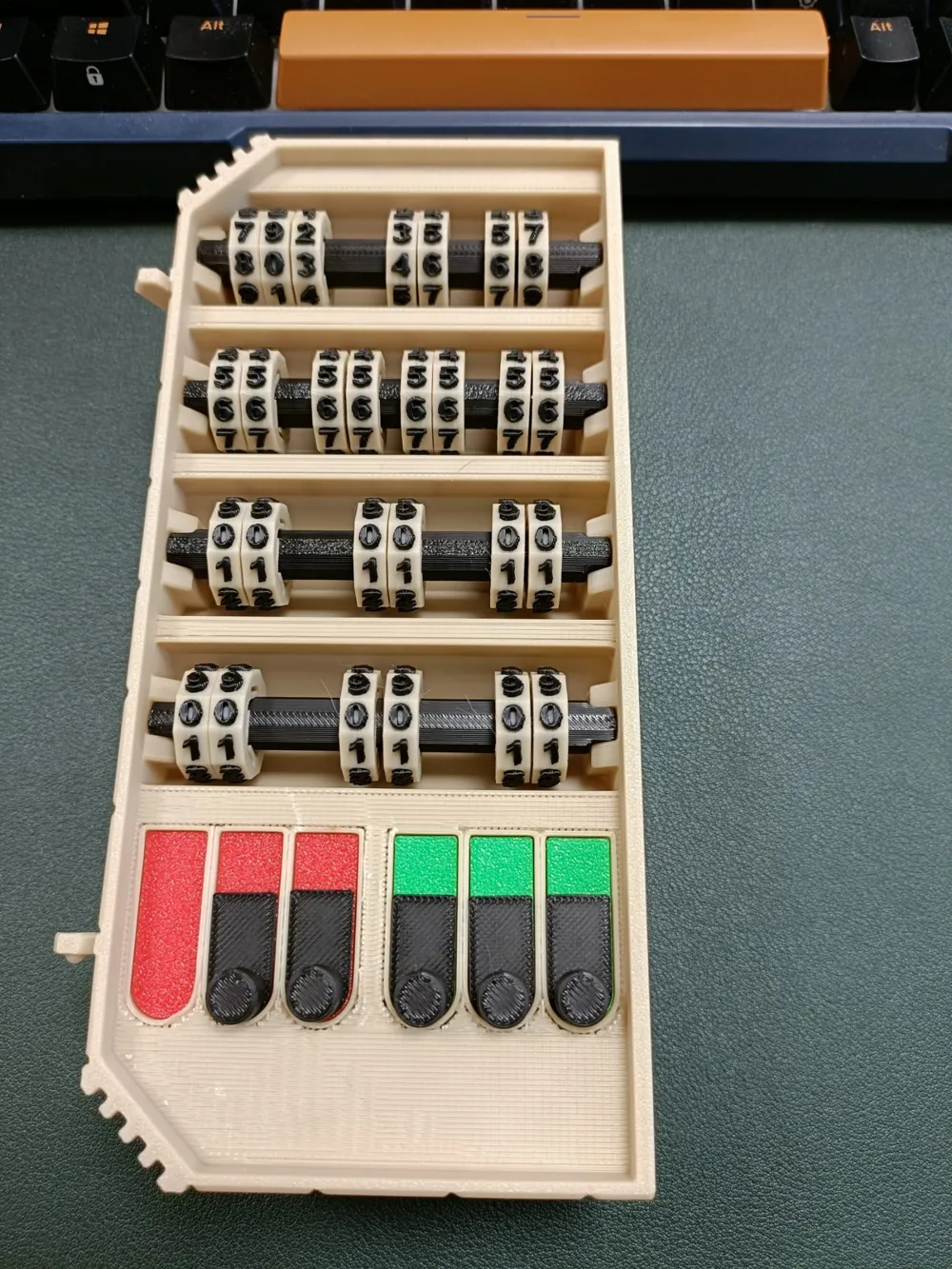
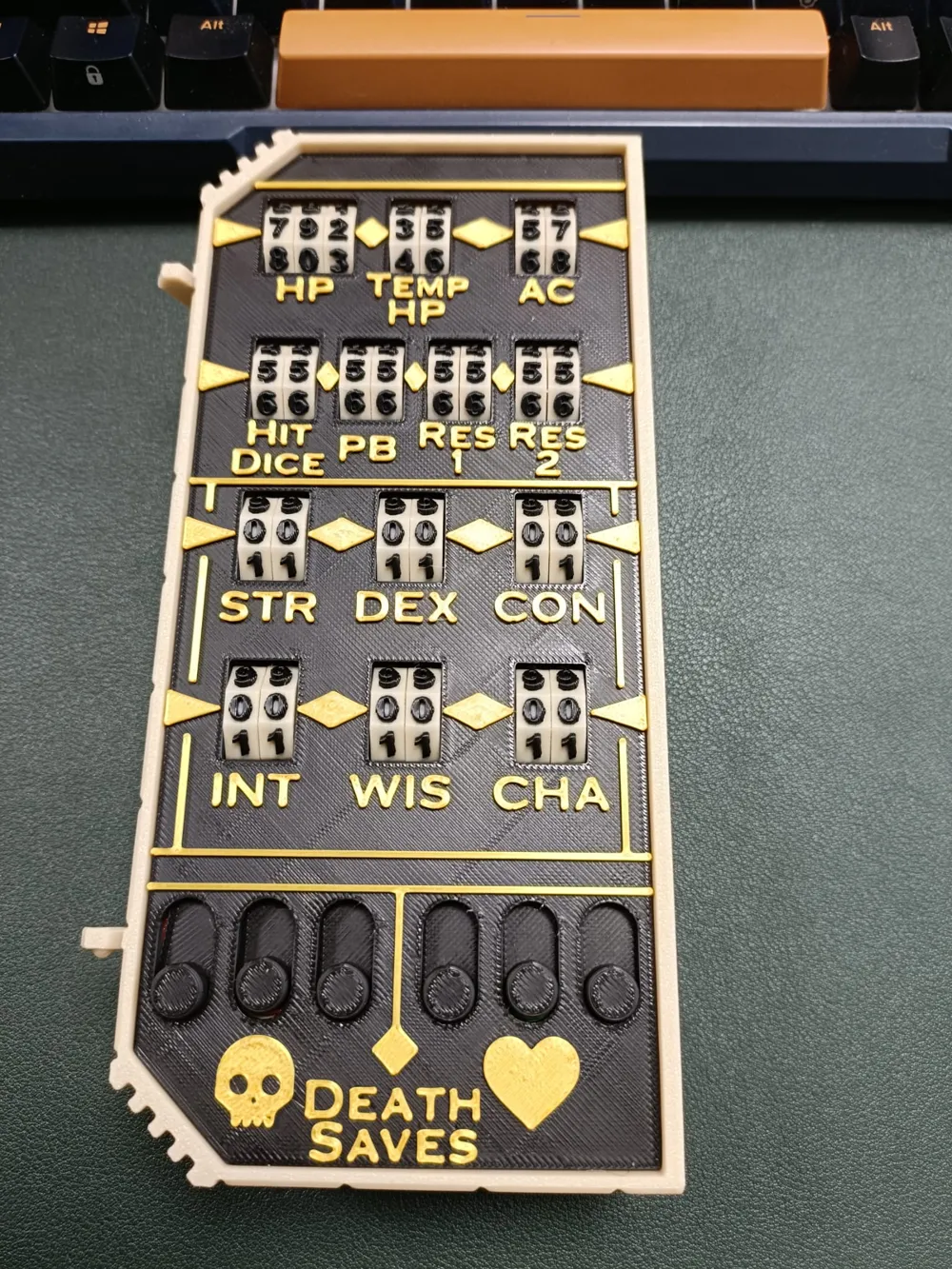
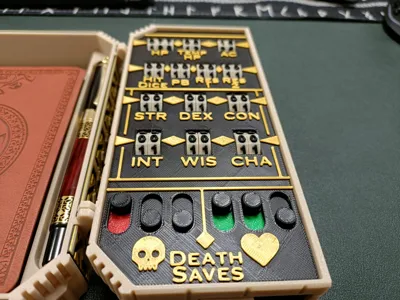
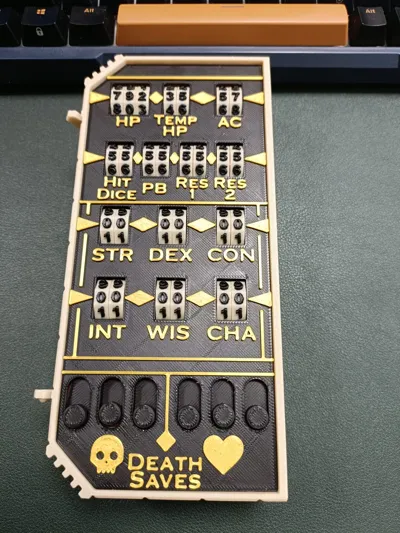
The two wings contain 59 numeric dials and 13 toggle sliders that help players track the following:
- Hit Points (HP) - Up to 999
- Temporary Hit Points - Up to 99
- Armor Class (AC)
- Hit Dice
- Proficiency Bonus (PB)
- Core Stats - STR, DEX, CON, INT, WIS, and CHA
- Death Saving Throws - 6 Toggle Sliders
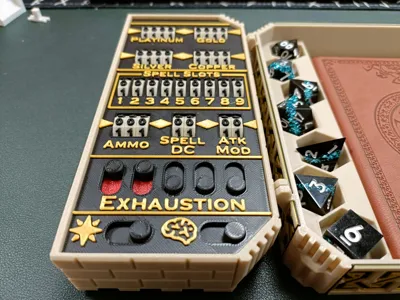
- Platinum - up to 9999
- Gold - up to 9999
- Silver - up to 9999
- Copper - up to 9999
- Spell Slots - 1st to 9th Level
- Ammo - up to 999
- Spell DC
- Attack Modifier
- Exhaustion Level - 5 Toggle Sliders
- Inspiration - Toggle Slider
- Concentration - Toggle Slider
There are also 2 assignable resource trackers from 0-99 named RES 1 and RES 2. These can be used for class specific stats, such as KI Points for a Monk or Bardic Inspiration for a Bard etc.
Need Something Specific?
Included in the print profile are additional cover plates that you can customise using Bambu Studio's built in Text creator. 
There are a pair of blank cover plates with no text, to fully customise your labels. There is also a version with only RES 1 and RES 2 removed if you wanted to keep everything else.
Printing Tips:
Although the provided print profile is set up for an X1C printer, all parts do fit, and print well on the smaller A1 Mini print bed. The use of an AMS is optional as most colour changes can be achieved by manual filament swapping; a non-AMS version of the main body is also provided with the decorative panels printed separately.
Support painting is used on the wings to ensure only essential supports are generated. The wings are the only parts that require any supports. Amazingly the numbered wheels don't require any support and look great in a single colour (much faster print) or in multicolour.
Assembly Guide:
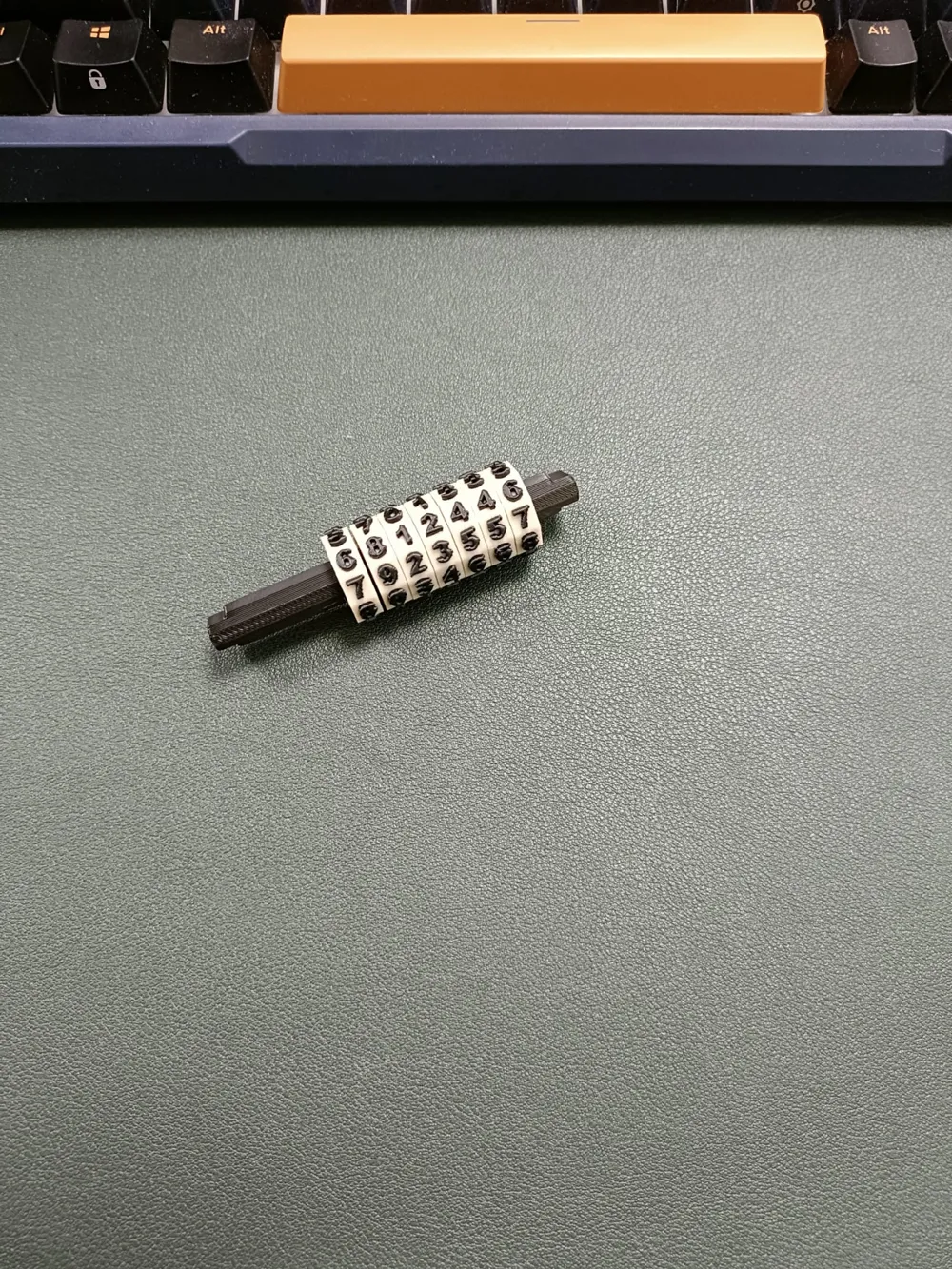
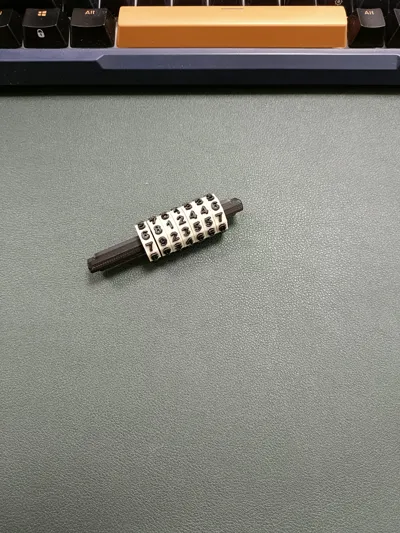
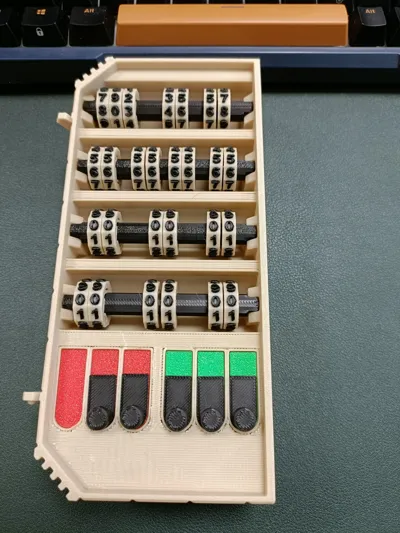
Start by sliding number wheels onto the axles - Look at the photos and cover plates to determine how many wheels should go on each axle.
Make sure that all the number are the same way up! It's easy to slide one on backwards and not notice until it's too late!
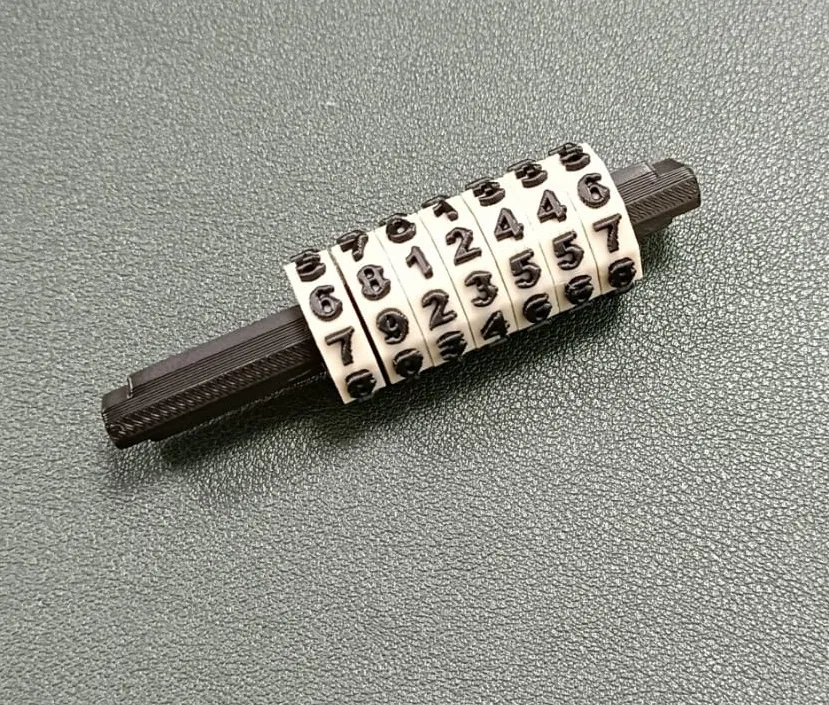
Next, Place the numerically loaded axles into the wings. I have assembled a few of these now and didn't use any glue on the axles, but you could if you wanted to, just avoid getting glue on the wheels. You will also need to fill and slider spaces with a base colour and place a slider on top:
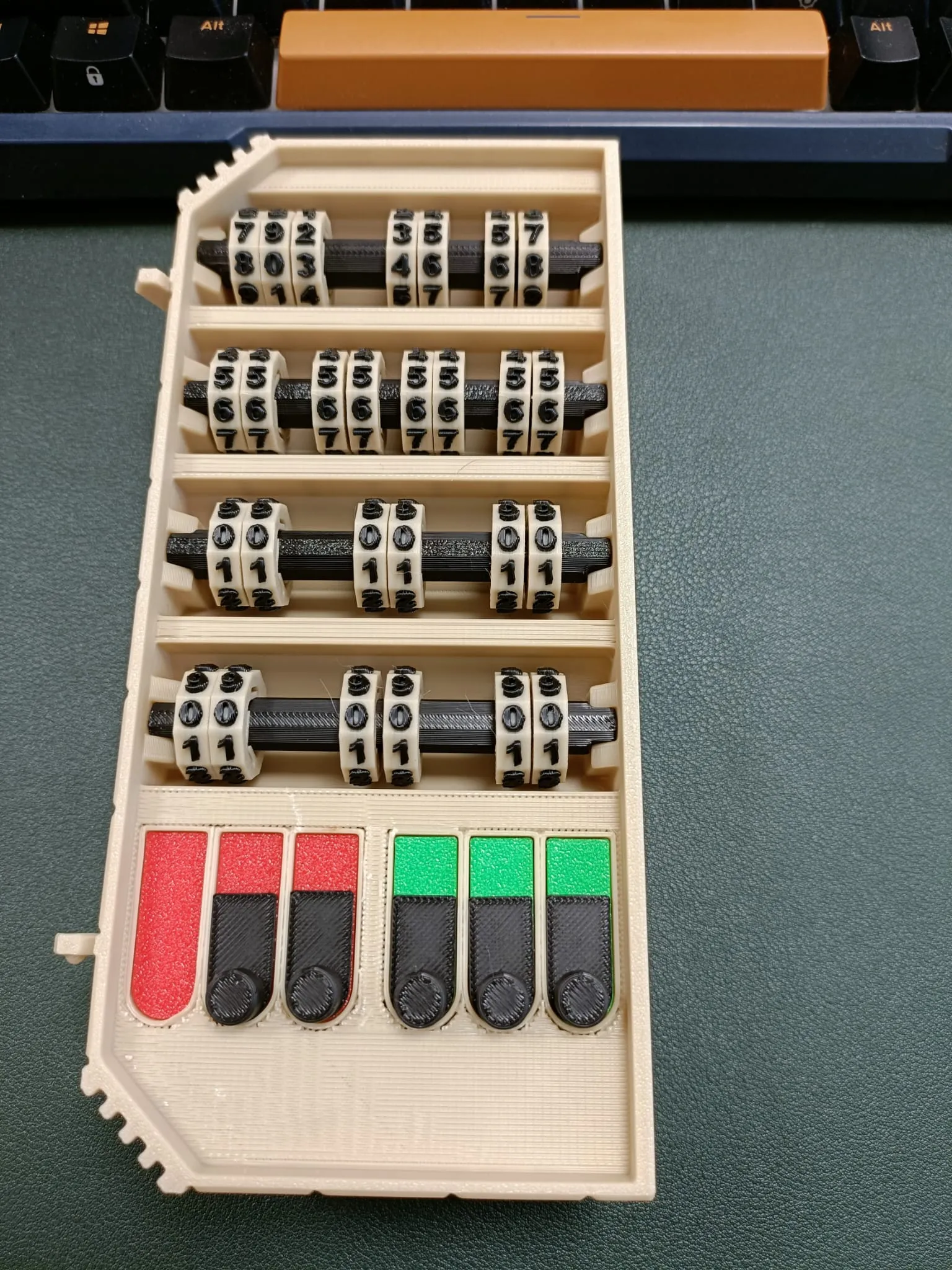
Slider base colours also don't require glue.
Now comes the fiddly bit - Glue the cover plate over the wheels and sliders. The wheels will inevitably be in the wrong place for this to go on easy. The easiest way I found was to get a pokey stick or tweezers to poke the wheels into position. I also found it useful to do a dry fitting, without glue. This helped get everything close to the right position and made the final glue down much smoother.
If you opted for the Non-AMS main body, you will also need to glue the decorative panels on. This is best done before attaching the wings. Be sure to test fit first as the longer panels are mirror images and only fit properly in one position.
Now it's time to attach the wings to the main body. I recently learnt that it's possible to do this backwards, and the difference is unbelievably subtle! To ensure the wings are correct, place the main body in front of you with the dice holes on the left and the pen holder on the right.
Starting with the right wing (That the one with the Death Saves), align the hinge furthest from you, then gently apply pressure to pop the closest hinge into place. The motion I use is to pull the main body towards me while pushing the wing away. It shouldn't require too much force. Repeat with the left wing.
Lastly, slide the lock into the Right Wing and glue the Lock Cap into the slider. Be careful to avoid getting glue on the wing.
With any luck, you'll now be the proud owner of The Chest of Superior Tracking
Closing Remarks
I hope this print works for you and I would love to hear your feedback and see pictures of your lovely prints :) I know this design has some shortcomings and your feedback would help me identify and prioritise the most important issues people may encounter in this project, so don't be shy.
I intend on publishing alternative aesthetic designs in the near future. The next one will be an Elvish theme so look out for that :)
Documentation (1)
License

You shall not share, sub-license, sell, rent, host, transfer, or distribute in any way the digital or 3D printed versions of this object, nor any other derivative work of this object in its digital or physical format (including - but not limited to - remixes of this object, and hosting on other digital platforms). The objects may not be used without permission in any way whatsoever in which you charge money, or collect fees.


Comment & Rating (970)