Search models, users, collections, and posts

Vertical
Remixed by
IP Report
Print Profile(2)

0.2mm layer, 2 walls, 15% infill
Designer
28 min
1 plate

0.2mm nozzle, 0.06mm layer, 4 walls, 15% infill
Designer
1 h
1 plate
Open in Bambu Studio
Boost
25
94
6
2
93
51
Released
Description
Horizontal Original by KICW03
Description
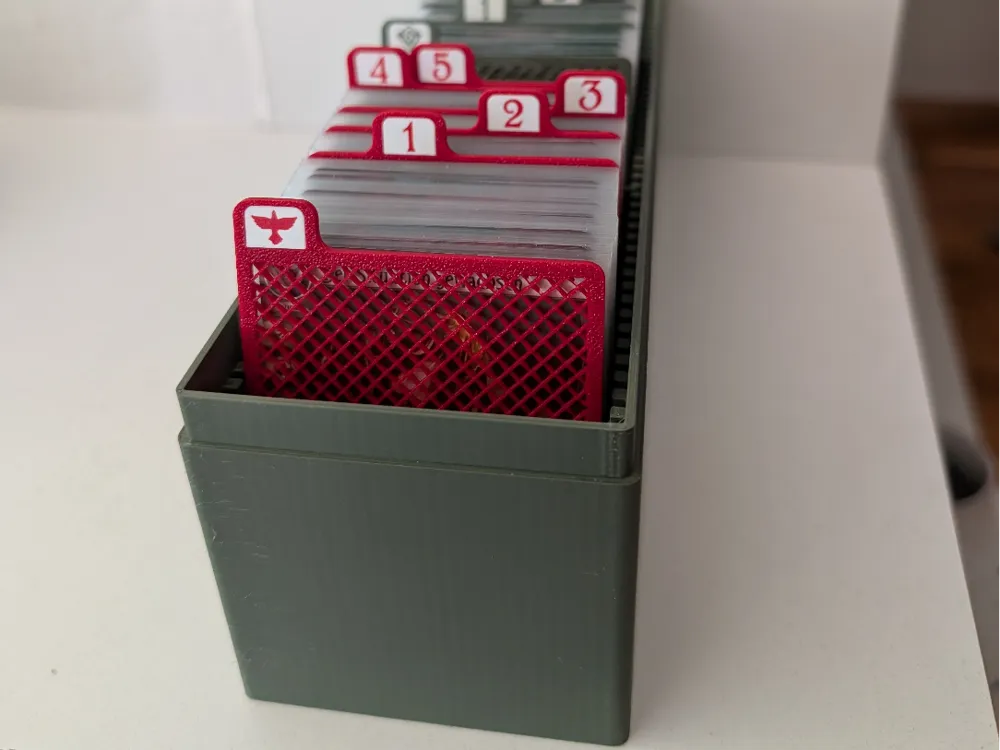
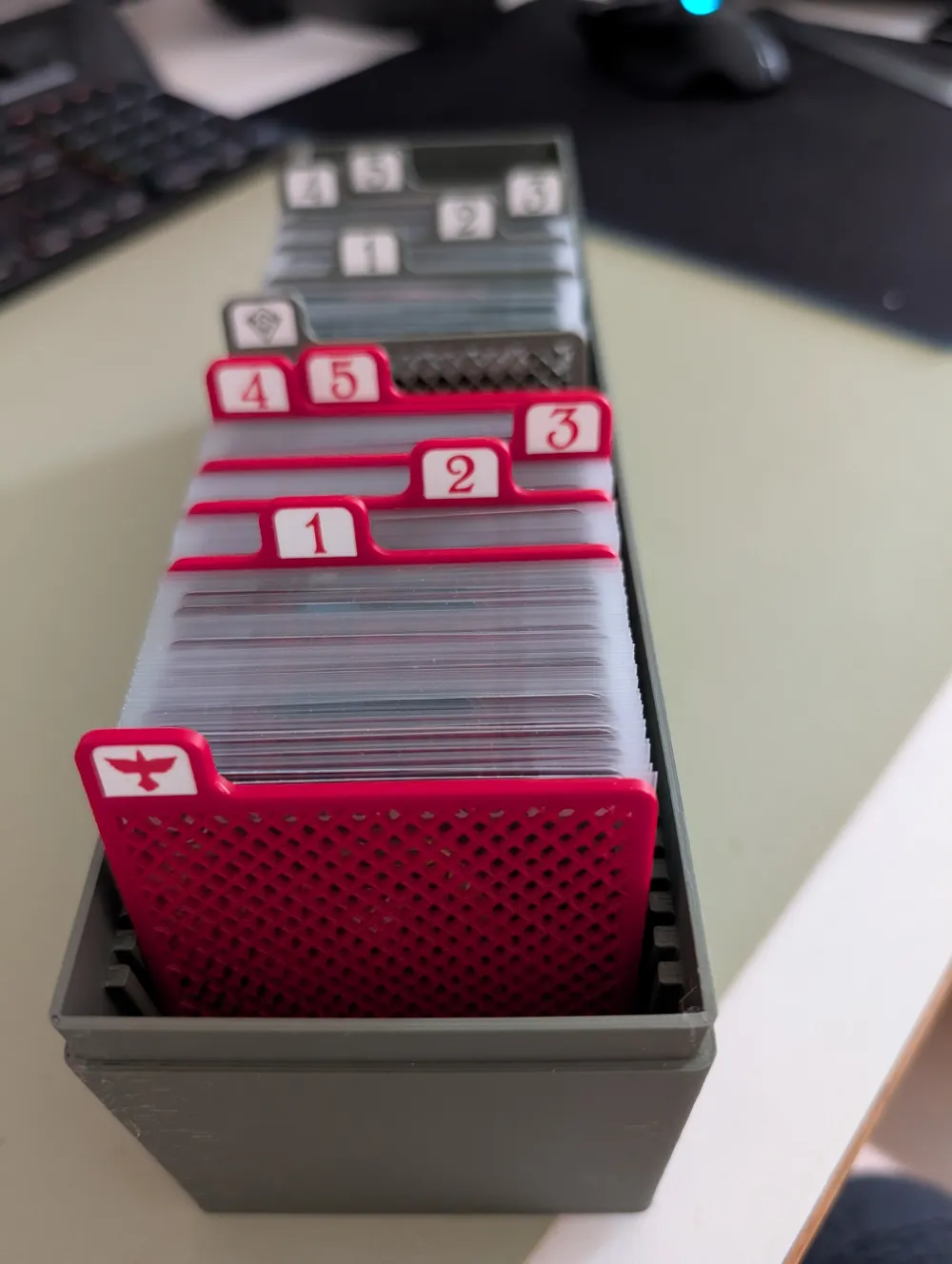
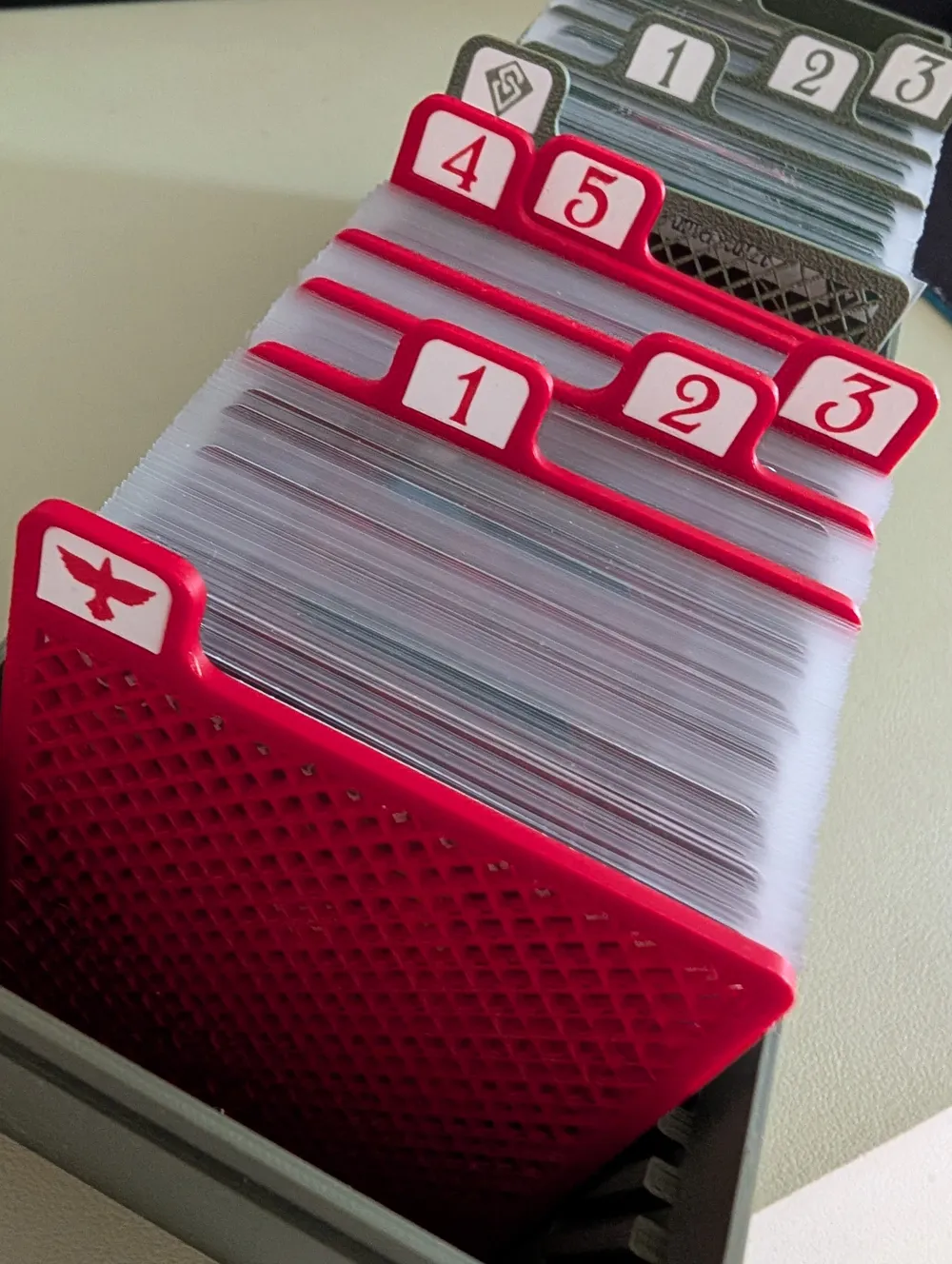
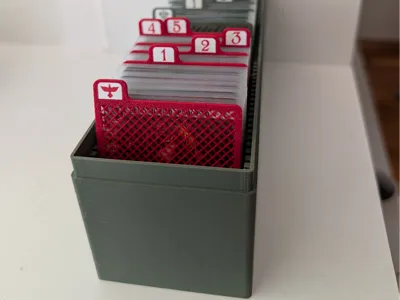
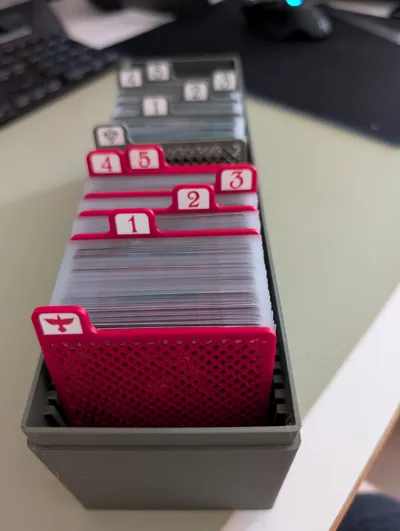
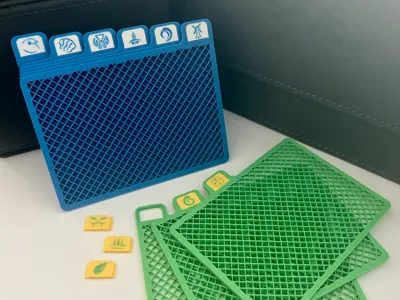
Modular card divider specifically designed for Arkham Horror LCG. These are Vertical dividers that can be used inside a campaign box.
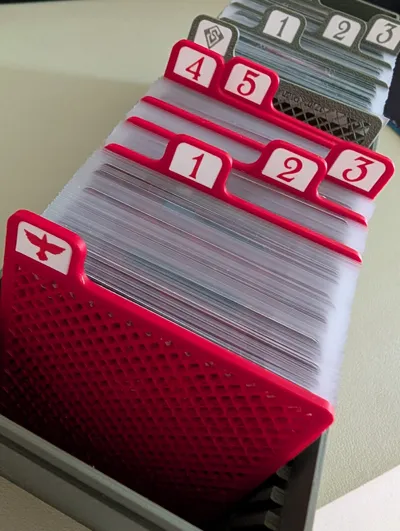
It can be adopted to other games/needs, and the modular approach to tabs means you can reuse the same divider for different scenarios by simply swapping the inserts!
- Features:
- FourTabs
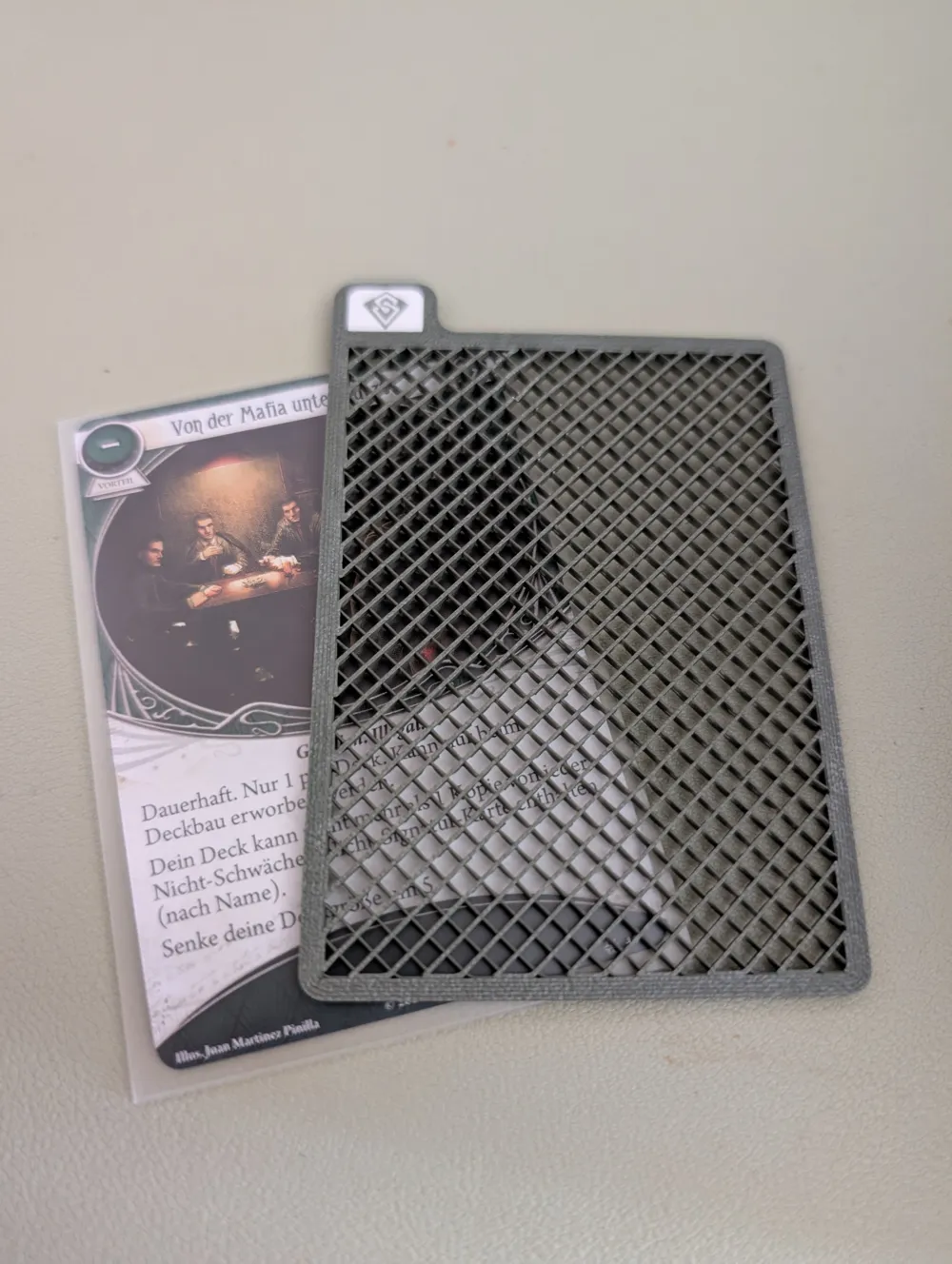
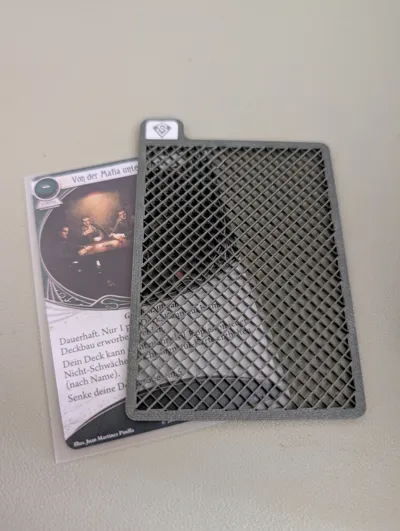
- Non-solid infill for material saving
- Swappable Tabs (Modular)
- Dimensions
- Dividers are near the same size as Dragon Shield Matte Sleeves (H 92mm X W 66.5mm)
- Tab Height 9mm
- Divider thickness 2mm
- Content
- Designed for P1S
- 0.4mm nozzle: 3 X plates for cards 1234
- 0.2mm nozzle: Tab inserts for Decks and Numbers
- Designed for P1S
- Slicing Tips
- Divider
- The infill object should have wall loop 2, and no top and bottom shell layers. Use rectlinear infill
- The frame should use wall loop of 4. Ultimately we want to ensure the infil adheres to the frame well.
- You can use the mirror operation to generate the other half of the tabs (for example, 1 → 6, 2 → 5, 3 → 4)
- Label
- The labels should be printed with 0.2mm nozzle
- Obtain SVG you want to print. For arkham horror LCG check out https://boardgamegeek.com/thread/1671881/scenario-set-icons-available-compilation-thread/page/12 final comment from coldtoes
- Right click on the label object > Add Modifier > SVG
- I have the SVG inset into the model my 0.3mm, and check Use Surface
- Enabled ironing globally for top surfaces. Use Rectlinear pattern.
- Arachne wall generator
- Per SVG object, under Quality
- Bump up line width to 0.26mm for walls - to fill the gaps as much as possible
- Change ironing pattern to Concentric - this helps the nozzle to “draw” the icons along their strokes
- Fitting: to ensure the inserts stays in the tabs securely, it is designed to have zero clearance. In practical use I found the inserts tend to shrink as the temperature drops. Alternatively you can try scaling them to 99% for an easier fit.
- Divider
- Note
- The dividers are printed using 0.4 mm nozzle for maximum speed
- The tab inserts should be printed using 0.2 mm nozzle for maximum icon quality
- The icons look best when using light colored background and dark colored icon
This remix is based on

License

This user content is licensed under a
Creative Commons Attribution-Noncommercial-Share Alike


Comment & Rating (6)