
Timing Belt tension tool P1S/X1C


Print Profile(6)


Description
Boost Me (for free)
IF YOU LIKE THIS MODEL GIVE ME A “THUMBS-UP” SO MORE PEOPLE CAN DISCOVER THIS MODEL. THANKS
If you need to tighten your timingbelts in case they got a little loose or your printer is making strange noise because of loose timingbelts,
or just for regular maintenance, this little helper will guide you. (need to print twice to have a pair each)
Steps as followed:
-loosen the 2x2 screws eaxh side. (just loosen! do nut fully unscrew!)
-move the Toolheadfrom the back all the way to the front for setteling the belt.
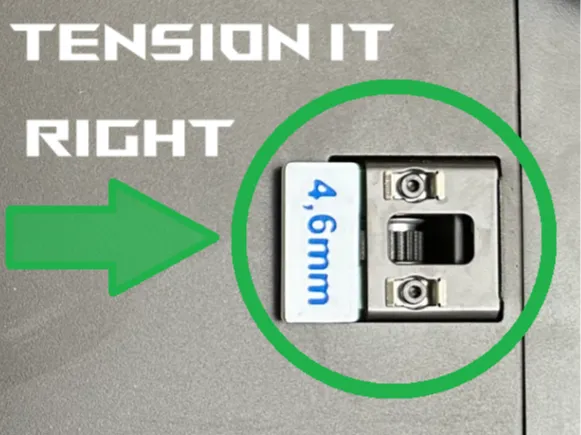
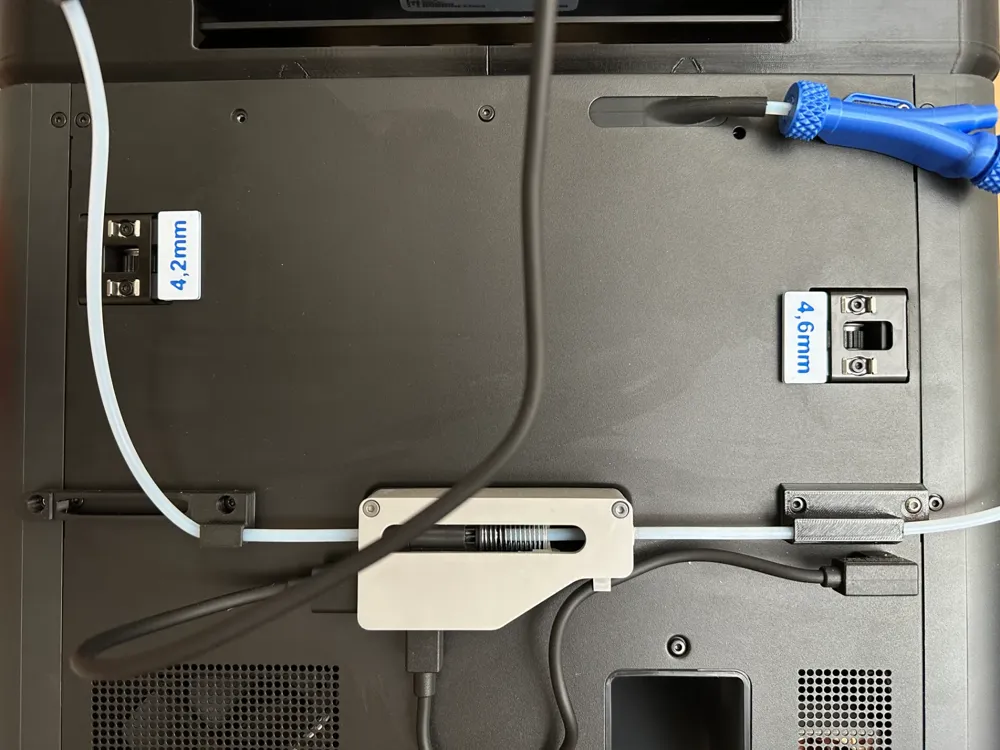
-measure wich of the distancing plates fits now and add about 0,6-0,8mm.
(BambuLab suggests to add a max of 1.0mm each side wich is quiet a lot. If 4.0mm fits loose go for 4.6-4.8mm)
-take the distancing plate and plug it in like in the Picture.
-repeat on the other side.
-if done thighten the screws back in (with distance plates still in there)
-remove the plates
-at first start you need to do a Calibration cycle
Thats it. Now your timing belts are back on track!
License

You shall not share, sub-license, sell, rent, host, transfer, or distribute in any way the digital or 3D printed versions of this object, nor any other derivative work of this object in its digital or physical format (including - but not limited to - remixes of this object, and hosting on other digital platforms). The objects may not be used without permission in any way whatsoever in which you charge money, or collect fees.


Comment & Rating (705)