Search models, users, collections, and posts

Wi-Fi Password Coaster with Embedded NFC Tag
Print Profile(1)

0.16mm layer, 2 walls, 15% infill
Designer
3.7 h
1 plate
Open in Bambu Studio
Boost
70
173
0
1
62
27
Released
Bill of Materials
Maker's Supply Kits and Parts
Select all

Bambu Filaments
Select all



Description
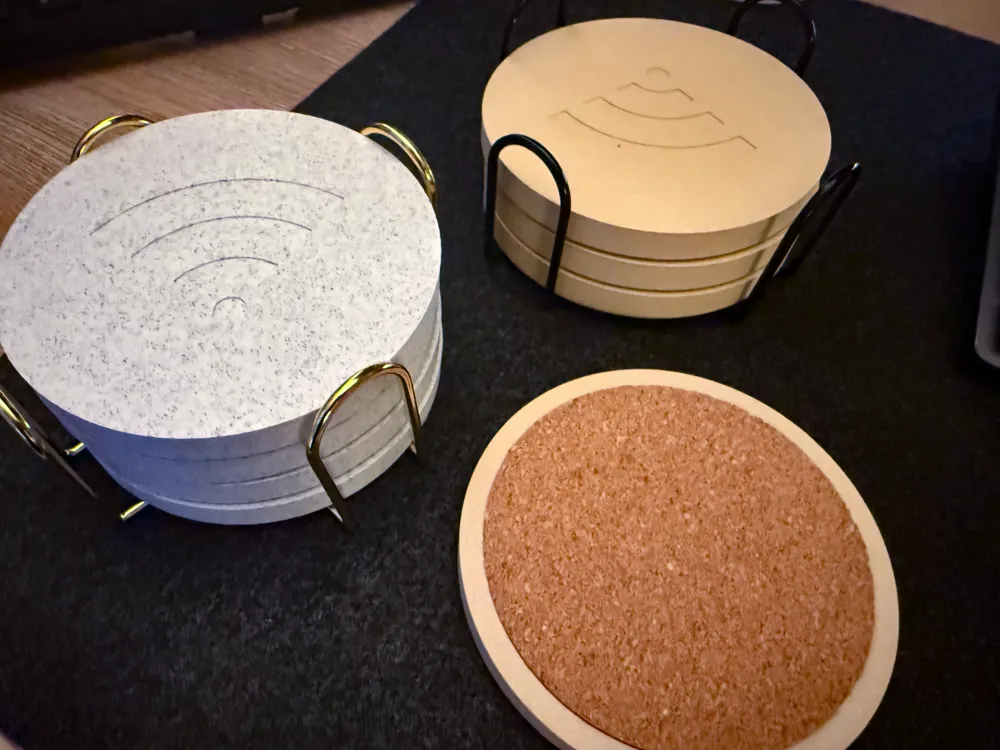
Elevate your home network game with this 3D Printable Wi-Fi Password Coaster, featuring a sleek, minimalist design and a hidden embedded NFC tag for effortless Wi-Fi sharing. Gone are the days of spelling out complicated passwords. Just tap, connect, and sip your coffee in peace!
🛠 Design Highlights:
- Modern Aesthetic: The coasters boast clean, engraved Wi-Fi icons that subtly hint at their tech-savvy functionality, blending perfectly with any home or office decor.
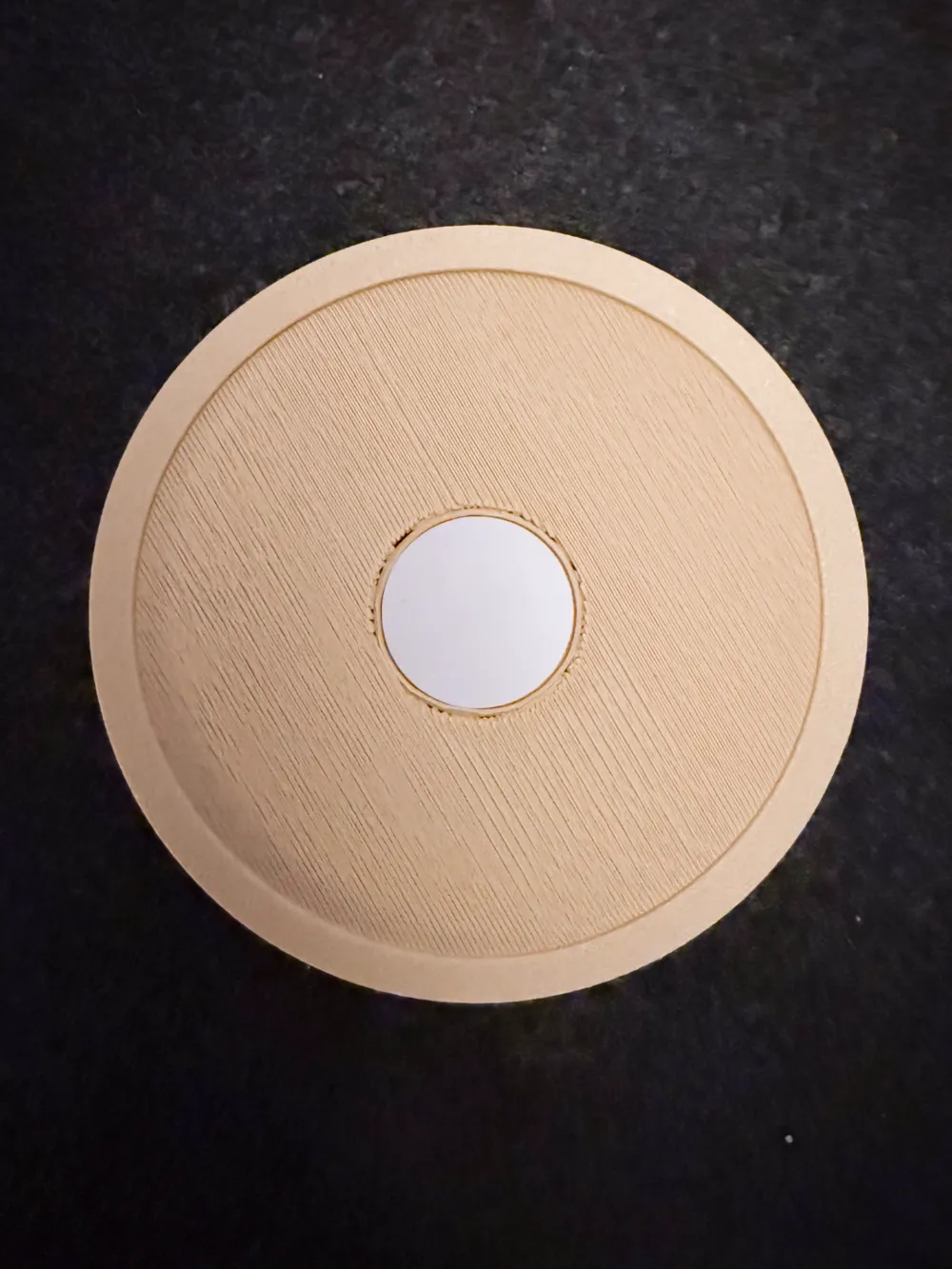
- Embedded NFC Tag: Discreetly housed in a recessed compartment on the underside, the NFC tag securely stores your Wi-Fi credentials. Guests can simply tap their NFC-enabled smartphones to connect instantly—no QR codes, no typing.
- Durable Materials: Designed for 3D printing with materials like PLA or PETG, these coasters are sturdy, heat-resistant, and moisture-friendly. The cork backing adds extra grip and protects surfaces from heat and scratches.
📦 Bill of Materials (BOM):
- NFC Coin Tag:
- Adhesive Cork (9CM Round, 2mm Thick):
- Coaster Holder (Optional):
- 3D Printing Filament:
- Bambu Labs PLA Wood
- Bambu Labs PLA Marble
- Any other filament you prefer.
📲 How to Program the NFC Tag Using the NFC Tools App
Make your coaster fully functional with these easy steps:
- Download the NFC Tools App:
- Android (Google Play)
- iOS (App Store)
- Open the App:
Launch the app and ensure NFC is enabled on your smartphone. - Write Wi-Fi Credentials to the NFC Tag:
- Tap on "Write" at the bottom of the app.
- Select "Add a record" → Choose "Wi-Fi network."
- Enter your SSID (network name) and password.
- Select the appropriate encryption type (WPA/WPA2, WEP, or None).
- Tap "OK" to save the settings.
- Program the Tag:
- Place your phone over the NFC tag embedded in the coaster.
- Tap "Write" and hold your phone steady until the process completes (usually within 1–2 seconds).
- Test It Out:
- Tap another NFC-enabled phone on the coaster.
- A prompt should appear to connect to your Wi-Fi.
- Confirm the connection, and voilà! you're online!
License

This user content is licensed under a
Creative Commons Attribution-Noncommercial-Share Alike


Comment & Rating (0)