Search models, users, collections, and posts

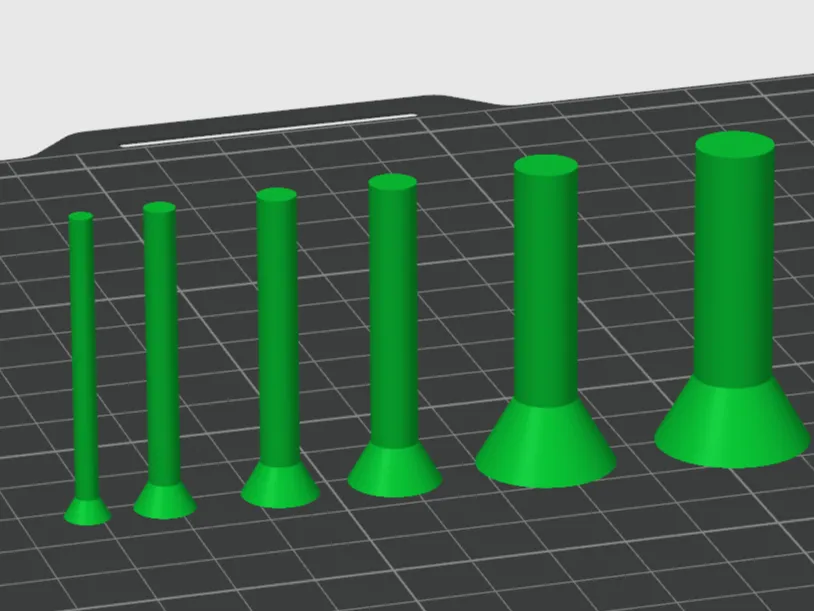
M3-M12 Countersunk Screw Negatives for hole making
IP Report
Print Profile(1)
0.2mm layer, 6 walls, 25% infill

49 min
1 plate
Open in Bambu Studio
Boost
103
208
14
18
815
131
Released
Description
I grew tired of making new negative screws everytime I wanted to make a hole in my models.
So why not share the files? :)
Instructions:
* Download the separate .stl files.
* Right-click the model you want to prepare in Bambu Studio.
* Choose “Add modifier” or “Add negative”, then “Load”.
* Browse to the downloaded .stl of the desired screw size and click OK.
* The screw model file is now automatically merged with your model file and can now be positioned to your desired placement.
* Choose the Mesh Bolean option in the top menu (not the one in right click!).
* Choose “Difference” (middle option) and first click your model and then the screw.
* Voilá! You now have a screw hole in your model. :)
Let me know if anything should be changed or improved.
License

This user content is licensed under a
Creative Commons Attribution


Comment & Rating (14)