Search models, users, collections, and posts
Recommendation
Creator’s Club
Creators & Fans
Show Your Make
Off Topic
Post Details

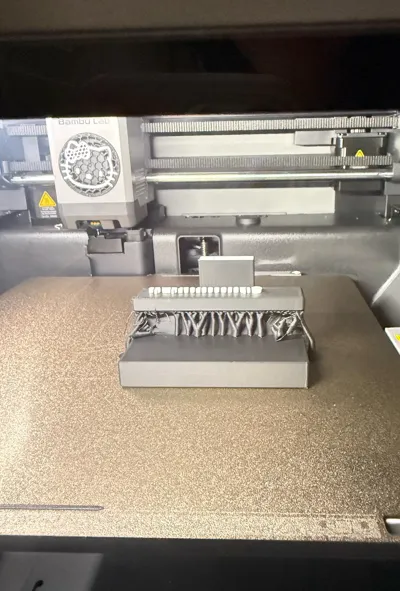
#PrintClinic Newbie here, I love the design of this card stand model, I printed twice and both time it shows stringing in this area, not sure what should I edit in the setting to fix this I want it to be smooth. I used PLA Mattewhich settings I should adjust to help reduce or eliminate the stringing? Thanks in advance!
Share
2
26
0
Comment (26)

@Romans1x16 : That’s a very extreme overhang. Give it another try with supports enabled :)
The poster has replied
3
Reply
@Romans1x16 : : My pleasure!
0
Reply
@PTunsupon : Thank you! I’ll definitely give it another try with supports enabled. I really appreciate the suggestion! 🎀
1
Reply

@user_698356840 : how do u enable finished print photo
The poster has replied
1
Reply
@user_698356840 : : hmm
0
Reply
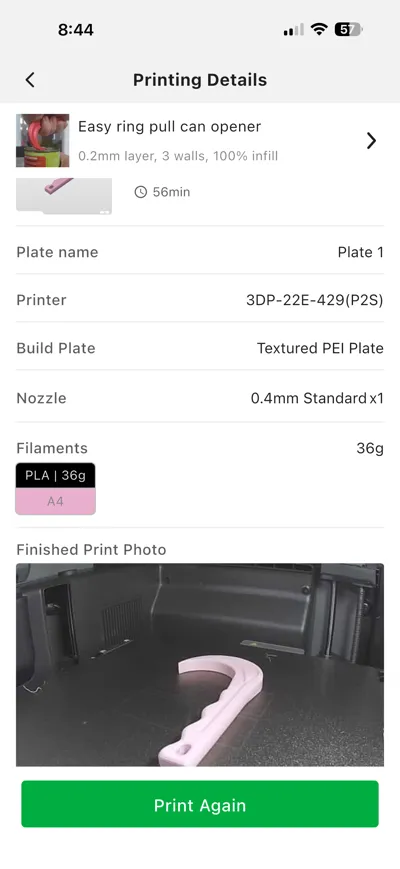
@PTunsupon : I honestly have no idea. 😅 It automatically appears for me when I open the printing history.
0
Reply

@Aaron987B : did you print this again with better results already or do you still need advice?
The poster has replied
1
Reply
@Aaron987B : : Thats great! The part where supports were removed typically isn't the smoothest. The best way to know if the supports are completely removed is to check for a grid pattern where they were removed. If there is no grid then your all good. Also for future reference that purge tower isn't needed for this print, you can turn it off in bambu studio. Purge towers are normally meant for prints that change color in almost every layer but this print only needs one color change. Just another way to save filament l. Glad I could help.
1
Reply
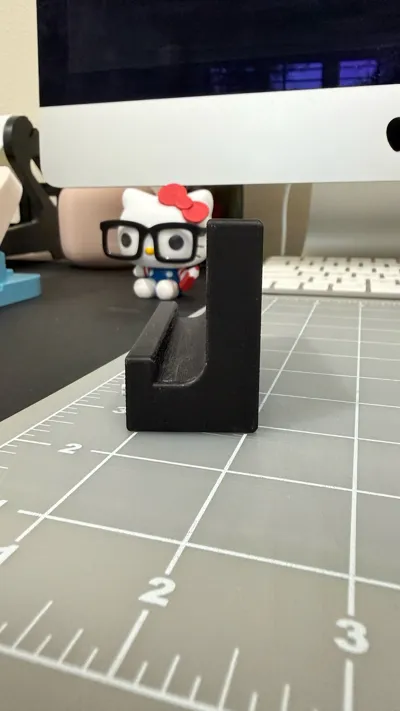
@PTunsupon : I just printed a new one today with support enable, it looks so much better, not sure why it’s still not smooth or if part of support still attached. I’m happy with the result and thank you for your advice. Really happy with how it turned out though! Thank you so much for your advice and help. I really appreciate it! 😊
0
Reply

@The3DTheoriesis : couldn't you just rotate the model to the side so everything is facing up and no supports are needed?
The poster has replied
1
Reply
@Aaron987B : : Sounds like an issue with the file. The only way they could really not be attached is if the letters were floating slightly above the print. This would cause stringing that may look like it needs supports but you just need to look at the file.
1
Reply
@PTunsupon : I have another model with letters on the front, but the letters didn’t attach. I think I may have made them too thick. It also seems like the letters need supports when they’re on the side rather than on the top.
1
Reply

@SilkPLA : add suppourts in bambu studio
1
Reply

@user_1247297404 : SUPPORTS ARE YOUR GOOD FRIENDS NOW!!!
0
Reply

@EZTrizzle : It look like it is too big of an overhang. I’d recommend adding supports to the model
1
Reply

@Karlos_ : just try printing it on another angle or use supports
1
Reply

@waylaidwanderer : Welcome to the Print Clinic! Let us get your printer back to full health.
To help us diagnose why those lines are drooping under the overhang, could you share a few more details from your slicer? We can see from your photos that you are using a P2S with PLA Matte, but we need to know your nozzle temperature and print speed.
Also, did you have supports enabled for this print? When printing over empty space like that, the filament can sag if it does not have supports to rest on or if the nozzle is running a bit too hot.
The poster has replied
1
Reply
@Aaron987B : : If you used the profile given, this is the creators fault. Nothing you did wrong. If you have a computer or laptop search for bambu studio, download it and set it up. Find this model and click download. On the bottom left find quality and turn on supports. Click slice at the top right, then print.
0
Reply
@waylaidwanderer : : Thanks for the info. I took a look at the model - that overhang can't possibly be printed without supports. If the print profile is lacking them, you'll need to add them yourself in Bambu Studio. Let me know if you need help with that!
0
Reply
No more data
Trend
PrintClinic
HideAndSeekChallenge
Weekly Roundup
1
the Great Benchy Nations
2.9 k
2
Questions
1.4 k
3
Theprintertribes
1.4 k
4
Needhelp
793
5
Newmodel
740
6
Face Reveal
482
7
Contests
391