Search models, users, collections, and posts
Recommendation
Creator’s Club
Creators & Fans
Show Your Make
Off Topic
Post Details
Single Print OK, Batch Quality Bad? Fix Here!

#PrintClinic

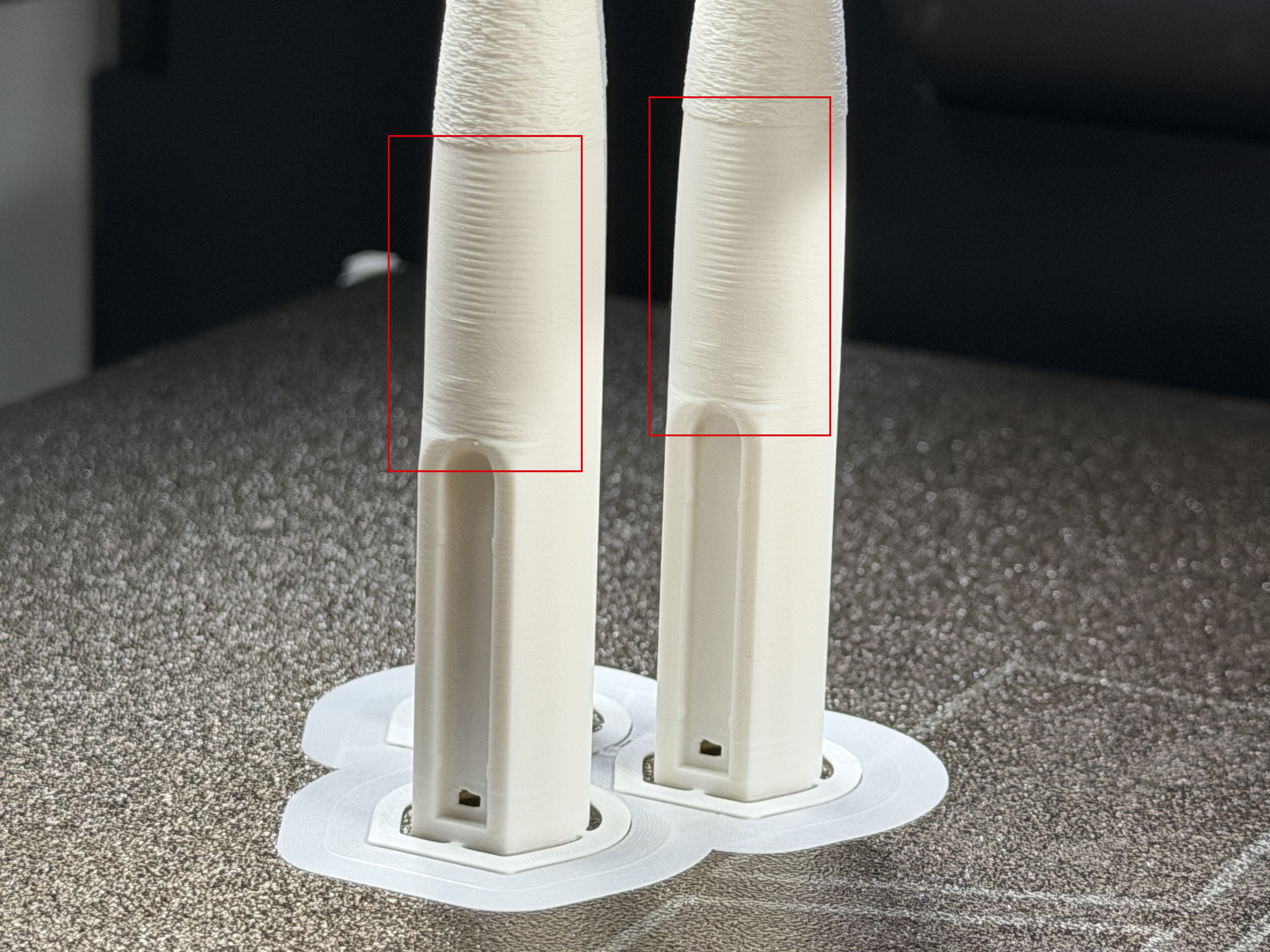
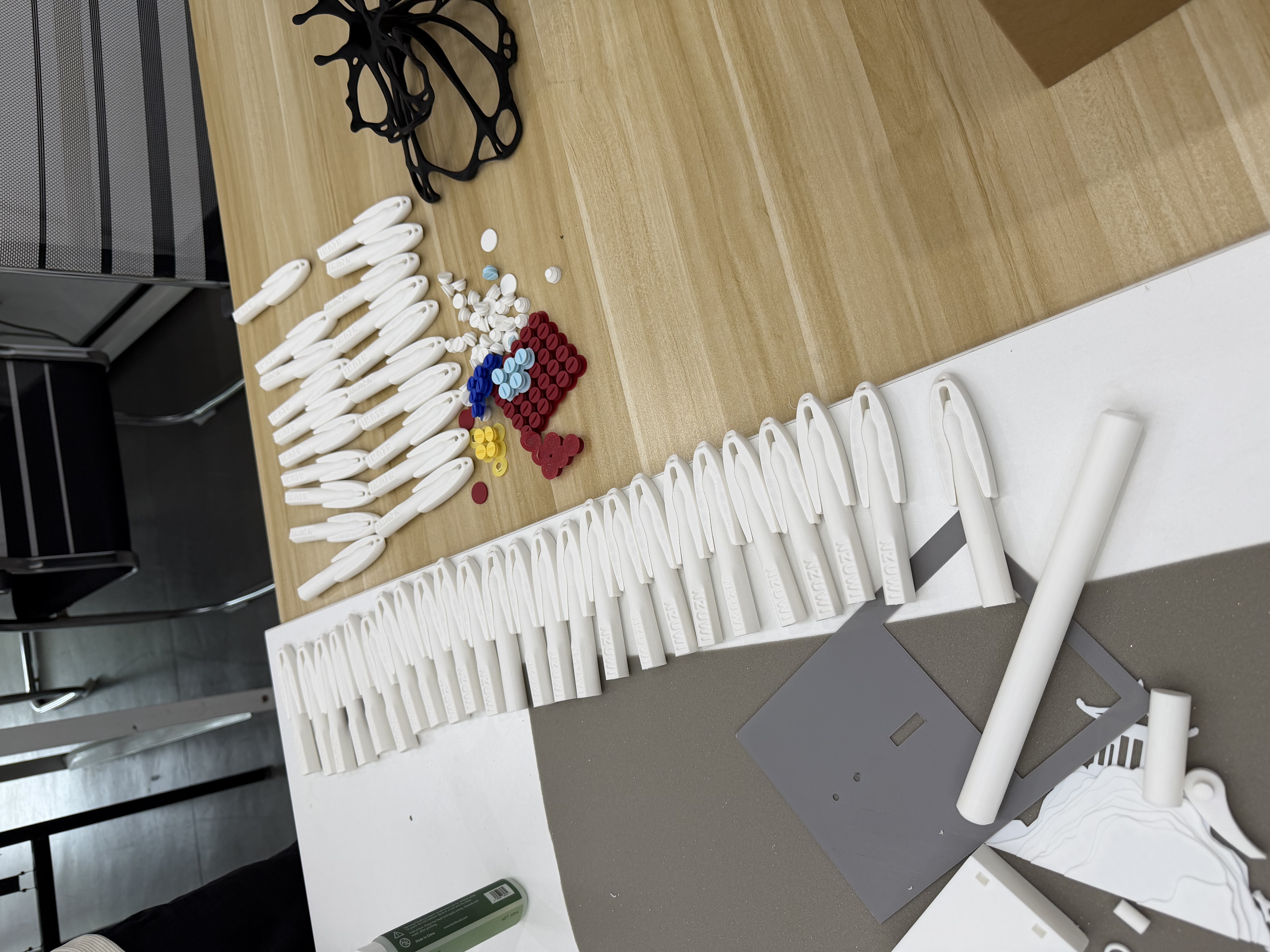
I designed this Lanyard Pen for exhibitions and public events, so I needed to print a whole batch at once. During my initial tests with a single pen, the surface was incredibly clean and smooth. However, when I cloned it to print multiple pieces, an ugly artifact appeared on the upper section of the logo tag on every single pen, as shown in the image below. Whether I printed two or ten, the issue persisted as long as there was more than one pen on the build plate. I tweaked numerous settings and tested the print on different machines, including the H2D, P2S, and P1P, but nothing worked. That was until I found a solution.
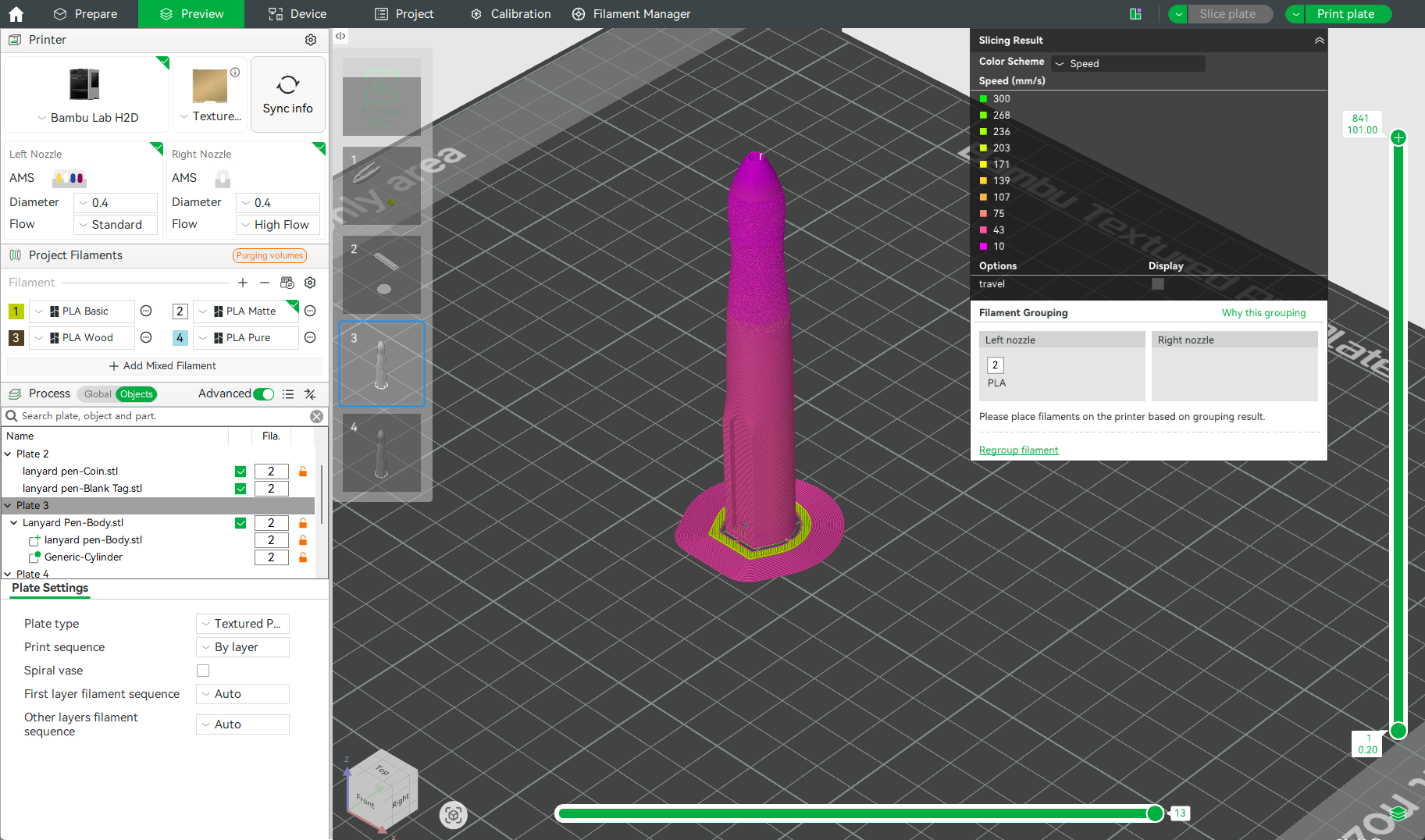
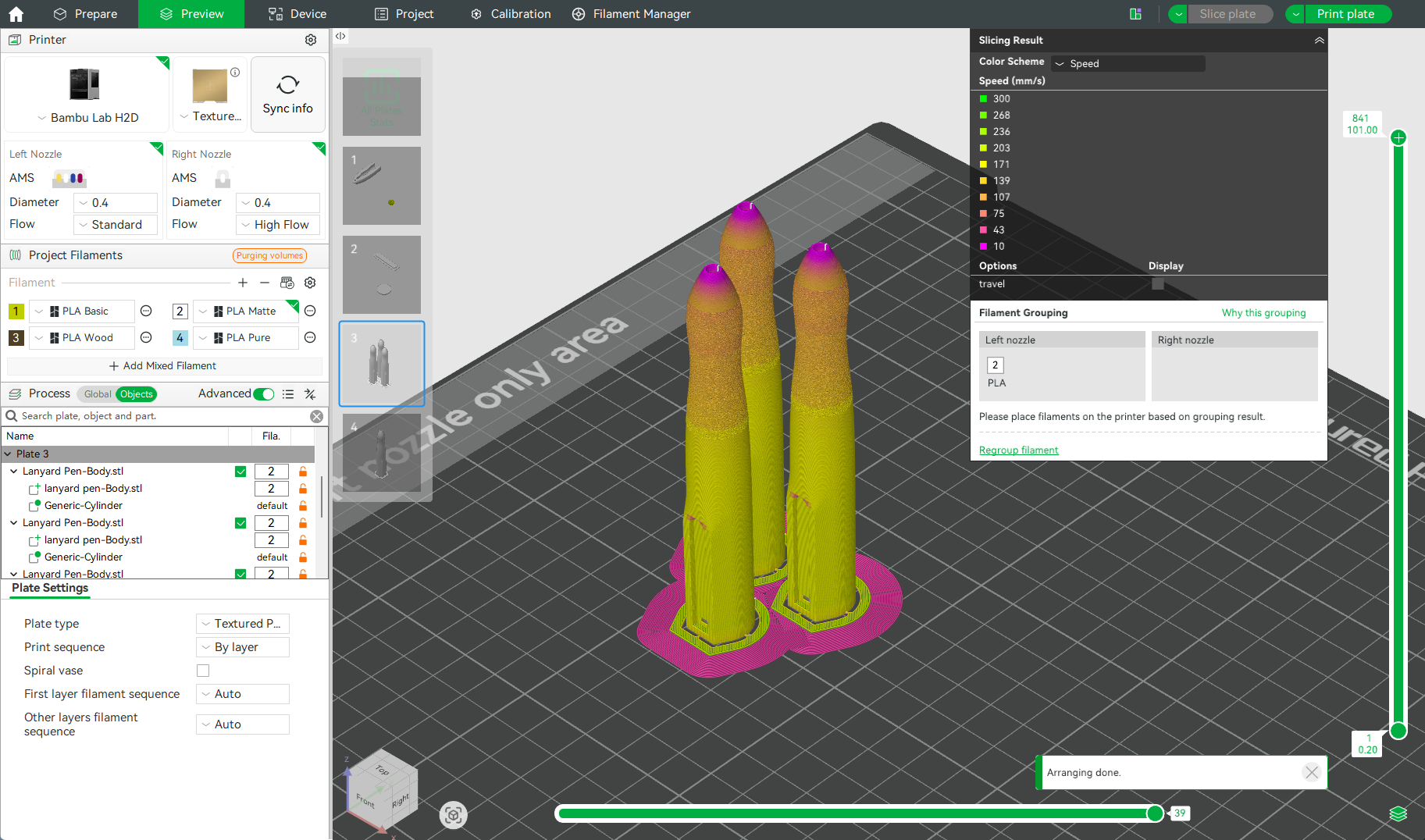
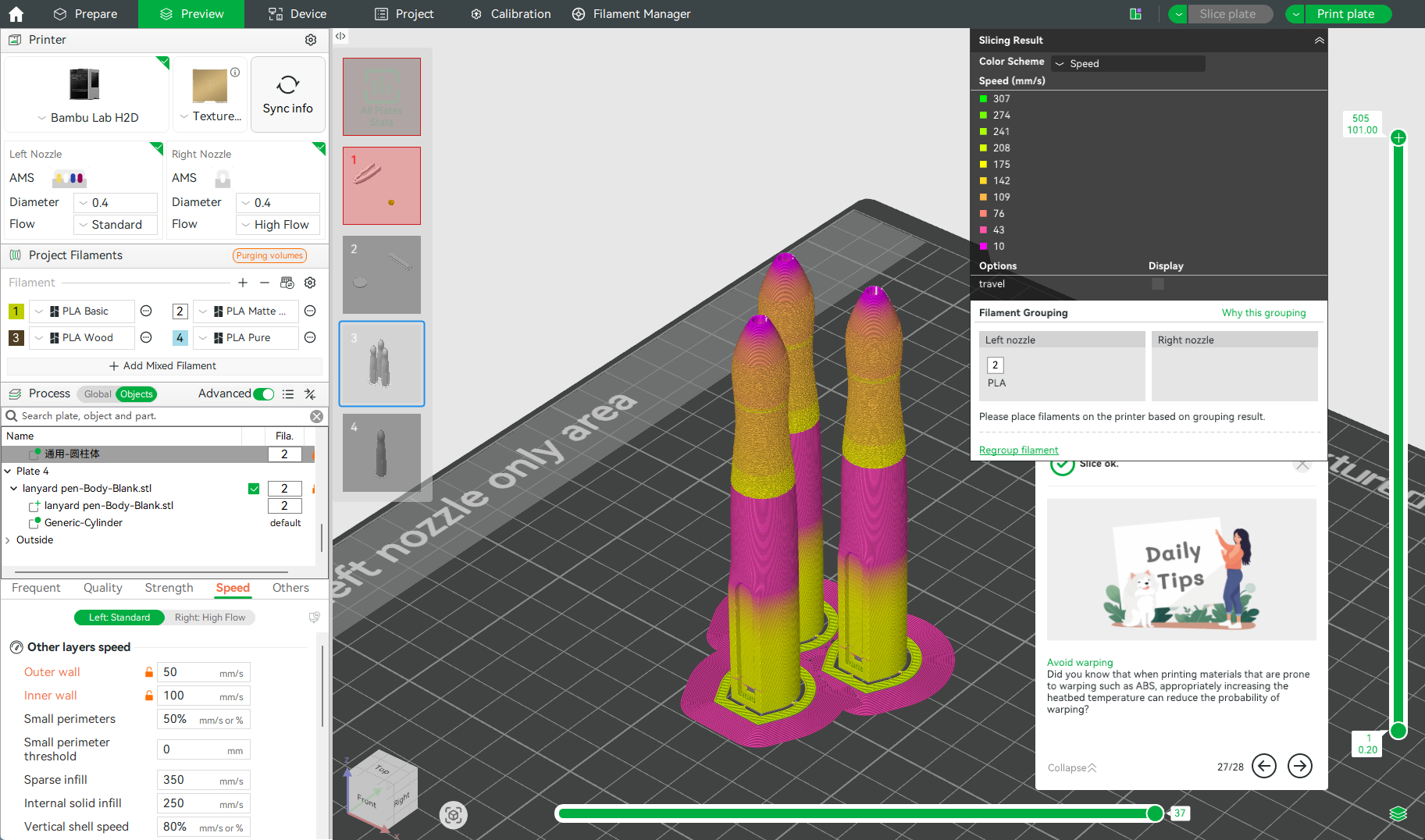
While reviewing the different color schemes in Bambu Studio, I noticed that the biggest difference between printing one pen versus multiple pens was the print speed. The single-layer print speed for one pen was significantly slower than for multiple pens, as shown in the two images below. This made me realize the issue must be cooling-related: when printing multiple pieces, the nozzle moves too fast and spends too little time on each layer, leaving the cooling fan insufficient time to cool each layer properly.
 

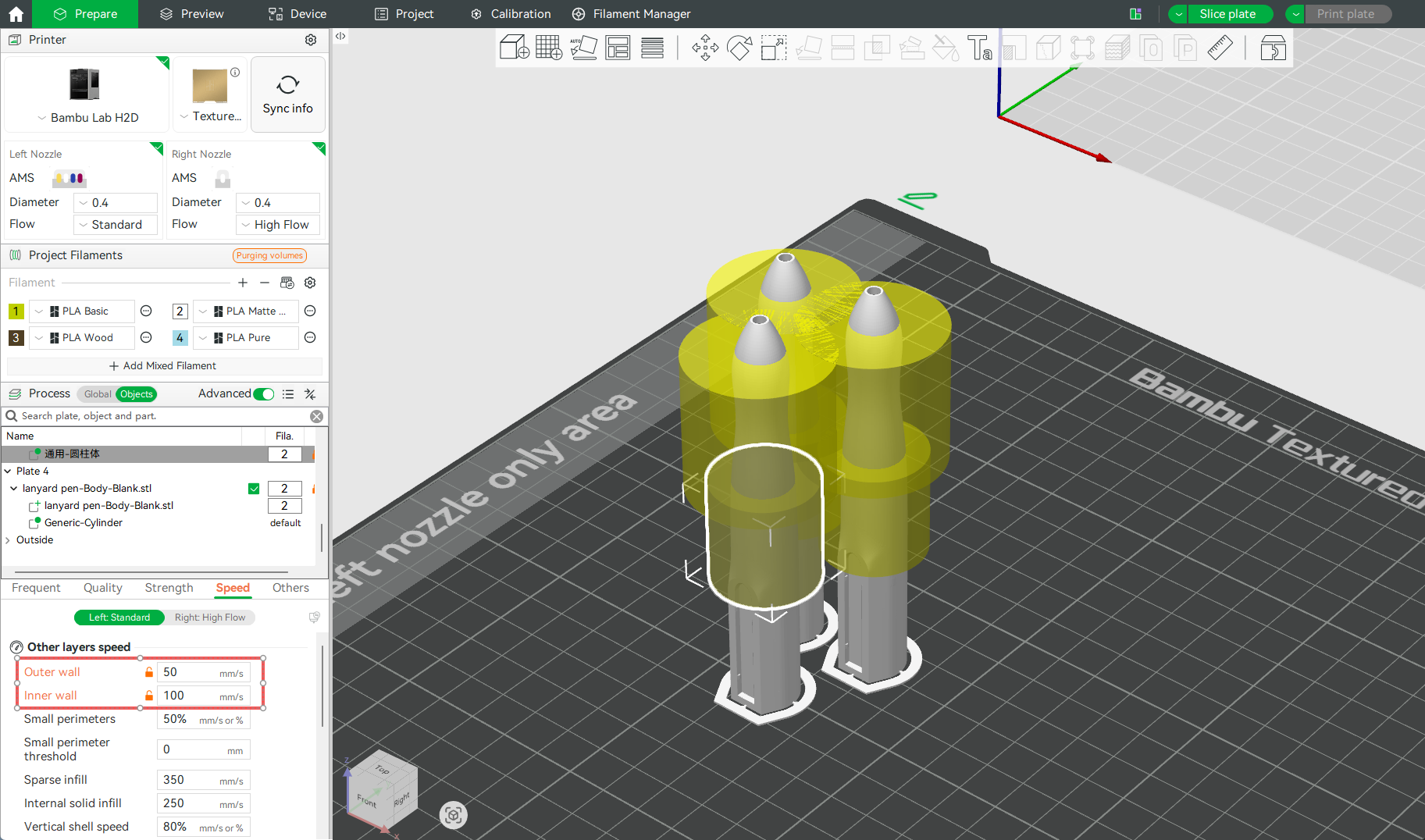
Since cooling-related settings are typically modified within the filament profile (which is saved locally to the user's device), the best way to embed this fix directly into the print profile was to adjust the model's process settings instead. I added a modifier (Cylinder) to the problem area of each pen and lowered the print speed within that modifier to the values shown in the image(The cylinder modifier above is used to add a fuzzy skin to the model). After slicing, the print speed in that specific zone matched the speed of a single-pen print. Then, I ran a test.
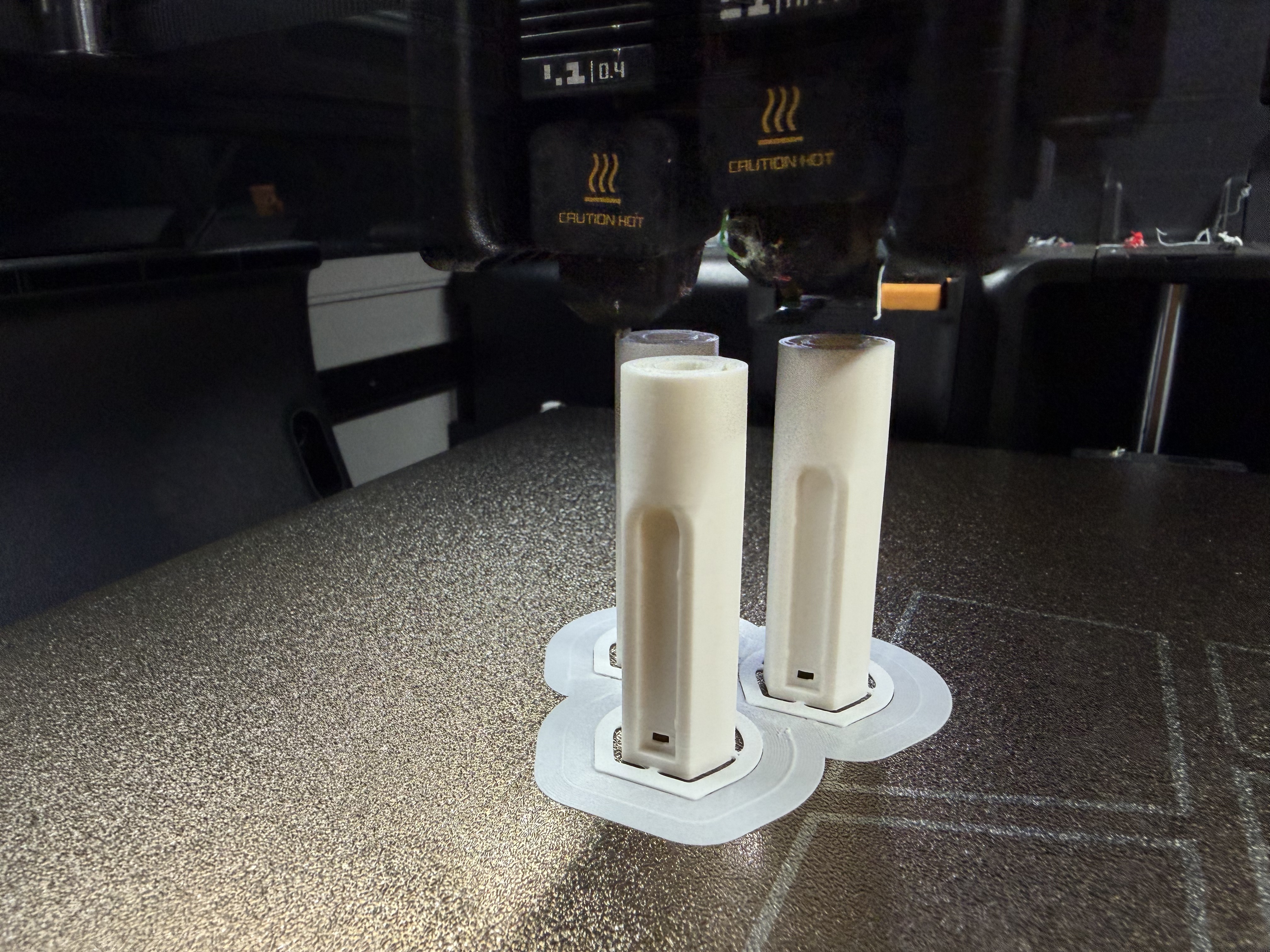
The results were perfect! The issue was completely resolved. What’s even better is that when printing three pens, using the modifier only added 9 minutes to the total print time—a negligible impact. Finally, I can mass-produce this pen! If you run into a similar issue, give this method a try!
(Edited)
Share
160
15
4
Comment (15)
@dvoros Heyya! Nice write-up, thanks for sharing. Another thing that can help with smaller batches is changing the "Print sequence" to "By object" so it prints object by object. Also great if you need it in different filaments. (Won't solve the problem of large batches though as you'll need to spread the objects out more.)
5
Reply
@mf3dprints Thank you! I'll keep this in mind!
2
Reply
@mf3dprints @user_2000617066 : Okay!
0
Reply
@user_2000617066 if a fuzzy skin is added it will bw fuzzy
2
Reply
@Squabby doing this. thank you
0
Reply
@n0tenganches Wouldn't reducing the external wall speed to around 60 mm/s solve this issue for any model?
0
Reply
@user_3461359207 so many factors to look at, Great work Finding this out
0
Reply
@Ian1968 Many thanks for your information, it makes so much sense, and wish I knew this BEFORE all the throwaways......lol
0
Reply
@IronmanMetal I'm confused about adding the modifier Why won't it print the cylinder out, that's in the yellow, also? I don't get how that works.
0
Reply
@salamy22 The yellow is the area being affected by the modifier. Pretty much just telling the printer "print this section at this speed"
2
Reply
@Yemensis Ottima risoluzione dei problemi! Molti attribuiscono immediatamente la colpa al flusso, all'anticipo di pressione o alla calibrazione della macchina, ma spesso il vero colpevole è il raffreddamento dello strato. Ho riscontrato lo stesso problema con i componenti funzionali: una singola stampa appare perfetta, ma lo stesso identico modello presenta difetti quando il piatto di costruzione viene riempito con più copie. L'utilizzo di un modificatore locale è una soluzione molto elegante perché rallenta solo l'area critica anziché aumentare il tempo di stampa dell'intero modello. Ho notato un comportamento simile anche con materiali tecnici come PA, PC e ABS, dove l'equilibrio tra velocità di stampa e raffreddamento diventa ancora più critico durante la produzione in serie.
0
Reply
@user_2426003524 Thanks a lot for the info!
0
Reply
@BuiltByDesign Thanks! Now I will not waste filament, when trying to print lots of the same item. :)
0
Reply
Trend
PrintClinic
HideAndSeekChallenge
Weekly Roundup
1
the Great Benchy Nations
3.7 k
2
Questions
1.4 k
3
Theprintertribes
1.2 k
4
Newmodel
661
5
Needhelp
553
6
Contests
448
7
Face Reveal
387