Search models, users, collections, and posts
Recommendation
Creator’s Club
Creators & Fans
Show Your Make
Off Topic
Post Details

Using Symmetry in Nomad Sculpt (World vs Local)
Symmetry in Nomad Sculpt depends on where the axis is, not just the model.
Choosing the wrong mode is why symmetry often looks “broken”.
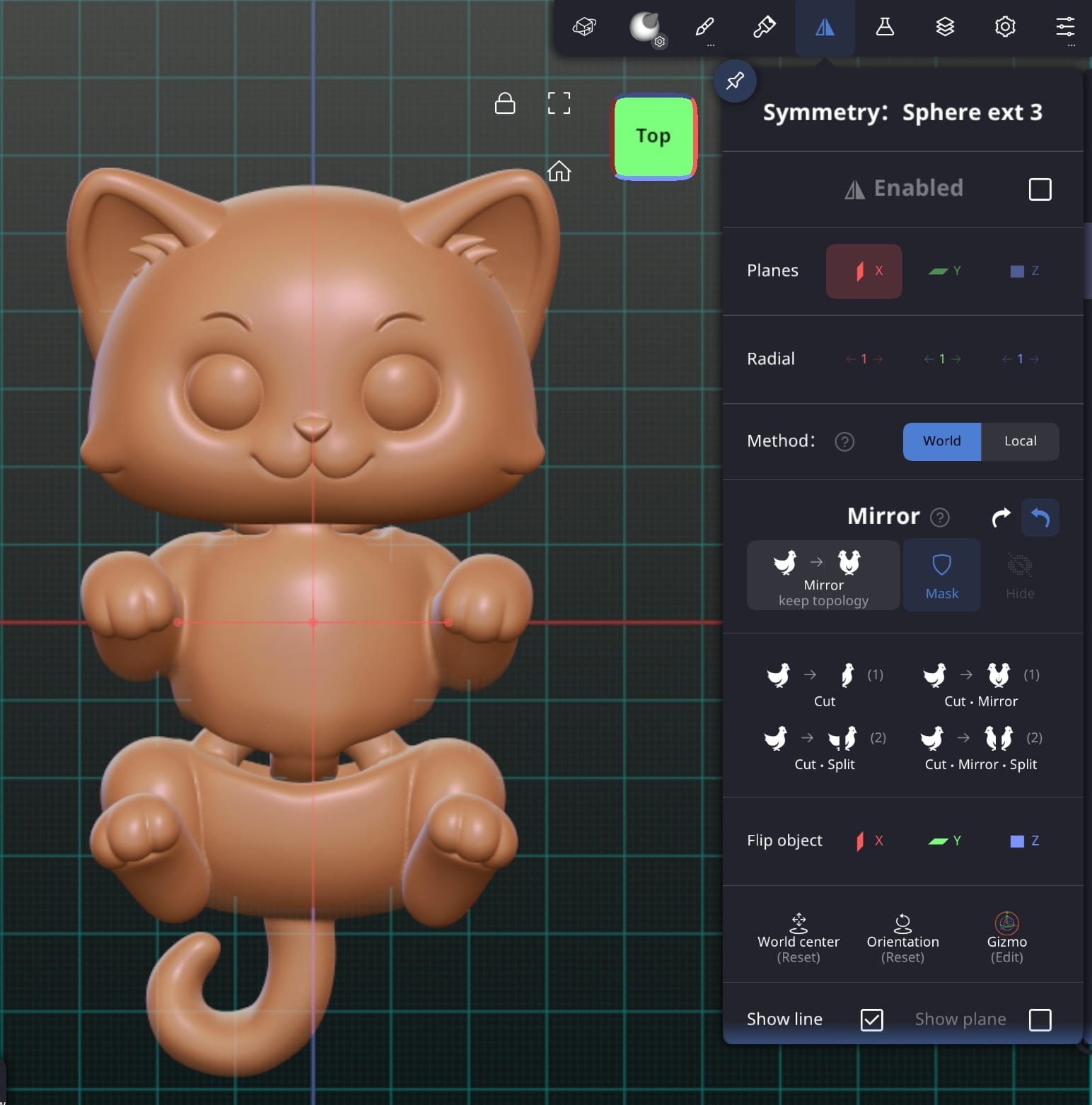
World Symmetry
- Uses the global scene axis (X, Y, Z)
- Works only if the model is perfectly centered
- Best for early-stage sculpts
Don't use If the model is moved or rotated, symmetry won’t match anymore.
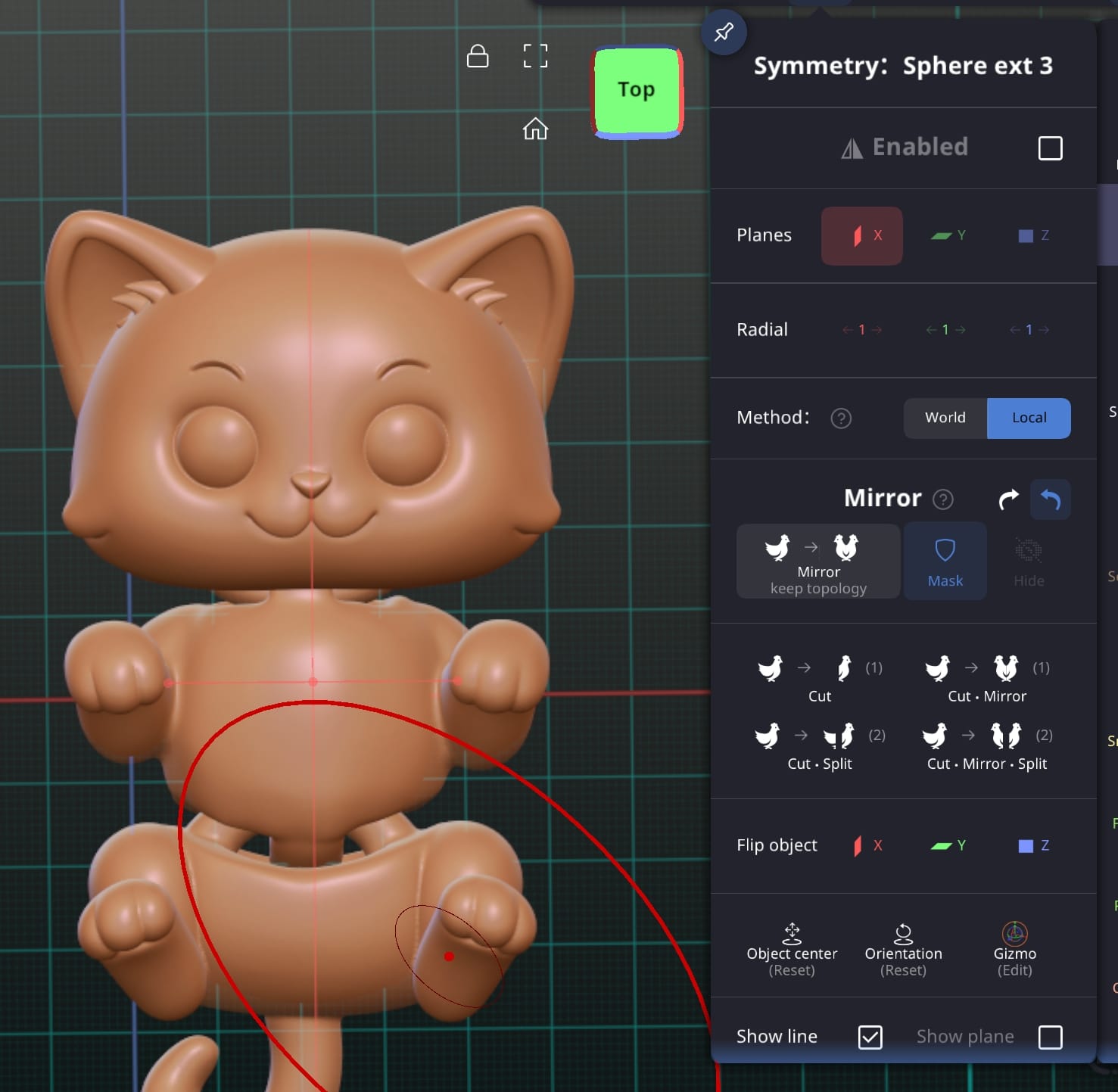
Local Symmetry
- Uses the object’s own axis
- Follows the model even if it’s rotated or offset
- Best for posed or adjusted models
Often fixes symmetry instantly.
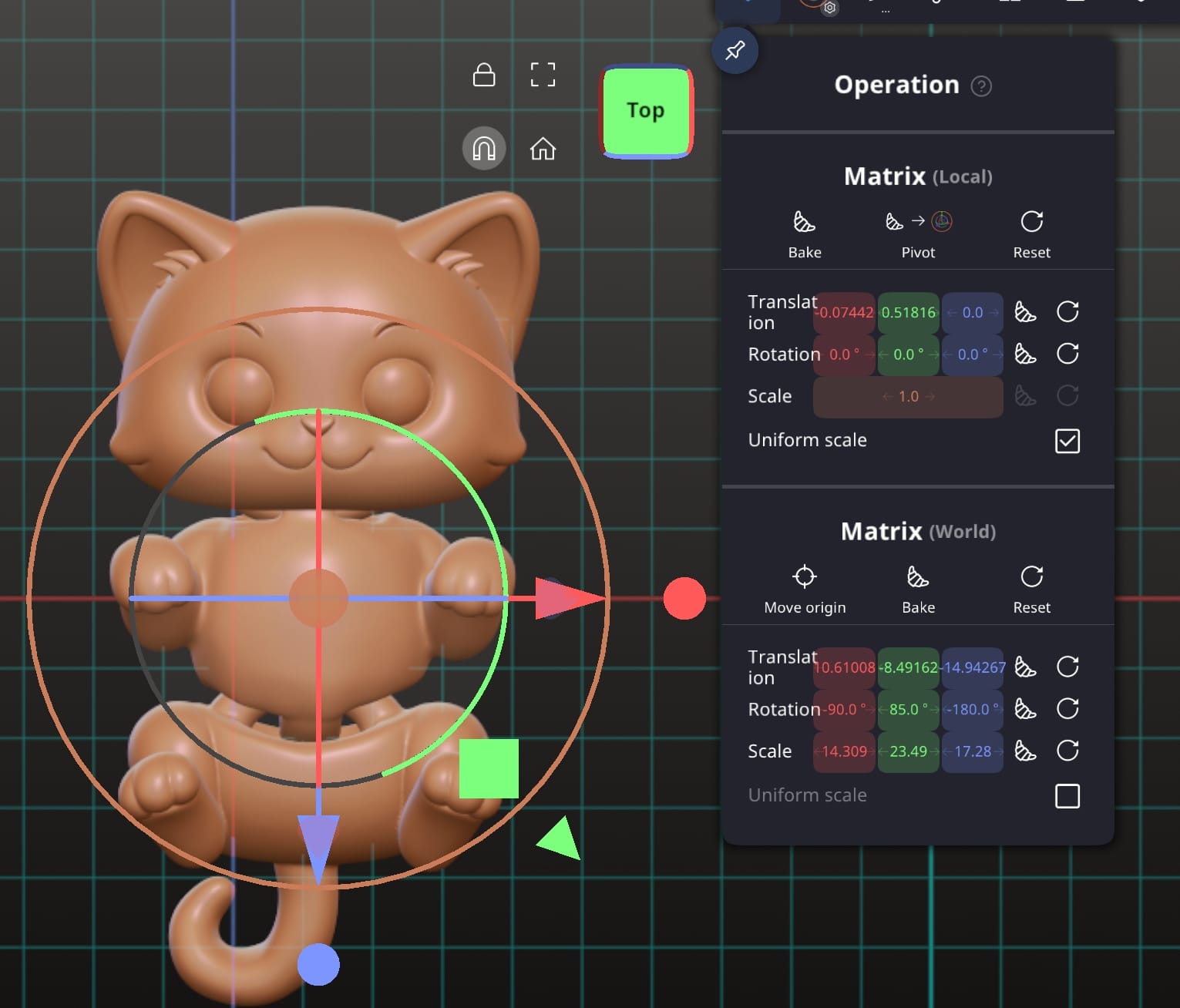
Common Mistake
- Model gets moved or rotated
- World symmetry stays enabled
- Result: misaligned or drifting details
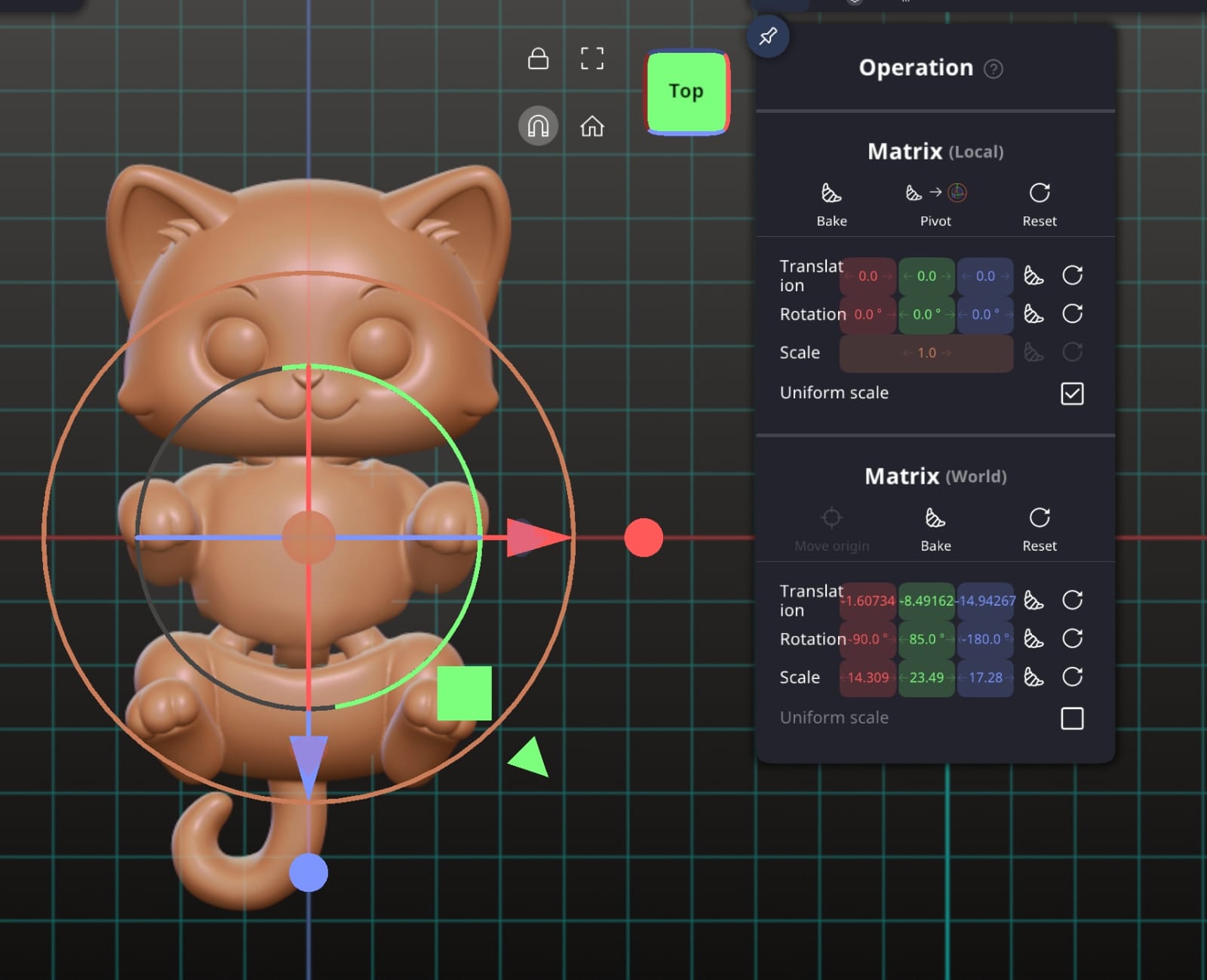
Solution: Using World Symmetry
To use World Symmetry, the model must be aligned with the world center.
1. Move to Origin
Use the Move to origin / reset tool to send the object back to the world center.
2. Adjust the model
After moving it, manually adjust the position so it looks centered.
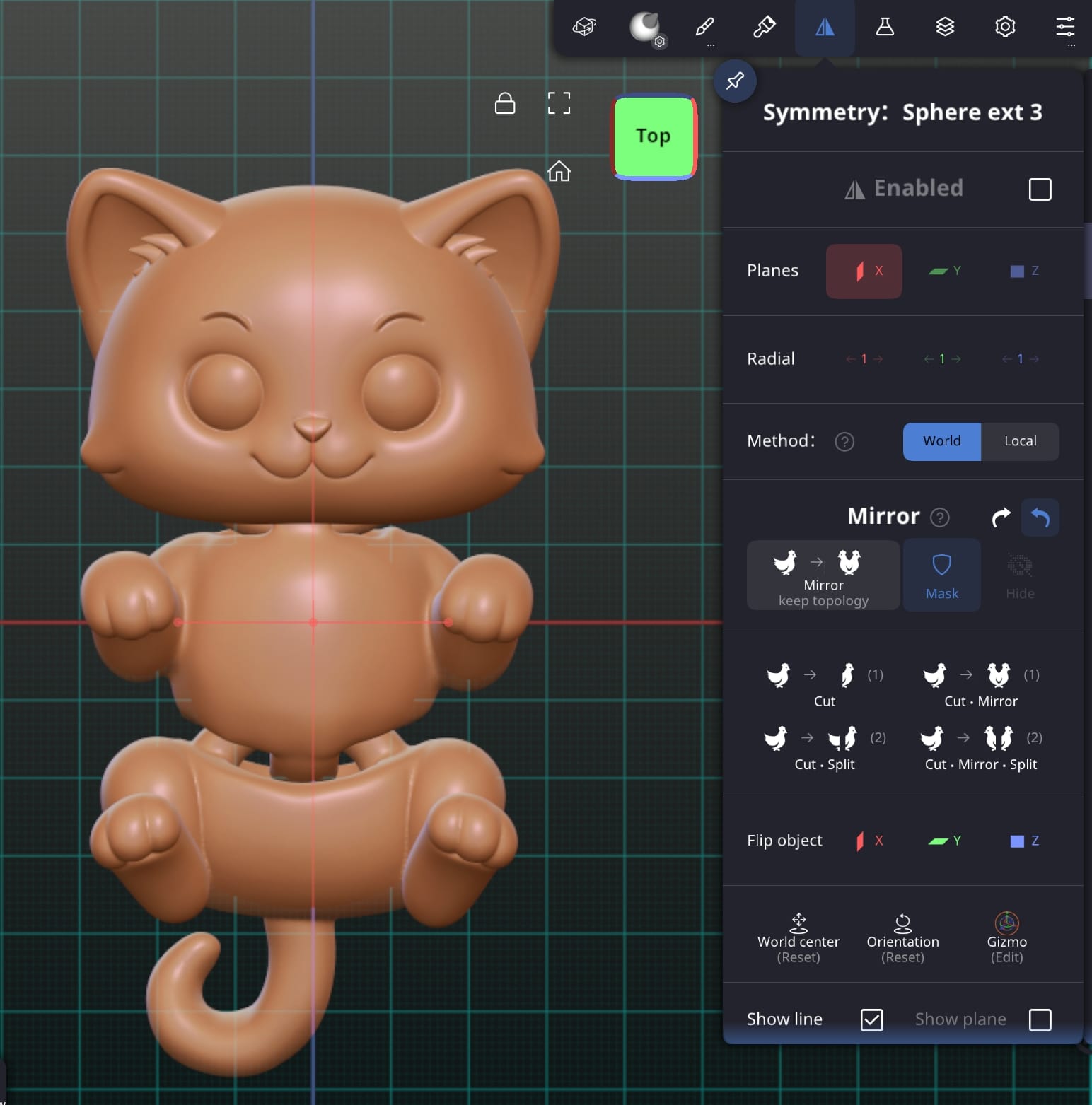
3.Enable show line
Turn on Show line to see where the symmetry plane passes.
If the line doesn’t go through the middle, symmetry won’t work correctly.
Share
12
0
0
Comment (0)
No more data
Trend
PrintClinic
HideAndSeekChallenge
Weekly Roundup
1
the Great Benchy Nations
3.2 k
2
Theprintertribes
2.2 k
3
Questions
1 k
4
Newmodel
817
5
Face Reveal
616
6
Contests
451
7
Renew MakerWorld
440