Search models, users, collections, and posts

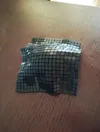
Fabric flexible bag
IP Report


Print Profile(2)

0.28mm layer, 2 walls, 100% infill -- with strong connector
Designer
9.1 h
3 plates
0.08mm layer, 2 walls, 15% infill

25.2 h
2 plates
Open in Bambu Studio
Boost
858
1944
46
30
983
276
Released
Description
This 3D printed bag can be used to hold some small items. This design referenced https://www.printables.com/model/544241-3d-printed-fabric and exteneded it with a slot/insert system for various applicans. It is reimplemented with openscad.
Build steps:
Caution: this making need some intermediate knowledge about slicer.
this making can be fragile and might break under certain force with some small piece fall out, don't give it to little kids.
- Print napkin_bag_rigid_1stpcs and napkin_bag_rigid_2ncpcs, 0.4mm nozzle, layer height 0.28mm.
- Print connector2, need to clone 58 copies in slicer, layer height 0.2mm
- Use connector2 to connect two pieces together according to the picture below. Need to use some force to press. You can use something with flat bottom to help i.e. benchy. Note: connect2 is not symmetric but its okay if different connectors are installed in different direction, its hard to notice.

- Use connector2 to connect the side of the bag together. This needs some force, and need right angle. Note don't misalign the pieces. Once connector2 is clipped inplace, its extremely hard to pull it out and you might damage the fabric by doing so. My experience is install all the connectors on one of the fabric piece, then clip the other piece with connector using thumb and index finger.

- Your bag is done when all the connectors are installed.
Notes:
- I designed two versions of bag: flex and rigid. Flex feels softer, it feels more like other fabrics you can download. But I found its too soft that the bag is not suitable to hold things. I uploaded flex version for your reference but I would recommend the rigid version. The rigid version is not so soft, it feels like leather when touched and it holds its shape well. I printed the rigid version to hold some spare napkin.
- This making is an exploration to 3D printed fabric. Based on the slots system (insert/slot), applications such as stitch two together, flex pixel, wearable applications can be made. I'll post more references.
- In case you need to test with other types of filament, use these 8x8 test blocks https://makerworld.com/zh/models/582881#profileId-504011 which takes much less time to print.
More notes:
- First layer is important and you need good bed adhesion. But I didn't use glue. If you plan to use glue, beware if the fabric adhere too good it might break when you tear it from the bed.
- Even if the first layer does not look good, I don't suggest stop printing immediately, it is very annoying trying to remove hundreds of single layer small tile. I'd prefer to wait for several layers before stop.
- From my experiement on Bambulab P1S with PLA basic, the best layer hight for fabric is 0.28 (for best strength) and connector is 0.2mm.
Video for flex version of the bag, it is more suitable for playing with.
License

This user content is licensed under a
Creative Commons Attribution-Noncommercial-Share Alike


Comment & Rating (46)