Search models, users, collections, and posts

Content Warning Keychain
IP Report


Print Profile(1)

Assembled - 0.12mm layer, 2 walls, 15% infill

1.2 h
1 plate
Open in Bambu Studio
Boost
47
61
13
7
109
29
Released
Description
Made to be printed in multicolor or assembled with the help of glue.
Use one of the premade faces or...
Make your own face in the slicer!
- If you want the font used in the game:
- https://fonts.google.com/specimen/Rajdhani
- Download, extract, and install the bold version
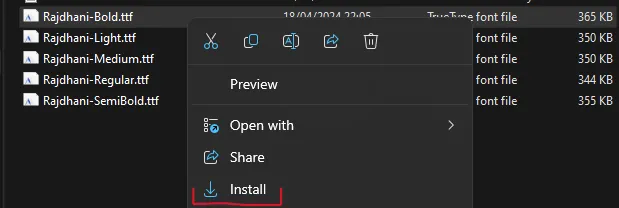
- Restart PC
- (It works in PrusaSlicer, but for Bambu Studio you might need to find another method of adding fonts)
For the AMS version:
- In slicer, select model and press T
- Select font, text, and size
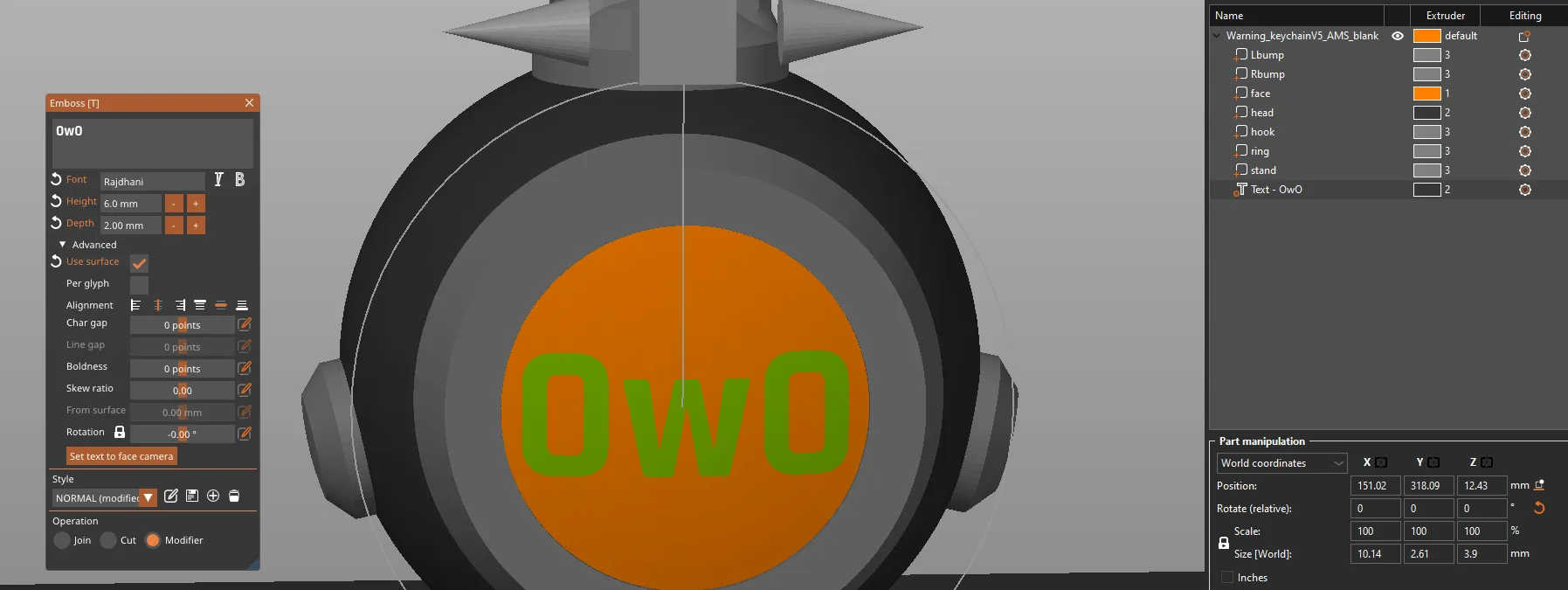
- for depth, select around 2mm
- set it as modifier, and from the model list, change its color
For the Assembled version:
I'll be using the multipass technique covered in detail in this video:
- In slicer, select model and press T
- Select font, text, and size; thickness = 0,2mm
- For the first part, select Operation as Join and then split → to objects:
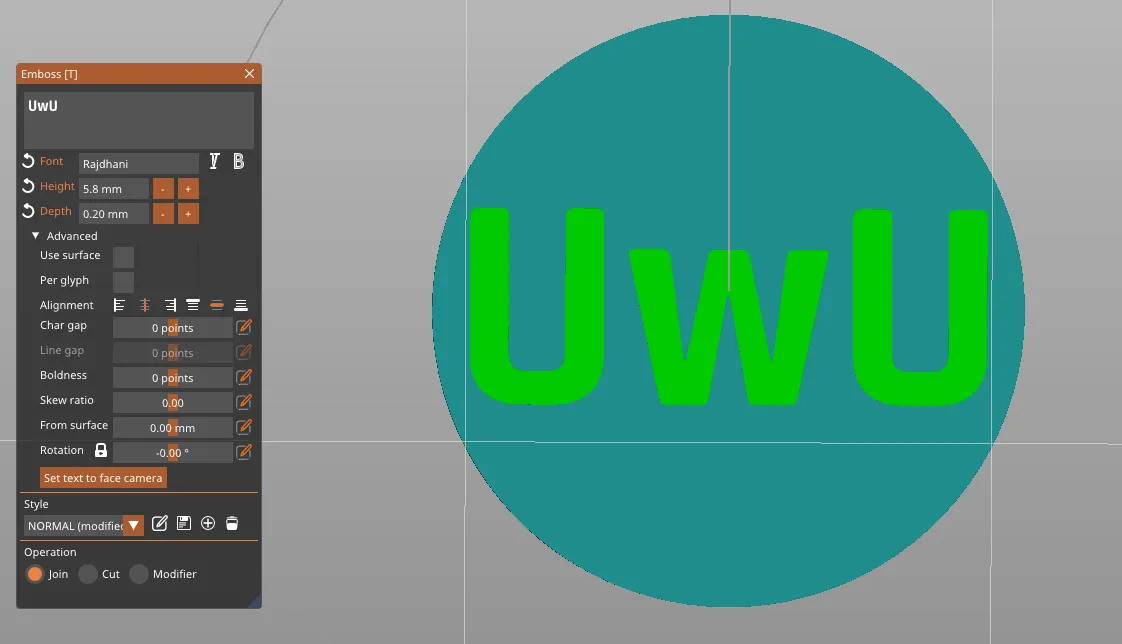

- hide the face and print letters; remember to remove the seam
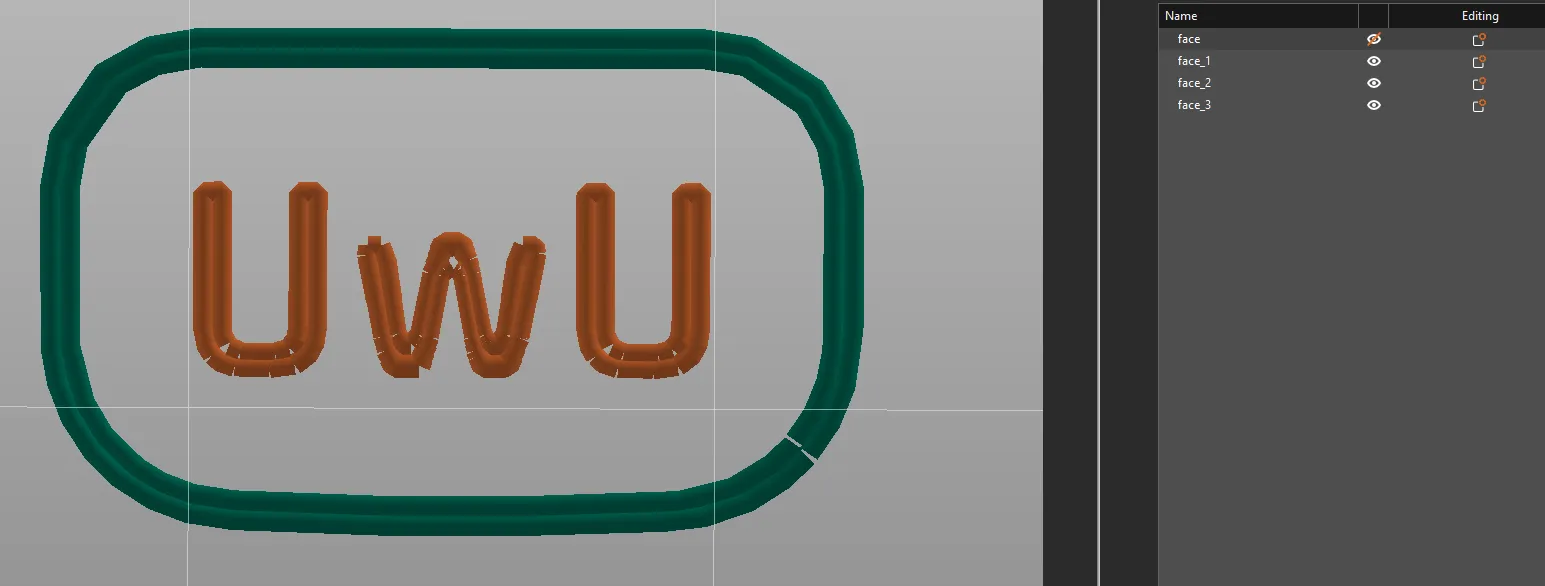
- then, come back a few steps and select Operation as Cut
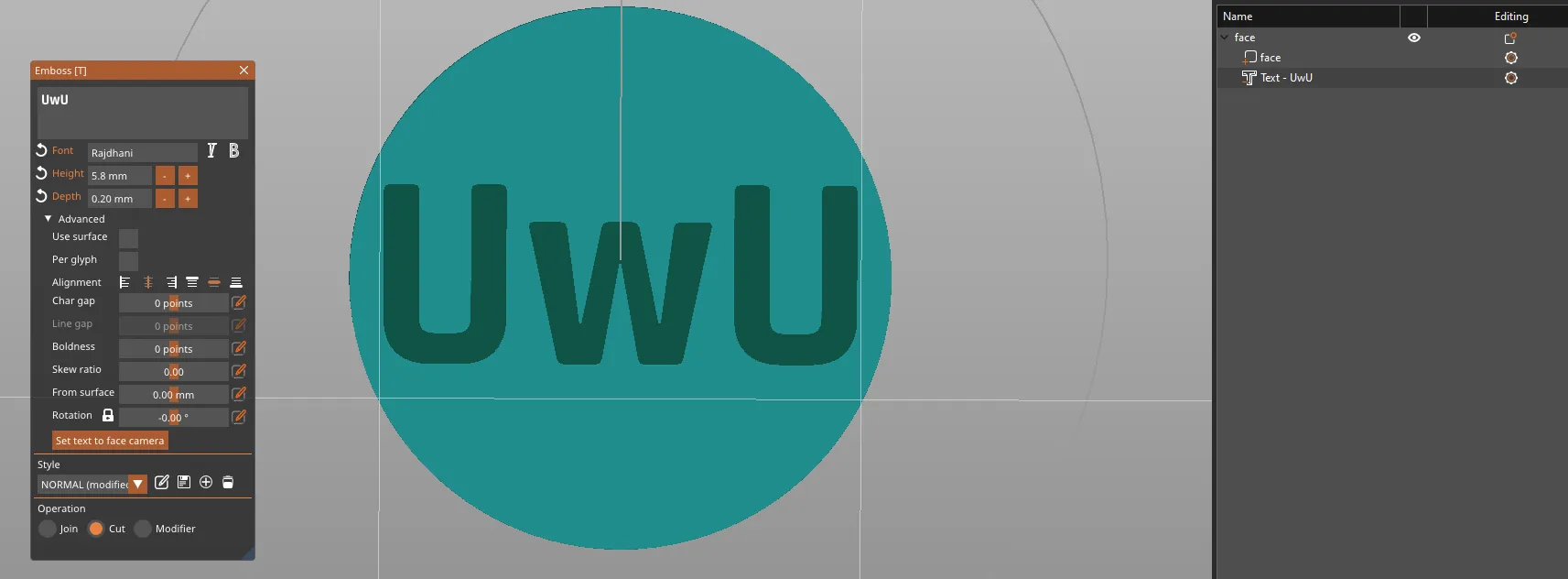
Printing tips:
- layer height of 0,1mm is recommended
- AMS:
- print it on the neck, use supports
- Assembled:
- use supports for the head
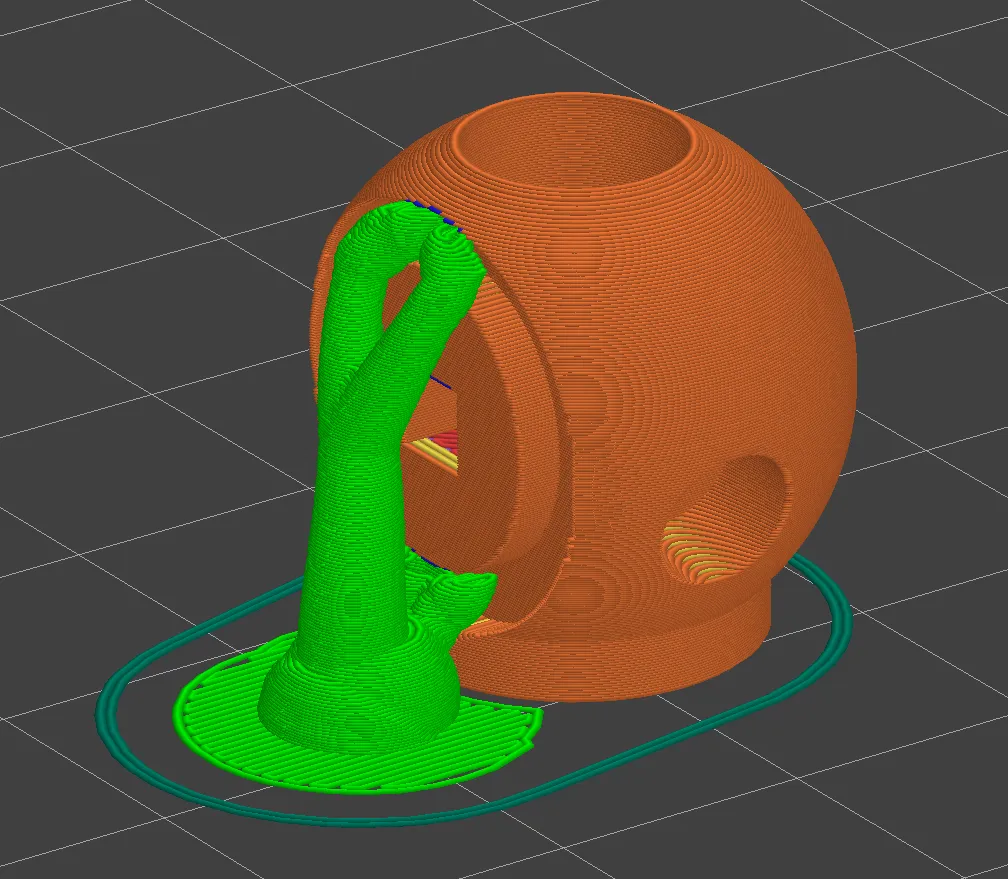
- for small grey parts, you might consider brim
- use supports for the head
Don't want the hook?
Use flat_top addon:
- add it as a part of your model
- delete the hook part
License

This user content is licensed under a
Creative Commons Public Domain


Comment & Rating (13)