
Light Switch Key Rack
Print Profile(1)
Description
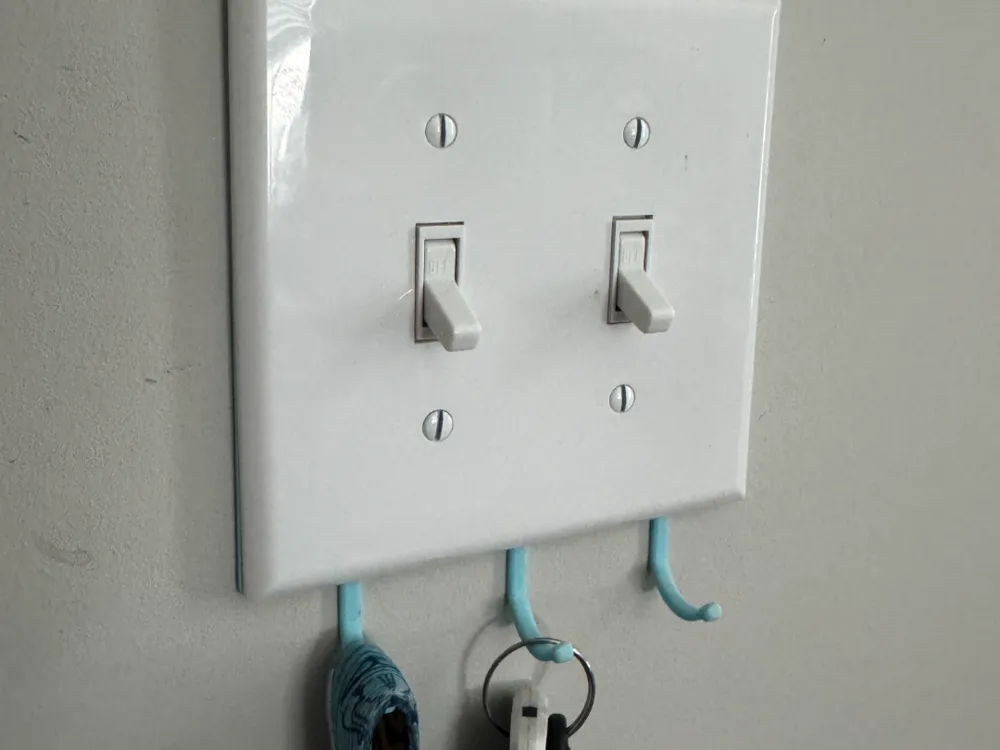
Under Switch Key Rack
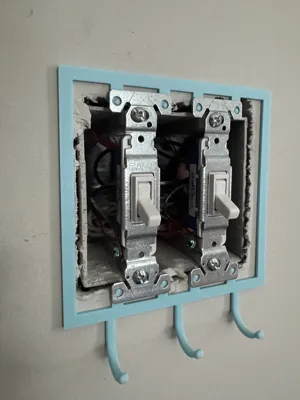
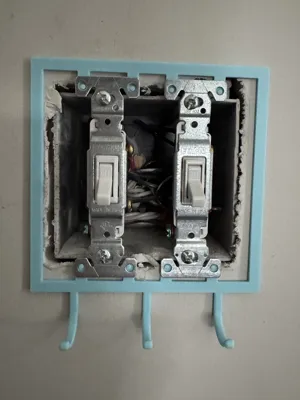
This key rack mounts beneath a light switch, providing a convenient place to hang keys while keeping the faceplate flush with the switch bodies.
Confirmed Fitment:
- Eaton 1301-7W Single-Pole Toggle Light Switches
- Eaton 5039C Faceplate (Code on the back of the plate, could not confirm on the Eaton website)
If your faceplate has different edge dimensions and the fit isn't quite right, feel free to leave a comment. I can adjust the model dimensions to match your specific faceplate.
Installation
Important: Turn off power to the switch at the breaker before installation
- Remove the faceplate screws and take off the faceplate.
- Loosen the mounting screws that secure the switch to the electrical box. The screws do not need to be removed completely.
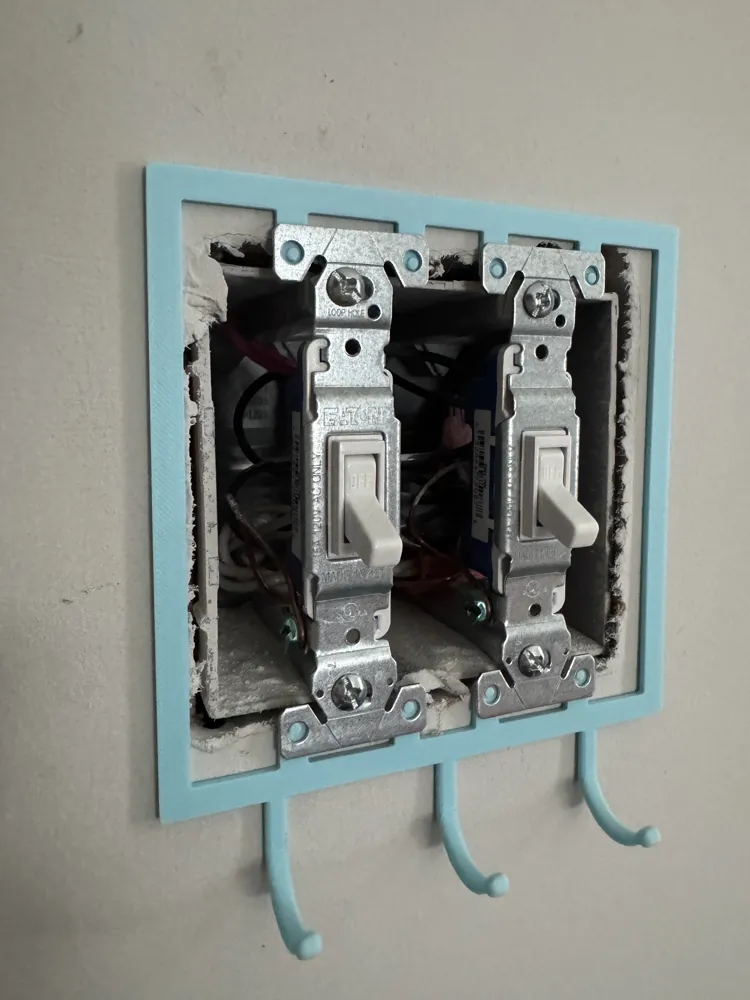
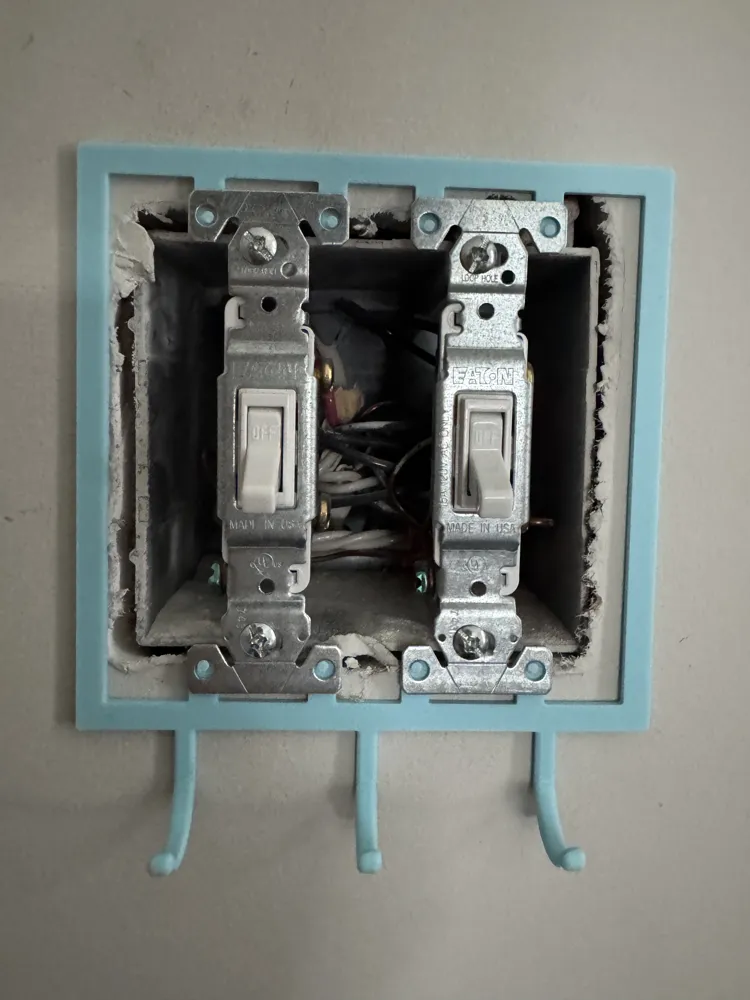
- Slide the mounting prongs underneath the switch mounting ears, as shown in the model photos.
- Tighten the switch mounting screws.
- Reinstall the faceplate. You may need to make small adjustments to the key racks position to align it flush.
License

You shall not share, sub-license, sell, rent, host, transfer, or distribute in any way the digital or 3D printed versions of this object, nor any other derivative work of this object in its digital or physical format (including - but not limited to - remixes of this object, and hosting on other digital platforms). The objects may not be used without permission in any way whatsoever in which you charge money, or collect fees.


Comment & Rating (0)