Search models, users, collections, and posts

Structural Steel | Structural Engineering Model
IP Report
Print Profile(1)
0.2mm layer, 2 walls, 5% infill
Designer
8.8 h
6 plates
Open in Bambu Studio
Boost
27
81
3
1
42
29
Released
Description
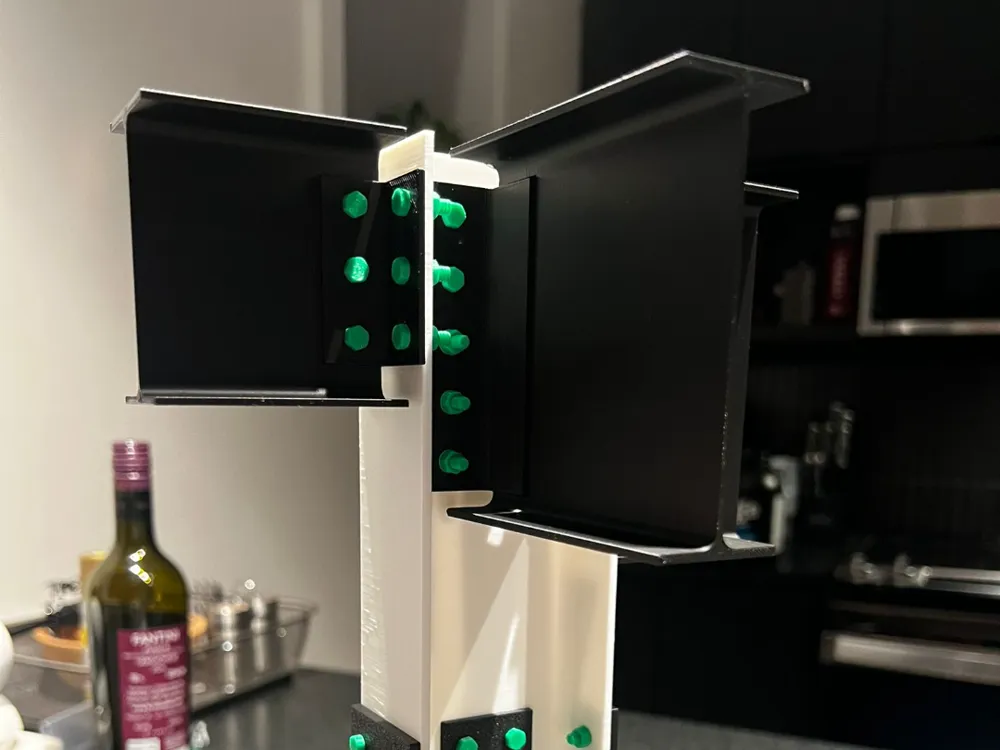
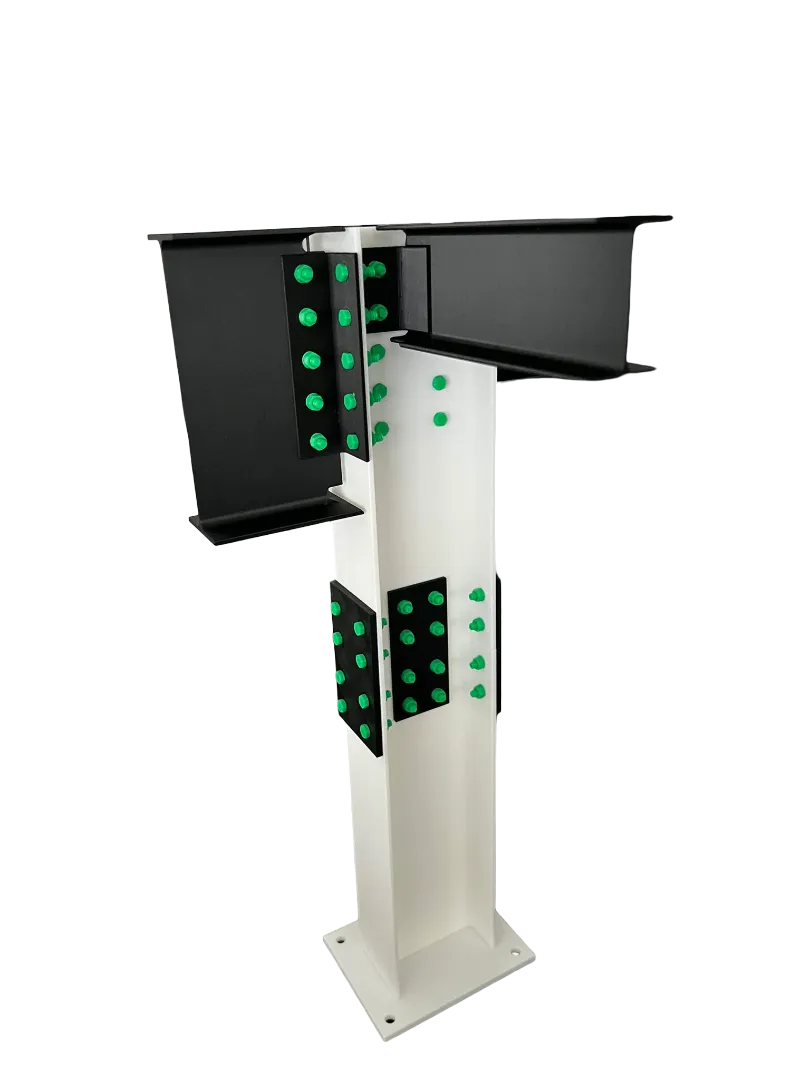
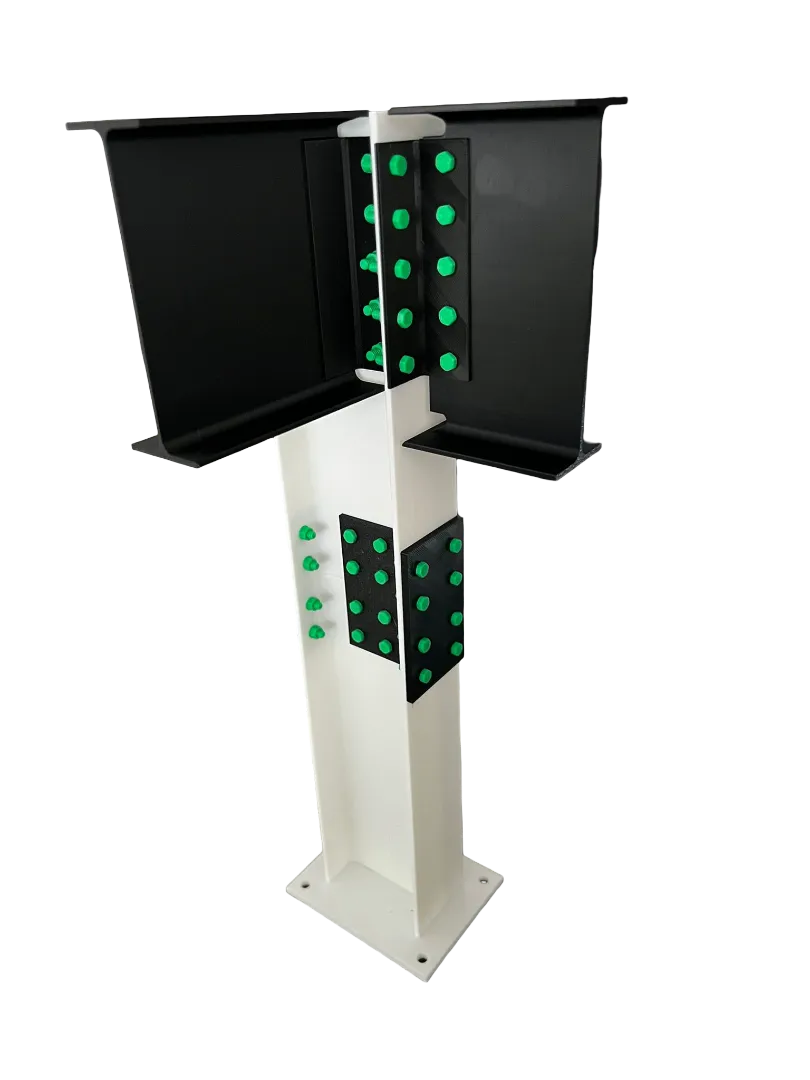
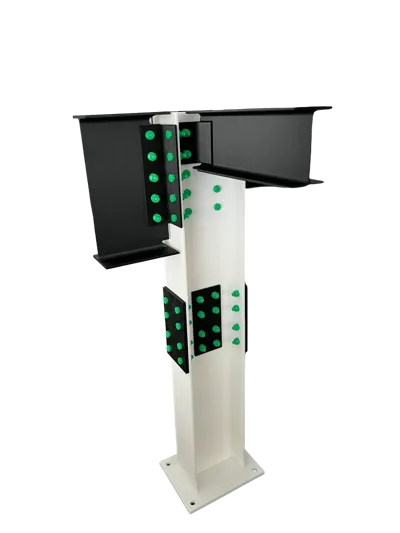
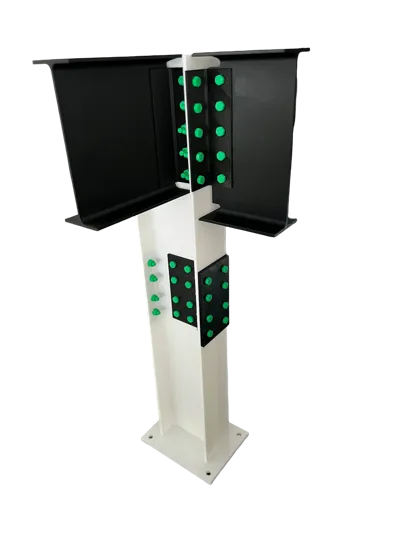
Structural Steel Connection Desk Model (Modular, Bolt-Together)
A compact structural steel connection demo model designed to sit on your desk and show how beams frame into a column using plated connections. Everything is split into modular parts so you can assemble, disassemble, and reconfigure it for training, explaining connection concepts, or just having a clean engineering desk piece.
What’s included
- Column + base plate
- Beams + connection plates
- One bolt / nut / washer set (clone it in your slicer to make as many as you need)
Print Notes (Important)
Beams are intended to be printed vertically.
Yes, this requires supports, but it’s the best orientation for strength and clean geometry where it matters.
Recommended settings
- Material: PLA or PETG
- Layer height: 0.20 mm
- Walls: 3–4
- Infill: 10–20%
- Supports:
- Beams (vertical): ON (normal supports are fine)
- Plates/column/base: typically OFF (depending on your printer)
Tolerance tip
If the bolt fit is tight/loose, scale the bolt parts slightly (ex: 98–102%) to match your printer’s behavior.
Assembly
- Print all parts.
- Place beams and plates into position.
- Clone the bolt/nut/washer in your slicer to the quantity you want.
- Press-fit the bolt heads (a dab of glue is optional if you want it permanent).
License

This user content is licensed under a
Creative Commons Attribution-Noncommercial-Share Alike


Comment & Rating (3)